Construction Compliance Tracking Software in 2026: The 5 Best Options Side by Side
Weighing the best construction compliance tracking software? We lined up 5 products by cost, free access and fit. Each pick lists its main limit. Quick to scan.
- Editor's choice
 Autodesk Construction Cloud
Secure collaboration across project teams
Starts atSee websiteVisit construction.autodesk.comFull review - Great alternative
 SafetyCulture
Multi-site safety checklists and standards
Starts at$24 per seat a monthVisit safetyculture.comFull review - Also consider
 Fieldwire
Field teams tracking tasks and drawings
Starts at$39 per user a monthVisit fieldwire.comFull review
Direct answer
For secure collaboration across project teams, Autodesk Construction Cloud is where this list starts. Listed starting prices: SafetyCulture from $24 per seat a month and Fieldwire from $39 per user a month. If your case is different, SafetyCulture suits multi-site safety checklists and standards and Fieldwire suits field teams tracking tasks and drawings. Details, prices and limits for the rest of the 5 tools are below.
TL;DR:
- Number one here is Autodesk Construction Cloud, a fit for secure collaboration across project teams.
- A free plan is available from 2 of the 5 tools: SafetyCulture, Fieldwire.
- CoConstruct fits builders managing client-facing project records.
- One limit worth knowing about Fieldwire: compliance depth relies on configured workflows.
- The cheapest monthly starting price in the list is $24 per seat per month, offered by SafetyCulture.
Last checked November 2026. Prices and plan details were read from the vendors' own pages in November 2026; vendors change plans often, so confirm the current price on the vendor site before you buy.
Quick comparison
| Tool | Best for | Starts at | Free plan? | |
|---|---|---|---|---|
| Autodesk Construction Cloud | Secure collaboration across project teams | See website | Not stated | Visit |
| SafetyCulture | Multi-site safety checklists and standards | $24 per seat a month | Yes | Visit |
| Fieldwire | Field teams tracking tasks and drawings | $39 per user a month | Yes | Visit |
 Procore | Connecting jobsite and office compliance data | See website | Not stated | Visit |
 CoConstruct | Builders managing client-facing project records | See website | Not stated | Visit |
Construction Compliance Tracking Software compared in detail
LinkVetted put together this guide to construction compliance tracking software for readers who want a clear shortlist without reading every vendor page. It compares 5 tools on starting price, free plans, who each one suits and where each one falls short.
Autodesk Construction Cloud
Best for: Secure collaboration across project teams
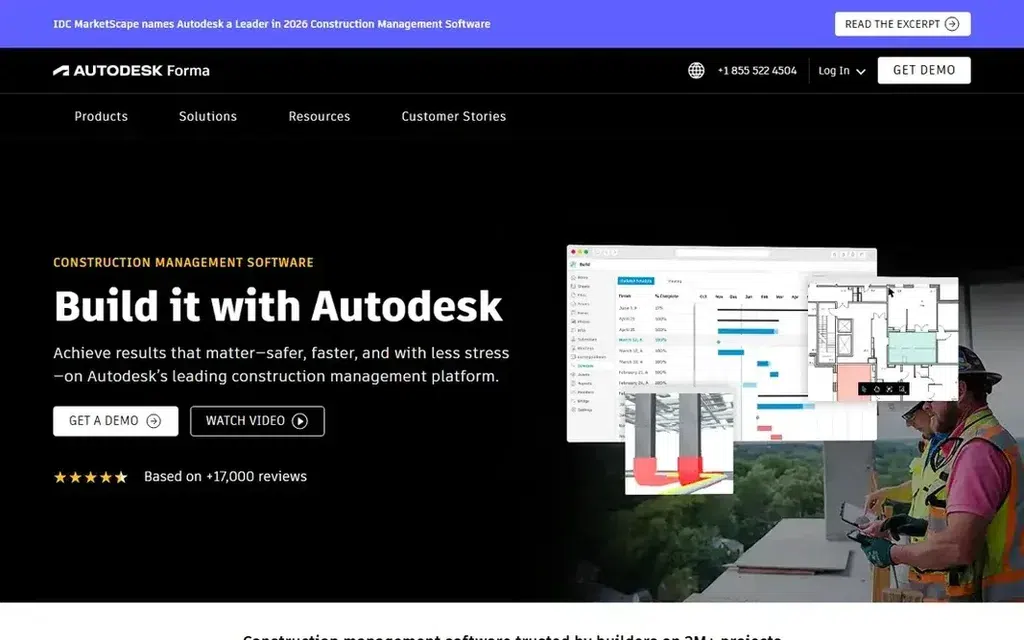
Autodesk Construction Cloud works best for secure collaboration across project teams. Pick it when secure, connected collaboration is the core compliance need. On top of that, Autodesk Construction Cloud, now presented as Autodesk Forma, is construction management software centered on project teams collaborating securely and rapidly.
Its homepage emphasizes delivering projects on time and on budget. Worth adding: the product's collaboration model assumes teams will adopt shared workflows, which takes coordination. Autodesk Construction Cloud shows no starting price here, so confirm the cost on the vendor site. Free options: Not stated.
Honest limits: Collaboration setup needs coordination.
Upsides: Built around connected project data.
- On-budget delivery
- Supports on-time
- May overlap with existing design tools
In short, SafetyCulture is for multi-site safety checklists and standards. SafetyCulture, now presented as Mitti, is a workplace operations system that helps teams work safely, meet higher standards and see what is happening across every site.
Honest limits: Compliance scope leans toward safety operations.
Teams needing drawing control or subcontractor workflows should pair it or choose a construction-specific platform. From a buyer's view, SafetyCulture is not a construction ERP, so job costing and project financials sit outside its core. Price to start with SafetyCulture: $24 per seat per month. A free plan is available with SafetyCulture.
- Workplace operations focus
- Safety and standards emphasis
- Not a full construction ERP
Pick Fieldwire if this describes you: field teams tracking tasks and drawings. Organizations needing deep financial or ERP integration should look elsewhere. On top of that, for compliance tracking, that means field documentation tied to drawings and task status.
Fieldwire by Hilti is live jobsite management software. Its homepage flags tracking tasks, updating drawings and reducing expensive rework, with use by owners, general contractors and subcontractors. Entry price for Fieldwire: $39 per user per month. You can start on Fieldwire without paying.
Reasons to shortlist it: Task and drawing tracking. Where it falls short: Field-first focus may need office integration.
- GCs and subcontractors
- Used by owners
- Compliance depth relies on configured workflows

Where Procore fits: connecting jobsite and office compliance data. Procore is a construction management platform built to link the site and the office.
As for the details, for compliance tracking, that means documentation and project data living in one place instead of in disconnected spreadsheets. Check the vendor site for Procore pricing; none is listed in this comparison. As for free access: Not stated.
Points against: Setup effort grows with project complexity.
- Wide construction management scope
- Live project visibility
- Wide product may feel heavy for small crews
CoConstruct serves builders managing client-facing project records. It suits builders and remodelers who want client-facing records alongside internal project management, instead of a purely commercial compliance system.
Drawbacks to consider: Brand transition may confuse buyers.
Check the vendor site for CoConstruct pricing; none is listed in this comparison. Trial and free access: Not stated.
- Pitched at project communication
- Unified brand with Buildertrend
- Less emphasis on heavy commercial compliance
Selection criteria
We compared the tools on published pricing, free plan or trial availability, feature coverage for construction compliance tracking software, and the limits each vendor documents. Where a vendor does not publish a price, the entry says quote. Where a price depends on seats or billing term, the entry says so. Order on the page follows fit for the typical buyer first, then price transparency and free access. Your own requirements should decide the final pick.
Before you commit
- Get a written quote from Autodesk Construction Cloud, Procore and CoConstruct; the list shows no starting price for them.
- Look at free plan limits closely: SafetyCulture and Fieldwire have one, and the caps decide whether it is usable for real work.
- Before choosing Autodesk Construction Cloud, weigh its main limit: collaboration setup needs coordination.
- List the apps you already depend on and check that Fieldwire supports each one on the plan you would buy.
- Confirm minimum seats and billing terms with Autodesk Construction Cloud before you commit to an annual plan.
FAQ
Does compliance tracking require drawing control?
For numerous projects, yes, since outdated drawings are a typical source of rework and documentation gaps. Fieldwire emphasizes drawing updates, and Autodesk Construction Cloud centers on shared project information. Confirm version control before you commit.
Which options for construction compliance tracking software have a free plan?
SafetyCulture and Fieldwire offer a free plan in this list. Free plans usually cap users, projects or features, so check the limits on the vendor page.
Is Autodesk Construction Cloud the right pick for everyone comparing construction compliance tracking software?
No single tool suits every team. Autodesk Construction Cloud comes first because it fits secure collaboration across project teams, while SafetyCulture suits multi-site safety checklists and standards and Fieldwire suits field teams tracking tasks and drawings. Match the tool to your own size, budget and workflow before deciding.
Do these tools publish their prices?
Not all of them. Autodesk Construction Cloud, Procore and CoConstruct publish no starting price, so expect a quote request for those. The rest, SafetyCulture included, show a starting price, though seats and billing terms still change the final cost.
How are the tools for construction compliance tracking software ordered?
Autodesk Construction Cloud sits first and CoConstruct last because the order follows typical fit for construction compliance tracking software, then price clarity and free access. It is a judgement call, so read each profile for fit and limits.
Sources
- https://construction.autodesk.com
- https://safetyculture.com
- https://www.fieldwire.com
- https://www.procore.com
- https://www.coConstruct.com
Related guides
- Top Fleet Safety Compliance Software for Construction in 2026: 8 Tools Compared
- 5 Compliance Software for Field Service Teams Worth Shortlisting in 2026
- Choosing Budget Tracking Software for Construction Project Managers in 2026: 6 Options Compared
- 5 Best Construction Equipment Tracking Software for Small Firms for 2026, Vetted and Compared