The 5 Best Construction Data Analytics Software for Remote Teams in 2026, Ranked
5 best construction data analytics software for remote teams, with entry costs, free tiers and the buyer each one serves. Real limits included. Start here.
- Editor's choice
 Tableau
Adaptable dashboards across data sources
Starts at$15 per user a monthVisit tableau.comFull review - Great alternativeInEight
Project data for better decisions
Starts atSee websiteVisit ineight.comFull review - Also consider
 Bentley iTwin
Infrastructure digital twin data integration
Starts at$199 per monthVisit bentley.comFull review
Direct answer
Our first pick is Tableau, best for adaptable dashboards across data sources. Listed starting prices: Tableau from $15 per user a month and Bentley iTwin from $199 per month. Alternatives: InEight for project data for better decisions, and Bentley iTwin for infrastructure digital twin data integration. Details, prices and limits for the rest of the 5 tools are below.
TL;DR:
- Top of the list is Tableau, which targets adaptable dashboards across data sources.
- Tableau, Bentley iTwin: these are the 2 tools out of 5 that offer a free plan.
- Oracle Primavera P6 suits large project portfolio scheduling.
- Starting prices begin at $15 per user per month with Tableau.
Last checked November 2026. Prices and plan details were read from the vendors' own pages in November 2026; vendors change plans often, so confirm the current price on the vendor site before you buy.
Quick comparison
| Tool | Best for | Starts at | Free plan? | |
|---|---|---|---|---|
| Tableau | Adaptable dashboards across data sources | $15 per user a month | Yes | Visit |
| InEight | Project data for better decisions | See website | Not stated | Visit |
| Bentley iTwin | Infrastructure digital twin data integration | $199 per month | Yes | Visit |
 Autodesk Construction Cloud | Cloud collaboration with project data | See website | Not stated | Visit |
 Oracle Primavera P6 | Large project portfolio scheduling | See website | Not stated | Visit |
Our 5 construction data analytics software for remote teams
Short on time? The summary and table above give the quick view of 5 construction data analytics software for remote teams, and the profiles that follow give the detail behind each entry.
Tableau works best for adaptable dashboards across data sources. Tableau is business intelligence and analytics software that helps people see and understand their data.
Users link to almost any database, build visualizations by dragging and dropping, and share results with a click, which fits remote teams that require everyone looking at the same live dashboards. Choose it when analytical adaptability across plenty of sources matters more than built-in construction workflows. The starting price for Tableau: $15 per user per month. Free access exists with Tableau.
Where it is weaker: Not construction-specific.
- Share dashboards with a click
- Drag-and-drop visualization building
- Needs data preparation effort
InEight
Best for: Project data for better decisions
Pick InEight if this describes you: project data for better decisions. Results rely on consistent data entry and adoption across distributed teams. In practice, if your need is purely visual analytics across varied sources, a dedicated BI product may be the better fit.
For remote teams, the draw is project-level insight that supports planning and controls without everyone gathering in one place. It is a construction-focused system instead of a general business intelligence tool, so cross-industry dashboarding is not its core strength. InEight does not show a starting price in this comparison, so check the vendor site for current pricing. Free access: Not stated.
Where it is weaker: Less known as a general BI tool.
- Project management software centred on data
- Aims to support better decision making
- Value relies on data quality and adoption
Bentley iTwin works best for infrastructure digital twin data integration. The Bentley iTwin product supplies the foundation for building SaaS options to design, build, and operate infrastructure assets.
The starting price for Bentley iTwin: $199 monthly. You can start on Bentley iTwin without paying.
Honest limits: System orientation needs development effort.
- Build and operate phases
- Supports design
- Centred on infrastructure assets
Autodesk Construction Cloud
Best for: Cloud collaboration with project data
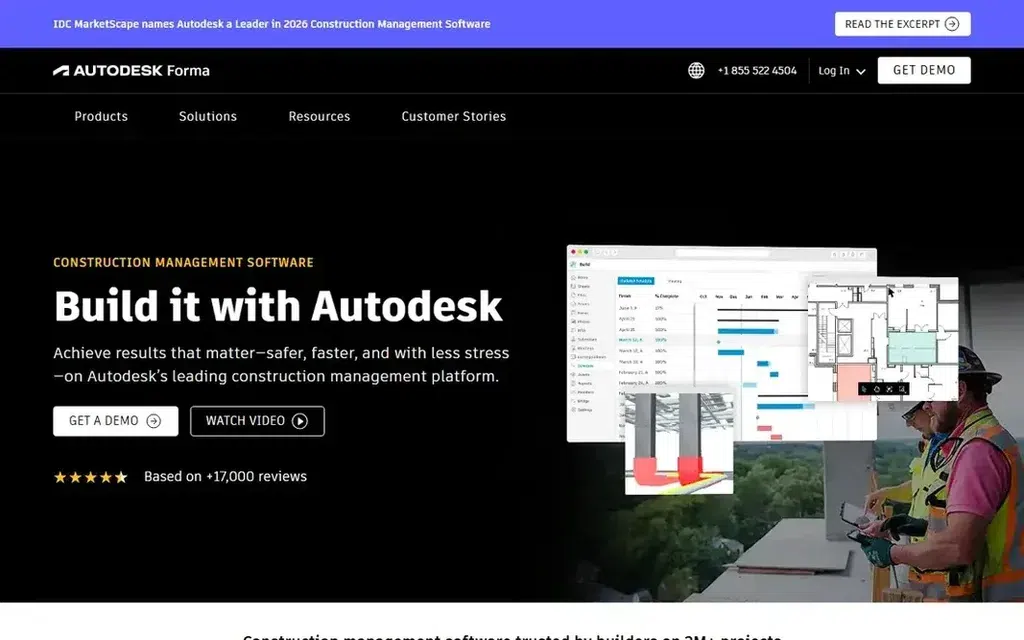
Autodesk Construction Cloud serves Cloud collaboration with project data. Autodesk Construction Cloud, now presented as Autodesk Forma, is a cloud construction management environment where project teams collaborate securely and rapidly. Its appeal for remote teams is that project information lives in a shared online space instead of on local machines, so distributed staff can work from the same data.
Downsides: Analytics depth relies on connected modules.
Choose this when integrated cloud collaboration matters more than pure dashboarding. Since it spans plenty of functions, teams may need time to configure it around their workflows, and analytics depth relies on which modules are in use. If your priority is a dedicated business intelligence layer across numerous unrelated data sources, a standalone analytics tool may suit you better. Autodesk Construction Cloud does not show a starting price in this comparison, so check the vendor site for current pricing. Trial and free access: Not stated.
- Fast team collaboration
- Supports secure
- Wide system may need onboarding effort
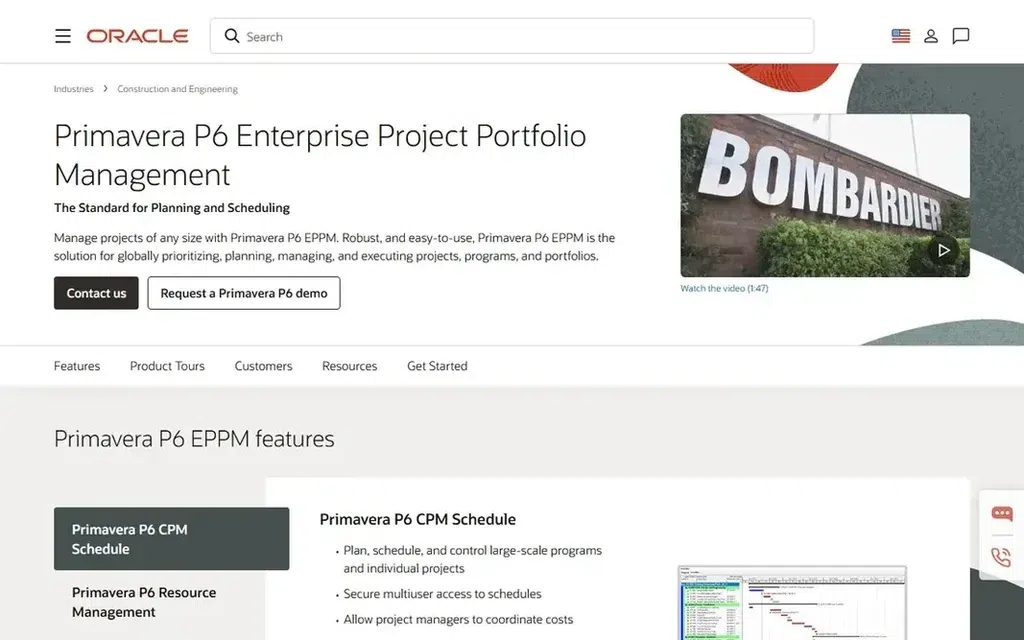
Where Oracle Primavera P6 fits: large project portfolio scheduling. Teams wanting straightforward drag-and-drop dashboards may find it heavy. Choose Primavera P6 when schedule rigor across a portfolio is the priority, and pair it with a separate analytics layer if broader reporting is needed.
The main drawbacks: Less centred on visual dashboarding.
Worth adding: remote planning teams value it since schedule and resource data can be managed centrally and accessed by distributed staff. In daily use, the tool is oriented toward planning depth instead of everyday visual analytics, and new users frequently need training before they are productive. No starting price is listed for Oracle Primavera P6 here; confirm pricing on the vendor site. Free plan details: Not stated.
- Manages projects of any size
- Capable scheduling and resource focus
- Steeper ramp-up time for casual users
Our selection method
The comparison looks at four things: starting price, free access, how well the feature set matches construction data analytics software for remote teams, and the main limit of each tool. Where a vendor does not publish a price, the entry says quote. Where a price depends on seats or billing term, the entry says so. The ranking is editorial: typical fit first, then clear pricing, then free access. If your needs are unusual, read the profiles rather than relying on position.
Before you commit
- Ask InEight, Autodesk Construction Cloud and Oracle Primavera P6 for a written quote, since no starting price is shown.
- Check what the free option really includes: Tableau and Bentley iTwin offer a free plan, and usage caps differ.
- Before choosing Tableau, weigh its main limit: not construction-specific.
- Compare total cost, not headline price: for InEight, add extra seats, add-ons and any usage-based charges.
- Confirm the exact Autodesk Construction Cloud plan that includes your must-have features.
FAQ
Which tool is a good match for remote teams new to construction analytics?
Tableau comes first here and is built for adaptable dashboards across data sources. Buyers with other needs may prefer InEight (for project data for better decisions) or Bentley iTwin (for infrastructure digital twin data integration). Compare costs and limits first.
When should a team choose Oracle Primavera P6 over more straightforward tools?
Primavera P6 fits organizations managing large project portfolios that require rigorous scheduling and resource control. Smaller teams or those focused chiefly on dashboards may find it heavier than needed.
Do these tools publish their prices?
Not all of them. InEight, Autodesk Construction Cloud and Oracle Primavera P6 publish no starting price, so expect a quote request for those. The rest, Tableau included, show a starting price, though seats and billing terms still change the final cost.
Can I try these tools before paying?
Often, yes. Tableau and Bentley iTwin have a free plan. Use your own data and a real task during the test, and check what the free tier or trial limits before you rely on it.
Is Tableau the right pick for everyone comparing construction data analytics software for remote teams?
No single tool suits every team. Tableau comes first because it fits flexible dashboards across data sources, while InEight suits project data for better decisions and Bentley iTwin suits infrastructure digital twin data integration. Match the tool to your own size, budget and workflow before deciding.
How are the tools for construction data analytics software for remote teams ordered?
Tableau sits first and Oracle Primavera P6 last because the order follows typical fit for construction data analytics software for remote teams, then price clarity and free access. It is a judgement call, so read each profile for fit and limits.
Sources
- https://www.tableau.com
- https://ineight.com
- https://www.bentley.com/software/itwin-platform
- https://construction.autodesk.com
- https://www.oracle.com/construction-engineering/primavera-p6
Related guides
- Construction Data Platforms in 2026: The 6 Best Options Side by Side
- Best Construction CRM Software for Remote Teams in 2026: Prices, Free Plans and 6 Picks
- Choosing Construction Project Management Software for Remote Teams in 2026: 6 Options Compared
- 6 Analytics Software for Contractors Worth Shortlisting in 2026