Top 5 Coding Tools for Software Development for 2026 (Prices and Free Plans)
Searching for the best coding tools for software development? Here are 5 options with prices and free plans. Every pick gets a straight assessment. Facts only.
- Editor's choice
 Docker
Containers and secure agent sandboxes
Starts at$9 per user per monthVisit docker.comFull review - Great alternativeJetBrains IntelliJ IDEA
Java and Kotlin development
Starts atSee websiteVisit jetbrains.comFull review - Also consider
 GitLab
Orchestrating the full software lifecycle
Starts at$29 per user a monthVisit about.gitlab.comFull review
Direct answer
Start with Docker if you need containers and secure agent sandboxes. Listed starting prices: Docker from $9 per user per month, GitLab from $29 per user a month and GitHub from $4 per user per month. JetBrains IntelliJ IDEA is better for Java and Kotlin development, and GitLab is better for orchestrating the full software lifecycle. Details, prices and limits for the rest of the 5 tools are below.
TL;DR:
- Docker takes the first slot, best suited to containers and secure agent sandboxes.
- GitHub is the one to check for hosted repositories and team collaboration.
- For the cheapest start, look at GitHub: $4 per user per month.
- The main caution on JetBrains IntelliJ IDEA: concentrated on Java and Kotlin.
Last checked November 2026. Prices and plan details were read from the vendors' own pages in November 2026; vendors change plans often, so confirm the current price on the vendor site before you buy.
Quick comparison
| Tool | Best for | Starts at | Free plan? | |
|---|---|---|---|---|
| Docker | Containers and secure agent sandboxes | $9 per user per month | Yes | Visit |
| JetBrains IntelliJ IDEA | Java and Kotlin development | See website | Not stated | Visit |
| GitLab | Orchestrating the full software lifecycle | $29 per user a month | Yes | Visit |
 Visual Studio Code | Everyday code editing and agent-assisted work | See website | Not stated | Visit |
 GitHub | Hosted repositories and team collaboration | $4 per user per month | Yes | Visit |
Coding Tools for Software Development, one by one
This LinkVetted guide covers 5 options for coding tools for software development. Each profile lists a starting price, free plan details, strengths and drawbacks, so you can drop poor fits quickly.
Choose Docker for containers and secure agent sandboxes. Docker concentrates on running AI agents and containers safely anywhere, with trusted sandboxes, governance and a secure supply chain for modern software. Containers introduce concepts and operational overhead that straightforward projects may not need, and teams must plan for image management and security practices.
Watch-outs: Brings operational overhead.
If your application runs comfortably without isolation or portable environments, a lighter setup may be enough, but Docker remains a typical choice for reproducible deployments. On top of that, Container-based workflows are its core strength. The starting price for Docker: $9 per user per month. Docker offers a free plan.
- Runs containers anywhere
- Governance and supply chain security
- Container concepts take time to learn
JetBrains IntelliJ IDEA
Best for: Java and Kotlin development

JetBrains IntelliJ IDEA is aimed squarely at Java and Kotlin development. IntelliJ IDEA is the JetBrains IDE for Java and Kotlin, offering deep code intelligence and built-in tools. Its homepage flags running AI agents and verifying their work within the IDE.
Its focus on Java and Kotlin makes it a weaker match for projects built primarily in other languages, where a different IDE or a general editor may serve better. In daily use, the IDE is also heavier than a straightforward editor, so developers on very modest hardware or with mixed-language work should weigh that tradeoff. No starting price is listed for JetBrains IntelliJ IDEA here; confirm pricing on the vendor site. Free access: Not stated.
Watch-outs: Heavier than a straightforward editor.
- Built-in developer tools
- Deep code intelligence
- Centred on Java and Kotlin
Pick GitLab if this describes you: orchestrating the full software lifecycle. GitLab presents itself as an intelligent orchestration system with context and governance for the whole software lifecycle, helping teams and agents ship trusted software quicker.
Smaller teams with straightforward needs might find a narrower repository host sufficient, whereas bigger organizations seeking governance in one place will see more value. Teams coordinating both people and automatic agents are a natural fit. GitLab starts at: $29 per user per month. You can start on GitLab without paying.
Watch-outs: Wide scope needs planning to adopt.
- Intelligent orchestration product
- Context and governance across the lifecycle
- May duplicate tools you already run
Visual Studio Code
Best for: Everyday code editing and agent-assisted work
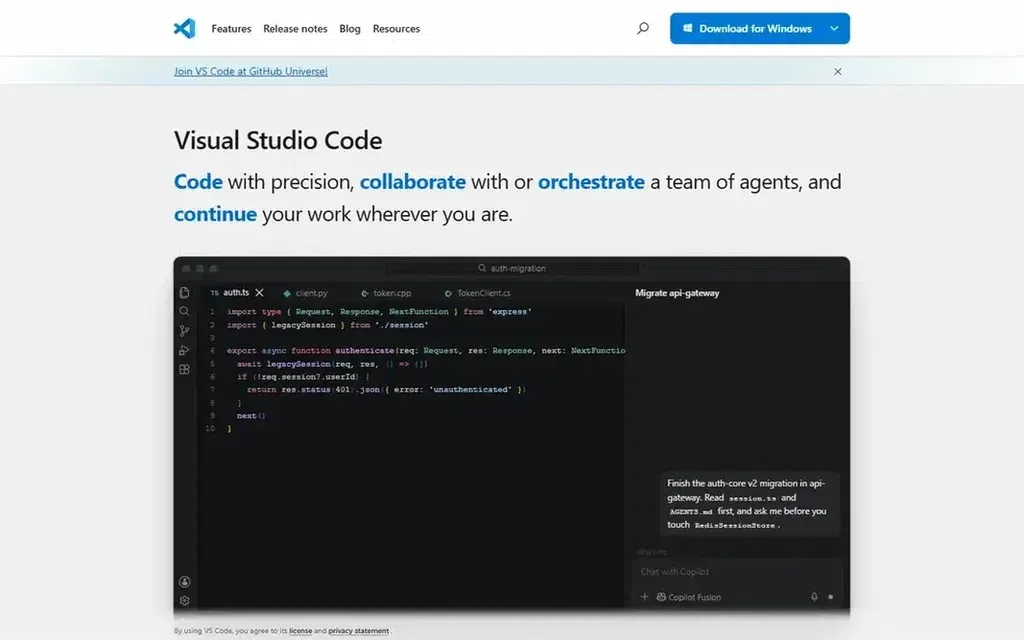
Visual Studio Code makes the most sense for everyday code editing and agent-assisted work. Its homepage emphasizes continuing your work wherever you are, which fits developers who move between machines or prefer a light editor over a full IDE.
Drawbacks to consider: Requires extensions for full IDE depth.
For everyday use, because it is an editor instead of a complete IDE, deeper language tooling frequently relies on extensions and setup time. This comparison lists no price for Visual Studio Code; ask the vendor. As for free access: Not stated.
- Agent collaboration features
- Precise code editing
- Configuration can grow complex
Where GitHub fits: hosted repositories and team collaboration. It suits organizations of numerous sizes along with individuals working in open source.
For everyday use, the system handles plenty of ground, so new users may need time to learn its workflows and settings. Price to start with GitHub: $4 per user per month. GitHub includes a free tier.
Watch-outs: Advanced workflows need learning.
- AI-powered features
- Widely used developer system
- Feature breadth can overwhelm newcomers
How we compared the tools
LinkVetted used vendor pricing pages and product documentation as the base, then compared plans, free access and documented limits for 5 tools. Prices and plan limits come from vendor pages and can change, so confirm them on the vendor site before you buy. The order reflects how well each tool fits the most common buying scenario for coding tools for software development, then price clarity, then free plan access. It is a starting point, not a verdict.
What to confirm before you sign up
- Get a written quote from JetBrains IntelliJ IDEA and Visual Studio Code; the list shows no starting price for them.
- Read the fine print on the free plans from Docker, GitLab and GitHub; seat, project and feature caps differ.
- Read the limits listed for Docker first: container concepts take time to learn.
- Before rolling out JetBrains IntelliJ IDEA, verify the integrations your workflow depends on.
- See whether Visual Studio Code offers onboarding or training, and whether it is included in the price.
FAQ
Which coding tool should a new developer start with?
Visual Studio Code is a typical starting point since it is an adaptable editor that works across languages and machines. Pair it with a repository host like GitHub to practice collaboration.
Which options for coding tools for software development have a free plan?
Docker, GitLab and GitHub offer a free plan in this list. Free plans usually cap users, projects or features, so check the limits on the vendor page. Each of the 5 options in this coding tools for software development guide has its own card above with the price, free plan and limits.
Do these tools publish their prices?
Not all of them. JetBrains IntelliJ IDEA and Visual Studio Code publish no starting price, so expect a quote request for those. The rest, Docker included, show a starting price, though seats and billing terms still change the final cost.
How are the tools for coding tools for software development ordered?
The order follows typical fit for coding tools for software development, with Docker first and GitHub last, then price clarity and free access. It is editorial judgement, not a score, so another team could rank the tools differently.
What is the cheapest option for coding tools for software development in this list?
On published monthly entry prices, GitHub is the lowest here at $4 per user per month. Entry price is only part of the cost, because seats, add-ons and billing terms can change the total. All 5 picks in this coding tools for software development comparison list a starting price, free plan details and the main limits on their cards above.
Sources
- https://www.docker.com
- https://www.jetbrains.com/idea
- https://about.gitlab.com
- https://code.visualstudio.com
- https://github.com