Best Calendar Apps in Japan in 2026: 8 Apps Compared
Our guide to the best calendar apps in japan covers TimeTree, Google Calendar, Jorte, and more, with Japanese holidays and sharing compared. in this guide.
- Editor's choice
 TimeTree
Shared calendar for families in Japan
Starts atFreeVisit timetreeapp.comFull review - Great alternative
 Google Calendar
Most installed calendar in Japan
Starts atFreeVisit calendar.google.comFull review - Also consider
 Jorte Calendar
Japanese-made calendar with diary tools
Starts atFreeVisit jorte.comFull review
TL;DR:
- TimeTree is the leading shared calendar in Japan for families and groups, with chat and albums beside events.
- Google Calendar remains the most installed calendar in Japan, thanks to Gmail and cross-platform sync.
- Jorte Calendar is a long-running Japanese-made option with stickers, weather, and diary features.
- Yahoo Calendar Japan suits Yahoo Japan users, while Apple and Outlook calendars suit device and work ecosystems.
Quick comparison
| Tool | Best for | Starts at | Free plan? | |
|---|---|---|---|---|
| TimeTree | Shared calendar for families in Japan | Free | Yes | Visit |
| Google Calendar | Most installed calendar in Japan | Free | Yes | Visit |
| Jorte Calendar | Japanese-made calendar with diary tools | Free | Yes | Visit |
 Apple Calendar | Free calendar for Apple users in Japan | Free | Yes | Visit |
 Yahoo Calendar Japan | Calendar for Yahoo Japan users | Free | Yes | Visit |
 Outlook Calendar | Calendar for work in Japan | Free | Yes | Visit |
 Fantastical | Polished calendar with natural language entry | See website | Yes | Visit |
 Notion Calendar | Free calendar for Notion users in Japan | Free | Yes | Visit |
The best calendar apps in Japan
Calendar apps in Japan need Japanese holidays, Rokuyo and school calendars for some users, and sharing that works for families, clubs, and work groups. The eight apps below all run in Japan and support Japanese language and holidays, and they range from shared family calendars to polished personal planners. We compared sharing, Japanese features, device support, and price, and we favored apps with a real user base in Japan.
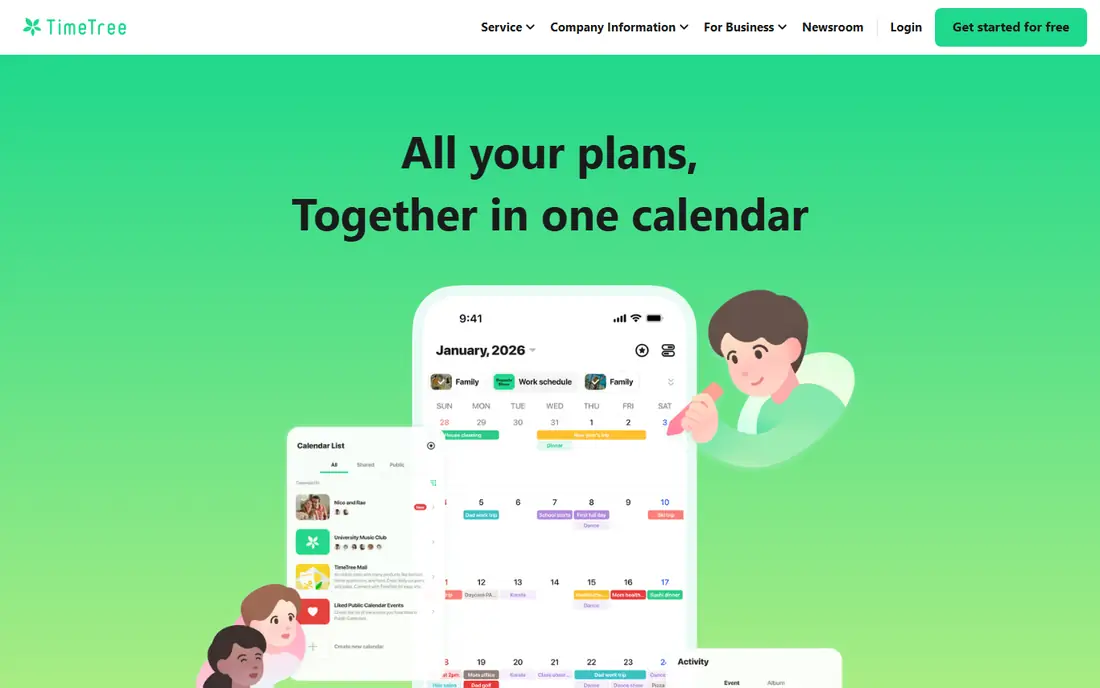
TimeTree is the shared calendar many Japanese families and groups actually use. You can create separate calendars for family, work, and clubs, add events with chat and photos, and keep everyone in sync without sharing a whole email account. The app passed 75 million registered users worldwide by mid-2026, with a strong base in Japan, Korea, and Taiwan.
The free tier includes ads, and TimeTree Premium removes them and adds more features. It is not a full work scheduling suite like Outlook, but for family and group coordination in Japan, it is the most natural pick. Start with a shared family calendar and add a work calendar only if you need it.
Before you settle on this one, check the official site for the current plan details and device support, since catalogs and prices change during the year. The free tier or trial, where one exists, is the cheapest way to confirm it fits your daily routine. If it passes that short test, it is worth keeping for a full month before you pay for anything.
- Built for sharing
- Chat and albums in events
- Strong Japan user base
- Ads on free tier
- Work features are lighter than Outlook
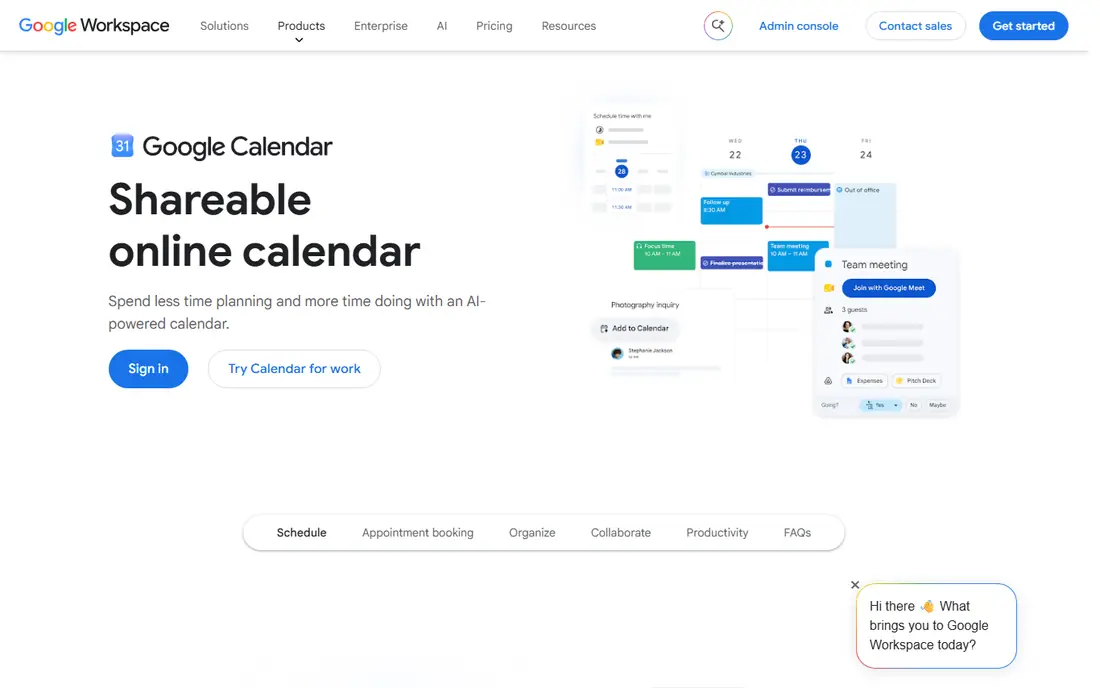
Google Calendar tops installation rankings for schedule apps in Japan, and for good reason: it is free, it runs on iPhone, Android, and the web, and it handles Japanese holidays and shared calendars well. Gmail adds reservations automatically, and Meet links attach to events. Most people you meet in Japan can share a Google event without extra setup.
The design is plain next to Jorte, and it lacks diary and sticker features that some Japanese users enjoy. If you want a calendar that works everywhere and syncs with work and school, Google Calendar is still the safest default in Japan.
We suggest starting with the free option and testing it on the device you use most, whether that is a phone, a TV, or a laptop. Look at how often you actually open it in the first two weeks, and check whether the features you need sit behind a paywall. That simple check saves more money than any feature list, and it keeps the choice grounded in real use.
- Free and cross-platform
- Japanese holidays
- Gmail and Meet integration
- Sharing setup can confuse new users
- Fewer diary extras than Jorte
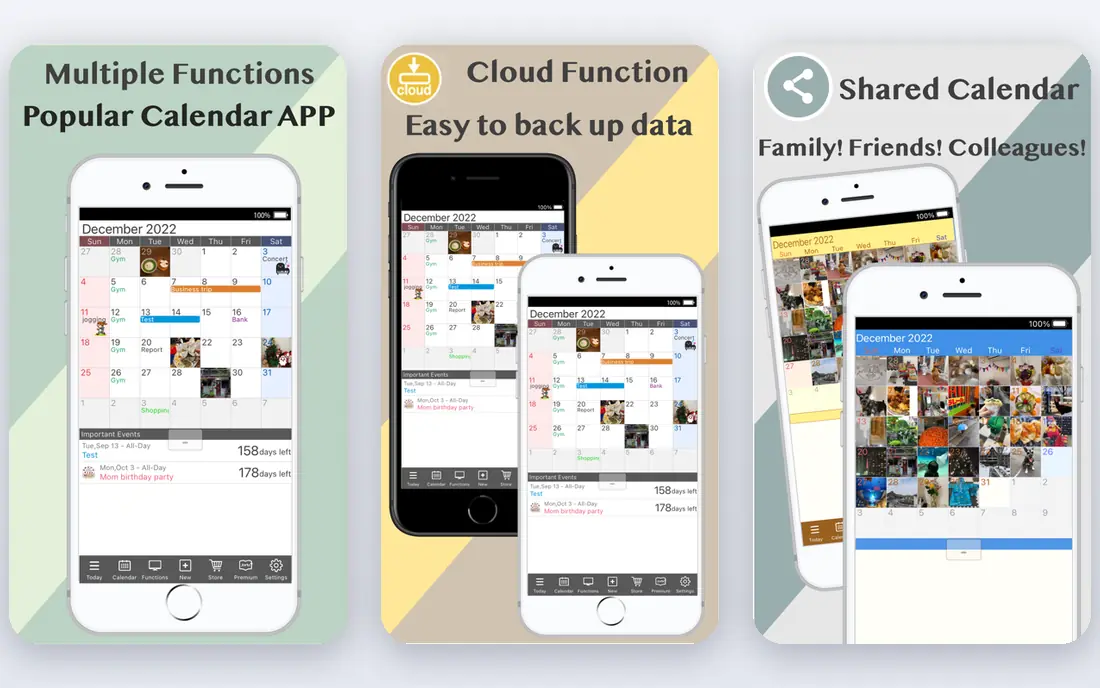
Jorte Calendar is a Japanese-made calendar app with a long history in Japan. It offers diary entries, stickers, weather, and a wide range of views, plus cloud sync across phones. Many users like that it feels made for Japanese daily life, with holiday and event calendars that match local needs.
The interface can feel busy for users who prefer a minimal calendar, and the best themes and features need a paid plan. If you want a personal calendar that doubles as a diary, Jorte is a distinctive Japanese option worth trying beside Google Calendar.
A quick way to judge this option is to try one ordinary task end to end, from setup to the result you wanted, and note where it slows you down. If the setup is clear and the result arrives without extra steps, the service earns its place. If you hit a paywall or a missing feature early, move on rather than working around it.
- Japanese design and holidays
- Stickers and diary
- Cloud sync
- Interface can feel busy
- Premium features need a paid plan
Apple Calendar is preinstalled on iPhone, iPad, and Mac, and it syncs through iCloud with Japanese holidays and Siri support in Japanese. You can add Google and Exchange accounts, so work events appear beside personal ones. The design stays calm, which helps for quick checks on a phone.
The limit is platform and sharing: there is no Android app, and group features are thinner than TimeTree, with no built-in chat or albums. For an all-Apple household in Japan, Apple Calendar is free and reliable, and TimeTree can handle group sharing beside it.
Check the vendor page for current pricing and for any limits on the free plan before you commit, because those details shift often. Test it with your own content and your own schedule for a week, and keep notes on what frustrated you. The best choice is usually the one with the fewest daily frictions, not the longest feature list.
- Preinstalled
- ICloud sync
- Siri in Japanese
- Clean design
- No Android app
- Fewer group chat features than TimeTree
Yahoo Calendar Japan, known as Yahoo Calendar, ties into Yahoo Japan mail, weather, and news, which suits users who already live in that ecosystem. It offers Japanese holidays, simple event sharing, and a clean web and mobile experience. For older Yahoo Japan users, it feels familiar and low friction.
The ecosystem is smaller than Google, so sharing with non-Yahoo users takes more steps. If you already use Yahoo Japan mail daily, this calendar will fit well. If you share mostly with Google users, Google Calendar will cause fewer sync questions.
Before you settle on this one, check the official site for the current plan details and device support, since catalogs and prices change during the year. The free tier or trial, where one exists, is the cheapest way to confirm it fits your daily routine. If it passes that short test, it is worth keeping for a full month before you pay for anything.
- Ties to Yahoo Japan services
- Japanese holidays
- Simple sharing
- Best for Yahoo Japan users
- Smaller ecosystem than Google
Outlook Calendar suits work users in Japan whose companies run on Microsoft 365. It handles shared team calendars, room booking, and Teams meetings, and the free Outlook.com version covers personal use. Japanese holidays and time zones work well, and the mobile app is solid.
Google calendar sync is limited, and booking features for business need a paid plan. Keep Outlook Calendar for work and use TimeTree or Google Calendar for family plans, or sync both into one daily view so nothing gets missed.
We suggest starting with the free option and testing it on the device you use most, whether that is a phone, a TV, or a laptop. Look at how often you actually open it in the first two weeks, and check whether the features you need sit behind a paywall. That simple check saves more money than any feature list, and it keeps the choice grounded in real use.
- Strong work scheduling
- Teams integration
- Free web version
- Google sync is limited
- Full features need Microsoft 365
Fantastical gives Japan users a polished calendar with natural language entry, strong widgets, and calendar sets for work, family, and travel. It syncs Google, iCloud, and Exchange accounts, so it can sit on top of the calendars you already use. The design is a step above the free defaults, especially on iPhone and Mac.
The premium plan is needed for the best features, and Japan-specific extras such as diary stickers are lighter than Jorte. If you value speed and design and you already use Apple devices, Fantastical is worth testing during its trial.
A quick way to judge this option is to try one ordinary task end to end, from setup to the result you wanted, and note where it slows you down. If the setup is clear and the result arrives without extra steps, the service earns its place. If you hit a paywall or a missing feature early, move on rather than working around it.
- Fast natural language entry
- Attractive widgets
- Multi-account sync
- Premium needed for best features
- Japan-specific extras are light
Notion Calendar gives Notion users in Japan a clean calendar that connects to notes, tasks, and databases. You can share availability with booking links, sync Google calendars, and view events beside project work. The minimal design suits students and small teams who already plan in Notion.
If you do not use Notion, much of its appeal fades, and it lacks Jorte diary features. For Notion users, though, it is a strong free addition that keeps plans and notes together without a new subscription.
Check the vendor page for current pricing and for any limits on the free plan before you commit, because those details shift often. Test it with your own content and your own schedule for a week, and keep notes on what frustrated you. The best choice is usually the one with the fewest daily frictions, not the longest feature list.
- Free
- Clean design
- Connects to Notion docs
- Booking links
- Best for Notion users
- Fewer Japanese diary features
How we picked these
We compared official feature pages, pricing pages, and app store listings, and we checked that each product is still offered in October 2026. We favored options with a clear free tier or trial, current device support, and honest limits stated on the vendor site. We left out products we could not verify, and we noted where a paid plan is needed for the full feature set.
How to choose a calendar app in Japan
Start with who you share with: families and clubs in Japan often do best with TimeTree, while work teams do best with Outlook or Google Calendar. Check Japanese holidays next, and add school or Rokuyo calendars if your household uses them. Test sharing with a real partner or group for a week, since a calendar that looks good alone can fail when five people edit it. Finally, check device support: a calendar that works on iPhone, Android, and the web will cause fewer missed events in mixed-device homes.
FAQ
What is the most popular calendar app in Japan?
Google Calendar ranks first by installs in Japan, followed by Jorte Calendar and TimeTree in many rankings. TimeTree leads for shared family and group calendars, while Google Calendar leads for general personal use.
Is TimeTree free in Japan?
Yes, TimeTree is free with ads, and TimeTree Premium removes ads and adds extra features. The free version covers shared calendars, chat, and albums for most families and groups.
Do these apps support Japanese holidays?
Yes, Google, Apple, Yahoo, Jorte, and TimeTree all support Japanese holidays, with settings to add them. Check the holiday calendar setting after install, since it may not be on by default.
Can I share a calendar with family in Japan?
Yes, TimeTree is built for family sharing, and Google and Apple calendars also support shared family calendars. Pick one shared calendar for the household so events do not split across apps.
Which calendar app is best for work in Japan?
Outlook Calendar suits Microsoft 365 workplaces, while Google Calendar suits Google Workspace teams. Both handle Japanese holidays, time zones, and shared team calendars well.