Calendar App for Multiple Time Zones in 2026: The 6 Best Options Side by Side
Shortlisting the best calendar app for multiple time zones? 6 products compared on cost, free access and ideal buyer. Real limits included. Choose faster.
- Editor's choice
 Morgen
Unified daily planning across calendars
Starts at$10 per seat per monthVisit morgen.soFull review - Great alternative
 Calendly
Shareable booking links
Starts at$10 per seat per monthVisit calendly.comFull review - Also consider
 Reclaim.ai
AI auto-scheduling of tasks
Starts at$10 per seat per monthVisit reclaim.aiFull review
Direct answer
Morgen comes first here, mainly for unified daily planning across calendars. Listed starting prices: Morgen from $10 per seat per month, Calendly from $10 per seat per month and Reclaim.ai from $10 per seat per month. If your case is different, Calendly suits shareable booking links and Reclaim.ai suits AI auto-scheduling of tasks. Details, prices and limits for the rest of the 6 tools are below.
TL;DR:
- Morgen sits first on this list: unified daily planning across calendars.
- Google Calendar fits shared online calendars and scheduling.
- For the cheapest start, look at Microsoft Outlook: $1.99 per month.
- Calendly comes with a trade-off: not a full calendar replacement.
- 2 of 6 tools offer a free plan: Calendly, Reclaim.ai.
Last checked November 2026. Prices and plan details were read from the vendors' own pages in November 2026; vendors change plans often, so confirm the current price on the vendor site before you buy.
Quick comparison
| Tool | Best for | Starts at | Free plan? | |
|---|---|---|---|---|
| Morgen | Unified daily planning across calendars | $10 per seat per month | Free trial | Visit |
| Calendly | Shareable booking links | $10 per seat per month | Yes | Visit |
| Reclaim.ai | AI auto-scheduling of tasks | $10 per seat per month | Yes | Visit |
 Microsoft Outlook | Email and calendar integration | $1.99 per month | Free trial | Visit |
| Clockwise | Team scheduling and focus time | See website | Not stated | Visit |
 Google Calendar | Shared online calendars and scheduling | See website | Not stated | Visit |
Calendar App for Multiple Time Zones compared in detail
Choosing calendar app for multiple time zones usually comes down to price, fit and limits. This LinkVetted guide sets 6 tools side by side on those three points, with the facts kept short and checkable.
Morgen was built for unified daily planning across calendars. If you need only an entry-level shared calendar, Google Calendar is more straightforward.
Watch-outs: AI features need configuration.
Beyond that, choose Morgen when you want a unified planner that spans multiple calendars and task sources. More specifically, setting up several calendar accounts may take some effort, and AI features benefit from configuration. The starting price for Morgen: $10 per seat per month. Trial and free access: Free trial.
- Time blocking and focus protection
- Works across all calendars
- May need setup for several accounts
Calendly is built with shareable booking links in mind. Calendly is not a standalone calendar for daily planning; it relies on a connected calendar like Google Calendar or Outlook.
Watch-outs: Not a full calendar replacement.
Calendly plugs into your existing calendar to avoid conflicts. Starting cost for Calendly: $10 per seat per month. You can start on Calendly without paying.
- Takes care of payments and prep
- Contact management included
- Depends on connected calendars
In short, Reclaim.ai is for AI auto-scheduling of tasks. Reclaim is an AI-powered app that auto-schedules tasks, habits, meetings, and breaks on top of Google Calendar and Outlook Calendar. It is aimed at individuals and teams who want their calendar to intelligently allocate time for priorities.
Downsides: AI scheduling may need tuning.
As for the details, the AI scheduling may need adjustment to match your preferences. For several time zones, it builds on the time zone handling of your connected calendar. From a buyer's view, Reclaim relies on Google or Outlook as the underlying calendar, so it is not a standalone option. Reclaim.ai cost at the entry level: $10 per seat per month. Reclaim.ai includes a free tier.
- Auto-schedules tasks and habits
- Guards breaks and focus time
- Needs a connected calendar
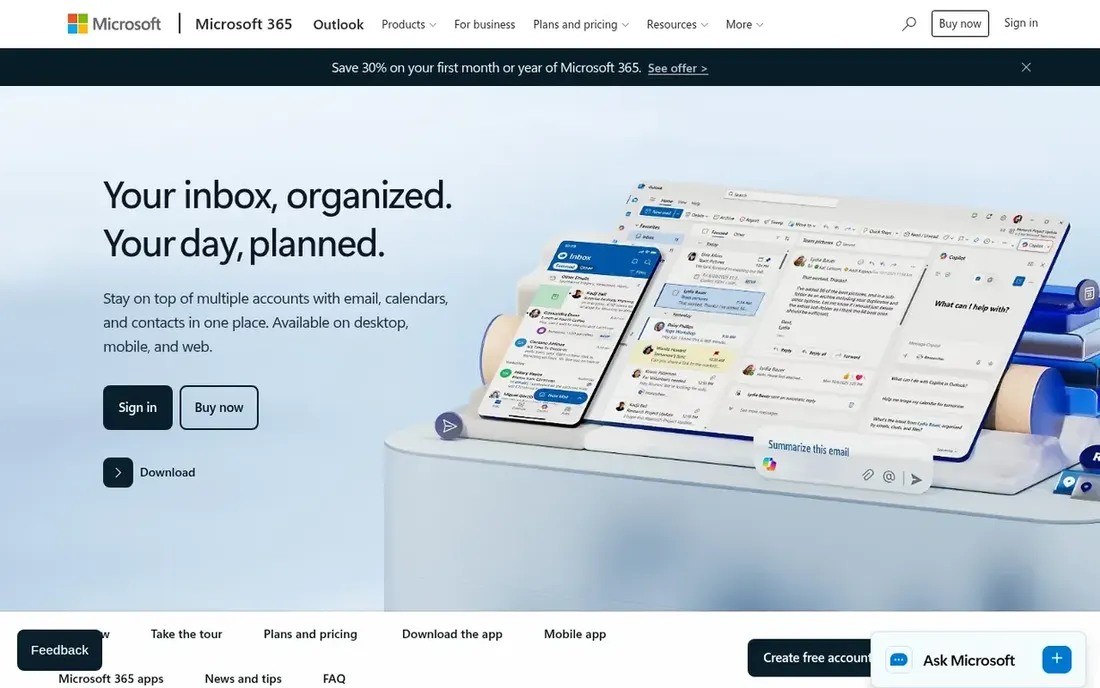
Microsoft Outlook is built with email and calendar integration in mind. It is well suited to users already in the Microsoft ecosystem who want email and scheduling in a single place.
What you pay to start with Microsoft Outlook: $1.99 per month. Free access: Free trial.
Watch-outs: Time zone settings can be buried in choices.
- Familiar Microsoft interface
- Integrated email and calendar
- Desktop and web versions differ
Clockwise
Best for: Team scheduling and focus time
Clockwise targets team scheduling and focus time. Since the product is in transition, some documented features may evolve.
Where it is weaker: Feature details may change.
Consider Clockwise if team scheduling efficiency is your central goal and you can verify current functionality. No starting price is listed for Clockwise here; confirm pricing on the vendor site. As for free access: Not stated.
- Builds focus blocks
- Optimizes team calendars
- Homepage indicates a transition
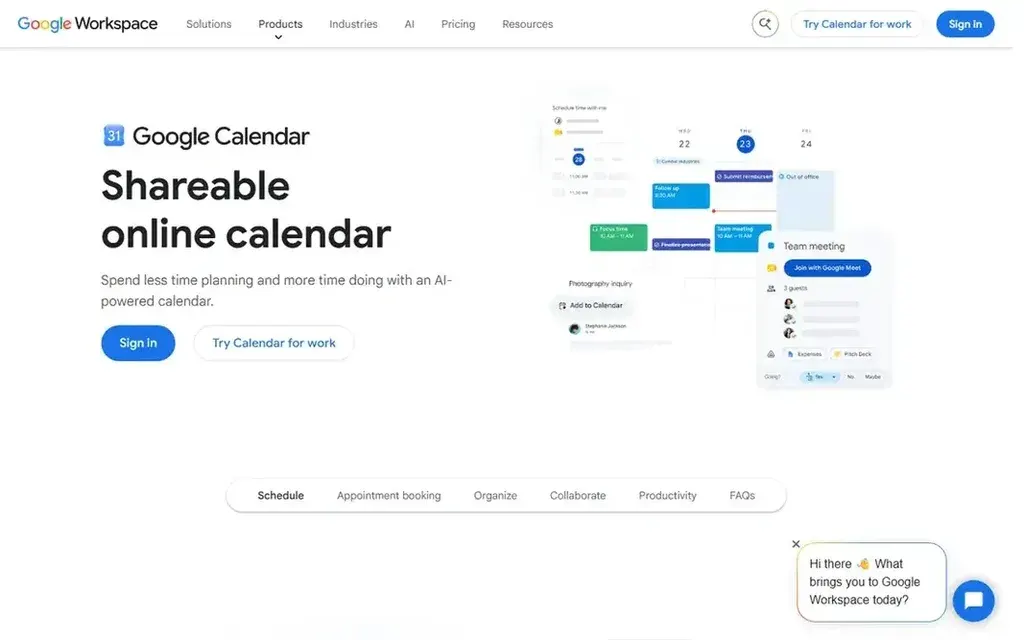
Where Google Calendar fits: shared online calendars and scheduling. Google Calendar is a shareable online calendar built for managing business and personal life. It lets you share meetings and schedule appointments, making it a typical choice for teams and individuals who require a central place to coordinate events.
Watch-outs: Advanced features tied to Workspace.
Consider Google Calendar when wide accessibility and sharing are priorities. The calendar is tightly integrated with Google Workspace, so some features may rely on your account type. For several time zones, it supports adding secondary time zones so you can see other regions alongside your own. Pricing for Google Calendar is not stated here, so ask the vendor for current figures. As for free access: Not stated.
- Works with Google Workspace
- Shareable online calendar
- Time zone display choices vary by view
What went into this list
A buyer's checklist
- Get a written quote from Clockwise and Google Calendar; the list shows no starting price for them.
- Check what the free option really includes: Calendly and Reclaim.ai offer a free plan, and usage caps differ.
- Take the trial from Morgen and Microsoft Outlook and push a live task through it before you pay.
- Before choosing Morgen, weigh its main limit: may need setup for several accounts.
- Pick one real project and run it in Microsoft Outlook first; a small pilot shows fit faster than a checklist.
- Test the integrations you rely on with Clockwise before committing; some connectors sit on upper tiers.
FAQ
Is Morgen the right pick for everyone comparing calendar app for multiple time zones?
No single tool suits every team. Morgen comes first because it fits unified daily planning across calendars, while Calendly suits shareable booking links and Reclaim.ai suits AI auto-scheduling of tasks. Match the tool to your own size, budget and workflow before deciding.
Can Calendly deal with time zones for invitees?
It links to your calendar to avoid conflicts. Even so, it is a scheduling tool instead of a full calendar app for daily time zone display.
Do these tools publish their prices?
Not all of them. Clockwise and Google Calendar publish no starting price, so expect a quote request for those. The rest, Morgen included, show a starting price, though seats and billing terms still change the final cost.
How are the tools for calendar app for multiple time zones ordered?
Morgen sits first and Google Calendar last because the order follows typical fit for calendar app for multiple time zones, then price clarity and free access. It is a judgement call, so read each profile for fit and limits.
Can I try these tools before paying?
Often, yes. Calendly and Reclaim.ai have a free plan and Morgen and Microsoft Outlook offer a free trial. Use your own data and a real task during the test, and check what the free tier or trial limits before you rely on it.
Sources
- https://www.morgen.so
- https://calendly.com
- https://reclaim.ai
- https://www.microsoft.com/en-us/microsoft-365/outlook/email-and-calendar-software-microsoft-outlook
- https://www.getclockwise.com
- https://calendar.google.com