Choosing Backup Software for Freelancers in 2026: 6 Options Compared
Best backup software for freelancers: 6 contenders ranked by fit, with entry costs and free tiers. With pricing notes and limits. Narrow your shortlist.
- Editor's choice
 AOMEI Backupper
Low-cost local backup for Windows
Starts atSee websiteVisit aomeitech.comFull review - Great alternativeVeeam Agent for Microsoft Windows
Free Windows endpoint backup
Starts atSee websiteVisit veeam.comFull review - Also consider
 Backblaze Computer Backup
Straightforward unlimited cloud backup
Starts atSee websiteVisit backblaze.comFull review
Direct answer
For budget-friendly local backup for Windows, AOMEI Backupper is where this list starts. Listed starting prices: IDrive from $11.99 a month. Veeam Agent for Microsoft Windows is better for free Windows endpoint backup, and Backblaze Computer Backup is better for straightforward unlimited cloud backup. The other 3 tools in the list cover narrower or pricier cases.
TL;DR:
- The list opens with AOMEI Backupper, aimed at affordable local backup for Windows.
- Just one of the 6 tools, IDrive, has a free plan.
- The main caution on IDrive: interface can be complicated.
- Starting prices begin at $11.99 per month with IDrive.
Last checked November 2026. Prices and plan details were read from the vendors' own pages in November 2026; vendors change plans often, so confirm the current price on the vendor site before you buy.
Quick comparison
| Tool | Best for | Starts at | Free plan? | |
|---|---|---|---|---|
| AOMEI Backupper | Low-cost local backup for Windows | See website | Not stated | Visit |
| Veeam Agent for Microsoft Windows | Free Windows endpoint backup | See website | Not stated | Visit |
| Backblaze Computer Backup | Straightforward unlimited cloud backup | See website | Not stated | Visit |
 IDrive | Cloud backup and storage for several devices | $11.99 a month | Yes | Visit |
 Norton 360 | All-in-one security with backup | See website | Not stated | Visit |
 EaseUS Todo Backup | Local and cloud backup with disaster recovery | See website | Not stated | Visit |
Every option for backup software for freelancers explained
LinkVetted put together this guide to backup software for freelancers for readers who want a clear shortlist without reading every vendor page. It compares 6 tools on starting price, free plans, who each one suits and where each one falls short.
For low-cost local backup for Windows, AOMEI Backupper is a natural candidate. AOMEI Backupper has restricted cloud backup integration and is primarily Windows-focused.
So it may not suit Mac users or those who require broad cloud features. It has a free version and a straightforward interface, making it accessible for freelancers who require local backup without complexity. This comparison lists no price for AOMEI Backupper; ask the vendor. Free options: Not stated.
What to check first: Restricted cloud integration.
- Straightforward interface
- Free version available
- Windows-focused
Veeam Agent for Microsoft Windows
Best for: Free Windows endpoint backup
Veeam Agent for Microsoft Windows is designed for free Windows endpoint backup. Veeam Agent for Microsoft Windows is a free backup option for Windows desktops, servers, and endpoints. It offers steady backup for physical and cloud workloads, with choices for full system recovery.
In practice, freelancers who use Windows and need a no-cost, dependable backup tool will find it valuable. In practice, if you need cross-platform support or integrated cloud storage, consider IDrive or Backblaze. On top of that, Veeam Agent is restricted to Windows and does not contain cloud storage. So you will have to provide your own backup destination. Veeam Agent for Microsoft Windows does not show a starting price in this comparison, so check the vendor site for current pricing. On free options: Not stated.
Trade-offs to know: No cloud storage included.
- Free for Windows
- Supports physical and cloud
- Windows only
Choose Backblaze Computer Backup for straightforward unlimited cloud backup. Freelancers who work primarily on one machine and want unlimited cloud storage will find it a solid fit. That said, Backblaze does not offer local backup or disk imaging, so it may not suit those who require full system recovery.
Where it is weaker: No local backup choice.
Backblaze Computer Backup is a cloud-only service that automatically backs up your whole computer, including external drives. It is made for users who want a set-and-forget option without managing local storage. Also, if you need local backups or more granular control, consider a tool like EaseUS Todo Backup or AOMEI Backupper instead. No starting price is listed for Backblaze Computer Backup here; confirm pricing on the vendor site. Free access: Not stated.
- Simple setup
- Continuous backup
- Limited mobile support
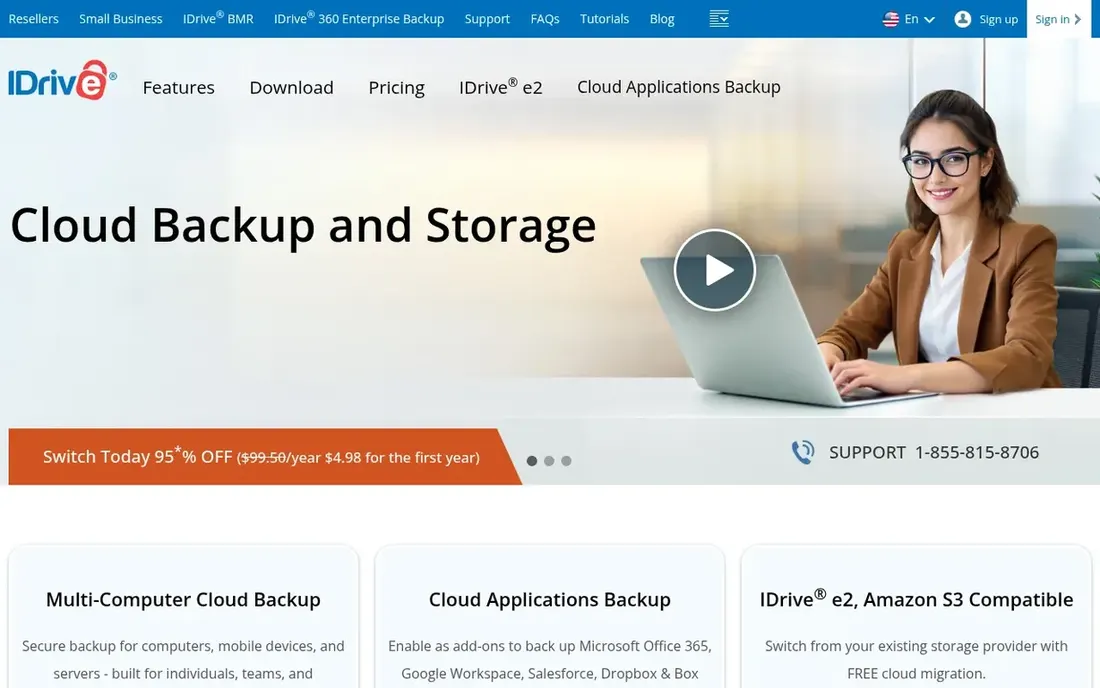
IDrive is a good fit for cloud backup and storage for multiple devices. IDrive's interface can be overwhelming for beginners, and its local backup features are restricted compared with dedicated local tools. Freelancers who use several devices and want a unified cloud backup option will appreciate its adaptability.
In practice, IDrive provides cloud backup and storage for PCs, Macs, and mobile devices, all under one account. It supports continuous backup and contains features like file versioning and sharing. IDrive pricing: $11.99 per month. IDrive offers a free plan.
Honest limits: Interface can be complex.
- Mobile support
- Contains cloud storage
- Limited local backup choices
Pick Norton 360 if this describes you: all-in-one security with backup. Norton 360 is a thorough security suite that contains cloud backup, antivirus, and identity theft protection.
Watch-outs: Higher cost for full suite.
As for the details, if backup is your primary need, a specialized tool like Backblaze or IDrive may be more suitable. Check the vendor site for Norton 360 pricing; none is listed in this comparison. As for free access: Not stated.
- Cloud backup included
- Identity theft protection
- Backup features restricted
EaseUS Todo Backup serves local and cloud backup with disaster recovery. EaseUS Todo Backup is a versatile backup option for Windows and Mac that provides local backup, disk imaging, and cloud backup choices. It comes with disaster recovery tools and supports scheduled backups.
Freelancers who require full local backup and system recovery capabilities will find it a capable choice. Some advanced features need the premium version, and the interface can be complicated for casual users. This comparison lists no price for EaseUS Todo Backup; ask the vendor. Free options: Not stated.
The main drawbacks: Interface may be complicated.
- Disk imaging and cloning
- Disaster recovery tools
- Premium version needed for some features
What went into this list
For each of the 6 tools we noted price, free plan or trial, fit for backup software for freelancers and the main limit, using vendor pages and documentation. Plan names, prices and limits change often. Treat the figures here as a starting point and verify them with the vendor. The ranking is editorial: typical fit first, then clear pricing, then free access. If your needs are unusual, read the profiles rather than relying on position.
A buyer's checklist
- Ask AOMEI Backupper, Veeam Agent for Microsoft Windows, Backblaze Computer Backup and others for a written quote, since no starting price is shown.
- Test the free plan from IDrive against your real workload before relying on it.
- Read the limits listed for AOMEI Backupper first: restricted cloud integration.
- Get the contract term, renewal terms and any onboarding fees from Norton 360 in writing.
- Ask the daily users to test Veeam Agent for Microsoft Windows on a live task before you roll it out to everyone.
FAQ
Do these tools publish their prices?
Not all of them. AOMEI Backupper, Veeam Agent for Microsoft Windows, Backblaze Computer Backup and others publish no starting price, so expect a quote request for those. The rest, IDrive included, show a starting price, though seats and billing terms still change the final cost.
How frequently should I back up my freelance data?
The frequency relies on how frequently your data changes. For active projects, daily or continuous backup is recommended. For less critical data, weekly backups may suffice.
Which options for backup software for freelancers have a free plan?
IDrive is the only tool in this list with a free plan. Free plans usually cap users, projects or features, so check the limits on the vendor page.
Is AOMEI Backupper the right pick for everyone comparing backup software for freelancers?
No single tool suits every team. AOMEI Backupper comes first because it fits affordable local backup for Windows, while Veeam Agent for Microsoft Windows suits free Windows endpoint backup and Backblaze Computer Backup suits simple unlimited cloud backup. Match the tool to your own size, budget and workflow before deciding.
What should freelancers look for in backup software?
Freelancers should prioritize reliability, simplicity, and coverage for all devices. In daily use, consider your budget and whether you need advanced features like disk imaging.
How are the tools for backup software for freelancers ordered?
The order follows typical fit for backup software for freelancers, with AOMEI Backupper first and EaseUS Todo Backup last, then price clarity and free access. It is editorial judgement, not a score, so another team could rank the tools differently.
Sources
- https://www.aomeitech.com/aomei-backupper.html
- https://www.veeam.com/windows-endpoint-server-backup-free.html
- https://www.backblaze.com/cloud-backup.html
- https://www.idrive.com
- https://us.norton.com/products/norton-360
- https://www.easeus.com/backup-software