The 6 Best Animation Software for Educators in 2026, Ranked
Weighing the best animation software for educators? We lined up 6 products by cost, free access and fit. Short verdicts, no fluff. Updated November 2026.

- Editor's choice
 Renderforest
All-in-one creative classroom content
Starts atSee websiteVisit renderforest.comFull review - Great alternativePowtoon
Presentation-style classroom videos
Starts at$8 per monthVisit powtoon.comFull review - Also consider
 Moho
Efficient 2D character animation
Starts atSee websiteVisit moho.lostmarble.comFull review
Direct answer
Start with Renderforest if you need all-in-one creative classroom content. Listed starting prices: Powtoon from $8 per month, Animaker from $10 a month and Vyond from $58 per month. Alternatives: Powtoon for presentation-style classroom videos, and Moho for efficient 2D character animation. The other 3 tools in the list cover narrower or pricier cases.
TL;DR:
- Renderforest sits first on this list: all-in-one creative classroom content.
- What to know about Powtoon first: style can feel template-driven.
- Powtoon is the only tool of the 6 with a free plan.
- Vyond is the one to check for quick explainer and training videos.
Last checked November 2026. Prices and plan details were read from the vendors' own pages in November 2026; vendors change plans often, so confirm the current price on the vendor site before you buy.
Quick comparison
| Tool | Best for | Starts at | Free plan? | |
|---|---|---|---|---|
| Renderforest | All-in-one creative classroom content | See website | Not stated | Visit |
| Powtoon | Presentation-style classroom videos | $8 per month | Yes | Visit |
| Moho | Efficient 2D character animation | See website | Not stated | Visit |
 Animaker | Beginner-friendly animated lessons | $10 a month | Free trial | Visit |
 Toon Boom Harmony | Advanced 2D animation courses | See website | Not stated | Visit |
 Vyond | Quick explainer and training videos | $58 per month | Free trial | Visit |
The best animation software for educators
Choosing animation software for educators usually comes down to price, fit and limits. This LinkVetted guide sets 6 tools side by side on those three points, with the facts kept short and checkable.
Pick Renderforest if this describes you: all-in-one creative classroom content. Its animation capabilities are broader than they are deep, so in-depth character animation is not its strength.
Points against: Numerous features beyond animation.
No starting price is listed for Renderforest here; confirm pricing on the vendor site. Trial and free access: Not stated.
- AI-powered video and design
- Wide content creation range
- Animation depth is restricted
Powtoon
Best for: Presentation-style classroom videos

Pick Powtoon if this describes you: presentation-style classroom videos. Powtoon describes itself as a unified AI video product for building branded videos and presentations in minutes. Its feature set bundles doc-to-video conversion, AI avatars, text-to-speech and AI translation, which fits educators turning lesson notes into narrated visuals.
Downsides: Style can feel template-driven.
It is a practical choice for teachers who want consistent, presentation-style content across subjects and languages. More specifically, the template-driven approach makes highly custom character animation harder, so advanced students may outgrow it. What you pay to start with Powtoon: $8 per month. Powtoon offers a free plan.
- Doc-to-video conversion
- AI translation support
- Less suited to advanced animation
In short, Moho is for efficient 2D character animation. Moho is professional 2D animation software positioned for hobbyists and professional animators seeking an efficient way to produce quality animation, including short films and commercial work. More specifically, Moho assumes some animation fundamentals and runs as desktop software, which brings lab management overhead.
Trade-offs to know: Needs animation fundamentals.
For educators, it suits animation electives and student projects that need genuine character motion without a full studio pipeline. It rewards students who learn its rigging and timeline approach. No starting price is listed for Moho here; confirm pricing on the vendor site. As for free access: Not stated.
- Made for 2D films and shorts
- Efficient animation workflow
- Desktop software to handle
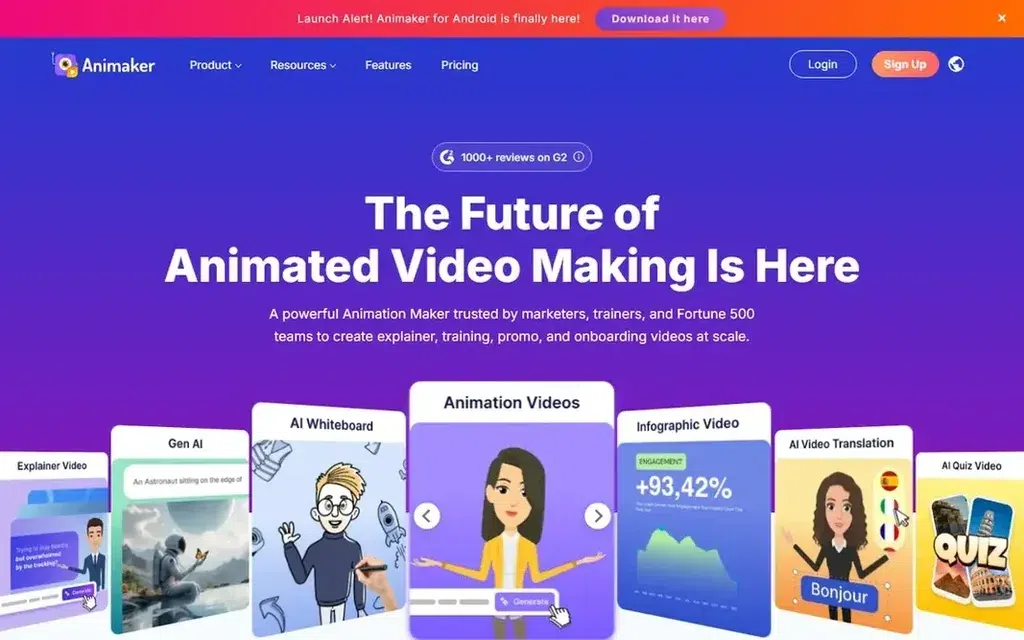
Animaker is designed for beginner-friendly animated lessons. As a browser-based tool, it emphasizes accessible creation over deep technical control, so intricate character work can be slower.
What to check first: Restricted fine animation control.
For everyday use, educators can build animated videos straight in the browser, which eases deployment on school devices. For coursework centered on rigging and production pipelines, a desktop package like Moho or Harmony is the more solid choice. Starting cost for Animaker: $10 per month. Free options: Free trial.
- Positioned for beginners and pros
- Online animation maker
- Complicated scenes need more time
Choose Toon Boom Harmony for advanced 2D animation courses. Toon Boom Harmony is an end-to-end 2D animation software that lets animators produce art in plenty of styles within one pipeline.
In daily use, educators teaching full production workflows will find it full for character animation and scene building. More specifically, Harmony is complicated and assumes prior animation knowledge, which can overwhelm casual classroom use. Toon Boom Harmony does not show a starting price in this comparison, so check the vendor site for current pricing. Trial and free access: Not stated.
Trade-offs to know: Overkill for straightforward lessons.
- Supports plenty of art styles
- Professional-grade toolset
- Demanding for beginners
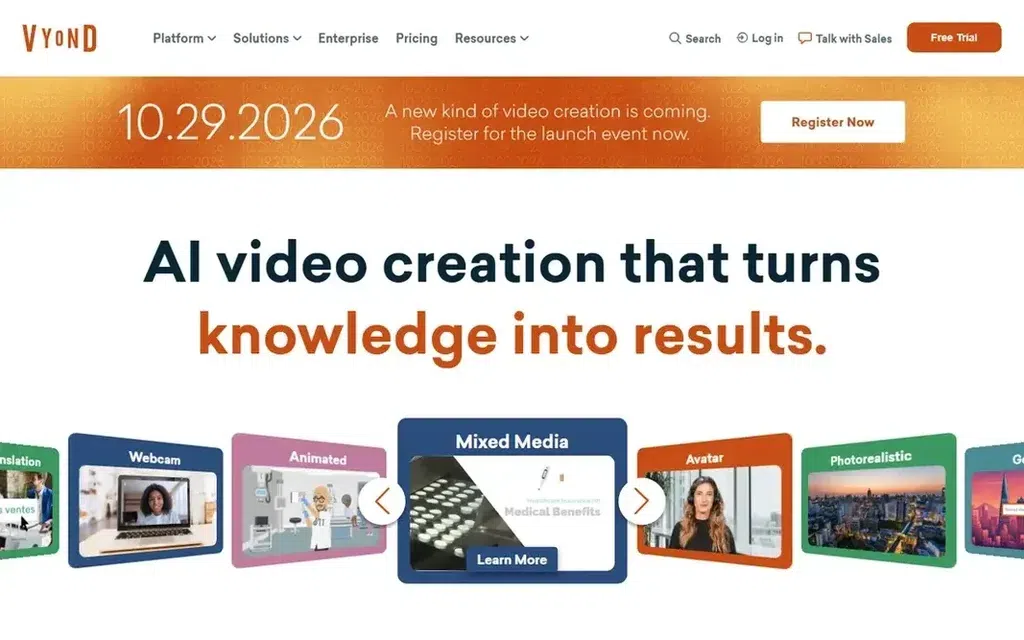
In short, Vyond is for quick explainer and training videos. If your goal is teaching animation principles or character rigging, a professional tool like Toon Boom Harmony or Moho is a better fit. Vyond is an AI video creation product geared toward business and training content, letting users build videos in a set of styles rapidly.
For everyday use, for educators, that translates into lesson explainers, onboarding material and course introductions without a steep ramp-up time. From a buyer's view, since Vyond is positioned for business video, it provides less granular control than dedicated 2D animation packages, which can matter in media arts classes. Entry price for Vyond: $58 per month. As for free access: Free trial.
Trade-offs to know: Restricted deep animation control.
- AI-assisted video creation
- Aimed at business and training use
- Geared toward corporate content
Our selection method
Selection started from tools commonly considered for animation software for educators, then narrowed to 6 that have clear pricing information or a clear quote process. Prices and plan limits come from vendor pages and can change, so confirm them on the vendor site before you buy. The order reflects how well each tool fits the most common buying scenario for animation software for educators, then price clarity, then free plan access. It is a starting point, not a verdict.
What to check before you buy
- Get a written quote from Renderforest, Moho and Toon Boom Harmony; the list shows no starting price for them.
- Look at the free plan from Powtoon closely: its caps decide whether it is usable for real work.
- Take the trial from Animaker and Vyond and push a live task through it before you pay.
- Before choosing Renderforest, weigh its main limit: animation depth is limited.
- Compare total cost, not headline price: for Powtoon, add extra seats, add-ons and any usage-based charges.
- Read the plan comparison for Vyond carefully; key features often start on a higher tier.
FAQ
How are the tools for animation software for educators ordered?
Renderforest sits first and Vyond last because the order follows typical fit for animation software for educators, then price clarity and free access. It is a judgement call, so read each profile for fit and limits.
Do these tools publish their prices?
Not all of them. Renderforest, Moho and Toon Boom Harmony publish no starting price, so expect a quote request for those. The rest, Powtoon included, show a starting price, though seats and billing terms still change the final cost.
Which animation software is easiest for teachers new to animation?
Vyond, Powtoon and Animaker are the most approachable since they emphasize templates, AI assistance and browser-based creation. Dedicated 2D packages need more training before results look refined.
Which options for animation software for educators have a free plan?
Powtoon is the only tool in this list with a free plan. Free plans usually cap users, projects or features, so check the limits on the vendor page. Several others offer a trial instead. Prices, free plan details and limits for all 6 tools in this Animation software for Educators roundup sit on the individual cards above.
What is the cheapest option for animation software for educators in this list?
On published monthly entry prices, Powtoon is the lowest here at $8 per month. Entry price is only part of the cost, because seats, add-ons and billing terms can change the total. Each of the 6 options in this Animation software for Educators guide has its own card above with the price, free plan and limits.
Sources
- https://www.renderforest.com
- https://www.powtoon.com
- https://moho.lostmarble.com
- https://www.animaker.com
- https://www.toonboom.com/products/harmony
- https://www.vyond.com