Best Animation Software in 2026: 8 Tools Compared
Compare the best animation software for 2D, 3D, and motion graphics and video, with free and paid options for beginners, for 2D, 3D, and motion work in 2026.
- Editor's choice
 Adobe Animate
Web and character animation
Starts atSee websiteVisit adobe.comFull review - Great alternative
 Toon Boom Harmony
Professional 2D production
Starts atSee websiteVisit toonboom.comFull review - Also consider
 Blender
Free 3D animation
Starts atFreeVisit blender.orgFull review
TL;DR:
- 2D, 3D, and motion graphics need different tools, so start from the type of animation you want to make.
- Blender is the best free all-round 3D option, Toon Boom Harmony leads professional 2D production, and Adobe Animate suits web and character animation.
- Rigging, timeline control, and export formats matter more than a long effect list, especially for client work.
- Check hardware needs before buying, since 3D rendering and complex 2D scenes need a capable computer.
Quick comparison
| Tool | Best for | Starts at | Free plan? | |
|---|---|---|---|---|
| Adobe Animate | Web and character animation | See website | Free trial | Visit |
| Toon Boom Harmony | Professional 2D production | See website | Free trial | Visit |
| Blender | Free 3D animation | Free | Yes | Visit |
 Moho Pro | 2D rigging and character animation | See website | Free trial | Visit |
 TVPaint Animation | Hand-drawn 2D animation | See website | Free trial | Visit |
 Autodesk Maya | Professional 3D animation | See website | Free trial | Visit |
 Cinema 4D | Motion graphics and 3D design | See website | Free trial | Visit |
 OpenToonz | Free 2D animation | Free | Yes | Visit |
The best animation software
We compared official feature and pricing pages, 2D and 3D workflows, rigging tools, export formats, and learning resources, with a focus on what each tool does best for a specific animation type.
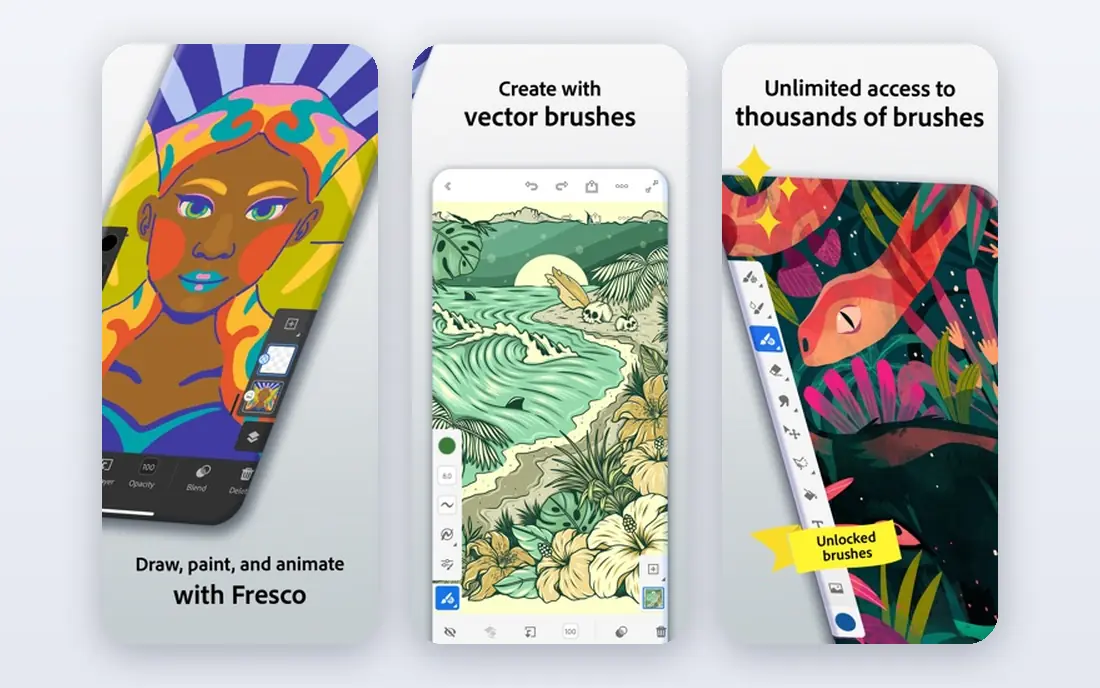
Adobe Animate suits animators who work in vector art for web, video, and interactive projects. It handles character rigging, lip sync tools, and timeline animation in a familiar Adobe interface, and exports to video, HTML5 canvas, and other formats for web use. Animators who already use Photoshop or Illustrator will find asset import straightforward.
Animate is not a 3D tool, and its subscription adds to Adobe costs if you only need animation occasionally. For web banners, explainer characters, and 2D video animation, it offers a practical balance of ease and control. Start with the trial on a short character loop to test rigging and export.
- Vector animation for web and video
- Character rigging tools
- Adobe ecosystem integration
- Subscription cost
- Less suited to high-end 3D work

Toon Boom Harmony is the professional standard for 2D animation production, used by studios for television, film, and streaming series. It covers drawing, rigging, compositing, and effects in one pipeline, with tools for cut-out and traditional animation styles. For animators aiming at studio work, Harmony skills carry weight with employers.
Price and complexity are the main barriers. Harmony is a professional investment, and beginners may find the interface dense compared with Moho or OpenToonz. If you want a career in 2D production, Harmony is the tool to learn. If you animate as a hobby, start with a cheaper or free option first.
- Industry-standard 2D production tools
- Strong rigging and compositing
- Used by studios worldwide
- Higher price
- Steep learning curve

Blender is the best free animation tool overall, offering a complete 3D pipeline from modelling and sculpting to rigging, animation, rendering, and video editing. It also supports 2D animation through Grease Pencil, which lets artists draw in 3D space. The community produces tutorials, add-ons, and short films that show what Blender can achieve without a licence fee.
The learning curve is steep, since Blender packs many tools into one interface, and rendering complex scenes needs a capable computer. Beginners should follow a structured course and start with simple scenes before tackling characters. For free 3D animation with professional potential, Blender has no close rival.
- Free and open source
- Full 3D pipeline including modelling, rigging, and rendering
- Active community
- Steep learning curve
- Interface can overwhelm beginners
Moho Pro, formerly Anime Studio, focuses on 2D character animation through bone rigging, which lets you pose and animate a character without redrawing every frame. Smart warp, mesh deformation, and physics tools help with natural movement, and the price is more approachable than Toon Boom Harmony. Independent animators and YouTube creators use Moho for series and explainer characters.
Drawing tools are less refined than TVPaint or Harmony, so many artists design characters elsewhere and rig them in Moho. The interface also looks dated compared with newer apps. For character animation on a budget, Moho offers strong rigging value.
- Powerful bone rigging for 2D characters
- Smart warp and mesh tools
- Good value for character work
- Drawing tools are weaker than TVPaint
- Interface feels dated
TVPaint Animation suits artists who want a traditional, hand-drawn feel in digital form. Its bitmap brushes, paper-like drawing tools, and timeline support frame-by-frame animation, and it has been used for feature films, television, and short films. Animators who love pencil and paint will feel at home faster here than in vector rigging tools.
Rigging and cut-out tools are thinner than Harmony or Moho, and the price reflects professional use. TVPaint is best for artists who draw every frame or work in a traditional studio style. If you prefer rigged characters over hand-drawn frames, Moho or Harmony will fit better.
- Natural hand-drawn feel
- Bitmap drawing and painting tools
- Used for feature and TV work
- Higher price
- Less rigging depth than Harmony or Moho
Autodesk Maya is the 3D animation standard for film, television, and games, with deep tools for character rigging, simulation, rendering, and pipeline integration. Studios rely on Maya for complex characters, effects, and large productions, and Maya skills are widely requested in professional job postings. For animators aiming at high-end 3D careers, Maya remains the benchmark.
Cost, learning time, and hardware needs are significant, and Maya is overkill for simple motion graphics or hobby projects. Students and educators should check educational access options. For professional 3D work, Maya offers depth that Blender approaches but studios still expect in many pipelines.
- Industry-standard 3D animation
- Deep rigging and simulation tools
- Studio pipeline support
- High cost
- Steep learning curve and hardware needs
Cinema 4D, from Maxon, is popular with motion designers who need 3D titles, product visuals, and animated graphics without the full complexity of Maya. Its interface is more approachable, MoGraph tools handle clones, text, and procedural animation well, and integration with After Effects fits video workflows. Agencies and broadcast designers use Cinema 4D daily for polished motion graphics.
Character animation for film is less deep than Maya, and the subscription adds ongoing cost. For motion graphics, product animation, and broadcast design, Cinema 4D offers the best balance of power and usability we found. Try the trial on a title sequence or product render to judge fit.
- Approachable 3D workflow
- Strong motion graphics tools
- Adobe After Effects integration
- Subscription cost
- Less suited to complex character film work than Maya
OpenToonz is a free, open source 2D animation tool based on software used in professional production, including work at Studio Ghibli. It supports traditional frame-by-frame animation, scanning, compositing, and effects, giving serious 2D animators a free path into production-style workflows. For students and independent animators, that heritage is a strong draw.
The interface is complex, and documentation is thinner than Toon Boom or Adobe, so beginners need patience and community tutorials. OpenToonz also lacks the polished onboarding of paid tools. If you want free 2D animation with professional roots and can handle a learning curve, OpenToonz is the best free 2D pick here.
- Free and open source
- Used in professional 2D production
- Scanning and compositing tools
- Interface is complex for beginners
- Documentation is thinner than paid rivals
How we picked these
We compared official feature and pricing pages, 2D and 3D workflows, rigging and rendering tools, export formats, and learning resources for animation tools that remain actively developed in 2026. We favoured tools with a clear strength for a specific animation type, rather than listing every video editor with animation features. We did not claim hands-on production testing, and prices change, so check the vendor pricing page before buying.
How to choose the right animation tool
Start from the output you want. Hand-drawn short films point to TVPaint or OpenToonz, rigged 2D characters point to Moho or Harmony, web animation points to Adobe Animate, 3D motion graphics point to Cinema 4D, and 3D film or games point to Maya or Blender. List the export formats your clients or platforms need, then confirm the tool handles them cleanly.
Hardware, learning time, and workflow
3D tools need a capable processor, graphics card, and memory, especially for rendering, so check system requirements before buying. Factor in learning time as well, since a powerful tool you avoid using costs more than a simpler tool you use weekly. If you work with a team, check file compatibility and pipeline tools, since animation often passes through several hands.
Start small and finish a project
Use a trial to complete a short loop, title, or character walk, rather than exploring menus without a goal. That finished test reveals timeline friction, rigging limits, and export quirks faster than any feature list. A tool that helps you finish work regularly is the right tool, even if a rival lists more features.
FAQ
What is the best animation software for beginners?
Blender is the best free starting point for 3D, OpenToonz is the best free starting point for 2D, and Adobe Animate suits beginners who want web and character animation with a gentler interface. Start with the type of animation you want to make, then choose the simplest tool that covers it well.
Is free animation software good enough for professional work?
Yes in many cases. Blender is used for professional 3D work, and OpenToonz has professional 2D roots, so free tools can produce client-ready output. Paid tools such as Maya, Harmony, and Cinema 4D often win on studio pipelines, support, and specific production features, so professionals may still need them for certain jobs.
Which software is best for 2D animation?
Toon Boom Harmony leads professional 2D production, TVPaint leads hand-drawn animation, Moho leads affordable rigged character animation, and OpenToonz leads free 2D animation. Adobe Animate suits web and video character work. Choose based on whether you draw frames, rig characters, or work for studios.
Which software is best for 3D animation?
Autodesk Maya leads professional film and games animation, Cinema 4D leads motion graphics, and Blender leads free 3D animation with a full pipeline. Maya suits studio careers, Cinema 4D suits motion design, and Blender suits independent animators and small teams who want professional tools without licence costs.
Do I need a powerful computer for animation?
For 2D animation, a mid-range computer usually suffices, though large scenes and high resolutions need more memory. For 3D animation and rendering, a stronger processor, graphics card, and memory help greatly, especially for complex scenes. Check each tool's system requirements and test a sample scene before committing.
Can animation software export for YouTube and social media?
Yes, most tools here export video in common formats for YouTube, social platforms, and client review, and Adobe Animate also exports web formats. Check resolution, frame rate, and file size settings for each platform, and keep a high-quality master export for future edits. Test one export on your target platform before a large project.