Best AI Cartoon Photo Apps in 2026: 8 Apps Compared
We compared the best ai cartoon photo app options for portraits, pets, and scenes, covering styles, free plans, and export quality in 2026 for portraits.
- Editor's choice
 ToonMe
AI cartoon portraits
Starts atFreeVisit toonme.comFull review - Great alternative
 Prisma
Artistic AI photo styles
Starts atSee websiteVisit prisma-ai.comFull review - Also consider
 Lensa
AI portraits and avatars
Starts atSee websiteVisit lensa.comFull review
TL;DR:
- ToonMe leads for cartoon portraits, while Prisma leads for artistic cartoon scenes.
- Lensa and FaceApp are strongest when the face is the main subject.
- PicsArt is the best all rounder when you need cartoon effects plus full editing.
- Free tiers are good for testing, but check export size and watermarks before paying.
- A clear, well lit photo gives a far better cartoon result than a dark or distant shot.
Quick comparison
| Tool | Best for | Starts at | Free plan? | |
|---|---|---|---|---|
| ToonMe | AI cartoon portraits | Free | Yes | Visit |
| Prisma | Artistic AI photo styles | See website | Yes | Visit |
| Lensa | AI portraits and avatars | See website | Yes | Visit |
 PicsArt | Cartoon effects plus editing | See website | Yes | Visit |
 Meitu | Anime and cartoon selfies | Free | Yes | Visit |
 Photo Lab | Cartoon frames and montages | See website | Yes | Visit |
 FaceApp | Face cartoon filters | See website | Yes | Visit |
 Remini | AI photo enhancement plus styles | See website | Yes | Visit |
The best ai cartoon photo apps
AI cartoon photo apps use models trained on illustrated styles to redraw a photo, rather than just adding an outline. We compared official feature pages, app store listings, and pricing pages to find apps that are active in October 2026 and give a usable export.
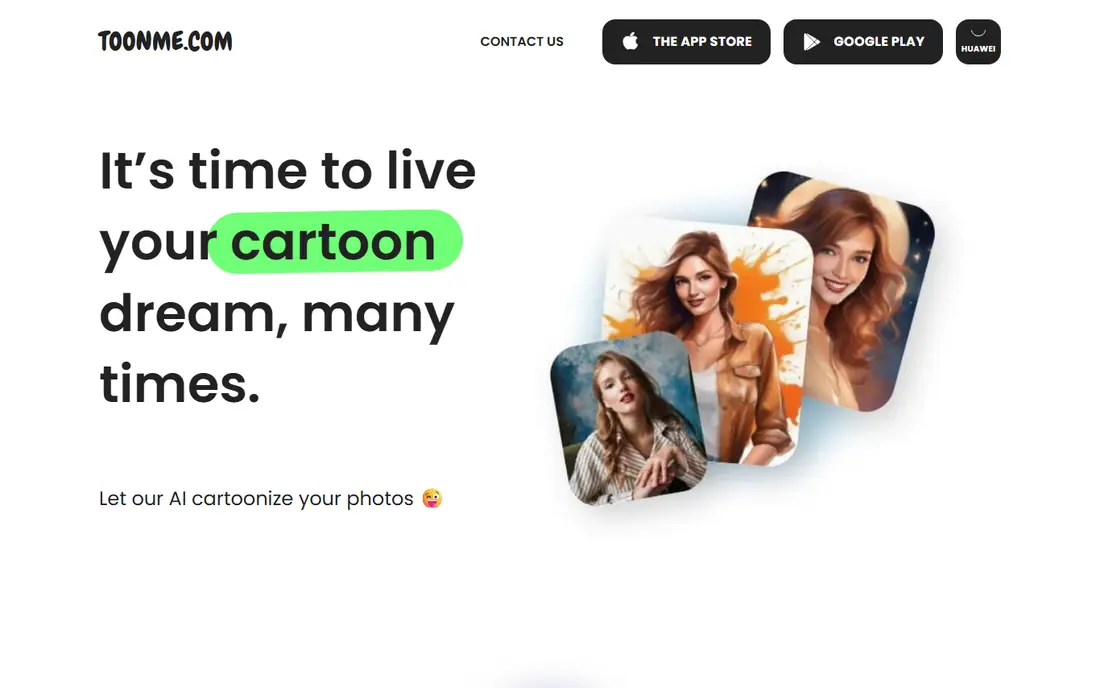
ToonMe remains the clearest starting point for AI cartoon portraits. The app focuses on faces, so the cartoon keeps key features while changing the rendering style. You can test several looks on the same selfie in a few minutes, which helps you find a style that suits your profile photo.
The main limit is that paid styles are mixed with free ones, so you may find a favorite that needs a subscription. Test the free styles first, and only pay if you will use the app often. For a single avatar, the free tier is usually enough.
- Many AI cartoon styles
- Fast portrait results
- Good for avatars
- Some styles need a paid plan
- Group photos are less reliable
Prisma treats a whole photo as art, not just a face. That makes it better for travel photos, pets, and street scenes that you want in a cartoon or illustrated style. The strength slider is useful, since a cartoon effect at full strength can hide detail that a gentler setting keeps.
Prisma is less direct than ToonMe for a quick face cartoon, because you need to find the right style among many art filters. If you edit photos often, that depth is a benefit. If you only want a cartoon selfie, start with ToonMe and keep Prisma for scenes.
- Large artistic style library
- Strength control for effects
- Good for scenes and pets
- Full library needs a subscription
- Cartoon looks take some searching
Lensa is built for portraits, and its AI avatar tools show that focus. Upload a set of selfies and you get a pack of stylized portraits in different themes, including cartoon and illustrated looks. The results tend to look clean and ready for a profile page.
Cost is the main drawback. The free tools are basic, and the most striking avatar packs are paid. Lensa also needs good selfies to work well, with varied angles and expressions. If you only have one photo, a single image app like ToonMe will be simpler.
- Polished portrait output
- Avatar sets from selfies
- Face focused controls
- Best avatar styles are often paid
- Less useful for wide scenes
PicsArt is the practical pick when a cartoon photo is part of a larger design. You can apply a cartoon effect, then add text for a post, change the background, and resize for a platform, all in one app. That saves time for small business owners and content creators.
The app home screen is busy, with trends and premium tools competing for attention. Once you learn where the cartoon effects live, the workflow is quick. Check the official pricing page before subscribing, since trial terms and plan prices vary by region.
- AI effects plus full editing suite
- Text, stickers, and backgrounds
- Templates for social posts
- Paid tools are mixed with free tools
- Interface can feel crowded
Meitu is popular for anime style selfies because the filters are bright, quick, and easy to apply. The app includes beauty tools, stickers, and cartoon effects in one place, so you can test many looks without switching apps. Sharing to social platforms is built in.
The trade off is that some features vary by country, and premium effects are common. A filter you see in a tutorial may not appear in your version. For casual cartoon selfies, the free tools are still a strong starting point.
- Large anime style filter set
- Quick selfie workflow
- Easy sharing
- Feature availability varies by region
- Premium effects need payment
Photo Lab is the fun, low stakes option in this list. It offers cartoon effects, face montages, and themed frames, and you can preview results fast. That makes it good for trying a cartoon look on a photo before you commit to a paid app.
Not every effect is a true AI cartoon, and some are better as jokes than as keepers. Check the export size and any watermark on the free version before you share. Use Photo Lab for play, and use ToonMe, Prisma, or Lensa for a portrait you plan to keep.
- Very large effect catalogue
- Quick previews
- Fun themed frames
- Quality varies by effect
- Free exports may have limits
FaceApp is known for face transformation, and its cartoon style filters fit that focus. The app handles facial features with care, which helps a cartoon result still look like the person in the photo. It also includes other face tools, so you can adjust a photo before applying a cartoon look.
The subscription is the main limit, since many of the most popular filters sit behind a paywall. FaceApp is also a face app, not a scene editor, so it will not cartoonize a wide travel photo as well as Prisma. Use it for portraits where likeness matters.
- Strong face editing tools
- Cartoon and age style filters
- Realistic face handling
- Best filters need a subscription
- Face only focus limits scene use
Remini earns a place here for a different reason. It can enhance an old, blurry, or low resolution photo before you cartoonize it, which improves the final result. A clean source photo gives any cartoon app a better starting point, and Remini is good at that first step.
On its own, Remini is not the best cartoon app, since cartoon styles are not its main job. Pair it with ToonMe or Prisma when you are working from an old photo. For a modern phone photo, you can skip Remini and go direct to a cartoon app.
- AI enhancement for old or blurry photos
- AI portrait styles
- Useful before cartoonizing
- Cartoon styles are not the main focus
- Subscription needed for full use
How we picked these
We compared official feature pages, pricing pages, and app store listings for AI photo apps with a clear cartoon function in October 2026. We favored apps with a working free tier, a real export path, and a style range that covers portraits or scenes. We left out apps that had shut down, apps that only offered a single filter with no export control, and apps with no clear owner or privacy policy.
How to get a better AI cartoon photo
AI cartoon results depend more on the source photo than on the app brand. A few simple steps improve almost every result.
Use a clear source photo
Pick a photo with good light, a visible face, and a simple background for portraits. For scenes, pick a photo with clear subjects and not too much clutter. If the source is blurry, enhance it first or pick a different photo. The model can only redraw what it can see clearly.
Try more than one style
The same photo can look flat in one style and lively in another. Try three styles before you judge an app, and compare them at full size, not just as small thumbnails. A style that looks good small may lose facial detail when viewed larger.
Check the export before you pay
Export a free result and check the size, the watermark, and the edge detail. A cartoon photo for a small avatar can be lower resolution, but a print or a website header needs a larger file. If the free export is too small, that is the real limit of the free plan.
Keep privacy in mind
AI photo apps often process images on servers. Read the privacy policy, avoid uploading photos of other people without permission, and delete uploads if the app offers that option. This is especially important for photos of children, which should not be uploaded to a cartoon app without a clear reason and permission.
FAQ
What is the best ai cartoon photo app?
ToonMe is our pick for most cartoon portraits, and Prisma is our pick for artistic cartoon scenes. Lensa is strong for AI avatar packs, while PicsArt is best when you need editing tools as well. Try the same photo in two apps before you pay.
Are AI cartoon photo apps free?
Most are free to download with free effects, but full style sets and high resolution exports often need a subscription. Check the export screen and the official pricing page before you subscribe. For occasional use, the free tier is often enough.
Which AI cartoon app is best for pets?
Prisma and PicsArt handle pets and scenes better than face focused apps, since their styles apply to the whole image. Face focused apps like Lensa and FaceApp are built for human portraits and give less reliable results for pets. Test a pet photo in the free tier first.
Can AI cartoon apps keep my likeness?
They can come close with a clear, front facing photo, but some change is normal. Styles that are more realistic keep likeness better than very stylized anime looks. If likeness matters, avoid stacking several filters, since each one moves the result further from the original.
Do AI cartoon apps store my photos?
Policies vary by app, and some process photos on servers. Read the privacy policy for the app you choose, and use the delete option if one is offered. Avoid uploading sensitive photos, and do not upload photos of other people without their permission.