Best Accounting Software for Tracking Projects in 2026: 8 Tools Compared
Find the best accounting software for tracking projects in 2026, with time, expenses, budgets, and job costing tools. Compare all eight tools in detail.

- Editor's choice
 QuickBooks Online
Growing firms needing project profit tracking
Starts at$38 per monthVisit quickbooks.intuit.comFull review - Great alternative
 Xero
Firms working closely with an accountant
Starts at$25 per monthVisit xero.comFull review - Also consider
 FreshBooks
Service firms billing by time and project
Starts at$23 per monthVisit freshbooks.comFull review
TL;DR:
- QuickBooks Online and Sage Intacct offer the deepest project profit and job costing in this list.
- FreshBooks is best when billing is mainly by tracked time.
- Zoho Books and Wave are the lowest-cost starting points, with Zoho offering more project depth.
- Xero suits firms whose accountant already works in Xero.
- Project tracking only helps if time and expenses are recorded promptly, so pick a tool your team will actually use.
Quick comparison
| Tool | Best for | Starts at | Free plan? | |
|---|---|---|---|---|
| QuickBooks Online | Growing firms needing project profit tracking | $38 per month | Yes | Visit |
| Xero | Firms working closely with an accountant | $25 per month | Free trial | Visit |
| FreshBooks | Service firms billing by time and project | $23 per month | Free trial | Visit |
 Zoho Books | Budget-conscious firms in the Zoho system | Free | Yes | Visit |
 Sage Intacct | Mid-size firms needing job costing | See website | No | Visit |
 Wave | Very small firms wanting free accounting | Free | Yes | Visit |
 FreeAgent | Freelancers and small firms tracking jobs | See website | Free trial | Visit |
 Kashoo | Owners wanting simple project records | $20 per month | Free trial | Visit |
The best accounting software for tracking projects
We compared official feature pages, pricing pages, and public documentation for each option below, then ranked them by fit for the task, ease of use, and value at a realistic starting plan.
QuickBooks Online
Best for: Growing firms needing project profit tracking
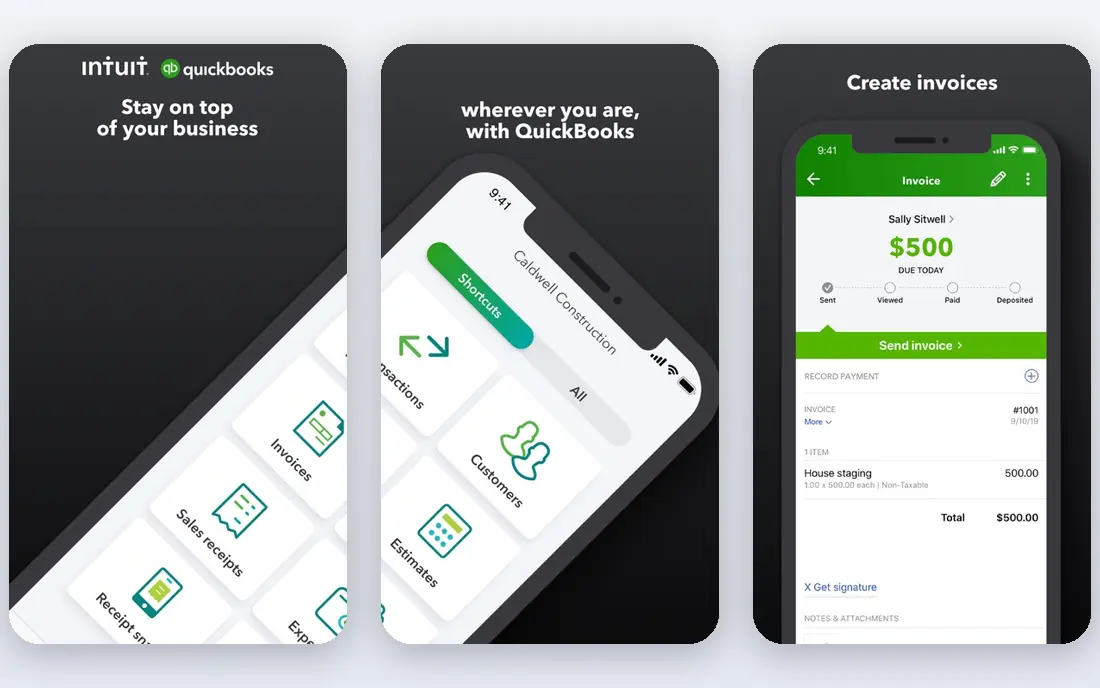
QuickBooks Online is a strong match for growing firms that want project profit reports inside full accounting. QuickBooks Online tracks income, expenses, and time by project, then shows profitability per job on higher plans. That focus matters when you want messages, records, or tests to move without constant manual work, and it keeps a small team from stitching together several separate tools. The setup is usually clear enough that a new user can build a first workflow, report, or campaign and see whether the fit is right before committing to a larger plan.
Before you commit, weigh project features on higher tiers and a single user on the entry plan Compare the starting price with what you will pay at your actual volume, and confirm the integrations you rely on are included rather than added later. When the limits line up with your work, QuickBooks Online is worth a short trial with real data.
- Project profitability reports
- Time and expense tracking
- Payroll add-on
- Entry plan limits users
- Project tools need higher tiers
Xero is a strong match for firms that want clean accounting plus project tracking with accountant support. Xero pairs strong bank reconciliation with project tracking, so time and costs can be assigned to jobs as they occur. That focus matters when you want messages, records, or tests to move without constant manual work, and it keeps a small team from stitching together several separate tools. The setup is usually clear enough that a new user can build a first workflow, report, or campaign and see whether the fit is right before committing to a larger plan.
The main trade-off is project tracking limits on entry plans and invoice caps Check the plan limits against your real volume, team size, and integrations before you pay, since entry prices often cover a smaller slice than the full feature set. If those limits fit your daily work, Xero can be a practical choice that stays useful as your needs grow.
- Project tracking add-on
- Bank reconciliation
- Invoicing
- Projects need the Projects feature or add-on
- Entry plan caps invoices
FreshBooks is a strong match for service firms that bill by time and project. FreshBooks turns tracked time and expenses into project invoices, which suits agencies and freelancers well. That focus matters when you want messages, records, or tests to move without constant manual work, and it keeps a small team from stitching together several separate tools. The setup is usually clear enough that a new user can build a first workflow, report, or campaign and see whether the fit is right before committing to a larger plan.
Before you commit, weigh no double-entry accounting and client limits on lower plans Compare the starting price with what you will pay at your actual volume, and confirm the integrations you rely on are included rather than added later. When the limits line up with your work, FreshBooks is worth a short trial with real data.
- Time tracking
- Project budgets
- Invoicing from tracked time
- No double-entry accounting
- Client limits on entry plans
Zoho Books is a strong match for budget-conscious firms already using Zoho apps. Zoho Books tracks project time and expenses, links them to invoices, and offers a client portal for approvals. That focus matters when you want messages, records, or tests to move without constant manual work, and it keeps a small team from stitching together several separate tools. The setup is usually clear enough that a new user can build a first workflow, report, or campaign and see whether the fit is right before committing to a larger plan.
The main trade-off is free plan revenue limits and project depth tied to paid plans Check the plan limits against your real volume, team size, and integrations before you pay, since entry prices often cover a smaller slice than the full feature set. If those limits fit your daily work, Zoho Books can be a practical choice that stays useful as your needs grow.
- Project time and expense tracking
- Invoicing
- Client portal
- Free plan limited by revenue
- Project depth grows on paid plans
Sage Intacct is a strong match for mid-size firms that need detailed job costing and project accounting. Sage Intacct offers detailed project accounting and job costing for firms with complex project structures. That focus matters when you want messages, records, or tests to move without constant manual work, and it keeps a small team from stitching together several separate tools. The setup is usually clear enough that a new user can build a first workflow, report, or campaign and see whether the fit is right before committing to a larger plan.
Before you commit, weigh enterprise pricing and implementation effort for smaller firms Compare the starting price with what you will pay at your actual volume, and confirm the integrations you rely on are included rather than added later. When the limits line up with your work, Sage Intacct is worth a short trial with real data.
- Strong job costing
- Project accounting
- Multi-entity support
- Enterprise pricing
- Implementation needs planning
Wave is a strong match for very small firms that want free accounting with basic project records. Wave offers free invoicing and bookkeeping, which is enough for a very small firm tracking a few projects. That focus matters when you want messages, records, or tests to move without constant manual work, and it keeps a small team from stitching together several separate tools. The setup is usually clear enough that a new user can build a first workflow, report, or campaign and see whether the fit is right before committing to a larger plan.
The main trade-off is basic project tracking compared with paid project accounting tools Check the plan limits against your real volume, team size, and integrations before you pay, since entry prices often cover a smaller slice than the full feature set. If those limits fit your daily work, Wave can be a practical choice that stays useful as your needs grow.
- Free invoicing and bookkeeping
- Expense tracking
- Payments add-on
- Project tracking is basic
- Payroll is a paid add-on
FreeAgent is a strong match for freelancers and small firms that want project profit at a glance. FreeAgent shows project profit, time, and expenses in one view, with tax estimates for small firms. That focus matters when you want messages, records, or tests to move without constant manual work, and it keeps a small team from stitching together several separate tools. The setup is usually clear enough that a new user can build a first workflow, report, or campaign and see whether the fit is right before committing to a larger plan.
Before you commit, weigh regional pricing differences and less US accountant coverage Compare the starting price with what you will pay at your actual volume, and confirm the integrations you rely on are included rather than added later. When the limits line up with your work, FreeAgent is worth a short trial with real data.
- Project profit tracking
- Time tracking
- Tax estimates
- Pricing varies by region
- Less US accountant coverage than rivals
Kashoo is a strong match for owners who want simple project income and expense records. Kashoo keeps invoicing and expenses simple, so a small owner can track project income without learning full accounting. That focus matters when you want messages, records, or tests to move without constant manual work, and it keeps a small team from stitching together several separate tools. The setup is usually clear enough that a new user can build a first workflow, report, or campaign and see whether the fit is right before committing to a larger plan.
The main trade-off is simpler project tools and fewer integrations than larger platforms Check the plan limits against your real volume, team size, and integrations before you pay, since entry prices often cover a smaller slice than the full feature set. If those limits fit your daily work, Kashoo can be a practical choice that stays useful as your needs grow.
- Simple invoicing
- Expense tracking
- Project income records
- Simpler project tools than rivals
- Fewer integrations
How we picked these
We started with products that are widely used and still actively sold in October 2026, then checked each vendor pricing page and feature page for the plan details shown here. We kept only options that fit the topic directly, and we left out tools that are mainly built for a different job even when they share a few features. Where a vendor prices by quote, we say so rather than guessing a figure. Prices change, so confirm the current plan on the vendor site before you buy.
How to choose accounting software for project tracking
Define what project profit means for you
Some firms need only income and expenses per job, while others need time, materials, overhead, and budgets. Write down the report you want at month end. That report decides whether a simple tool or a job-costing system is required.
Check time and expense capture
Project reports are only as good as the time and expenses entered. Test mobile time entry, receipt capture, and approval steps during a trial. If entry feels slow, staff will skip it and project profit figures will mislead you.
Confirm accountant and tax fit
Ask your accountant which systems they support and how they want project data structured. A tool your accountant cannot review easily will cost extra at year end. This is not tax advice, so confirm tax handling with a qualified professional for your situation.
FAQ
What is the best accounting software for project tracking?
QuickBooks Online suits growing firms that want project profitability inside full accounting, while FreshBooks suits service firms billing by time. Sage Intacct suits mid-size firms needing detailed job costing. Choose by the project report you need, not by price alone.
What is the best project tracking in accounting software for freelancers?
FreshBooks and Wave suit freelancers, with FreshBooks offering stronger time-to-invoice project tools. Zoho Books is also strong for freelancers under its free revenue limit. Test time entry and invoicing with a real client project.
Does Xero track projects?
Yes, Xero offers project tracking through its Projects feature, which assigns time and costs to jobs. Check whether Projects is included in your plan or needs an add-on, and confirm invoice limits on entry plans before you commit.
How do I track project budgets in accounting software?
Set a budget per project, record time and expenses against it, and review actual spending against budget weekly. Tools such as QuickBooks Online, FreshBooks, and Sage Intacct show budget variance by project. Prompt entry matters more than the tool itself.
Is free accounting software enough for project tracking?
For a very small firm with few projects, Wave or the Zoho Books free plan may be enough. As projects grow, paid tools add budgets, profitability reports, and payroll links. Upgrade when manual spreadsheets start taking more time than the subscription costs.