Best Accounting Software for Accounting Firms in 2026: 9 Compared
Find the best accounting software for accounting firms, with client books, payroll, reporting, and firm workflows compared for US practices. We compare.
- Editor's choice
 QuickBooks Online Accountant
US firms with many small business clients
Starts at$35 per monthVisit quickbooks.intuit.comFull review - Great alternative
 Xero
Firms that want unlimited users and clean collaboration
Starts at$29 per monthVisit xero.comFull review - Also consider
 Sage Intacct
Mid-size firms with multi-entity clients
Starts atSee websiteVisit sage.comFull review
TL;DR:
- Firms need client management and collaboration, not only bookkeeping for one business.
- Bank feeds, rules, and reconciliation speed matter more than a long list of reports you never open.
- Payroll, payments, and tax tools are often add-ons, so price the full stack for each client type.
- Migration time and staff training can cost more than the first year of software fees.
Quick comparison
| Tool | Best for | Starts at | Free plan? | |
|---|---|---|---|---|
| QuickBooks Online Accountant | US firms with many small business clients | $35 per month | Free trial | Visit |
| Xero | Firms that want unlimited users and clean collaboration | $29 per month | Free trial | Visit |
| Sage Intacct | Mid-size firms with multi-entity clients | See website | No | Visit |
 Zoho Books | Firms that want low cost with Zoho tools | $20 per month | Yes | Visit |
 FreshBooks | Firms serving service businesses and freelancers | $19 per month | Free trial | Visit |
 Wave | Firms with very small clients on a tight budget | Free | Yes | Visit |
 FreeAgent | Firms serving freelancers and small companies | See website | Free trial | Visit |
 Oracle NetSuite | Larger firms with ERP-level clients | See website | No | Visit |
 TaxDome | Firms that want practice management with accounting links | See website | Free trial | Visit |
The best accounting software for accounting firms
Firms should choose the system that fits their client mix, not the system with the most features. A simple, well-used platform beats a powerful system that staff avoid. We focused on fit for ordinary buyers, not only on feature counts.
QuickBooks Online Accountant
Best for: US firms with many small business clients
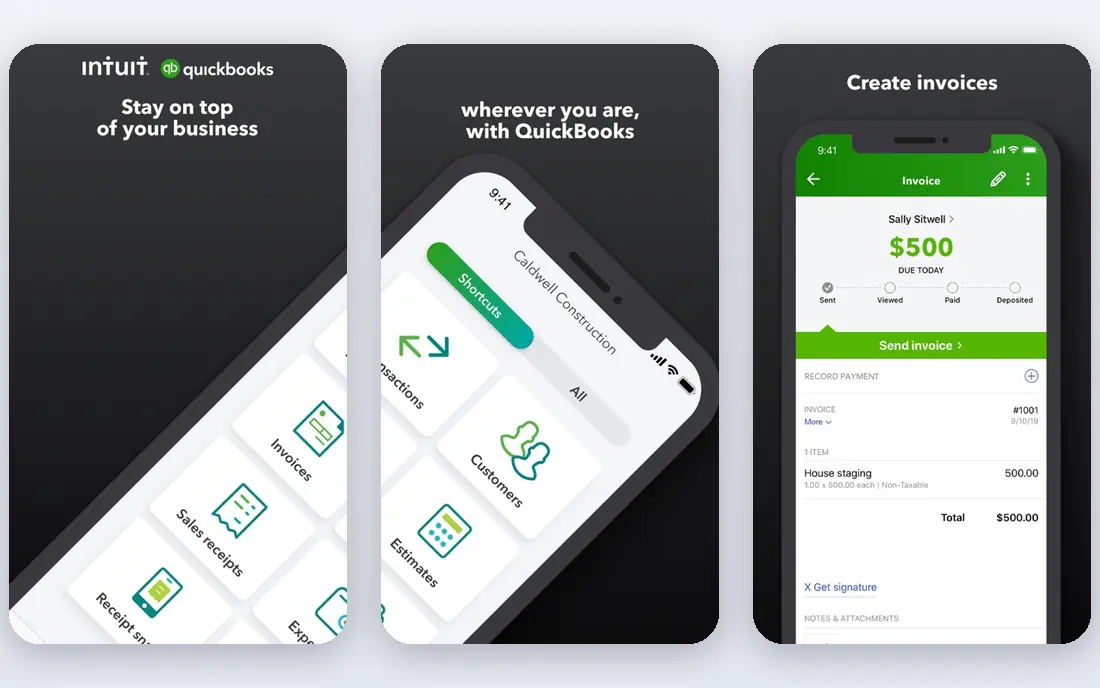
This is the pick to shortlist first when fit matters more than a long feature list. QuickBooks Online Accountant is aimed at uS firms with many small business clients. Its clearest strength is accountant dashboard across many client books. It also offers strong US tax, payroll, and payment integrations, and large ecosystem of apps and accountants.
The trade-off is price rises across tiers as clients grow, and payroll and payments are paid add-ons. Before you commit, check the plan that matches your size, confirm what support is included, and test the core workflow with a real example from your own work. That short test will tell you more than a feature list, and it will show whether the limits matter for your team.
- Accountant dashboard across many client books
- Strong US tax, payroll, and payment integrations
- Large ecosystem of apps and accountants
- Price rises across tiers as clients grow
- Payroll and payments are paid add-ons
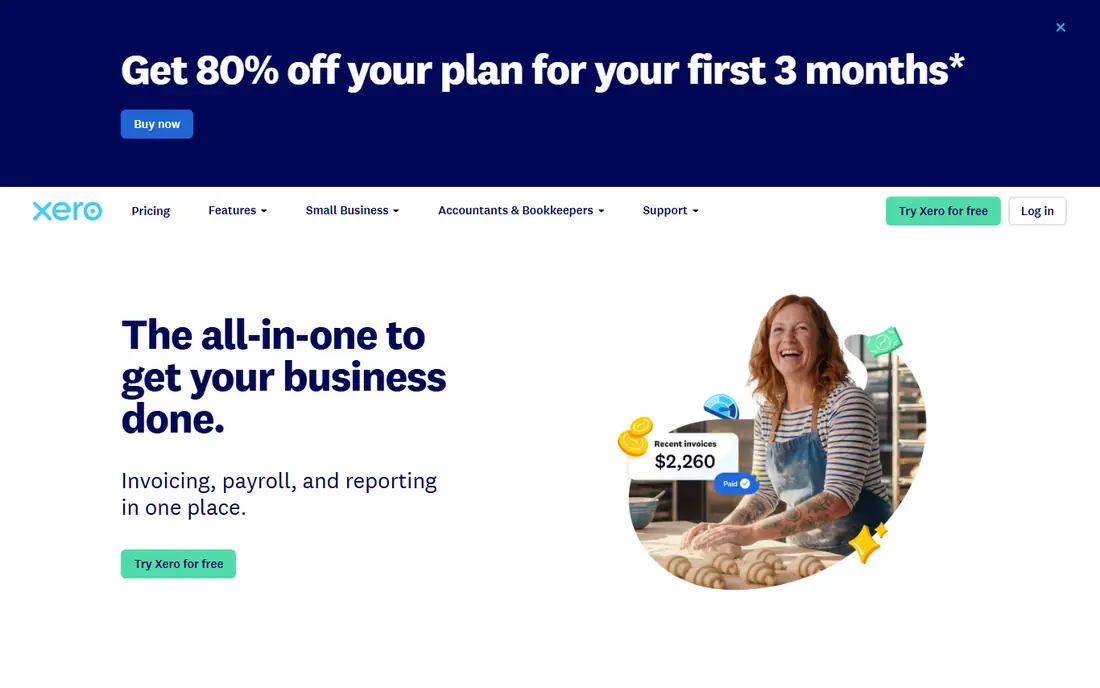
A different kind of buyer will get more from this next option. Xero is aimed at firms that want unlimited users and clean collaboration. Its clearest strength is unlimited users on every plan. It also offers strong bank feeds and reconciliation tools, and wide app marketplace for firm workflows.
The trade-off is uS payroll support is more limited than QuickBooks, and lower tiers cap invoices and bills. Before you commit, check the plan that matches your size, confirm what support is included, and test the core workflow with a real example from your own work. That short test will tell you more than a feature list, and it will show whether the limits matter for your team.
- Unlimited users on every plan
- Strong bank feeds and reconciliation tools
- Wide app marketplace for firm workflows
- US payroll support is more limited than QuickBooks
- Lower tiers cap invoices and bills
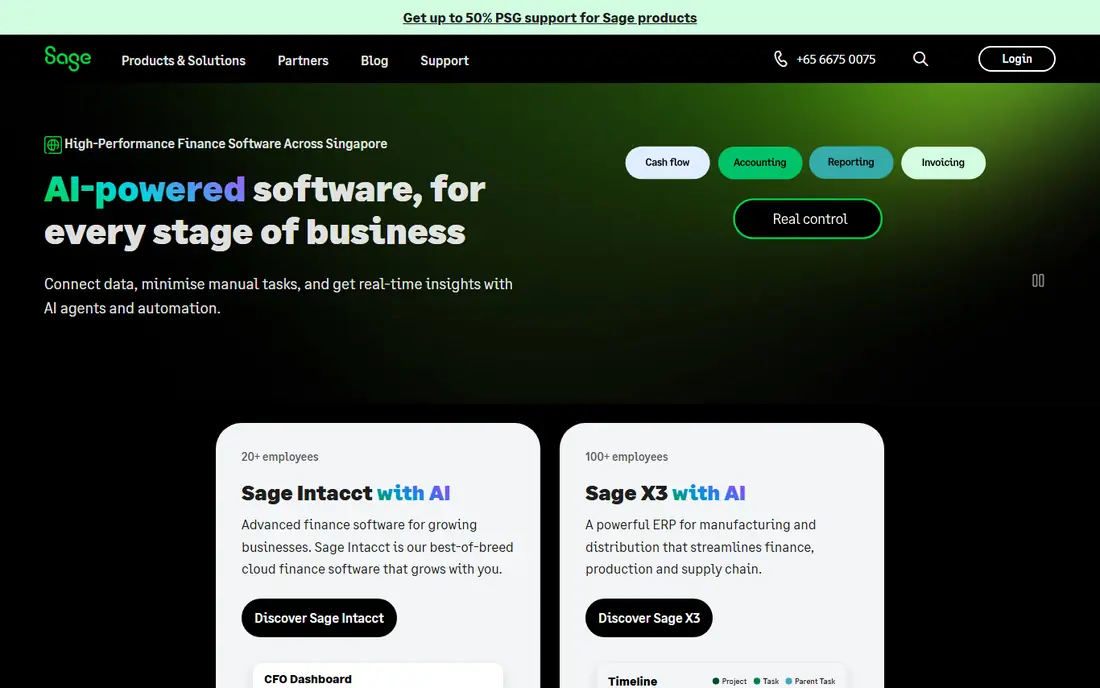
If your main worry is day-to-day workload, this option deserves a close look. Sage Intacct is aimed at mid-size firms with multi-entity clients. Its clearest strength is multi-entity and multi-location accounting. It also offers strong reporting and dimensional analysis, and automation for approvals and consolidations.
The trade-off is pricing is quote-based and setup is heavier, and smaller firms may find the system more than they need. Before you commit, check the plan that matches your size, confirm what support is included, and test the core workflow with a real example from your own work. That short test will tell you more than a feature list, and it will show whether the limits matter for your team.
- Multi-entity and multi-location accounting
- Strong reporting and dimensional analysis
- Automation for approvals and consolidations
- Pricing is quote-based and setup is heavier
- Smaller firms may find the system more than they need
Some buyers need depth in one area rather than breadth across many, and that is where this option fits. Zoho Books is aimed at firms that want low cost with Zoho tools. Its clearest strength is low starting price with a free tier for small use. It also offers good automation for invoices and reminders, and multi-currency support for global clients.
The trade-off is uS payroll needs a separate Zoho tool, and advanced firm workflows need higher tiers. Before you commit, check the plan that matches your size, confirm what support is included, and test the core workflow with a real example from your own work. That short test will tell you more than a feature list, and it will show whether the limits matter for your team.
- Low starting price with a free tier for small use
- Good automation for invoices and reminders
- Multi-currency support for global clients
- US payroll needs a separate Zoho tool
- Advanced firm workflows need higher tiers
For a smaller budget or a smaller team, this option keeps the scope workable. FreshBooks is aimed at firms serving service businesses and freelancers. Its clearest strength is strong invoicing and time tracking for services. It also offers client portal for payments and messages, and simple setup for small client books.
The trade-off is accounting depth is lower than QuickBooks or Xero, and inventory and complex reporting are limited. Before you commit, check the plan that matches your size, confirm what support is included, and test the core workflow with a real example from your own work. That short test will tell you more than a feature list, and it will show whether the limits matter for your team.
- Strong invoicing and time tracking for services
- Client portal for payments and messages
- Simple setup for small client books
- Accounting depth is lower than QuickBooks or Xero
- Inventory and complex reporting are limited
This option suits buyers who want a familiar, widely used platform and plenty of outside help. Wave is aimed at firms with very small clients on a tight budget. Its clearest strength is free accounting and invoicing for basic use. It also offers simple bank connections for small books, and good fit for sole traders and micro firms.
The trade-off is features are basic for larger clients, and uS and Canada focus limits global use. Before you commit, check the plan that matches your size, confirm what support is included, and test the core workflow with a real example from your own work. That short test will tell you more than a feature list, and it will show whether the limits matter for your team.
- Free accounting and invoicing for basic use
- Simple bank connections for small books
- Good fit for sole traders and micro firms
- Features are basic for larger clients
- US and Canada focus limits global use
When growth is the plan, this option is worth weighing early. FreeAgent is aimed at firms serving freelancers and small companies. Its clearest strength is clear dashboards for small business clients. It also offers time tracking and project tools for services, and simple tax and filing support in its home markets.
The trade-off is uS support is thinner than UK support, and larger firms will outgrow its scope. Before you commit, check the plan that matches your size, confirm what support is included, and test the core workflow with a real example from your own work. That short test will tell you more than a feature list, and it will show whether the limits matter for your team.
- Clear dashboards for small business clients
- Time tracking and project tools for services
- Simple tax and filing support in its home markets
- US support is thinner than UK support
- Larger firms will outgrow its scope
A practical, less flashy choice can be the right call, and this option plays that role well. Oracle NetSuite is aimed at larger firms with ERP-level clients. Its clearest strength is full ERP with accounting, inventory, and CRM. It also offers strong multi-entity and global support, and deep reporting for complex clients.
The trade-off is pricing is quote-based and implementation is long, and smaller firms will not need the full system. Before you commit, check the plan that matches your size, confirm what support is included, and test the core workflow with a real example from your own work. That short test will tell you more than a feature list, and it will show whether the limits matter for your team.
- Full ERP with accounting, inventory, and CRM
- Strong multi-entity and global support
- Deep reporting for complex clients
- Pricing is quote-based and implementation is long
- Smaller firms will not need the full system
Close the shortlist with an option that fills a gap the others leave open. TaxDome is aimed at firms that want practice management with accounting links. Its clearest strength is practice management, portals, and workflows. It also offers client messaging and document collection, and automation for firm tasks and deadlines.
The trade-off is it is not a full general ledger on its own, and setup and migration need staff time. Before you commit, check the plan that matches your size, confirm what support is included, and test the core workflow with a real example from your own work. That short test will tell you more than a feature list, and it will show whether the limits matter for your team.
- Practice management, portals, and workflows
- Client messaging and document collection
- Automation for firm tasks and deadlines
- It is not a full general ledger on its own
- Setup and migration need staff time
How we picked these
We compared official feature pages, pricing pages, and app store listings, and we checked privacy policies and public reviews where they helped explain support, limits, and real-world use. We favored products that exist and work today, that fit the topic closely, and that offer a clear audience and a clear trade-off.
We did not claim hands-on testing that did not happen, and we did not add products that only partly fit the topic. Where a price varies by address, plan, or quote, we wrote See website rather than inventing a number, so you can verify the current figure on the vendor page before you buy.
How to choose accounting software for a firm
Map clients by complexity first
Group clients into simple, standard, and complex books, then check which system handles each group without workarounds. A firm with mostly simple clients may do well on Xero or Zoho Books, while a firm with multi-entity clients needs Sage Intacct or NetSuite. That map avoids buying an enterprise system for simple books.
Price payroll, payments, and tax separately
Add payroll, payment processing, and tax add-ons to the base price for each client type, because those add-ons change the total a lot. Check whether the firm pays, the client pays, or the cost is shared, and confirm that pricing in writing before migration. A low base price can hide a high full-stack cost.
Run a pilot with real client books
Migrate two or three real client books, including one messy book, and run a full month-end close in the new system. Time the bank reconciliation, reporting, and client questions, and ask staff what slowed them down. A pilot reveals training needs before you move the whole client list.
FAQ
What is the best accounting software for accounting firms?
QuickBooks Online Accountant suits many US firms, while Xero suits firms that want unlimited users and clean collaboration. Larger firms with multi-entity clients often choose Sage Intacct, while small service-focused firms may prefer FreshBooks or Zoho Books.
What are the top accounting software for accounting firms with many clients?
Look for a firm dashboard, bulk tools, client portals, and accountant access controls. QuickBooks Online Accountant, Xero, and TaxDome each handle firm workflows in different ways, so test the dashboard with your actual client count before you choose.
Can accounting firms use free software?
Yes for very small clients, with Wave and the Zoho Books free tier covering basic invoicing and accounting. As clients grow, paid plans add users, automation, and reporting that free plans lack, so free tools suit a limited client segment.
How hard is it to switch accounting software?
Switching takes time for data migration, chart-of-accounts mapping, and staff training, and messy books take longer than clean ones. A phased move, starting with new clients or a small group, lowers risk compared with moving every client at once.
Do firms need separate practice management software?
Many firms do, because general accounting software handles books while practice tools handle tasks, deadlines, and client messages. TaxDome covers that practice layer, while QuickBooks and Xero firms often add a separate practice tool alongside the ledger.