8 Best Accounting Software for Freelancers in 2026
Find the best accounting software for freelancers, from free bookkeeping to invoicing and tax help, with honest trade-offs for solo work in 2026. Read the

- Editor's choice
 FreshBooks
Service freelancers who bill by time or project
Starts atSee websiteVisit freshbooks.comFull review - Great alternative
 QuickBooks Solopreneur
Tax tracking and mileage for solo workers
Starts atSee websiteVisit quickbooks.intuit.comFull review - Also consider
 Wave
Free bookkeeping for new freelancers
Starts atFreeVisit waveapps.comFull review
TL;DR:
- Wave and Zoho Books give solo workers a real free starting point, though paid plans add reconciliation and deeper reports.
- FreshBooks and Bonsai suit service freelancers who bill by time or project and want client-facing invoices.
- QuickBooks Solopreneur suits freelancers who want tax estimates and mileage tracking in one place.
- Xero and Sage suit freelancers who work with an accountant or plan to add staff later.
- Pick based on invoice volume, tax needs, and whether your accountant already uses the platform.
Quick comparison
| Tool | Best for | Starts at | Free plan? | |
|---|---|---|---|---|
| FreshBooks | Service freelancers who bill by time or project | See website | Free trial | Visit |
| QuickBooks Solopreneur | Tax tracking and mileage for solo workers | See website | Free trial | Visit |
| Wave | Free bookkeeping for new freelancers | Free | Yes | Visit |
 Zoho Books | Low-cost full accounting for small revenue | Free | Yes | Visit |
 Xero | Growing freelancers working with an accountant | See website | Free trial | Visit |
 Bonsai | All-in-one contracts, invoices, and taxes | See website | Free trial | Visit |
 FreeAgent | UK and international freelancers with tax needs | See website | Free trial | Visit |
 Sage Accounting | Simple invoicing and cash flow for solo firms | See website | Free trial | Visit |
The best accounting software for freelancers
Our pick for most freelancers is the tool that matches invoice volume and tax needs. Freelancers need accounting that stays out of the way until tax time, then makes the numbers easy to find. These eight options cover free bookkeeping, polished invoicing, and tools that grow with a solo business.
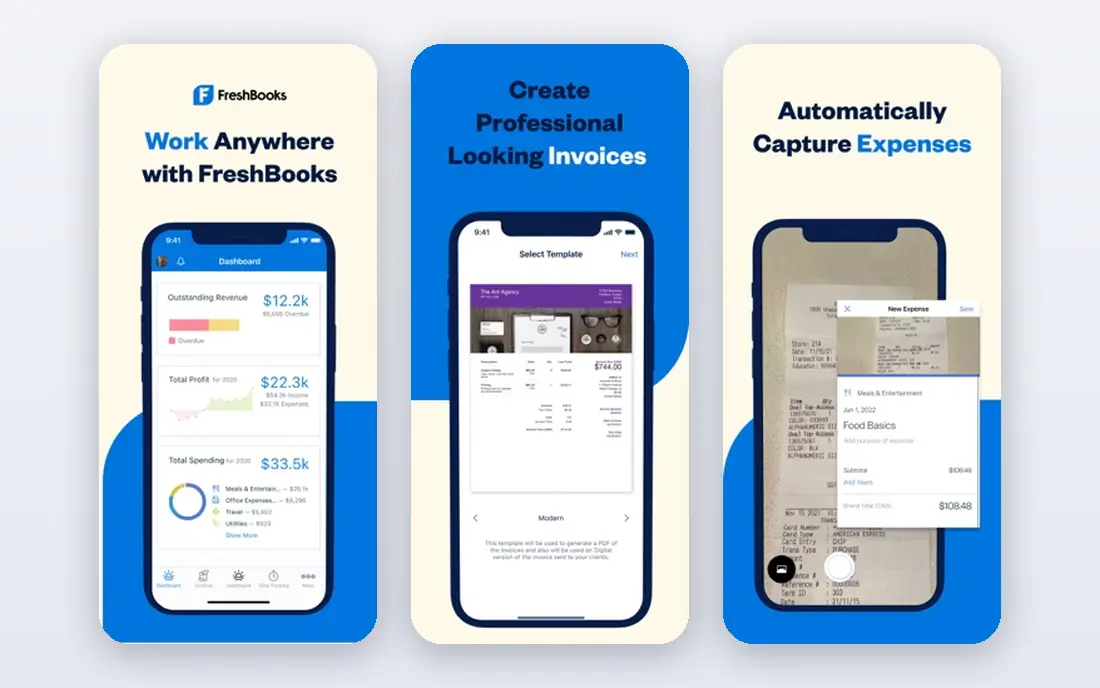
If you need service freelancers who bill by time or project, FreshBooks deserves attention. FreshBooks feels made for people who sell their time. Invoices look clean, time can turn into a bill with little extra work, and clients get a portal for payments and messages.
That client-facing polish matters for freelancers who want to look established without hiring help. Expense tracking and mileage capture also keep the records behind each invoice in one place. That fit is why FreshBooks stays on our shortlist for this use case, even when other tools offer more features in other areas.
The catch is accounting depth. If you need complex inventory, multi-entity books, or advanced reporting, a fuller suite may fit better than a billing-first tool. Before you choose FreshBooks, check the plan that includes the features you need, and confirm pricing on the official site.
- Polished invoices and client portal
- Time tracking and expense capture
- Clear project billing
- Full double-entry depth is limited compared with larger suites
- Add-ons raise the total cost
QuickBooks Solopreneur
Best for: Tax tracking and mileage for solo workers
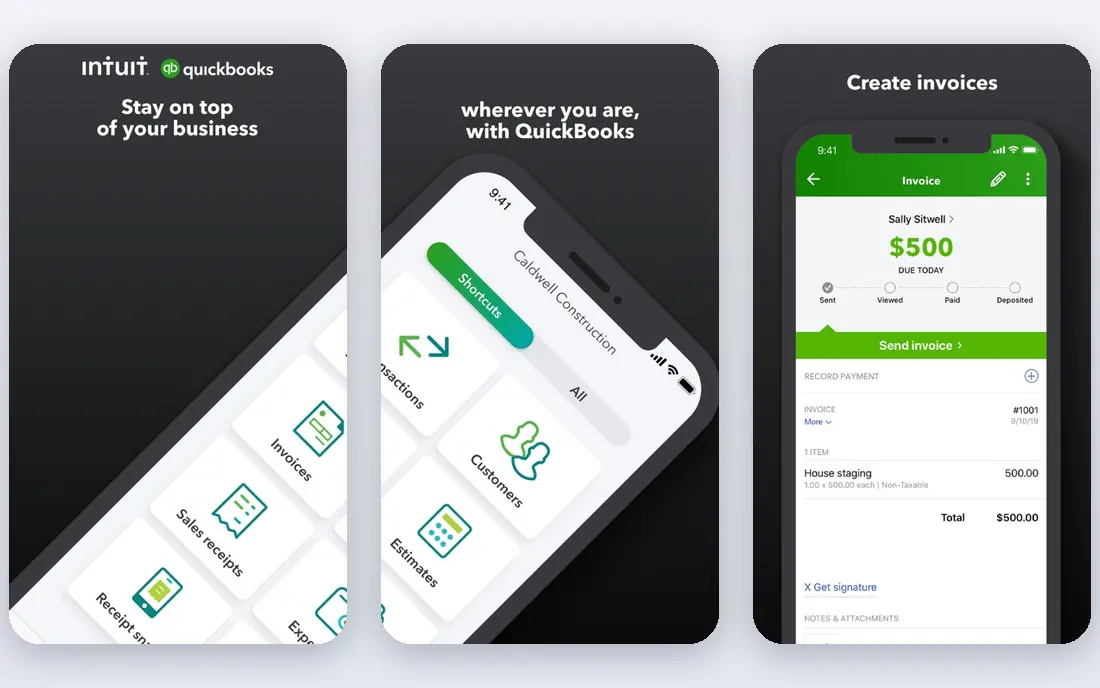
QuickBooks Solopreneur takes a different angle on tax tracking and mileage for solo workers. QuickBooks Solopreneur is aimed at one-person businesses that want tax season to feel less stressful. It sorts income and expenses, tracks mileage, and helps estimate taxes.
The wider QuickBooks family is a plus if you later hire staff or work with an accountant. Many accountants already know the system, which can cut down on year-end questions. That fit is why QuickBooks Solopreneur stays on our shortlist for this use case, even when other tools offer more features in other areas.
The catch is scope. Solopreneur is simpler than full QuickBooks Online, so freelancers who need payroll, inventory, or deeper reports should check the higher plans first. Before you choose QuickBooks Solopreneur, check the plan that includes the features you need, and confirm pricing on the official site.
- Tax estimates and quarterly planning help
- Automatic mileage tracking
- Bank transaction sorting
- Can feel busy for very simple books
- Some features need higher plans
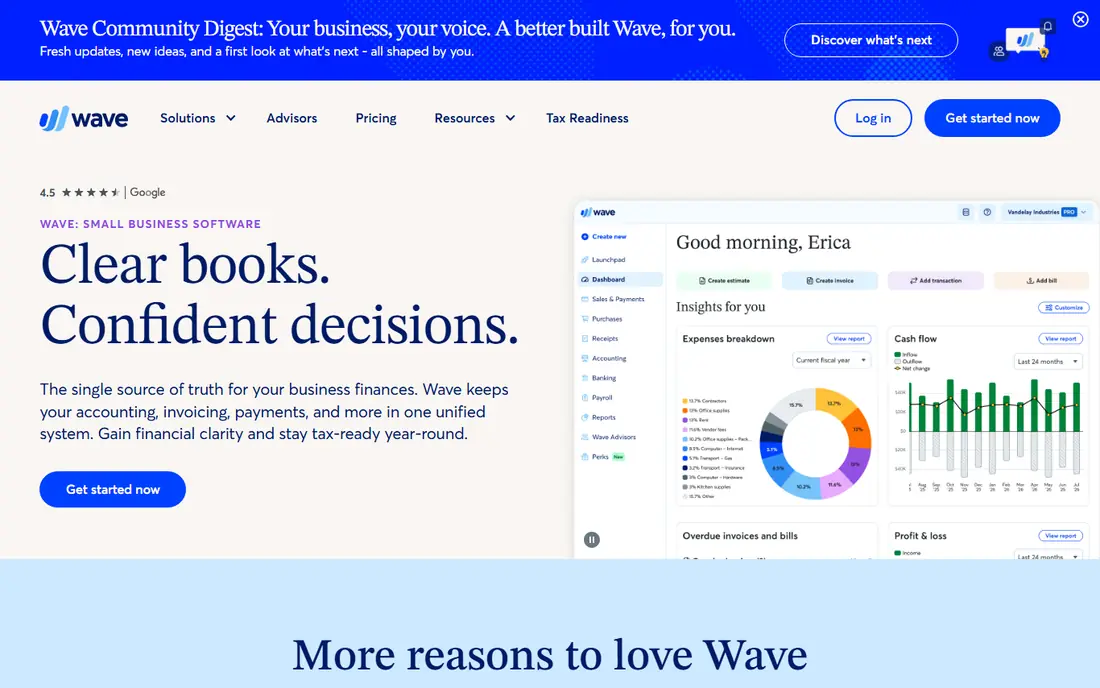
For free bookkeeping for new freelancers, Wave is a practical option to compare. Wave is the easiest way to start without a monthly fee. Core invoicing and bookkeeping cover the basics, and setup is quick for a new solo business.
For freelancers with a small client list and simple expenses, that free core can carry the business for a long time. Payment processing is available when clients want to pay by card. That fit is why Wave stays on our shortlist for this use case, even when other tools offer more features in other areas.
The catch is reconciliation and support. Bank reconciliation now sits behind a paid plan, so budget for it if matching bank activity is central to your workflow. Before you choose Wave, check the plan that includes the features you need, and confirm pricing on the official site.
- Free invoicing and accounting basics
- No monthly fee for core tools
- Simple setup for solo businesses
- Bank reconciliation sits on a paid plan
- Support and integrations are more limited
Zoho Books is worth a close look for low-cost full accounting for small revenue. Zoho Books stands out because its free plan is not just a trial. Smaller businesses can use full accounting, invoicing, and reconciliation without paying, within the revenue limit.
Automation helps too. Recurring invoices, payment reminders, and bank feeds reduce the manual chores that pile up for freelancers with many small jobs. That fit is why Zoho Books stays on our shortlist for this use case, even when other tools offer more features in other areas.
The catch is the revenue cap and learning curve. Once revenue passes the free limit, you move to a paid plan, and the interface has more menus than simpler tools. Before you choose Zoho Books, check the plan that includes the features you need, and confirm pricing on the official site.
- Full double-entry accounting on the free tier for smaller revenue
- Invoicing and bank reconciliation
- Good automation
- Free plan has a revenue limit
- Interface takes time to learn for new users
If you need growing freelancers working with an accountant, Xero deserves attention. Xero suits freelancers who expect growth or work across currencies. Reconciliation is strong, reports are clear, and accountants can access the books without extra seat fees on many plans.
Multi-currency handling is a real advantage for writers, designers, and developers with clients abroad. Invoices, expenses, and reports can reflect the currency each client uses. That fit is why Xero stays on our shortlist for this use case, even when other tools offer more features in other areas.
The catch is plan limits. Lower tiers cap monthly invoices and bills, so check your volume before choosing the cheapest plan, or you may need to upgrade sooner than planned. Before you choose Xero, check the plan that includes the features you need, and confirm pricing on the official site.
- Strong bank reconciliation
- Multi-currency support
- Unlimited users on plans
- Starting plans limit invoice and bill counts
- Setup takes more care than simpler apps
Bonsai takes a different angle on all-in-one contracts, invoices, and taxes. Bonsai combines the business side of freelancing with the money side. Proposals, contracts, invoices, and time tracking sit in one workspace, which reduces tool switching.
That combination helps freelancers who lose time chasing paperwork. A signed contract can lead to an invoice and a payment reminder without moving data between apps. That fit is why Bonsai stays on our shortlist for this use case, even when other tools offer more features in other areas.
The catch is focus. If you only need accounting, Bonsai may feel broader than needed, and costs can rise as you add features beyond the core plan. Before you choose Bonsai, check the plan that includes the features you need, and confirm pricing on the official site.
- Contracts and proposals beside invoicing
- Time tracking and tax help
- Client portals in one workspace
- More of a business suite than pure accounting
- Pricing rises with added features
For uk and international freelancers with tax needs, FreeAgent is a practical option to compare. FreeAgent is a strong choice for freelancers who want tax dates and estimates kept visible all year. The dashboard shows what is due and what has been set aside, which helps cash planning.
Invoicing and expense capture are straightforward, and bank feeds keep the books close to real activity. That simplicity suits solo workers who do their own books. That fit is why FreeAgent stays on our shortlist for this use case, even when other tools offer more features in other areas.
The catch is geography. Its tax strength is clearest for UK freelancers, so US users should check whether the tax tools match their filing needs before committing. Before you choose FreeAgent, check the plan that includes the features you need, and confirm pricing on the official site.
- Clear tax timelines and estimates
- Invoicing and expense tracking
- Bank feeds and reports
- US tax features are less deep than UK coverage
- Smaller integration list than larger suites
Sage Accounting is worth a close look for simple invoicing and cash flow for solo firms. Sage Accounting covers the core freelance workflow without excess complexity. Invoices, expenses, bank activity, and cash flow sit in a familiar accounting layout.
The brand has long served small businesses, and that history shows in reports and VAT handling for users who need it. Plans can scale as a solo firm adds clients. That fit is why Sage Accounting stays on our shortlist for this use case, even when other tools offer more features in other areas.
The catch is style. The interface feels more traditional than newer freelancer apps, and some users may prefer a simpler, more visual layout for daily work. Before you choose Sage Accounting, check the plan that includes the features you need, and confirm pricing on the official site.
- Simple invoicing and cash flow views
- Bank reconciliation
- Scalable plans for growth
- Interface feels more traditional than newer apps
- Some features need higher tiers
How we picked these
We compared official pricing pages, plan limits, and feature pages for each product, plus public reviews about ease of use and accountant support. We favored tools that work for solo US and international freelancers in October 2026, handle invoicing and expenses well, and state their free or trial terms clearly. We did not claim hands-on testing. Instead, we weighed cost at low invoice volume, tax help, and how easily a freelancer can hand books to an accountant.
How to choose accounting software as a freelancer
Count invoices and clients first
A freelancer with five monthly invoices has different needs from one with fifty. Check invoice caps, client limits, and bank feed rules on each plan. A cheap plan that caps invoices can cost more in upgrades than a mid-tier plan chosen from the start.
Decide who does your taxes
If you file your own taxes, tax estimates and clear expense categories matter most. If an accountant files for you, pick a tool your accountant already uses, or one that exports clean reports. Ask your accountant before you buy, since switching later takes time.
Try the daily workflow, not just the price
Send a test invoice, record an expense, and reconcile a bank transaction during a trial. If any of those steps feels slow or confusing, that friction will repeat every week. A tool you enjoy using is more likely to stay up to date, and up-to-date books are the real goal.
FAQ
What is the best accounting software for freelancers?
FreshBooks suits many service freelancers for invoicing and time billing, while Wave and Zoho Books suit tight budgets. QuickBooks Solopreneur suits tax-focused solo workers. The best pick depends on invoice volume, tax needs, and accountant preference.
What is the best bookkeeping software for freelancers?
Zoho Books and Wave offer strong bookkeeping at low or no cost for small volumes. Xero offers deeper reconciliation and multi-currency support for growing freelancers. Check invoice caps and bank reconciliation rules before you choose.
What is the best accounting app for freelancers on a phone?
Most tools on this list offer mobile apps for invoicing, expense photos, and payment checks. FreshBooks, Wave, and Bonsai are known for mobile-friendly invoicing, while Xero and QuickBooks offer fuller mobile accounting views.
What accounting tools are best for freelancers with low income?
Wave offers free core accounting and invoicing, and Zoho Books offers a free plan within a revenue limit. Both suit new freelancers, though paid plans may be needed for reconciliation or higher volume.
Is free accounting software enough for freelancers?
Free plans can be enough for simple books with few clients and clean bank activity. Once invoice volume grows, or you need payroll, deeper reports, or accountant access, a paid plan usually saves time and avoids errors.