The 5 Best 3D Modeling Software for Startups in 2026, Ranked
Best 3D modeling software for startups in 2026: 5 tools with starting prices, free plans and limits. Cost notes and weak points included. Updated for 2026.
- Editor's choice
 Houdini
Procedural content creation
Starts atPricing on requestVisit sidefx.comFull review - Great alternative
 Cinema 4D
Motion graphics and quick iteration
Starts atPricing on requestVisit maxon.netFull review - Also consider
 ZBrush
Sculpting and high-detail modeling
Starts atPricing on requestVisit maxon.netFull review
Direct answer
For procedural content creation, Houdini is where this list starts. Cinema 4D is the stronger choice for motion graphics and quick iteration, while ZBrush suits sculpting and high-detail modeling. Free plan facts and limits for all 5 tools follow. None of these vendors publish plan prices, so pricing is on request for every option.
TL;DR:
- Houdini is the opening pick, best for procedural content creation.
- Before buying ZBrush, weigh this: not a full animation pipeline.
- Neither Houdini nor Modo, nor any of the other 3 tools, has a permanent free plan; trials and quotes are the norm.
- Modo is the one to check for direct modeling and design.
Last checked November 2026. Pricing on request: vendors did not publish plan prices when this guide was last checked (November 2026), so ask each vendor for a written quote.
Quick comparison
| Tool | Best for | Starts at | Free plan? | |
|---|---|---|---|---|
| Houdini | Procedural content creation | Pricing on request | Not stated | Visit |
| Cinema 4D | Motion graphics and quick iteration | Pricing on request | Not stated | Visit |
| ZBrush | Sculpting and high-detail modeling | Pricing on request | Not stated | Visit |
 Autodesk Maya | Wide animation and VFX pipelines | Pricing on request | Not stated | Visit |
| Modo | Direct modeling and design | Pricing on request | Not stated | Visit |
The full 3D modeling software for startups list
Short on time? The summary and table above give the quick view of 5 3D modeling software for startups, and the profiles that follow give the detail behind each entry.
In short, Houdini is for procedural content creation. If your startup needs straightforward modeling with a gentler onboarding, a more traditional tool may be better.
Where it falls short: Steep learning curve.
In daily use, startups that require adaptable, repeatable setups for effects or environment work will find it a good fit, especially in film, TV, and game development pipelines. Houdini does not show a starting price in this comparison, so check the vendor site for current pricing. Free options: Not stated.
- Supports collaborative workflows
- Solid for effects and iteration
- Procedural approach may not suit all artists

Cinema 4D works best for motion graphics and quick iteration. Cinema 4D is less centred on complicated simulation and VFX than some alternatives, and certain advanced capabilities come through extras.
Points against: Some advanced features need extras.
Worth adding: if your startup needs deep procedural effects or character animation at scale, another tool may be a better core. This comparison lists no price for Cinema 4D; ask the vendor. Free options: Not stated.
- Friendly interface for motion design
- Quick rendering and iteration
- Less specialized for complicated VFX
ZBrush works best for sculpting and high-detail modeling. ZBrush is not a complete animation or rendering pipeline on its own, and its interface can be challenging for beginners.
Where it falls short: Not a full animation pipeline.
If your startup needs an all-in-one modeling and animation package, pair ZBrush with another tool or choose a broader choice. Startups that require to produce organic shapes or add fine surface detail will find it a solid complement to a broader modeling tool, notably in game or character-focused pipelines. Pricing for ZBrush is not stated here, so ask the vendor for current figures. Trial and free access: Not stated.
- Capable detail and texture workflow
- Suits character and asset creation
- Interface can feel unusual to newcomers
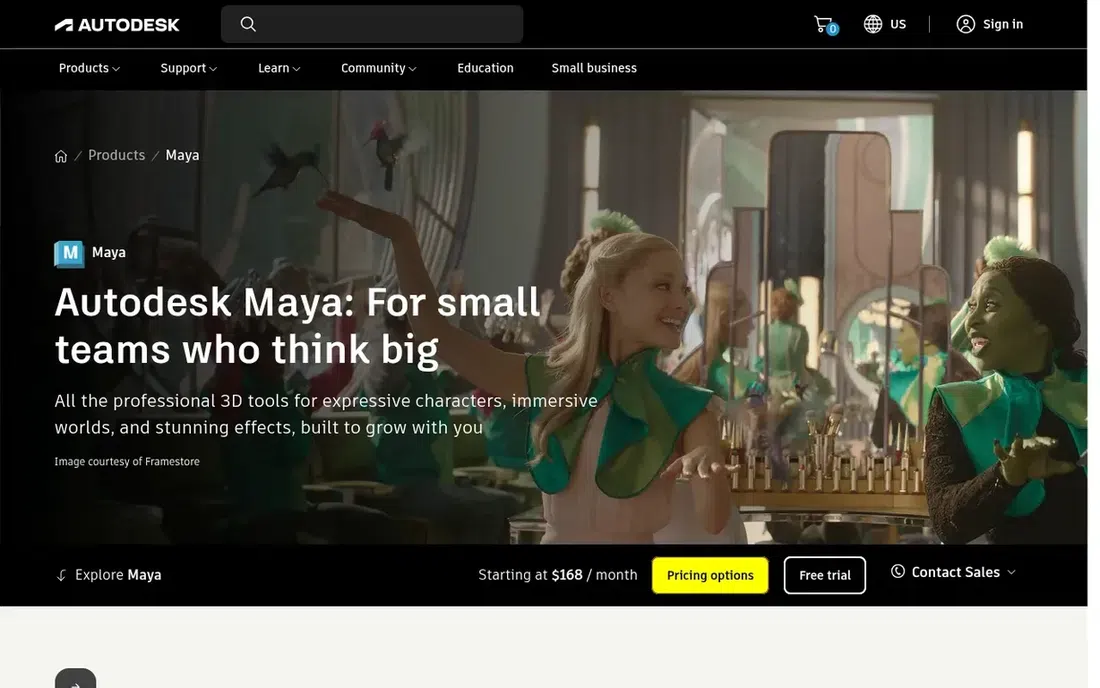
Choose Autodesk Maya for wide animation and VFX pipelines. Autodesk Maya is professional 3D animation and VFX software for creating expansive worlds, complicated characters, and realistic effects. On top of that, Maya can feel complicated for small teams and may be overkill if you only need entry-level modeling.
Consider a lighter choice if your startup centres on product visualization or motion graphics and wants a quicker initial learning curve. Beyond that, startups that plan to deal with character animation, effects, and rendering in one place will find a wide feature set, and it suits teams building a pipeline around animation or visual effects instead of pure modeling. This comparison lists no price for Autodesk Maya; ask the vendor. On free options: Not stated.
Drawbacks to consider: Heavy for simple modeling tasks.
- Widely used in professional studios
- Capable effects and simulation features
- Steep ramp-up time
Modo
Best for: Direct modeling and design
Modo serves direct modeling and design. Modo from Foundry is a 3D modeling tool that has been used for design, visualization, and asset creation.
Downsides: Development has ceased.
In daily use, startups with existing Modo workflows may still find its direct modeling approach handy, but the announcement that Foundry is winding down development means teams should weigh current needs against future pipeline stability. In practice, consider an actively developed alternative if you need continuing updates and support. Pricing for Modo is not stated here, so ask the vendor for current figures. On free options: Not stated.
- Integrated rendering and texturing
- Favored for product and design work
- Long-term support uncertain
How these tools were picked
The comparison looks at four things: starting price, free access, how well the feature set matches 3D modeling software for startups, and the main limit of each tool. Treat prices as a snapshot: vendors change plans often, so check the vendor site for the figure that applies today. Position on the page reflects fit for a typical buyer first, with price clarity and free access breaking ties. Treat it as a guide, not a ruling.
Before you commit
- Ask each vendor, from Houdini to Modo, for a written quote; none of them publishes a starting price.
- Before choosing Houdini, weigh its main limit: steep ramp-up time.
- Confirm the exact ZBrush plan that includes your must-have features.
- Ask Houdini whether prices are locked for the first term and what happens at renewal.
- Find out what support Autodesk Maya includes on your plan, and whether onboarding help costs extra.
FAQ
Can I try these tools before paying?
Not by default. None of the tools, from Houdini to Modo, lists a free plan or a free trial here, so ask each vendor for a demo before committing.
Is Houdini the right pick for everyone comparing 3D modeling software for startups?
No single tool suits every team. Houdini comes first because it fits procedural content creation, while Cinema 4D suits motion graphics and fast iteration and ZBrush suits sculpting and high-detail modeling. Match the tool to your own size, budget and workflow before deciding.
How are the tools for 3D modeling software for startups ordered?
The order follows typical fit for 3D modeling software for startups, with Houdini first and Modo last, then price clarity and free access. It is editorial judgement, not a score, so another team could rank the tools differently.
Does any tool for 3D modeling software for startups here have a free plan?
No tool in this list, Houdini and Modo included, has a permanent free plan. Trials and quotes are the usual route, so plan a short evaluation period.
Is Modo still a decent choice for a new startup?
Foundry has announced it is winding down Modo development, so long-term support is uncertain. New startups may prefer an actively developed alternative for pipeline stability.
Which 3D modeling software is best for a small startup team?
Houdini comes first here and is built for procedural content creation. Buyers with other needs may prefer Cinema 4D (for motion graphics and quick iteration) or ZBrush (for sculpting and high-detail modeling). Compare costs and limits first.
Sources
- https://www.sidefx.com/products/houdini
- https://www.maxon.net/en/cinema-4d
- https://www.maxon.net/en/zbrush
- https://www.autodesk.com/products/maya/overview
- https://www.foundry.com/products/modo