Best 3D Modeling Software for 3D Printing in 2026: 8 Tools Compared
Find the best 3D modeling software for 3D printing, from free beginner tools to pro CAD, with pricing, print export and learning curve compared for makers.

- Editor's choice
 Tinkercad
Beginners and classrooms
Starts atFreeVisit tinkercad.comFull review - Great alternative
 Autodesk Fusion 360
Makers and small engineering teams
Starts at$495 per yearVisit autodesk.comFull review - Also consider
 Blender
Artists and organic model makers
Starts atFreeVisit blender.orgFull review
TL;DR:
- Beginners should start with Tinkercad or FreeCAD, since both are free and teach core ideas before a paid subscription.
- Fusion 360 and Onshape suit functional parts, because parametric models can be edited by changing a dimension, not redrawing.
- Blender and Rhino suit organic and freeform shapes, while CAD tools suit parts that must fit together precisely.
- Always check STL or 3MF export, wall thickness tools, and repair options before committing to a paid plan.
Quick comparison
| Tool | Best for | Starts at | Free plan? | |
|---|---|---|---|---|
| Tinkercad | Beginners and classrooms | Free | Yes | Visit |
| Autodesk Fusion 360 | Makers and small engineering teams | $495 per year | Free trial | Visit |
| Blender | Artists and organic model makers | Free | Yes | Visit |
 FreeCAD | Budget makers who want parametric CAD | Free | Yes | Visit |
 SketchUp | Concept models and simple print projects | $399 per year | Yes | Visit |
 Onshape | Teams that design in a browser together | $1,500 per user per year | Yes | Visit |
 Rhino 3D | Designers of freeform and precise surfaces | $995 one-time | Free trial | Visit |
 SOLIDWORKS | Professional engineers and product teams | See website | Free trial | Visit |
The best 3D modeling software for 3D printing
We compared official pricing pages, feature lists, and public documentation for best 3d modeling software for 3d printing, and we focused on what a regular buyer will actually use week to week. The list below mixes well-known leaders with strong smaller options, so you can match a tool to your budget and skill level, not just to brand fame.

Tinkercad is the easiest first step into 3D printing. It runs in a browser, uses simple shapes that combine and cut away, and lets a new maker print a first part in one sitting.
Its classroom roots show in a good way. Lessons, simple controls, and quick STL export keep the focus on making, not on learning a dense interface.
The limit arrives fast for serious work. Fine detail, precise tolerances, and complex assemblies are beyond it, so treat Tinkercad as a starting point, not a final workshop.
- Browser based with no install
- Very easy first models
- Direct STL export for printing
- Limited precision and detail
- Not suited to complex engineering parts
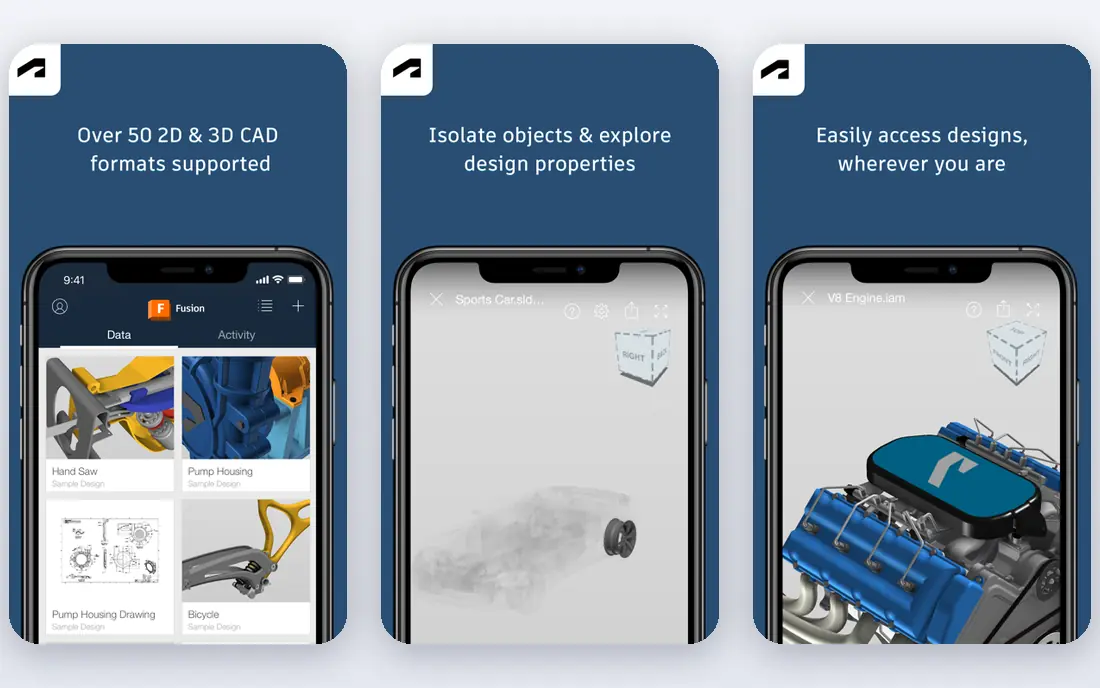
Fusion 360 is our pick for most people who want to design parts that fit, move, and hold load. Sketch, dimension, extrude, and the model updates when a dimension changes.
It also covers the steps after design. CAM, simulation, and rendering sit in the same workspace, which helps a small team move from a bracket idea to a printed and tested part.
The catch is price and terms. Commercial use needs a paid subscription, and the free personal version limits active documents, so check the current limits before building a large project library in it.
- Parametric CAD with CAM and simulation
- Cloud collaboration
- Personal use option for hobbyists
- Subscription cost for commercial use
- Personal version has document limits

Blender is free, deep, and best for shapes that CAD tools handle badly, such as figures, masks, and textured objects. Sculpting tools let a maker push, pull, and smooth a mesh by hand.
The tutorial library is a real advantage. Almost any printing problem, from fixing a non-manifold mesh to hollowing a model, has a free walkthrough from the community.
The weakness is precision. Blender thinks in meshes, not in dimensioned sketches, so a part that must mate with a bolt or a bearing will need careful measuring and checking.
- Powerful sculpting and mesh editing
- Huge free tutorial library
- Full control over mesh detail
- Not a parametric CAD tool
- Precise dimensions need extra care and add-ons
FreeCAD is the free answer for people who want real parametric design without a subscription. Change a value in a sketch or spreadsheet, and dependent features update.
Its workbenches cover parts, assemblies, sheet metal, and technical drawings, which is generous for a free tool. STEP export also helps when a design later moves to a commercial CAD package.
The trade-off is polish. The interface can feel uneven, and some workflows need forum help. Patient makers get a capable tool for no money, while impatient ones may prefer a paid tool with guided onboarding.
- Free parametric modeling with a spreadsheet and part workbenches
- STEP and STL export
- Active open source community
- Interface feels less polished
- Learning curve is steeper than Tinkercad
SketchUp is fast for ideas. Draw a shape, push it into a solid, and a rough model exists in minutes, which suits architectural details, furniture, and simple enclosures.
The 3D Warehouse adds ready models and parts, and the free web version lets a beginner test the style before paying. That low friction is why many schools and hobbyists start here.
The catch is print readiness. SketchUp models can have gaps and reversed faces, so a maker should use a mesh repair step and a slicer preview before printing anything structural.
- Fast, intuitive push and pull modeling
- Large model warehouse
- Free web version for basic work
- Needs care to make watertight print meshes
- Pro features need a paid plan
Onshape brings proper CAD to a browser tab. Parametric parts, assemblies, and drawings live in the cloud, with version history built in instead of files named final version two.
Collaboration is its edge. Two people can work on the same design at once, and a change history makes it clear who changed a dimension and when.
The price is the barrier. Commercial seats are costly, and the free plan requires public designs, so Onshape suits teams and educators more than a lone hobbyist on a budget.
- Cloud CAD with built-in version control
- Real-time collaboration
- Runs on almost any device
- Commercial price is high
- Free plan makes designs public
Rhino is prized for curves and surfaces that feel organic yet stay mathematically precise. Jewellery, product shells, and sculptural parts are natural fits.
Grasshopper adds parametric control without code-heavy work. A pattern can be driven by sliders, so a maker can test many variants before choosing one to print.
The downside is cost and learning time. The one-time licence avoids a subscription, but the upfront price and the deep toolset mean a beginner should expect a real learning period.
- Precise NURBS surface modeling
- Grasshopper for parametric patterns
- Strong STL and mesh tools
- One-time price is high for hobbyists
- Interface takes time to learn
SOLIDWORKS is the professional standard many engineering teams already use. Parts, assemblies, and drawings follow one parametric model, so a change flows through the whole product.
For printed prototypes, that discipline pays off. Tolerances, mates, and fit checks can be worked out in CAD before plastic is spent, which matters for functional parts.
The limits are price and access. Pricing is quoted, learning takes time, and the desktop focus suits established teams more than a casual maker with a single printer.
- Industry standard parametric CAD
- Large assemblies and drawings
- Strong simulation add-ons
- Quote based pricing
- Steep learning curve and Windows focus
How we picked these
We started with products that exist and work today, and that truly fit best 3d modeling software for 3d printing. We checked each vendor official homepage, pricing page, and feature list, and we left out products that were discontinued, that only partly fit the topic, or that had no clear official home. Where we could not verify a price, we wrote See website rather than guessing.
We also weighed fit for different buyers. A tool can be excellent for one person and wrong for another, so we looked at ease of use, core features, free options, and honest limits. That is why the list includes free tools, mid-priced tools, and enterprise options, instead of only the most famous names.
How to choose 3D modeling software for 3D printing
Start with the job, not the feature list
Write down the one job you need done most often, and the one job you need done second. A tool that does those two jobs well will serve you better than a tool with a long feature list that misses your main need. Test that job in a free plan or trial before paying, and bring a real example from your own work, not just a demo file.
Check total cost and limits before you commit
Look past the headline price. Check seat costs, per-secret or per-site charges, renewal prices, and what happens when you hit a limit. A free plan that caps your main job is not really free, and a low monthly price that renews much higher can surprise you in year two. Read the pricing page and the limits page together.
Test the everyday workflow, not just the demo
A demo can hide friction. Try the steps you will repeat, such as adding a new item, sharing with a teammate, or exporting a file. If those steps feel slow or confusing in a trial, they will feel worse after a year of daily use. Ask a teammate to try the same steps, since a second view often catches problems the first user missed.
Plan for growth and for leaving
Choose a tool that can grow with you, but also check how you can export your data if you leave. A tool that locks your work inside a closed format can cost more later than a slightly pricier tool with open export. Keep a copy of your key data outside the tool, and note the export steps before you build a large project in it.
FAQ
What is the best option for best 3d modeling software for 3d printing?
There is no single best option for every buyer, because best 3d modeling software for 3d printing covers different budgets and skill levels. For most people, the first product on this list is a safe starting point, while a specialist need may point to a later product. Start with your main job, test a free plan or trial, and compare total cost before you commit.
Is there a free option for best 3d modeling software for 3d printing?
Yes, several products on this list offer a free plan or a free trial, and we note that in the comparison table. A free plan is often enough for a small project or a test, but it may limit features, storage, or team size. Check the free limits before you build a large project on a free tier.
How much should I expect to pay?
Prices range from free to quote-based enterprise plans, and the right price depends on team size, volume, and features. A solo user can often start free or at a low monthly price, while a team or a business with strict controls will pay more. Compare the total annual cost, including seats and add-ons, not just the monthly headline.
How do I avoid picking the wrong tool?
Define your main job, test it in a trial, and check export options before you commit. Read recent user reviews for problems that affect your use case, and avoid tools that hide pricing or lock your data. If a tool feels confusing in a trial, it will rarely feel simpler after you pay.
Can I switch tools later if I change my mind?
In most cases, yes, but switching takes time, especially if you have built a large project or a large collection. Check export formats and migration guides before you start, and keep a backup of your key data. A tool with clear export options is safer than one that makes leaving hard.