Best Alternatives to Microsoft Planner in 2026: 8 Tools Compared
Compare the best alternatives to Microsoft Planner for 2026, with pricing, boards, timelines, automation, and which tool fits your team in full detail.
- Editor's choice
 Asana
Structured team projects
Starts at$13.49 per user per monthVisit asana.comFull review - Great alternative
 Trello
Simple kanban boards
Starts at$5 per user per monthVisit trello.comFull review - Also consider
 ClickUp
Many views in one tool
Starts atSee websiteVisit clickup.comFull review
TL;DR:
- Asana is our pick for most teams leaving Planner, with structured projects, goals, and automation.
- Trello suits simple kanban work, while ClickUp suits teams that want many views in one tool.
- Monday.com suits visual boards and dashboards, but seat minimums and automation caps need checking.
- If your team lives in Microsoft 365, check what Planner already covers before paying for a second tool.
Quick comparison
| Tool | Best for | Starts at | Free plan? | |
|---|---|---|---|---|
| Asana | Structured team projects | $13.49 per user per month | Yes | Visit |
| Trello | Simple kanban boards | $5 per user per month | Yes | Visit |
| ClickUp | Many views in one tool | See website | Yes | Visit |
 monday.com | Visual boards and dashboards | $9 per seat per month | Yes | Visit |
 Todoist | Personal task capture | $7 per month | Yes | Visit |
 Notion | Docs and light projects | $10 per user per month | Yes | Visit |
 Wrike | Request and review workflows | $10 per user per month | Yes | Visit |
 Basecamp | Flat price calm projects | See website | Yes | Visit |
The best alternatives to Microsoft Planner
Microsoft Planner works well inside Microsoft 365, but its views, automation, and reporting are limited compared with dedicated project tools. The alternatives below cover simple boards through full project management.

Asana is the most balanced Planner alternative for a team that runs real projects, not only task lists. Projects can be viewed as lists, boards, timelines, or calendars, and rules can move tasks, assign owners, and send updates without manual work. Portfolios and goals help managers see many projects at once, which is an area where Planner feels thin.
The free plan is the main limit: it suits one or two people rather than a whole team, so most teams need a paid plan. Higher tiers add goals, advanced reporting, and more automation. If your team needs structure, deadlines, and reporting, and you are willing to pay per seat, Asana is the safest move from Planner.
- Clear project, timeline, and portfolio views
- Strong rules and automation
- Good goals tracking on higher plans
- Free plan is limited to small teams
- Advanced features need higher tiers
- Pricing rises with team size
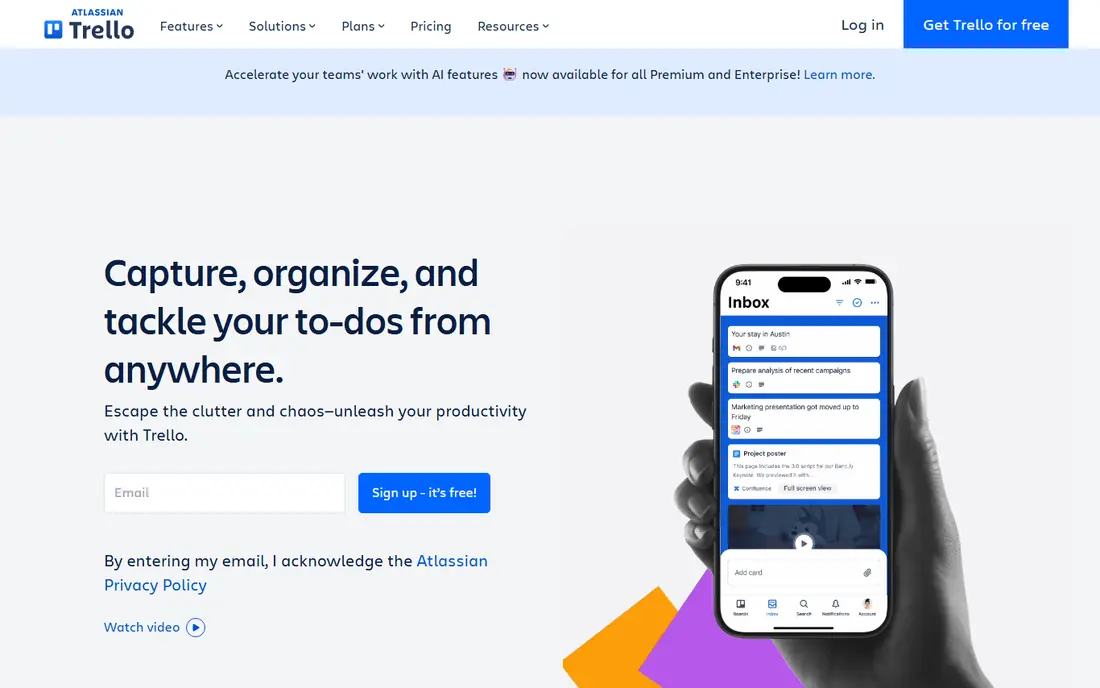
Trello is the simplest alternative here, and that simplicity is its strength. A board, lists, and cards are enough for many teams, and a new board can be running in minutes. Power ups add calendars, automation, and integrations, while the free plan covers small boards well. For a team that found Planner too structured or too tied to Microsoft, Trello feels light and fast.
Large, complex projects expose the limits. There are no native task dependencies, reporting is basic, and a board with hundreds of cards can become hard to manage. Trello suits task tracking, editorial calendars, and small team workflows best. If your projects need dependencies, timelines, and portfolio reporting, look at Asana or ClickUp instead.
- Very easy to start
- Clean kanban boards
- Low entry price
- No native task dependencies
- Reporting is basic
- Large projects get messy

ClickUp tries to replace several tools at once: tasks, docs, goals, chat, and dashboards live in one workspace. The free plan is genuinely useful, with unlimited tasks and members, which makes it easy to test with a whole team before paying. Views include lists, boards, calendars, timelines, and Gantt charts, so different team members can work in the view they prefer.
That breadth can feel overwhelming at first, with many settings and options to learn. Free storage is also limited, and AI features sit outside the base price. For a team that wants one tool for tasks, docs, and goals, and is willing to spend time on setup, ClickUp offers strong value.
- Free plan with unlimited tasks and members
- Many views including docs and goals
- Good value on paid plans
- Setup and settings can feel overwhelming
- Storage is limited on free
- AI features cost extra
Monday.com suits teams that think in boards and dashboards. Columns can be customized for status, people, dates, and numbers, and dashboards pull those boards into charts and summaries for managers. Templates cover marketing, sales, operations, and product work, so a team can start from a ready made workflow rather than a blank board.
Pricing needs careful checking. Paid plans have a three seat minimum, seats are sold in buckets on some plans, and automation actions are capped, so a busy team may hit limits. The free plan is also limited to two seats. If visual boards and dashboards are your main need, and your team size fits the seat model, monday.com is a strong Planner alternative.
- Flexible visual boards
- Strong dashboards
- Many templates and integrations
- Three seat minimum on paid plans
- Automation actions are capped by plan
- Costs rise with seats
Todoist is the best tool here for personal task capture, and a useful Planner alternative for individuals rather than project teams. Type a sentence like a task due next Tuesday, and Todoist parses the date, project, and priority. It is fast on every platform, and the price is low. For a person who mainly needs a reliable to do list, Todoist beats a heavier project tool.
Team project work is where Todoist falls short. Collaboration is basic, there are no real timelines or portfolio views, and reporting is thin. Use Todoist for personal work, or pair it with a team tool for shared projects. Do not buy it expecting a full Planner replacement for a whole department.
- Fast natural language task entry
- Excellent mobile apps
- Low price
- Not a full project management tool
- Team features are basic
- No timelines or boards worth using for projects
Notion suits teams that live in documents and want light project tracking alongside them. A project database can hold tasks, owners, and dates, while docs, wikis, and meeting notes sit in the same workspace. That combination helps knowledge heavy teams, agencies, and startups that do not want separate docs and task tools.
As a pure project tool, Notion is lighter than Asana or ClickUp. Timelines and automation exist, but they are less deep, and large workspaces can feel slower. If docs and knowledge are central to your work, and projects are mostly task lists with owners and dates, Notion is a good Planner alternative. If projects need dependencies and portfolio reporting, choose a dedicated tool.
- Docs, wiki, and tasks in one workspace
- Flexible databases
- Good for knowledge heavy teams
- Project features are lighter than Asana
- Performance can slow on large workspaces
- AI needs higher plans
Wrike fits teams that handle a steady stream of requests, reviews, and approvals. Request forms can intake work, approvals can route it, and Gantt charts show dependencies and timelines clearly. Dashboards can be shared with stakeholders who do not need a full seat, which helps client and cross team work.
The learning curve and seat model need checking. Some plans sell seats in groups, and advanced reporting and automation sit on higher tiers. For marketing, creative, and operations teams with formal intake and review steps, Wrike is a strong Planner alternative. For simple task lists, it is more tool than needed.
- Strong request forms and approvals
- Interactive Gantt charts
- Shareable dashboards
- Seats sold in groups on some plans
- Interface takes learning
- Higher tiers needed for advanced features
Basecamp takes a different approach: one flat price for unlimited users and projects on its main paid plan, with to dos, message boards, schedules, docs, and chat in each project. That model suits teams that are tired of per seat bills growing with every hire, and that prefer a calm, simple structure over endless customization.
Flexibility is the trade off. There is no Gantt chart, advanced reporting is thin, and teams used to custom boards may find Basecamp rigid. For a small or mid sized team that wants projects, chat, and docs in one calm place at a predictable price, Basecamp is a refreshing Planner alternative. For complex, dependency heavy projects, look at Asana or Wrike.
- Flat pricing for unlimited users on paid plans
- Calm, simple project structure
- Chat and docs included
- No Gantt or advanced reporting
- Less flexible than board tools
- Per user plan also exists
How we picked these
We compared official pricing pages, feature documentation, and public reviews for project and task tools that are active in 2026. We required real multi user project or task capability, a free plan or low cost entry, and a clear difference from Planner in views, automation, or reporting. We excluded tools that only handle personal notes with no team project features.
What to check before you switch
Start with your real project complexity. If work is mostly task lists and status updates, Trello, Todoist, or Basecamp will be adopted faster and cost less. If projects have dependencies, deadlines, and many contributors, compare Asana, monday.com, ClickUp, and Wrike on automation limits and timeline views.
Next, count seats and check seat minimums, since per seat, seat bucket, and flat pricing produce very different bills for the same team. Test the mobile apps, since field and remote teams live on phones, and run a real project through a free tier for two weeks. Adoption by the team, not the feature list, decides whether a new tool survives after Planner.
FAQ
What is the best alternative to Microsoft Planner?
Asana is our pick for most teams, with structured projects and automation. Trello suits simple boards, ClickUp suits teams that want many views, and monday.com suits visual boards and dashboards.
Is there a free alternative to Microsoft Planner?
Yes. Trello, ClickUp, Todoist, and Notion all offer free plans, though team limits differ. ClickUp free plan is the most generous for team size, while Asana and monday.com free plans are limited to very small teams.
Can I migrate from Microsoft Planner to Asana or Trello?
Yes, with import tools and CSV exports in most cases. Plan the migration by exporting Planner tasks, mapping owners and dates, and testing one project before moving every plan.
Does Microsoft Planner work without Microsoft 365?
Basic Planner is included in many Microsoft 365 plans, while premium features need a separate Planner plan. If your team does not use Microsoft 365, a standalone tool like Asana or Trello is usually simpler.
Which Planner alternative is best for small teams?
Trello or Basecamp suit small teams that want simplicity and low cost. ClickUp suits small teams that want many features for free, if they can handle the setup.
What is the difference between Planner and Asana?
Planner is a lightweight task tool inside Microsoft 365, with boards and basic plans. Asana adds timelines, portfolios, goals, rules, and deeper reporting, which suit larger or more complex project work.