Microsoft Word Alternatives in 2026: 9 Tools Compared
Compare the best Microsoft Word alternatives in 2026, from free word processors to collaborative docs, with prices and honest trade-offs included. today.
- Editor's choice
 Google Docs
Free real time collaboration
Starts atFreeVisit docs.google.comFull review - Great alternative
 LibreOffice Writer
Free offline word processing
Starts atFreeVisit libreoffice.orgFull review - Also consider
 Apple Pages
Mac and iPad users who want polished layout
Starts atFreeVisit apple.comFull review
TL;DR:
- Google Docs is the best free alternative for collaboration, while LibreOffice Writer is best for offline work at no cost.
- Apple Pages suits Mac and iPad users who want polished layout, and ONLYOFFICE suits teams that need high docx fidelity.
- Most alternatives open and save docx files, but complex Word layouts can still shift, so test with your real documents.
- If you only need Word occasionally, Word for the web is free with a Microsoft account, so you may not need to switch at all.
Quick comparison
| Tool | Best for | Starts at | Free plan? | |
|---|---|---|---|---|
| Google Docs | Free real time collaboration | Free | Yes | Visit |
| LibreOffice Writer | Free offline word processing | Free | Yes | Visit |
| Apple Pages | Mac and iPad users who want polished layout | Free | Yes | Visit |
 WPS Office Writer | Word like interface on a budget | Free | Yes | Visit |
 Zoho Writer | Free cloud writing with automation | Free | Yes | Visit |
 Notion | Docs plus wikis and databases | Free | Yes | Visit |
 ONLYOFFICE Docs | High docx fidelity and self hosting | Free | Yes | Visit |
 Scrivener | Long form manuscripts and books | $59.99 one-time | Free trial | Visit |
 Dropbox Paper | Lightweight team notes and drafts | Free | Yes | Visit |
The best Microsoft Word alternatives
Word remains the standard for many offices, but most writers do not need all of it. The alternatives below cover free word processing, real time collaboration, offline desktop work, and long form writing. The right pick depends on whether you work alone, with a team, or with complex Word files every day.
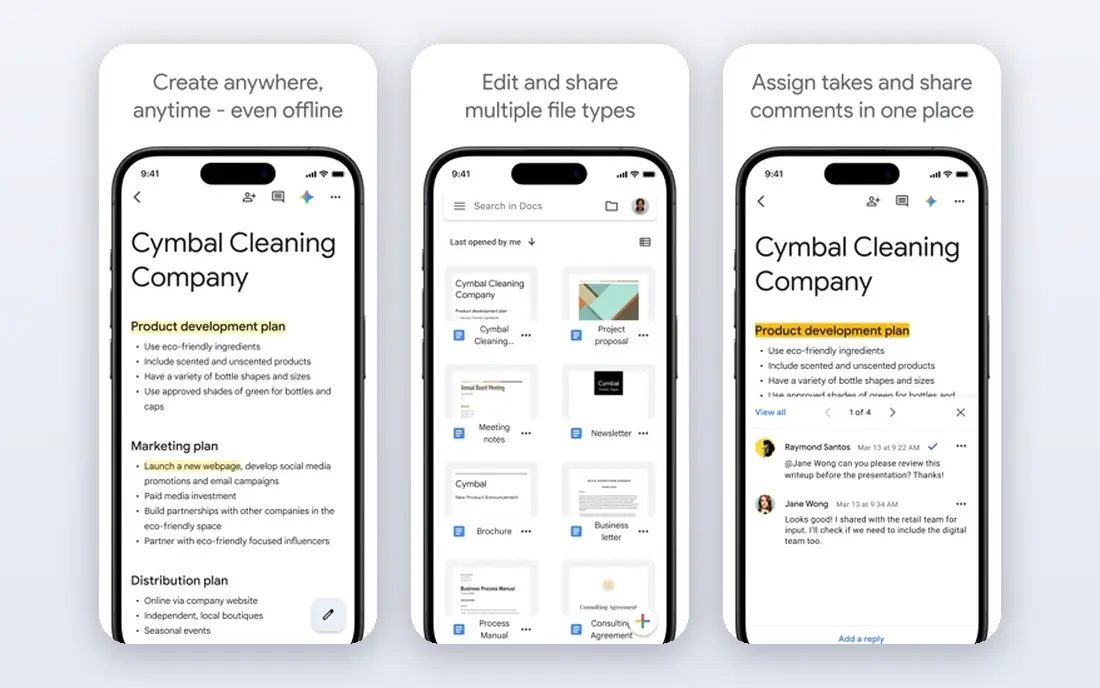
Google Docs is the default free alternative for most people, and for good reason. It runs in a browser, it is free with a Google account, and several people can edit the same document at once, with comments, suggestions, and version history built in. For group work, class assignments, and shared drafts, it is hard to beat.
Docs opens and exports docx files, so you can send a document to a Word user without much friction. It also includes templates, voice typing, and add-ons for common tasks. Paid Google Workspace plans add more storage and Gemini AI features, but the free editor covers everyday writing well.
The limits are offline work and layout fidelity. Offline mode works inside the browser with setup, but it is not as smooth as a desktop app. Complex Word documents with advanced styles, fields, or macros may also shift when converted. For most everyday documents, Docs is the best free Word alternative.
- Best in class live co-editing
- Free with a Google account
- Strong version history and comments
- Limited offline mode
- Complex Word layouts can shift when converted
LibreOffice Writer is the best free offline alternative to Word. It is open source, it runs on Windows, Mac, and Linux, and it needs no account, no ads, and no subscription. For long reports, theses, and books, its styles, master documents, and track changes tools are genuinely strong.
Writer opens and saves docx files, plus ODT, PDF, and EPUB exports. That makes it practical for exchanging files with Word users, though very complex layouts can still need a check after conversion. Privacy is another benefit, since your files stay on your computer unless you choose to share them.
Collaboration is the weak point. There is no native real time co-editing like Google Docs, so teams need to share files or use a cloud service. The interface also feels dated next to modern web editors. For solo, offline, privacy focused writing at zero cost, Writer is the top pick.
- Completely free and open source
- Full offline desktop app
- Strong styles and long document tools
- Interface feels dated
- Collaboration needs external tools
- No built in AI features
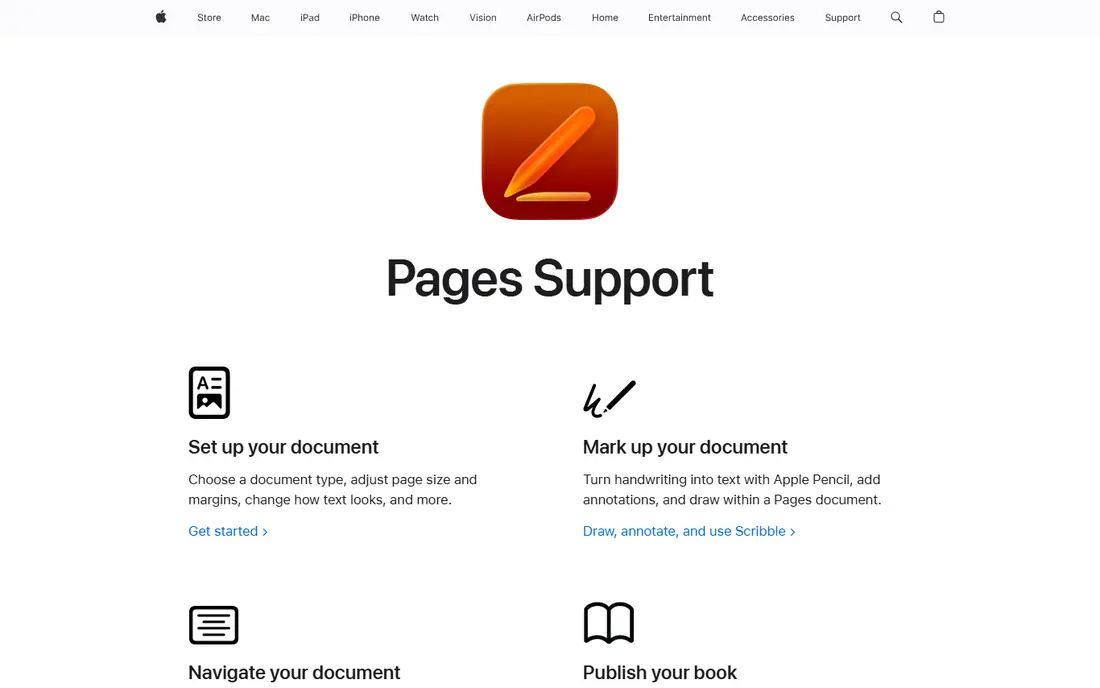
Apple Pages is free on Mac, iPad, and iPhone, and it is the most polished free word processor on Apple devices. Templates for reports, resumes, newsletters, and books look clean, and layout tools make it easy to place images, shapes, and text boxes precisely. EPUB export and Apple Pencil support help authors and designers.
Pages opens Word files and exports to docx and PDF, so sharing with Word users is possible. Real time collaboration works through iCloud, with track changes and comments for team edits. For everyday documents on Apple hardware, Pages feels faster and more pleasant than a web editor.
Pages is less strong for Windows users and for documents that rely on Word macros or advanced fields. Collaborative Pages documents are also not end to end encrypted in the same way as some Apple data, even with Advanced Data Protection on. For Apple users, it is a strong, free alternative.
- Free on Apple devices
- Polished templates and layout tools
- EPUB export and Apple Pencil support
- Apple focused, with weaker Windows support
- Limited macros and advanced Word features
WPS Office Writer looks and feels closest to Word among free alternatives. The ribbon interface, tabbed documents, and PDF tools make the switch easy for Word users, and docx compatibility is strong for everyday files. Desktop, web, and mobile apps cover most devices.
The free version covers writing, editing, and basic PDF work, which is enough for many students and small businesses. Paid plans remove ads and add more PDF tools, AI features, and cloud storage. That freemium model keeps the entry cost at zero, while giving a paid path for heavier users.
Ads in the free version are the main annoyance, and some advanced features sit behind the paid plan. Privacy conscious users should also check data settings, since WPS is a cloud connected suite. For a Word like experience without a subscription, WPS is a practical choice.
- Familiar ribbon interface
- Strong docx compatibility
- Desktop, web, and mobile apps
- Free version includes ads
- Some advanced tools need a paid plan
Zoho Writer is a free, full featured cloud word processor that deserves more attention. It offers real time collaboration, comments, track changes, templates, and document automation, including mail merge and fillable forms. For business documents that repeat, such as letters and contracts, that automation saves real time.
Writer imports and exports docx and PDF files, and it works in a browser with mobile apps. The editor is clean and fast, and Zia AI features can help with writing tasks on some plans. Individual use is free, with paid costs mainly for team storage and extra automation credits.
Offline mode is limited compared with a desktop app, and Zoho Writer shines brightest inside the wider Zoho Workplace ecosystem. If you already use Zoho CRM or Zoho Mail, the integration is a bonus. As a standalone free editor, it is still a strong Word alternative.
- Free full featured cloud editor
- Document automation and mail merge
- Clean interface
- Offline mode is limited
- Best value inside the wider Zoho ecosystem
Notion is not a direct Word clone, and that is the point. It combines documents, wikis, databases, and project pages in one workspace, which suits teams that need living documentation rather than a fixed page layout. Meeting notes, handbooks, and project docs work well in Notion, because they can link to tasks and databases.
The free plan covers personal use and small teams with limits, while paid plans start at 10 dollars per user per month on annual billing. Collaboration is real time, with comments, mentions, and version history. Templates for docs, wikis, and meeting notes help new teams start fast.
Notion is a poor fit for a print ready report or a document that must match Word pagination exactly. Offline mode is limited, and docx export is basic. For team knowledge work, it is one of the best Word alternatives, even though it solves a different job.
- Flexible docs, wikis, and databases in one workspace
- Good for team knowledge
- Free personal plan
- Not a page layout tool
- Offline mode is limited
- Docx export is basic
ONLYOFFICE Docs is the best choice for teams that need Word files to stay intact. It edits docx, xlsx, and pptx files natively, rather than converting them to another format first, which keeps layouts, track changes, and formatting closer to the original. That fidelity matters for legal, academic, and business documents.
Desktop editors are free and open source, and they work offline on Windows, Mac, and Linux. Cloud and self hosted options add real time co-editing, rooms, and permission controls, which suit companies that want to keep data on their own servers. That deployment flexibility is rare among free alternatives.
Cloud pricing is per admin and varies by plan, so confirm the current cost for your team size. The interface is functional rather than beautiful, and the ecosystem is smaller than Google or Microsoft. For docx fidelity and data control, ONLYOFFICE is hard to beat.
- Edits docx files natively with high fidelity
- Desktop editors are free
- Cloud and self host options
- Cloud pricing is per admin and can confuse
- Interface is functional rather than polished
Scrivener is built for writers working on long projects, such as novels, nonfiction books, theses, and scripts. Its binder lets you organize chapters, scenes, notes, and research in one project, then compile the whole work into docx, PDF, or EPUB with consistent formatting. That structure is why many authors prefer it to Word for a book.
The one time license costs 59.99 dollars, with a 30 day trial that counts only days you actually use it. That trial is generous, and it gives you time to test a real project before paying. Scrivener runs on Mac, Windows, and iOS, with a clean writing view that hides distractions.
Scrivener is not a collaboration tool, and its compile system takes time to learn. It also lacks real time co-editing and advanced Word macros. For a single author writing a long work, it is one of the best Word alternatives available.
- Binder and compile tools for long projects
- Research and draft in one place
- One time license
- Not a collaboration tool
- Learning curve for the compile system
- No free plan beyond a trial
Dropbox Paper is a lightweight collaborative document tool for teams that already use Dropbox. It offers clean, simple docs with real time editing, comments, tasks, and embeds for images, videos, and files. For meeting notes, brainstorms, and early drafts, that simplicity is a benefit.
Paper is free with a Dropbox account, and it integrates with Dropbox files and folders, so documents sit next to the files they reference. Teams can assign tasks inside a doc, which helps turn a meeting note into action items without a separate tool.
Paper is not a full Word replacement. Formatting and layout controls are basic, and complex documents will need another editor for final polish. For quick team notes and shared drafts, it is a fast, free option.
- Simple, fast collaborative docs
- Free with a Dropbox account
- Good for meeting notes and drafts
- Limited formatting and layout controls
- Not a full Word replacement
How we picked these
We compared official feature pages, pricing pages, and docx compatibility information for word processors available in October 2026. We favored tools that are free to start, open or export docx files, and cover different needs, including collaboration, offline work, layout, and long form writing. We left out tools that are no longer maintained or that only handle plain text.
How to switch from Word without losing work
Test with your real documents before you commit. Open a complex report, a resume, and a shared draft in each shortlisted tool, then export them back to docx and check the layout. A tool that handles your actual files is worth more than one with a longer feature list.
Decide what matters most
Collaboration, offline access, and layout fidelity rarely come together in one free tool. Google Docs wins on collaboration, LibreOffice wins on offline work, and ONLYOFFICE wins on docx fidelity. Pick the priority that matches how you actually work, then accept the trade on the other two.
Keep a Word copy for final delivery
If clients or employers require Word files, keep Word for the web free with a Microsoft account for final checks. Draft in your chosen alternative, export to docx, then open the result in Word for the web to confirm the layout before you send it.
Move templates and styles early
Recreate your most used templates, styles, and letterheads in the new tool before you switch fully. That upfront work prevents a scramble when a deadline arrives, and it shows whether the new tool handles your formatting well enough.
FAQ
What are the best free alternatives to Microsoft Word?
Google Docs, LibreOffice Writer, Apple Pages, WPS Office, and Zoho Writer are all free and cover most everyday writing. Google Docs is best for collaboration, LibreOffice is best offline, and Pages is best on Apple devices.
What is the best free office software?
LibreOffice is the best free office suite overall, with Writer, Calc, and Impress included at no cost. Google Docs and Zoho Writer are strong free cloud options, while WPS Office offers a familiar Word like suite with a free tier.
Is Google Docs a good alternative to Word?
Yes, for most everyday documents and team work. Google Docs offers free real time collaboration, version history, and docx export. It is weaker for offline work and for very complex Word layouts, where LibreOffice or ONLYOFFICE may fit better.
Can I open Word files in these alternatives?
Yes. All the tools in this list open docx files, and most save back to docx as well. Complex layouts, macros, and advanced fields may shift during conversion, so test important documents before relying on a new tool for final delivery.
What is the best Word alternative for Mac?
Apple Pages is the best free Word alternative on Mac, with polished templates and layout tools. LibreOffice Writer is a strong second choice for complex documents and offline work, while Google Docs suits Mac users who collaborate online.
Do I need to pay for Microsoft Word?
Not always. Word for the web is free with a Microsoft account, and it covers basic editing and collaboration. Paid Microsoft 365 plans add desktop apps, more storage, and AI features, but many writers can work well with a free alternative instead.