Top 5 Which AI Platforms Have the Best Workflows for 2026 (Prices and Free Plans)
Which AI platforms have the best workflows: 5 tools compared on price, free plans and fit. Costs and caveats sit beside each pick. Full profiles inside.

- Editor's choice
 Make
Visual no-code workflow automation
Starts atSee websiteVisit make.comFull review - Great alternative
 n8n
Technical teams needing code adaptability
Starts at€20 per month, billed annuallyVisit n8n.ioFull review - Also consider
 Google Gemini
AI assistance within Google Workspace
Starts atSee websiteVisit gemini.google.comFull review
Direct answer
Make leads the list, best for visual no-code workflow automation. n8n fits technical teams needing code adaptability; Google Gemini fits AI assistance within Google Workspace. Listed starting prices: n8n from €20 per month, billed annually and UiPath from $25 a month. All 5 tools are compared below on price, free plan and limits.
TL;DR:
- Number one here is Make, a fit for visual no-code workflow automation.
- For the cheapest start, look at UiPath: $25 per month.
- UiPath is the one to check for Robotic process automation at scale.
- A free plan is available from 2 of the 5 tools: Make, UiPath.
Last checked November 2026. Prices and plan details were read from the vendors' own pages in November 2026; vendors change plans often, so confirm the current price on the vendor site before you buy.
Quick comparison
| Tool | Best for | Starts at | Free plan? | |
|---|---|---|---|---|
| Make | Visual no-code workflow automation | See website | Yes | Visit |
| n8n | Technical teams needing code adaptability | €20 per month, billed annually | Free trial | Visit |
| Google Gemini | AI assistance within Google Workspace | See website | Not stated | Visit |
 Glean | Enterprise search and knowledge workflows | See website | Not stated | Visit |
 UiPath | Robotic process automation at scale | $25 a month | Yes | Visit |
The best which AI platforms have the best workflows
Choosing which AI platforms have the best workflows usually comes down to price, fit and limits. This LinkVetted guide sets 5 tools side by side on those three points, with the facts kept short and checkable.

Choose Make for visual no-code workflow automation. Make is a visual system for building, scaling, and automating AI and agentic workflows.
Its no-code interface lets users link apps and design multi-step automations without programming. No starting price is listed for Make here; confirm pricing on the vendor site. You can start on Make without paying.
Where it falls short: Less suited for code-heavy customization.
- Visual builder for workflows
- No-code integration tool
- Complicated scenarios can become hard to run
n8n is a good fit for technical teams needing code adaptability. n8n is a workflow automation product that uniquely merges AI capabilities with business process automation, giving technical teams the adaptability of code with the speed of no-code.
Price to start with n8n: €20 per month, billed annually. As for free access: Free trial.
Downsides: Needs some technical comfort.
- No-code speed for typical tasks
- Merges AI with business process automation
- Steeper ramp-up time for non-technical users
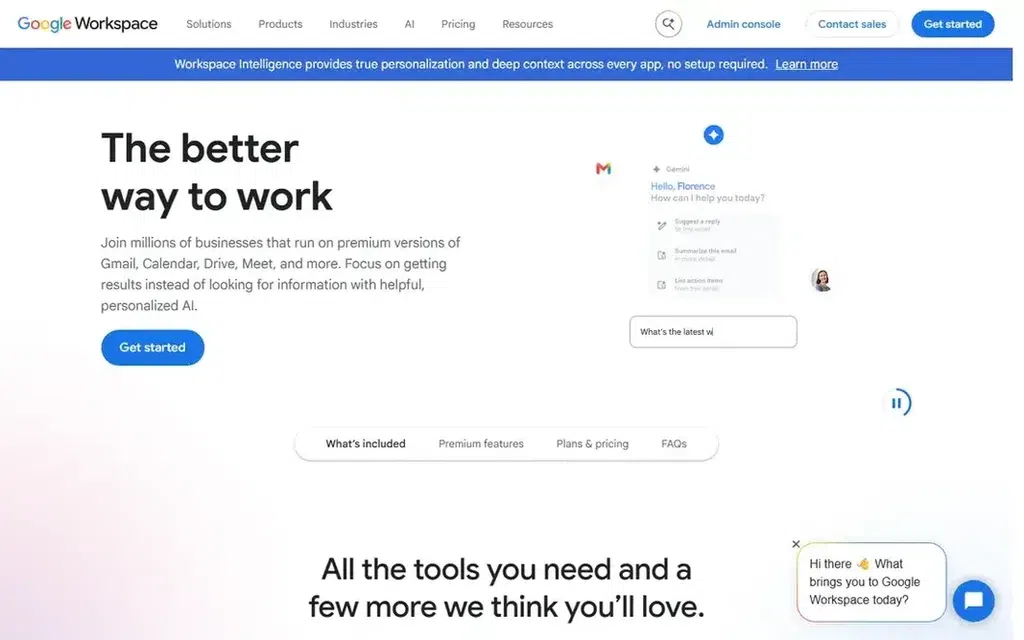
Google Gemini targets AI assistance within Google Workspace. Google Gemini is Google's AI assistant, meant to work across Google Workspace and related services.
In daily use, if you need visual no-code automation or enterprise-grade orchestration, consider Make, n8n, or ServiceNow instead. More specifically, Gemini's workflow capabilities are most solid inside Google's ecosystem; complicated multi-step automation across external apps may need a separate system. This comparison lists no price for Google Gemini; ask the vendor. Free plan details: Not stated.
Drawbacks to consider: Advanced automation needs extra tools.
- Supports multimodal inputs
- Tight integration with Google apps
- Workflow automation is restricted outside Google ecosystem
For enterprise search and knowledge workflows, Glean is a natural candidate. Glean is an enterprise AI product connected to your enterprise's data, helping users find, build, and automate anything through agents, an assistant, and search.
Where it falls short: May need data integration setup.
If you have to automate processes across numerous apps, consider Make or n8n alongside Glean. As for the details, Glean's strengths are in search and knowledge automation instead of general-purpose workflow building, so it may not replace a dedicated automation product. Pricing for Glean is not stated here, so ask the vendor for current figures. Free plan details: Not stated.
- Links to enterprise data
- Helps find, build, automate
- Focus is on knowledge and search
Pick UiPath if this describes you: Robotic process automation at scale. It fits enterprises that require to automate repetitive tasks and coordinate automation across systems with capable governance and compliance requirements.
On top of that, if you need light visual automation, Make or n8n are more straightforward starting points, whereas UiPath shines in large-scale, compliance-focused automation. What you pay to start with UiPath: $25 per month. A free plan is available with UiPath.
What users get: Scales across enterprise operations. Drawbacks to consider: Can be complicated to deploy.
- Orchestrates AI agents, robots, people
- Compliant outcomes
- Requires governance planning
How we built this list
The comparison looks at four things: starting price, free access, how well the feature set matches which AI platforms have the best workflows, and the main limit of each tool. Where a vendor does not publish a price, the entry says quote. Where a price depends on seats or billing term, the entry says so. Position on the page reflects fit for a typical buyer first, with price clarity and free access breaking ties. Treat it as a guide, not a ruling.
Questions to settle before buying
- Ask Make, Google Gemini and Glean for a written quote, since no starting price is shown.
- Look at free plan limits closely: Make and UiPath have one, and the caps decide whether it is usable for real work.
- Run a trial of n8n with real work before paying for a year; your own workflow is the best test.
- Before choosing Make, weigh its main limit: complicated scenarios can become hard to handle.
- The entry price of Google Gemini is only the starting point; model the full cost with seats and extras.
- Read the plan comparison for Make carefully; key features often start on a higher tier.
FAQ
Which options for which AI platforms have the best workflows have a free plan?
On this list, Make and UiPath include a free plan. Caps on seats, usage or features are common, so test the free plan against your real workload. One other tool offers a trial instead.
How are the tools for which AI platforms have the best workflows ordered?
The order follows typical fit for which AI platforms have the best workflows, with Make first and UiPath last, then price clarity and free access. It is editorial judgement, not a score, so another team could rank the tools differently.
Which system is a good match for non-technical teams?
Make comes first here and is built for visual no-code workflow automation. Buyers with other needs may prefer n8n (for technical teams needing code adaptability) or Google Gemini (for AI assistance within Google Workspace). Compare costs and limits first.
What is the cheapest option for which AI platforms have the best workflows in this list?
On published monthly entry prices, UiPath is the lowest here at $25 per month. Entry price is only part of the cost, because seats, add-ons and billing terms can change the total. Each of the 5 options in this which AI platforms have the best workflows guide has its own card above with the price, free plan and limits.
Do these tools publish their prices?
Not all of them. Make, Google Gemini and Glean publish no starting price, so expect a quote request for those. The rest, n8n included, show a starting price, though seats and billing terms still change the final cost.
Sources
- https://www.make.com
- https://n8n.io
- https://gemini.google.com
- https://www.glean.com
- https://www.uipath.com