Best AI Writing Tools for Content Workflows in 2026: 8 Tools Compared
Compare the best ai writing tools for content workflows in 2026, with drafting, brand voice, SEO scoring, editing, briefs, and team review for blog teams.
- Editor's choice
 Jasper
Marketing teams that need brand voice and long-form drafting
Starts atFrom $59 per monthVisit jasper.aiFull review - Great alternative
 Copy.ai
Teams that need short marketing copy at a low team price
Starts atFrom $24 per monthVisit copy.aiFull review - Also consider
 Writesonic
Content operations that need SEO articles plus AI search visibility
Starts atFrom $79 per monthVisit writesonic.comFull review
TL;DR:
- Brand voice and workflow controls matter more than raw drafting speed for teams that publish often.
- SEO scoring tools belong at the editing stage, not as a replacement for a clear brief and human review.
- Per-seat pricing can double team costs fast, while flat team plans change the maths for larger groups.
- AI output still needs fact-checking, since models can invent details, quotes, and sources.
Quick comparison
| Tool | Best for | Starts at | Free plan? | |
|---|---|---|---|---|
| Jasper | Marketing teams that need brand voice and long-form drafting | From $59 per month | Free trial | Visit |
| Copy.ai | Teams that need short marketing copy at a low team price | From $24 per month | Yes | Visit |
| Writesonic | Content operations that need SEO articles plus AI search visibility | From $79 per month | Free trial | Visit |
 Grammarly | Every writer who needs editing, clarity, and tone checks | From $12 per month | Yes | Visit |
 Surfer SEO | Content and SEO teams that need SERP-based optimization | From $49 per month | Free trial | Visit |
 Frase | SEO teams that need SERP-driven briefs on a budget | From $39 per month | Free trial | Visit |
 Rytr | Budget writers who need fast short-form drafting | From $7.50 per month | Yes | Visit |
 Notion AI | Teams already living in Notion that want writing inside docs | From $20 per user per month | Free trial | Visit |
The best ai writing tools for content workflows
We compared AI writing tools used in content workflows, from drafting and brand voice to SEO scoring, editing, and team review. We checked official pricing pages and vendor feature pages in October 2026, and we focused on how each tool fits a real workflow: brief, draft, edit, optimize, approve, and publish. AI writing raises accuracy and originality questions, so every draft here should be fact-checked and edited by a human before publishing.
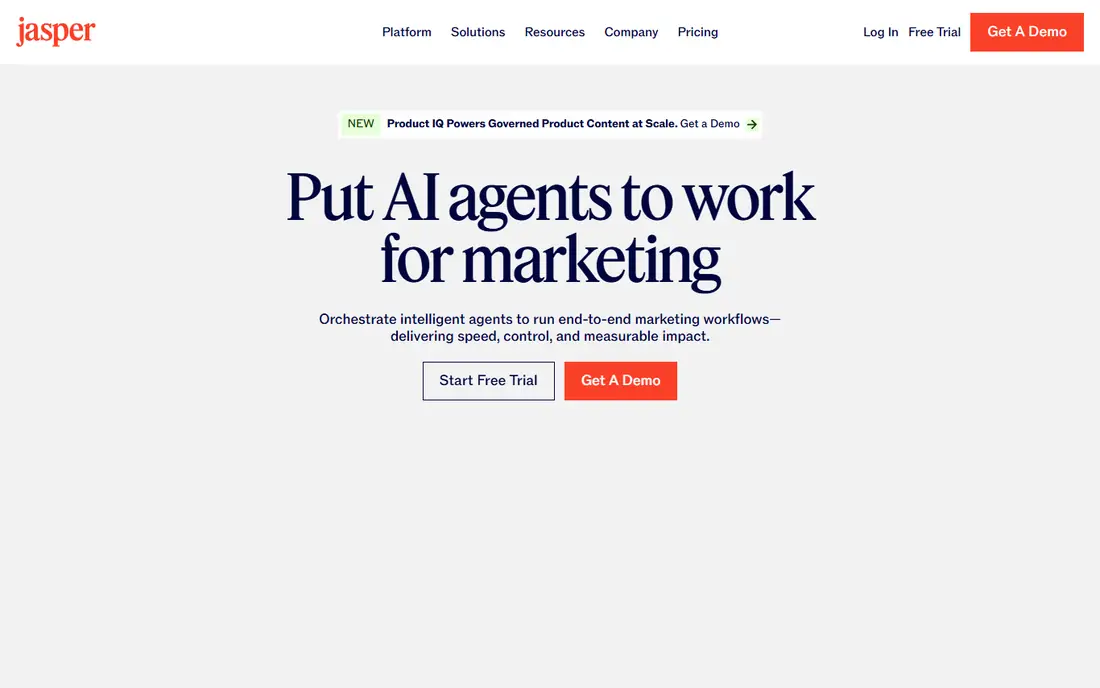
Jasper is the premium pick for marketing teams that publish at volume and need consistent brand voice. You train it on your own writing, and it applies tone and vocabulary across articles, ads, emails, and landing pages, which helps agencies and in-house teams keep output consistent.
Pro costs 69 dollars per month billed monthly, or 59 dollars per month billed annually, per seat, with no free plan after a 7-day trial. That price stings for solo writers, but teams that publish often and manage multiple brands may find the workflow and voice controls worth it.
- Brand voice trained on your samples
- Campaign workflows and Canvas workspace
- Many templates for marketing content
- No free plan after trial
- Per-seat pricing grows fast for larger teams
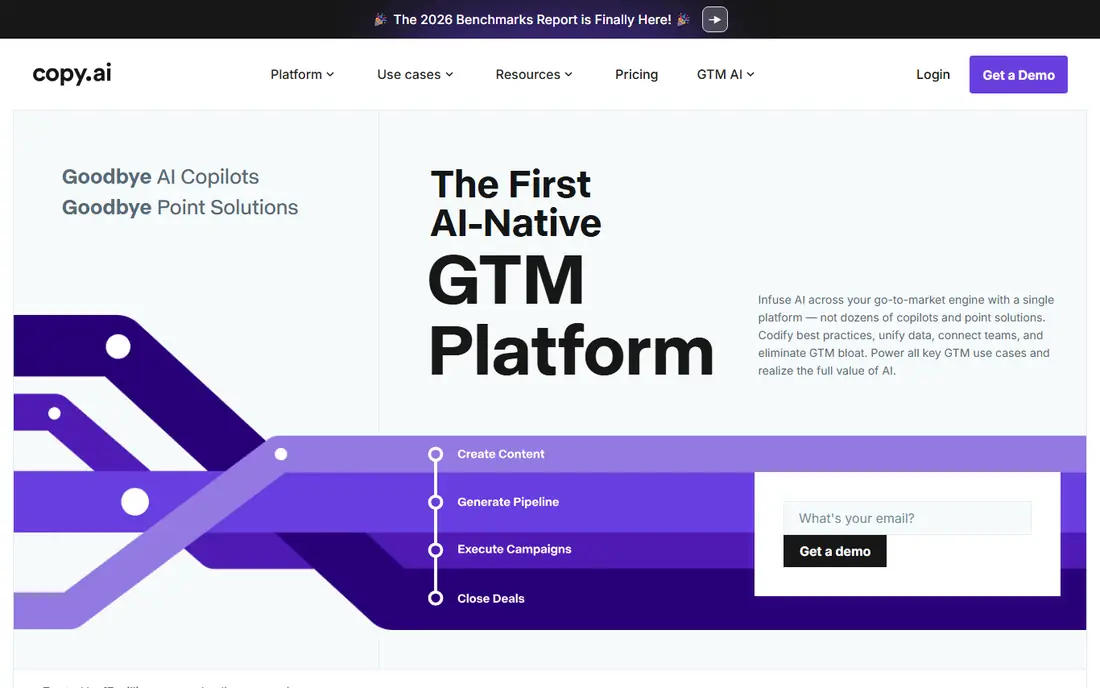
Copy.ai suits teams that need short marketing copy, emails, and ad variations quickly, with a Chat plan at 29 dollars per month, or about 24 dollars per month billed annually, covering five seats. That per-team price is far lower than per-seat rivals for a small team.
The trade-off is long-form depth. Copy.ai has pivoted toward go-to-market workflows, so blog articles often need more editing than Jasper drafts. Workflow tiers also jump to about 1,000 dollars per month, so solo writers should stay on Chat and teams should check which tier they actually need.
- Chat plan covers five seats with unlimited words
- Fast short-form copy
- GTM workflows for sales teams
- Long-form output needs more editing
- Workflow tiers jump sharply in price
Writesonic
Best for: Content operations that need SEO articles plus AI search visibility

Writesonic has repositioned as an SEO content platform rather than a simple writing tool. Starter costs 99 dollars per month billed monthly, or 79 dollars per month billed annually, for 15 articles, plus AI search visibility tracking across ChatGPT, Google AI Overviews, and Gemini.
That bundle suits content operations whose main goal is ranking and being cited in AI answers. Casual writers who only need drafting will pay for tracking they never open, so compare it against Jasper plus Surfer if your workflow is smaller.
- SEO article generation
- AI search visibility tracking
- Article packs for content operations
- Starter price is high for casual writers
- Tracking features add cost if you only need drafting
Grammarly is the editing layer for almost any content workflow, since it checks grammar, clarity, and tone wherever you write. Pro costs 12 dollars per month billed annually, or 30 dollars per month billed monthly, with a free plan that includes basics plus 100 AI prompts per month.
It does not replace a drafting tool for long articles, but it improves almost every draft that passes through it. Teams that already draft in docs or a CMS get the most value, since Grammarly follows the writer rather than forcing a new workspace.
- Grammar, clarity, and tone checks across apps
- AI prompts on paid plans
- Style guides for teams
- Drafting features are lighter than Jasper
- Pro price rises on monthly billing
Surfer SEO scores drafts against live search results and guides structure, terms, and length, which helps content teams optimize before publishing. Discovery starts around 49 dollars per month, with Standard around 99 dollars per month, and a 7-day trial that needs a card.
It works best as an editing and optimization step, not as a drafting tool on its own. Teams still need a clear brief, real expertise, and fact-checking, since a high Surfer score does not guarantee accuracy or reader value.
- Content scores based on live search results
- Content editor and audit tools
- Keyword and structure guidance
- No free plan
- Scoring needs a human brief and good sources to work well
Frase suits SEO teams that want SERP-driven briefs without Surfer pricing. It researches top results, pulls common questions, and builds briefs that writers can follow, which helps teams that publish many SEO articles with freelance writers.
Starting pricing is around 39 dollars per month, which makes it a budget-friendly brief and optimization tool. Larger operations that need audits, tracking, and team workflows may still prefer Surfer or Writesonic, but small SEO teams get strong value here.
- SERP-based content briefs
- Question research
- Content optimization for blogs and articles
- Smaller feature set than Surfer for large operations
- Drafting is lighter than Jasper
Rytr is the cheapest full-price writer here, with Unlimited at 9 dollars per month, or 7.50 dollars per month billed annually, and a free tier at 10,000 characters per month. It offers many templates and languages, which suits bulk social, email, and short-form copy.
Output is competent for short and mid-form work, but it does not match Jasper for long-form brand writing. For a solo writer on a tight budget, that trade is often worth it, especially when paired with Grammarly for editing.
- Very low price
- Free tier with 10,000 characters per month
- Many templates and languages
- Long-form output is weaker than premium tools
- Plagiarism checks sit on paid plans
Notion AI suits teams that already plan content in Notion, since drafting, summarization, and editing happen inside the same docs, databases, and calendars used for planning. Business plans with AI start around 20 dollars per user per month billed annually, with AI also available as an add-on.
The limit is specialization. Notion AI does not score SEO like Surfer or manage brand voice like Jasper, so SEO-led teams still need another tool for optimization. For teams that value one workspace for planning and drafting, it removes a lot of copy-paste friction.
- Writing inside Notion docs and databases
- Team wikis and content calendars in one workspace
- Summarization and drafting
- AI is an add-on cost on top of Notion seats
- Weaker as a standalone SEO tool
How we picked these
We compared official feature pages, pricing pages, and public reviews for each tool, and we checked that each product exists, works today, and truly fits the topic. Where a vendor quotes rather than publishes a price, we say so instead of guessing a number.
We also weighed fit for different team sizes, since the best choice for a solo operator is rarely the best choice for a larger team. That is why the list mixes well-known leaders with smaller options that suit narrower needs, and why each write-up names an honest weakness as well as a strength.
How to build an AI content workflow that works
Start with the brief, not the draft. A good brief names the audience, the main point, the sources to use, and the action you want readers to take. Without that, AI tools produce generic text that needs heavy rewriting, which removes the time saving.
Assign each tool one job
Use one tool for drafting, another for SEO scoring, and another for editing if needed, rather than asking one tool to do everything. Jasper suits brand-consistent drafting, Surfer suits optimization, and Grammarly suits final editing. Clear roles keep quality consistent across writers.
Keep human review in the loop
Set a review step for facts, quotes, links, and claims, and keep original sources on file. AI tools can draft quickly, but they can also invent details that look plausible. A short checklist for reviewers prevents most errors before publication.
Track what actually saves time
Measure time from brief to publish, revision rounds, and search performance, not just words generated. A tool that drafts fast but needs three rewrites is slower than a tool that drafts slower but needs one edit. Review those numbers after a month.
Before you pay, run a short trial with your real work, not a demo dataset. Check setup time, support response, and the total monthly cost at your real user or volume level. A tool that passes that test is far more likely to still suit you in six months than a tool chosen from a feature list alone.
FAQ
What is the best AI writing tool for content teams?
Jasper suits marketing teams that need brand voice and campaign workflows, while Copy.ai suits teams that need short marketing copy at a low per-team price. For SEO-led blogs, pair a drafting tool with Surfer SEO or Frase for scoring and briefs.
Can AI writing tools replace human writers?
No, they work best as drafting and editing help inside a human-led workflow. Human writers still own the brief, facts, angle, and final edit, since AI output needs checking for accuracy, originality, and brand fit.
How much do AI writing tools cost?
Costs range from free tiers for Rytr and Grammarly basics to about 69 dollars per month per seat for Jasper Pro. Copy.ai Chat costs about 29 dollars per month for five seats, while Surfer SEO starts around 49 dollars per month.
Do AI writing tools help with SEO?
Yes, when used with SEO tools such as Surfer SEO or Frase, which score drafts against search results and suggest terms and structure. AI drafting alone does not guarantee rankings, since search quality, links, and real expertise still matter.
How do I keep AI content on brand?
Use brand voice training where available, share style guides and approved examples, and review early drafts closely. Jasper brand voice, Notion AI workspaces, and Grammarly style guides all help, but human review remains the final check.