Videoscribe Alternatives in 2026: 5 Options Vetted
Need Videoscribe alternatives? We compare 5 tools on cost, free access and who each suits. Every pick includes one clear drawback. Narrow your shortlist.
- Editor's choice
 Animaker
Beginners and pros making animated videos
Starts at$10 a monthVisit animaker.comFull review - Great alternativePowtoon
Branded videos and presentations
Starts at$8 per monthVisit powtoon.comFull review - Also considerBiteable
Quick AI-generated videos
Starts at$15 a monthVisit biteable.comFull review
Direct answer
Animaker leads the list, best for beginners and pros making animated videos. Listed starting prices: Animaker from $10 a month, Powtoon from $8 per month and Biteable from $15 a month. Powtoon is better for branded videos and presentations, and Biteable is better for quick AI-generated videos. The other 2 tools in the list cover narrower or pricier cases.
TL;DR:
- Animaker is the opening pick, best for beginners and pros making animated videos.
- Powtoon is the only tool of the 5 with a free plan.
- For business videos in numerous styles, Vyond is worth a look.
- Check the limits for Biteable before you commit: less emphasis on hand-drawn animation.
- For the cheapest start, look at Powtoon: $8 per month.
Last checked November 2026. Prices and plan details were read from the vendors' own pages in November 2026; vendors change plans often, so confirm the current price on the vendor site before you buy.
Quick comparison
| Tool | Best for | Starts at | Free plan? | |
|---|---|---|---|---|
| Animaker | Beginners and pros making animated videos | $10 a month | Free trial | Visit |
| Powtoon | Branded videos and presentations | $8 per month | Yes | Visit |
| Biteable | Quick AI-generated videos | $15 a month | Free trial | Visit |
 Renderforest | All-in-one video and design creation | See website | Not stated | Visit |
 Vyond | Business videos in numerous styles | $58 per month | Free trial | Visit |
The best Videoscribe
This LinkVetted guide covers 5 options for Videoscribe. Each profile lists a starting price, free plan details, strengths and drawbacks, so you can drop poor fits quickly.
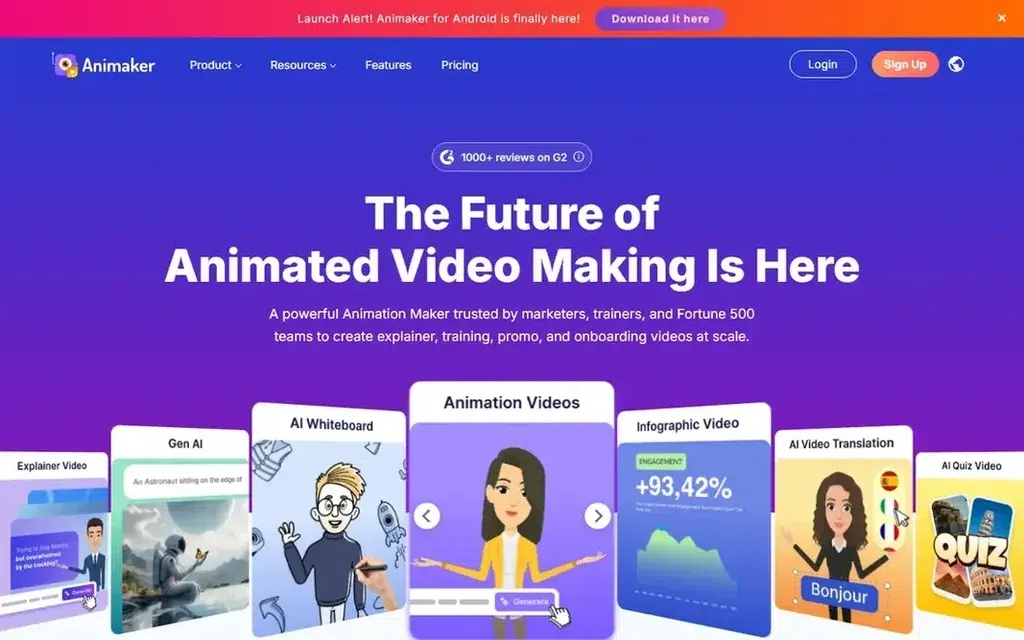
Animaker is built with beginners and pros making animated videos in mind. That dual positioning recommends template-driven ease for newcomers alongside more choices for experienced users.
It suits creators who want animated explainers without installing desktop software. Starting cost for Animaker: $10 per month. On free options: Free trial.
Watch-outs: Wide audience means uneven depth.
- Fast animated video creation
- Positioned for beginners and pros
- Complicated scenes may need more time
Powtoon
Best for: Branded videos and presentations

Powtoon is designed for branded videos and presentations. Documented features contain doc-to-video conversion, AI avatars, text-to-speech and AI translation.
For everyday use, Powtoon describes itself as a unified AI video product for building business-ready branded videos and presentations quickly. Powtoon cost at the entry level: $8 per month. You can start on Powtoon without paying.
Downsides: Presentation focus may not suit pure animation.
- AI translation support
- Doc-to-video conversion
- Numerous features can overwhelm beginners
Biteable
Best for: Quick AI-generated videos
Biteable makes the most sense for quick AI-generated videos. The AI angle recommends a workflow where prompts and templates do much of the heavy lifting.
Points against: May suit marketing clips over explainers.
It is better suited to straightforward promotional and informational clips. For everyday use, Biteable presents an online AI video maker and generator that turns ideas into professional videos rapidly. What you pay to start with Biteable: $15 per month. Free options: Free trial.
- Pitched at fast turnaround
- Straightforward online workflow
- Less emphasis on hand-drawn animation
Renderforest works best for all-in-one video and design creation. It suits small companies and creators who want one place for branding assets beyond video alone.
Points against: Video may be one part of a broader suite.
In daily use, Renderforest performs best when video is one piece of a bigger design effort. Renderforest shows no starting price here, so confirm the cost on the vendor site. On free options: Not stated.
- Videos
- Fast professional-looking output
- Sprawling feature set
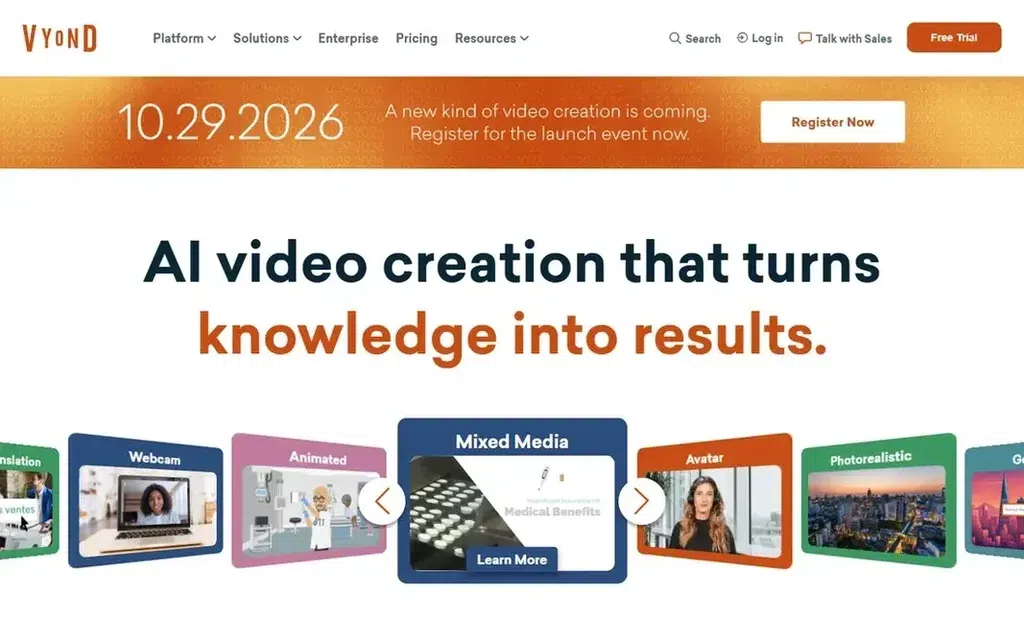
Pick Vyond if this describes you: business videos in plenty of styles. Its homepage emphasizes instant, easy creation, which recommends a workflow built around templates and automation.
Since Vyond is positioned for business, casual creators may find it more than they need. Price to start with Vyond: $58 per month. On free options: Free trial.
Watch-outs: Style range can take time to learn.
- Supports several visual styles
- AI-assisted video creation
- Business focus may feel heavy for hobby users
How we built this list
Selection started from tools commonly considered for Videoscribe, then narrowed to 5 that have clear pricing information or a clear quote process. Where a price is missing, the vendor does not list one publicly or ties it to a quote. Always confirm before budgeting. The order reflects how well each tool fits the most common buying scenario for Videoscribe, then price clarity, then free plan access. It is a starting point, not a verdict.
What to confirm before you sign up
- Ask Renderforest for a written quote, since no starting price is shown.
- Look at the free plan from Powtoon closely: its caps decide whether it is usable for real work.
- Use real work to test the free trial from Animaker, Biteable and Vyond, rather than a demo project.
- Before choosing Animaker, weigh its main limit: wide audience means uneven depth.
- Ask Renderforest which support channels and response times come with the plan you would buy.
- Ask whether Powtoon integrates with your current software, and whether that comes standard or as an add-on.
FAQ
Is Animaker the right pick for everyone comparing Videoscribe?
No single tool suits every team. Animaker comes first because it fits beginners and pros making animated videos, while Powtoon suits branded videos and presentations and Biteable suits fast AI-generated videos. Match the tool to your own size, budget and workflow before deciding.
Do these tools support AI features?
Multiple do. Vyond, Powtoon, Renderforest and Biteable all describe AI-assisted creation on their homepages. The depth of those features varies, so confirm specifics on the vendor site before you decide.
How are the tools for Videoscribe ordered?
The order follows typical fit for Videoscribe, with Animaker first and Vyond last, then price clarity and free access. It is editorial judgement, not a score, so another team could rank the tools differently.
Which options for Videoscribe have a free plan?
Powtoon is the only tool in this list with a free plan. Free plans usually cap users, projects or features, so check the limits on the vendor page. Several others offer a trial instead. Prices, free plan details and limits for all 5 tools in this Videoscribe alternatives roundup sit on the individual cards above.
Can I try these tools before paying?
Often, yes. Powtoon has a free plan and Animaker, Biteable and Vyond offer a free trial. Use your own data and a real task during the test, and check what the free tier or trial limits before you rely on it.
Can I make business presentations with these tools?
Powtoon explicitly supports business-ready branded videos and presentations, including doc-to-video conversion. Renderforest and Vyond also target professional business output. On top of that, check each vendor page for the presentation features you need.
Sources
- https://www.animaker.com
- https://www.powtoon.com
- https://biteable.com
- https://www.renderforest.com
- https://www.vyond.com