Twitch Alternatives in 2026: 8 Platforms Compared
Compare the best Twitch alternatives for 2026, including YouTube Live, Kick, and TikTok LIVE, on audience, discovery, monetization, and rules for creators.
- Editor's choice
 YouTube Live
Search discovery and video replay
Starts atFreeVisit youtube.comFull review - Great alternative
 Kick
High subscription revenue share
Starts atFreeVisit kick.comFull review - Also consider
 TikTok LIVE
Mobile discovery and clips
Starts atFreeVisit tiktok.comFull review
TL;DR:
- YouTube Live suits creators who want search discovery and long-lasting videos, while Kick suits creators who want a high subscription revenue share.
- TikTok LIVE suits mobile-first creators who can grow through short-form clips, while Facebook Live suits creators with an existing audience on Facebook.
- Trovo shut down live streaming in 2026, so older lists that still recommend it are out of date, and creators should check current platform status before switching.
- Most creators benefit from streaming on a main platform plus posting clips elsewhere, rather than relying on one platform alone.
Quick comparison
| Tool | Best for | Starts at | Free plan? | |
|---|---|---|---|---|
| YouTube Live | Search discovery and video replay | Free | Yes | Visit |
| Kick | High subscription revenue share | Free | Yes | Visit |
| TikTok LIVE | Mobile discovery and clips | Free | Yes | Visit |
 Facebook Live | Existing Facebook audiences | Free | Yes | Visit |
 Rumble | Smaller competition and video hosting | Free | Yes | Visit |
 Discord | Private community streams | Free | Yes | Visit |
 Instagram Live | Fans from Reels and posts | Free | Yes | Visit |
 Owncast | Self-hosted streams you control | Free | Yes | Visit |
The best Twitch alternatives
Twitch remains a major live platform, but many creators look elsewhere for better discovery, a higher revenue share, or an audience that fits their content. Alternatives differ on audience size, monetization rules, and how easy it is for a new channel to be found. The platforms below all work in October 2026 and cover different creator goals.
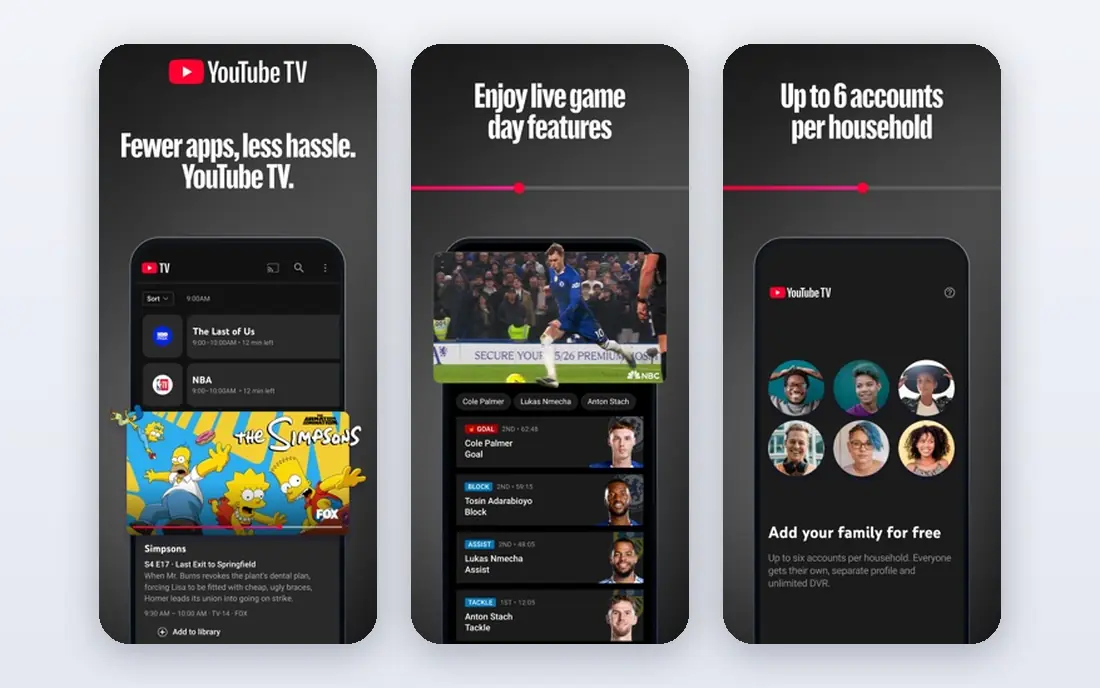
YouTube Live is our pick for most creators who want long-term growth, because a live stream does not vanish after it ends. It becomes a video that can rank in search, gain views over months, and lead viewers to other videos. Shorts can also drive new viewers to a live stream, which gives YouTube a discovery path that Twitch lacks for small channels.
The trade-off is live culture. YouTube live chat and community habits differ from Twitch, and gaming live audiences can be smaller in some categories. Monetization also needs eligibility, such as subscriber and watch thresholds for the partner program, though Super Chat and memberships open at lower levels in many cases. For a creator who also makes edited videos, YouTube Live is a natural home.
- Streams stay searchable as videos
- Shorts can drive discovery
- Memberships and Super Chat options
- Live audience can be smaller than Twitch for gaming
- Monetization needs eligibility thresholds
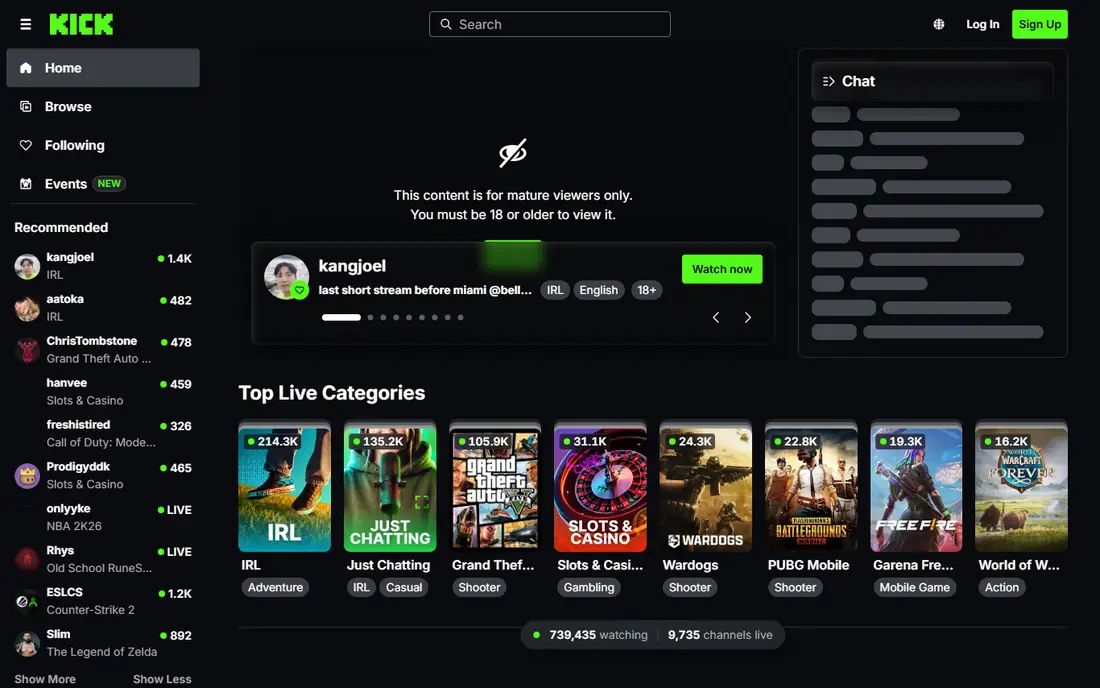
Kick attracts creators mainly through its subscription split, with creators keeping 95 percent of subscription revenue in the standard split, compared with a lower standard split on Twitch. That difference matters for creators with a loyal subscriber base, even if total viewership is smaller. Starting a stream needs only a free account, and the platform has grown quickly since launch.
The limits are audience size and reputation. Kick is smaller than YouTube and Twitch overall, and its looser content rules have drawn both praise and criticism, so creators should check community norms and moderation policies for their category. For a creator who wants a Twitch-style live experience with a better subscription share, Kick is the closest alternative.
- 95 percent subscription revenue share for creators
- Lower barrier to start streaming
- Growing audience
- Smaller audience than YouTube or Twitch
- Content moderation reputation varies by community

TikTok LIVE suits creators who already grow through short videos and want live sessions to deepen that connection. The For You feed can surface clips to new viewers fast, and a live session can turn clip viewers into regular followers. Gifts and subscriptions offer monetization for eligible creators, and live shopping features suit product-focused creators.
The limits are format and thresholds. Live sessions on TikTok tend to favor short, energetic formats rather than long gaming sessions, and going live with full features usually needs a follower threshold and age eligibility. Monetization also depends on gifts, which can be uneven. For a mobile-first creator, TikTok LIVE is a strong discovery channel, best paired with clips and replays elsewhere.
- Large mobile audience
- For You feed discovery
- Gifts and subscriptions for eligible creators
- Live sessions are short-form focused
- Monetization needs age and follower thresholds
Facebook Live suits creators, businesses, and communities that already have followers on Facebook. Going live to a Page or group reaches people who already follow you, and shares can extend reach to friends of followers. Stars, subscriptions, and in-stream ads offer monetization for eligible creators, though rules vary by region and page type.
Gaming discovery on Facebook is weaker than on Twitch or YouTube, and the platform is less focused on live gaming culture. For a local business, educator, church, or community group, Facebook Live is often the simplest choice, since the audience is already there. For a gaming creator starting from zero, a dedicated streaming platform will usually offer better category discovery.
- Built-in audience from Pages and groups
- Stars and subscriptions for eligible creators
- Easy sharing
- Gaming discovery is weaker than Twitch
- Monetization eligibility varies by region
Rumble combines video hosting with live streaming, which suits creators who want a single home for uploads and live sessions. Competition in many gaming categories is lower than on Twitch or YouTube, so a new channel may stand out more easily. The creator program and tipping features offer monetization paths for eligible creators.
The main limit is audience size and discovery. Rumble is smaller than the major platforms, and its recommendation and search tools are less developed than YouTube. For a creator who values a smaller, focused community or wants an alternative video home alongside a main platform, Rumble is worth testing. As a sole platform for rapid growth, it is a harder path.
- Video hosting plus live streaming
- Fewer gaming competitors
- Creator program options
- Smaller live audience
- Discovery tools are less developed than YouTube
Discord is not a public streaming platform, but it is a strong alternative for community-first creators. You can stream to a server, share your screen, talk by voice, and build a community around a game, project, or interest, all without a public audience. That privacy suits practice sessions, member-only events, coaching, and small group streams.
The trade-off is growth. Discord offers no public discovery, so new viewers will not find your stream by browsing, and there is no built-in stream monetization like subscriptions or tips. Most creators use Discord as a community hub alongside a public platform, not as a replacement for one. If your goal is a loyal private community, Discord is an excellent fit.
- Free private streams for a community
- Voice and video in one place
- Strong community tools
- No public discovery
- No built-in monetization for streams
Instagram Live suits creators who already grow through Reels, photos, and Stories and want a live way to talk with followers. Going live notifies followers, and a session can feel personal and immediate, which suits Q and A sessions, product reveals, tutorials, and behind-the-scenes content. Shopping features help product creators sell during a live session where eligible.
The format is mobile-first and portrait, which limits long gaming or desktop streams, and live sessions do not stay searchable like YouTube videos. Monetization for live alone is limited, though brand deals and product sales can make it worthwhile. For a lifestyle, beauty, fitness, or small business creator with an Instagram audience, Instagram Live is a useful complement to other platforms.
- Live sessions reach existing followers
- Reels can drive discovery
- Shopping features for eligible accounts
- Mobile-only format
- Limited monetization for live alone
- Sessions are not easily searchable later
Owncast is open-source software that lets you run your own live streaming site on a server you control. You set the rules, design, and chat, and you do not pay a platform share on subscriptions or tips you arrange yourself. That control appeals to creators who want independence from platform policy changes, bans, or algorithm shifts.
The trade-off is effort and discovery. You need a server, setup, and maintenance, and there is no built-in audience browsing your stream. Owncast suits a creator with an existing audience elsewhere, a technical helper, or a community that values independence. For most new creators, it works best as a backup or community stream, alongside a public platform that brings new viewers.
- You control the server and rules
- No platform revenue share on your own setup
- Open-source software
- You handle hosting, setup, and audience building
- No built-in discovery
How we picked these
We compared official platform pages, creator help pages, and public reviews for YouTube Live, Kick, TikTok LIVE, Facebook Live, Rumble, Discord, Instagram Live, and Owncast. We favored platforms that work in October 2026, cover live streaming or community streaming, and suit different creator goals. We excluded Trovo, which shut down live streaming in 2026, and we did not claim hands-on testing. Check each platform's current age, eligibility, and monetization rules before you rely on them, since rules change often.
How to choose a Twitch alternative that fits your content
Start with your content and audience. Long gaming sessions suit Kick or YouTube Live, short mobile content suits TikTok LIVE, community events suit Discord, and product or lifestyle content suits Instagram Live or Facebook Live. Then check monetization thresholds, since some platforms need followers, watch time, or age eligibility before you can earn.
Next, test discovery honestly. A platform with a huge audience but poor small-channel discovery can be harder than a smaller platform where new channels get seen. Post clips, use search-friendly titles, and track where new followers actually come from for a month. That data beats platform marketing claims.
Safety and community rules matter
Each platform has its own rules on age, content, chat moderation, and copyrighted music or video. Read those rules before you stream, set chat moderation tools, and keep a record of any warnings. Creators should also protect their own safety online, including limiting personal details shared on stream, using strong passwords and two-factor authentication, and moderating chat to reduce harassment. If you stream with minors in your audience, check age rules and parental controls for that platform.
Multistreaming can reduce risk
Many creators now stream to two platforms at once, such as YouTube and Kick, or use clips to funnel viewers between platforms. Check each platform's current simulcasting rules, since Partner terms can differ from Affiliate or standard terms. A main platform plus a backup channel also protects you if one account faces a suspension or policy change.
FAQ
What is the best Twitch alternative for new streamers?
YouTube Live is a strong choice for new streamers who also make videos, because streams stay searchable and Shorts can bring new viewers. Kick suits new streamers who want a Twitch-style live experience with a higher subscription share. TikTok LIVE suits mobile creators who grow through clips. Test one main platform for a month and track where followers come from.
Is Kick better than Twitch?
Kick offers a higher subscription revenue share, at 95 percent for creators in the standard split, compared with a lower standard split on Twitch. Twitch still has a larger live audience, more established tools, and a deeper gaming community in many categories. Many creators now use both, with Twitch or YouTube for reach and Kick for subscription income.
Can I stream on Twitch and another platform at the same time?
In many cases, yes, but rules depend on your Twitch status and the other platform. Affiliates generally have more freedom to simulcast than Partners, whose terms can restrict simultaneous streaming in some cases. Check the current Twitch terms for your account type and the rules of the other platform before you multistream.
Why do older lists recommend Trovo?
Trovo was a gaming streaming platform that competed with Twitch for several years, so older guides included it. Trovo shut off live streaming in 2026, so it is no longer a working alternative for new streamers. Always check whether a platform still offers live streaming before you invest time in setting up a channel there.
How do streamers earn money on Twitch alternatives?
Common paths include subscriptions, memberships, tips or gifts, ads, sponsorships, and product sales, depending on the platform and eligibility. YouTube offers memberships, Super Chat, and ads, Kick offers subscriptions with a high creator share, and TikTok offers gifts and subscriptions for eligible creators. Earnings vary widely, so treat streaming income as variable until you have a stable audience.