Tools for Software Architecture Visualization in 2026: The 6 Best Options Side by Side
Top tools for software architecture visualization: 6 contenders ranked by fit, with entry costs and free tiers. Read the caveats before you buy. Quick to scan.

- Editor's choiceVisual Paradigm
Formal UML, BPMN and enterprise modeling
Starts at$99Visit visual-paradigm.comFull review - Great alternative
 Creately
Org, process and cloud architecture planning
Starts atSee websiteVisit creately.comFull review - Also consider
 draw.io
Security-first, adaptable diagramming
Starts atSee websiteVisit drawio.comFull review
Direct answer
Visual Paradigm is the first pick on this list for formal UML, BPMN and enterprise modeling. Listed starting prices: Visual Paradigm from $99 and Miro from $8 per member per month. For a different need, Creately covers Org, process and cloud architecture planning and draw.io covers security-first, adaptable diagramming. All 6 tools are compared below on price, free plan and limits.
TL;DR:
- Visual Paradigm is the opening pick, best for formal UML, BPMN and enterprise modeling.
- Visual Paradigm comes with a trade-off: feature depth can feel heavy for straightforward diagrams.
- Starting prices begin at $8 per member per month with Miro.
- 2 of 6 tools offer a free plan: Creately, Miro.
Last checked November 2026. Prices and plan details were read from the vendors' own pages in November 2026; vendors change plans often, so confirm the current price on the vendor site before you buy.
Quick comparison
| Tool | Best for | Starts at | Free plan? | |
|---|---|---|---|---|
| Visual Paradigm | Formal UML, BPMN and enterprise modeling | $99 | Not stated | Visit |
| Creately | Org, process and cloud architecture planning | See website | Yes | Visit |
| draw.io | Security-first, adaptable diagramming | See website | Not stated | Visit |
 Miro | Collaborative architecture discussions and planning | $8 per member per month | Yes | Visit |
 Microsoft Visio | Teams standardized on Microsoft 365 | See website | Not stated | Visit |
 Lucidchart | Refined diagrams with data and automation | See website | Not stated | Visit |
The full tools for software architecture visualization list
LinkVetted compared 6 tools for tools for software architecture visualization. The goal is a practical shortlist: published prices, free plan facts, best-fit use cases and honest limits for every entry.
Visual Paradigm
Best for: Formal UML, BPMN and enterprise modeling
Visual Paradigm is a good fit for formal UML, BPMN and enterprise modeling. It fits architects and analysts who require standards-based models instead of freeform diagrams, and who want modeling, process mapping and agile planning to live together.
What to check first: Ramp-up time for newer users.
The system's depth means a steeper ramp-up time and more setup than lightweight diagramming tools. What you pay to start with Visual Paradigm: $99. As for free access: Not stated.
- Spans UML
- Generative AI assistance for modeling
- Feature depth can feel heavy for straightforward diagrams
Creately serves Org, process and cloud architecture planning. Consider a formal modeling tool when standards compliance and model validation are central requirements.
That makes it handy for architecture work tied closely to organizational and operational context. Creately does not show a starting price in this comparison, so check the vendor site for current pricing. Free access exists with Creately.
Downsides: Less depth for formal UML modeling.
- Includes org planning and process mapping
- AI assisted diagram creation
- Best results rely on clean source data
Think of draw.io for security-first, adaptable diagramming. Its wide shape libraries and export choices make it a practical choice for everyday system diagrams.
Worth adding: pick a formal modeling product when traceability and standards compliance matter more than adaptability. This comparison lists no price for draw.io; ask the vendor. Free access: Not stated.
What to check first: Advanced governance needs manual setup.
- Data stored where you choose
- Works across numerous products
- Fewer guided modeling workflows

Miro works best for collaborative architecture discussions and planning. Miro is an AI powered visual workspace targeted at aligning teams and speeding product development from ideation to launch. In practice, for architecture work it suits early-stage design conversations, system sketches and cross-team workshops where architects, engineers and product managers need one shared canvas.
It does well when visualization is part of broader planning instead of a formal documentation deliverable. Worth adding: choose a dedicated modeling tool when you need strict UML, BPMN or ArchiMate output, and keep Miro for the collaborative thinking that surrounds it. The starting price for Miro: $8 per member per month. Miro has a free plan.
Honest limits: Large boards can become hard to govern.
- Large shared visual workspace
- Adaptable templates for numerous diagram types
- Not built around formal modeling standards

Microsoft Visio was built for teams standardized on Microsoft 365. Microsoft Visio is a long-established diagramming and flowchart tool delivered through Microsoft 365, handling flowcharts, data visualization and integrated workflows.
What to check first: Best value assumes Microsoft ecosystem.
If your team works primarily in browser-based whiteboards or needs open source adaptability, alternatives for example draw.io or Miro may suit better. This comparison lists no price for Microsoft Visio; ask the vendor. As for free access: Not stated.
- Familiar Microsoft 365 integration
- Flowcharts and data visualization support
- Less adaptable for non-Microsoft collaboration
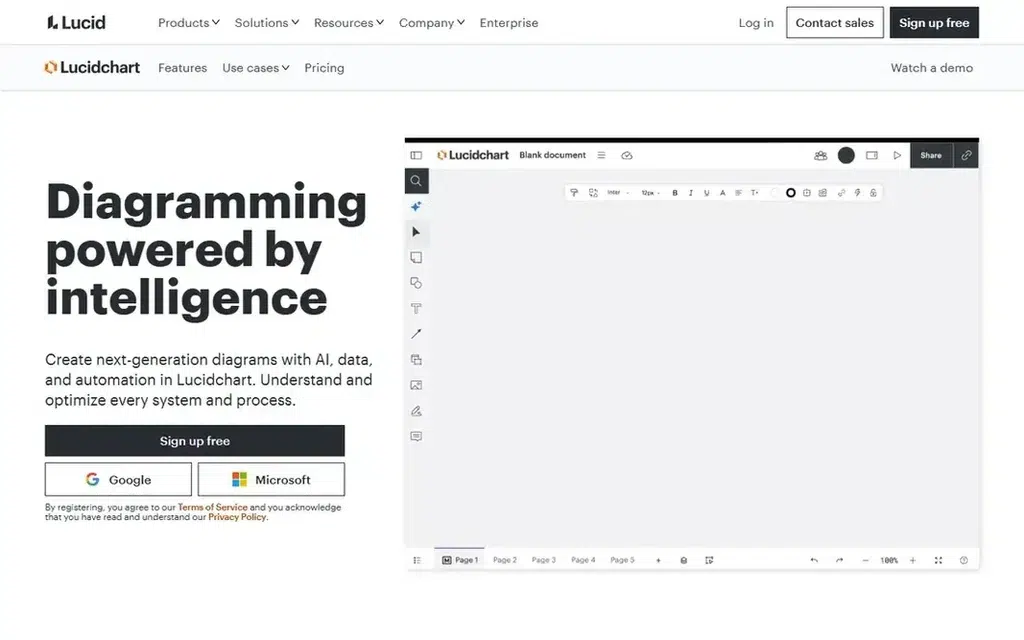
Lucidchart serves refined diagrams with data and automation. Lucidchart is a diagramming system that emphasizes AI, data and automation to help teams understand and optimize systems and processes.
If your priority is formal UML, BPMN or ArchiMate compliance instead of presentation and collaboration, a dedicated modeling tool is the better fit. From a buyer's view, since the system targets broad diagramming, teams needing strict metamodel enforcement or heavy enterprise architecture frameworks may find it less specialized. Pricing for Lucidchart is not stated here, so ask the vendor for current figures. On free options: Not stated.
The main drawbacks: Advanced features sit behind premium levels.
- Strong sharing and collaboration
- Data linked and automatic diagrams
- Less formal modeling depth than dedicated UML suites
Selection criteria
Selection started from tools commonly considered for tools for software architecture visualization, then narrowed to 6 that have clear pricing information or a clear quote process. Figures are shown as the vendors publish them. Billing terms, seat minimums and add-ons can change the real cost. Tools are placed by general fit for tools for software architecture visualization, with price clarity and free access as tie-breakers. A different team can reasonably rank them differently.
What to check before you buy
- Ask Creately, draw.io, Microsoft Visio and Lucidchart for a written quote, since no starting price is shown.
- Look at free plan limits closely: Creately and Miro have one, and the caps decide whether it is usable for real work.
- Before choosing Visual Paradigm, weigh its main limit: feature depth can feel heavy for simple diagrams.
- Ask Microsoft Visio how an export works before you move any records in; an easy exit lowers the risk.
- Find out whether the entry plan of draw.io covers your must-haves or only a trimmed-down version.
FAQ
Do these tools publish their prices?
Not all of them. Creately, draw.io, Microsoft Visio and Lucidchart publish no starting price, so expect a quote request for those. The rest, Visual Paradigm included, show a starting price, though seats and billing terms still change the final cost.
Is Visual Paradigm the right pick for everyone comparing tools for software architecture visualization?
No single tool suits every team. Visual Paradigm comes first because it fits formal UML, BPMN and enterprise modeling, while Creately suits Org, process and cloud architecture planning and draw.io suits security-first, flexible diagramming. Match the tool to your own size, budget and workflow before deciding.
Can I try these tools before paying?
Often, yes. Creately and Miro have a free plan. Use your own data and a real task during the test, and check what the free tier or trial limits before you rely on it.
Which options for tools for software architecture visualization have a free plan?
On this list, Creately and Miro include a free plan. Caps on seats, usage or features are common, so test the free plan against your real workload.
Sources
- https://www.visual-paradigm.com
- https://creately.com
- https://www.drawio.com
- https://miro.com
- https://www.microsoft.com/en-us/microsoft-365/visio/flowchart-software
- https://www.lucidchart.com