The 5 Best Patent Writing Software for Law Firms in 2026, Ranked
Weighing the top patent writing software for law firms? We lined up 5 products by cost, free access and fit. Pros and cons for every tool. Compare quickly.
- Editor's choiceAppColl
Start-to-finish IP matter management
Starts atSee websiteVisit appcoll.comFull review - Great alternativePatSnap
AI-assisted patent search and drafting
Starts at$100 a monthVisit patsnap.comFull review - Also considerAnaqua
Unified IP docketing and portfolio management
Starts atSee websiteVisit anaqua.comFull review
Direct answer
This list puts AppColl first for start-to-finish IP matter management. Listed starting prices: PatSnap from $100 a month. PatSnap is better for AI-assisted patent search and drafting, and Anaqua is better for unified IP docketing and portfolio management. The other 2 tools in the list cover narrower or pricier cases.
TL;DR:
- This list starts with AppColl, which is built for start-to-finish IP matter management.
- A permanent free plan is missing from all 5 tools, AppColl and LexisNexis PatentSight included; plan for a trial or a premium start.
- PatSnap comes with a trade-off: analytics focus may overlap existing tools.
- PatSnap has the lowest monthly starting price in this list: $100 per month.
Last checked November 2026. Prices and plan details were read from the vendors' own pages in November 2026; vendors change plans often, so confirm the current price on the vendor site before you buy.
Quick comparison
| Tool | Best for | Starts at | Free plan? | |
|---|---|---|---|---|
| AppColl | Start-to-finish IP matter management | See website | Not stated | Visit |
| PatSnap | AI-assisted patent search and drafting | $100 a month | Free trial | Visit |
| Anaqua | Unified IP docketing and portfolio management | See website | Not stated | Visit |
| InnovationQ | IP search and analysis support | See website | Not stated | Visit |
| LexisNexis PatentSight | Patent analytics to inform drafting strategy | See website | Not stated | Visit |
Patent Writing Software for Law Firms compared in detail
Choosing patent writing software for law firms usually comes down to price, fit and limits. This LinkVetted guide sets 5 tools side by side on those three points, with the facts kept short and checkable.
AppColl
Best for: Start-to-finish IP matter management
In short, AppColl is for start-to-finish IP matter management. It can serve as the operational backbone around which drafting work is organized.
Also, confirm that document handling matches your drafting templates before committing. AppColl does not show a starting price in this comparison, so check the vendor site for current pricing. As for free access: Not stated.
Watch-outs: Less emphasis on analytics. Where AppColl stands out: Concentrated on IP management workflow.
- Handles inventions
- Suited to smaller practices
- Drafting depth should be verified
PatSnap
Best for: AI-assisted patent search and drafting
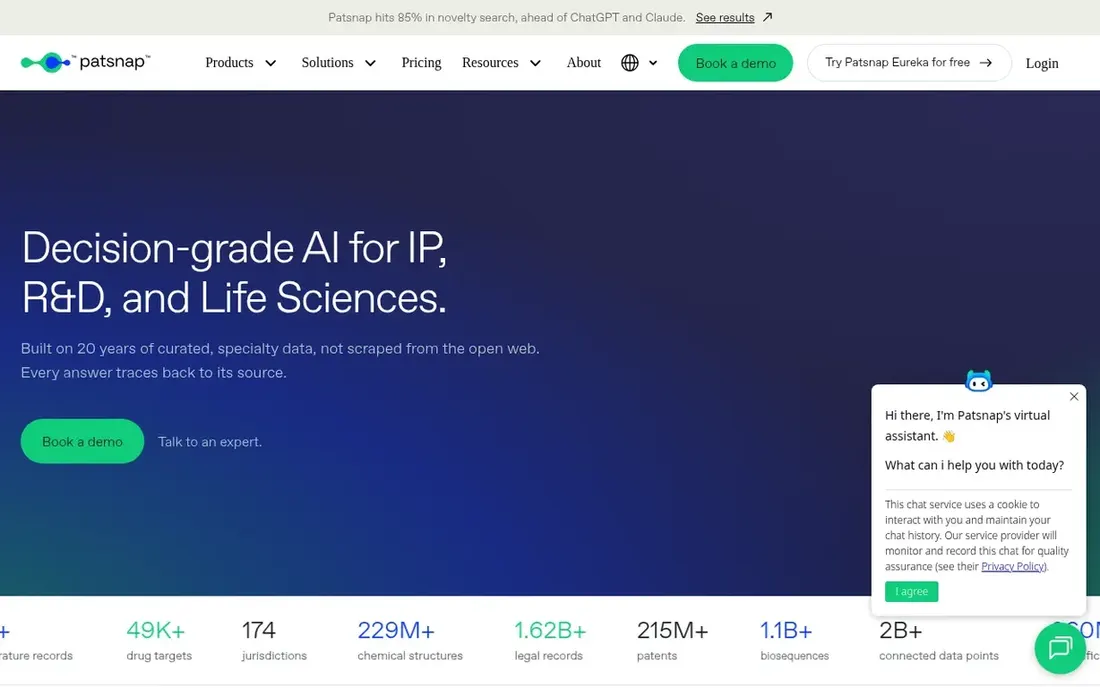
In short, PatSnap is for AI-assisted patent search and drafting. For law businesses, the appeal is pairing drafting assistance with search and analytics in one environment, which can accelerate prior art review and first-draft preparation before an attorney refines the claims.
For everyday use, where formal docketing is the priority, Anaqua or AppColl may include that ground more straight. The starting price for PatSnap: $100 per month. Free options: Free trial.
Drawbacks to consider: Analytics focus may overlap existing tools.
- Wide global data coverage
- AI-driven patent search and drafting
- Drafting workflow fit varies by firm
Anaqua
Best for: Unified IP docketing and portfolio management

Anaqua is a good fit for unified IP docketing and portfolio management. The breadth that makes Anaqua attractive can also be more than a boutique prosecution practice needs, and businesses should confirm how drafting-specific features map to their existing templates.
Anaqua shows no starting price here, so confirm the cost on the vendor site. Free options: Not stated.
Where it falls short: Wide suite may exceed small-firm needs.
- Handles prosecution and portfolio oversight
- Single system for docketing and renewals
- Setup scope can be substantial
InnovationQ
Best for: IP search and analysis support
Think of InnovationQ for IP search and analysis support. InnovationQ is tied to IP.com services, and the sign-in page points to an account-based system used for intellectual property research and analysis. In daily use, for law businesses, tools in this category support prior art exploration and landscape review that inform how an application is drafted and how claims are scoped.
It is a research and analysis resource instead of a full drafting or docketing system, so firms will still need a management product for filings and deadlines. As for the details, confirm current feature coverage and access arrangements straight with the vendor before relying on it in a drafting workflow. Check the vendor site for InnovationQ pricing; none is listed in this comparison. Free plan details: Not stated.
Points against: Drafting features not evident.
- Search-oriented capability
- Associated with IP.com services
- Access appears account-based
LexisNexis PatentSight
Best for: Patent analytics to inform drafting strategy
LexisNexis PatentSight was built for patent analytics to inform drafting strategy. LexisNexis PatentSight sits within the LexisNexis IP Solutions family, framed around bringing clarity to innovation and helping teams make informed decisions, raise productivity and meet regulatory compliance. From a buyer's view, businesses use this kind of analytics capability to understand patent landscapes before committing to claim strategy, making it a handy companion to drafting instead of a drafting tool itself.
Where it falls short: Best value for analytics-heavy teams.
Businesses looking for a single system to write, file and docket applications may find analytics alone insufficient and will need a separate prosecution system. It is most solid when paired with a management suite and used by teams that actively analyze portfolios. No starting price is listed for LexisNexis PatentSight here; confirm pricing on the vendor site. Trial and free access: Not stated.
- Pitched at productivity and compliance
- Supports informed decision making
- Not a drafting-first workflow tool
How we built this list
The comparison looks at four things: starting price, free access, how well the feature set matches patent writing software for law firms, and the main limit of each tool. Figures are shown as the vendors publish them. Billing terms, seat minimums and add-ons can change the real cost. The ranking is editorial: typical fit first, then clear pricing, then free access. If your needs are unusual, read the profiles rather than relying on position.
What to confirm before you sign up
- Confirm the entry price on the vendor page. For AppColl, Anaqua, InnovationQ and LexisNexis PatentSight that means a quote rather than a fixed price.
- Take the trial from PatSnap and push a live task through it before you pay.
- Read the limits listed for AppColl first: less emphasis on analytics.
- Price Anaqua for your actual team size; headline prices rarely include add-ons or overage.
- Test how quickly InnovationQ answers a pre-sales question; it hints at how support will feel later.
FAQ
How do drafting tools differ from IP management suites?
Drafting tools emphasize writing, search assistance and claim preparation, whereas management suites emphasize docketing, deadlines, renewals and records.
What is the cheapest option for patent writing software for law firms in this list?
On published monthly entry prices, PatSnap is the lowest here at $100 per month. Entry price is only part of the cost, because seats, add-ons and billing terms can change the total. Each of the 5 options in this Patent writing software for law firms guide has its own card above with the price, free plan and limits.
How are the tools for patent writing software for law firms ordered?
The order follows typical fit for patent writing software for law firms, with AppColl first and LexisNexis PatentSight last, then price clarity and free access. It is editorial judgement, not a score, so another team could rank the tools differently.
Does any tool for patent writing software for law firms here have a free plan?
A permanent free plan is not offered by AppColl, LexisNexis PatentSight or the other tools here. PatSnap offer a trial. Plan a short evaluation period instead.
Do these tools publish their prices?
Not all of them. AppColl, Anaqua, InnovationQ and LexisNexis PatentSight publish no starting price, so expect a quote request for those. The rest, PatSnap included, show a starting price, though seats and billing terms still change the final cost.
Sources
- https://www.appcoll.com
- https://www.patsnap.com
- https://www.anaqua.com
- https://www.innovationq.com
- https://www.lexisnexisip.com