Best Patent Writing Tools for Legal Professionals (2026): 6 Picks Checked on Vendor Pages
6 best patent writing tools for legal professionals, with entry costs, free tiers and the buyer each one serves. Each pick lists its main limit. No hype.
- Editor's choiceClarivate Derwent
Enriched patent data and analytics
Starts atSee websiteVisit clarivate.comFull review - Great alternativeLexisNexis PatentSight
Patent analytics within legal research
Starts atSee websiteVisit lexisnexis.comFull review - Also consider
 IP.com
Prior art and IP knowledge resources
Starts atSee websiteVisit ip.comFull review
Direct answer
Clarivate Derwent leads the list, best for enriched patent data and analytics. Listed starting prices: PatSnap from $100 a month. LexisNexis PatentSight fits patent analytics within legal research; IP.com fits prior art and IP knowledge resources. The other 3 tools in the list cover narrower or pricier cases.
TL;DR:
- Clarivate Derwent sits first on this list: enriched patent data and analytics.
- PatSnap has the lowest monthly starting price in this list: $100 per month.
- For unified IP docketing and portfolio management, Anaqua is worth a look.
- Neither Clarivate Derwent nor Anaqua, nor any of the other 4 tools, has a permanent free plan; trials and quotes are the norm.
- IP.com comes with a trade-off: verify current product scope straight.
Last checked November 2026. Prices and plan details were read from the vendors' own pages in November 2026; vendors change plans often, so confirm the current price on the vendor site before you buy.
Quick comparison
| Tool | Best for | Starts at | Free plan? | |
|---|---|---|---|---|
| Clarivate Derwent | Enriched patent data and analytics | See website | Not stated | Visit |
| LexisNexis PatentSight | Patent analytics within legal research | See website | Not stated | Visit |
| IP.com | Prior art and IP knowledge resources | See website | Not stated | Visit |
| Patentfield | AI patent search and analysis | See website | Not stated | Visit |
| PatSnap | AI-assisted patent search and drafting | $100 a month | Free trial | Visit |
| Anaqua | Unified IP docketing and portfolio management | See website | Not stated | Visit |
Our 6 patent writing tools for legal professionals
Choosing patent writing tools for legal professionals usually comes down to price, fit and limits. This LinkVetted guide sets 6 tools side by side on those three points, with the facts kept short and checkable.
Clarivate Derwent
Best for: Enriched patent data and analytics
Clarivate Derwent was built for enriched patent data and analytics. For patent professionals, it is relevant as a source of structured patent information that supports prior art research, portfolio analysis and informed drafting decisions before claims are finalized.
Watch-outs: May need integration with drafting tools.
Businesses wanting an all-in-one prosecution workflow should compare it against full IP management products and verify which datasets their work needs. No starting price is listed for Clarivate Derwent here; confirm pricing on the vendor site. As for free access: Not stated.
- Analytics and workflow solutions
- Deep patent data and indexing
- Data products need careful scoping
LexisNexis PatentSight
Best for: Patent analytics within legal research
LexisNexis PatentSight is aimed squarely at patent analytics within legal research. LexisNexis PatentSight is part of LexisNexis, a provider of legal, government, business and high-tech information sources.
It is an analytics-oriented offering instead of a writing or docketing tool, so it works best alongside drafting and IP management software. This comparison lists no price for LexisNexis PatentSight; ask the vendor. As for free access: Not stated.
Where it is weaker: Analytics focus, not drafting workflow.
- Analytics tied to a legal information provider
- Supports portfolio and competitive analysis
- Needs familiarity with data interpretation
IP.com is built with prior art and IP knowledge resources in mind. Teams that want drafting, search and analytics in one place should compare it against integrated products and confirm current offerings with the vendor. IP.com is widely known in the patent field for defensive publications and prior art resources that help establish and search technical disclosures.
Points against: Not a full docketing system.
Legal professionals can use it during research and drafting preparation, where understanding existing disclosures helps shape claim strategy and specification content. It is not a complete IP docketing or prosecution management system, so businesses still need separate tools for deadlines and portfolio records. IP.com does not show a starting price in this comparison, so check the vendor site for current pricing. As for free access: Not stated.
- Handy for research before drafting
- Known for defensive publication and prior art resources
- Verify current product scope straight
Patentfield
Best for: AI patent search and analysis
Patentfield was built for AI patent search and analysis. Its emphasis is search and analysis instead of end-to-end drafting or docketing, and language may be a barrier for some teams.
This comparison lists no price for Patentfield; ask the vendor. Free options: Not stated.
Where it is weaker: Analysis focus instead of drafting workflow.
- Visualization and citation map analysis
- Semantic search and classification prediction
- Interface and materials are mostly in Japanese
PatSnap
Best for: AI-assisted patent search and drafting
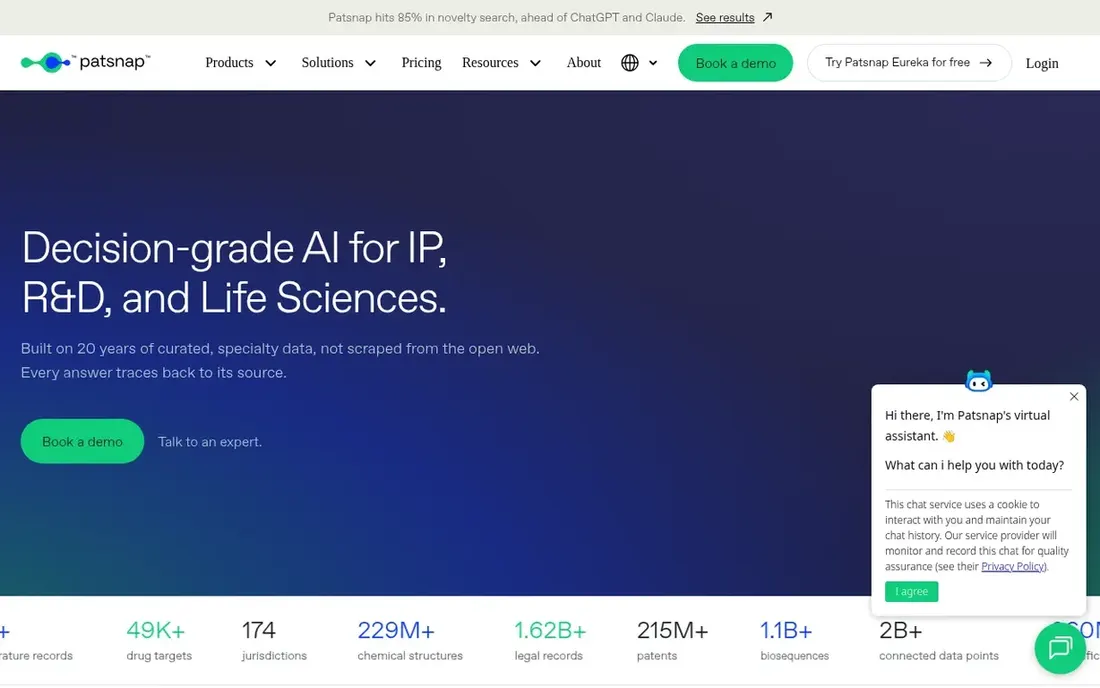
PatSnap is a good fit for AI-assisted patent search and drafting. AI-assisted drafting is a starting point, not a substitute for professional judgment, so claims and specifications still need careful attorney review.
Where it is weaker: Feature depth varies by module.
It fits legal and IP teams that want research and early drafting support in the same environment, notably where semantic search and portfolio monitoring matter to daily work. The starting price for PatSnap: $100 per month. As for free access: Free trial.
- AI-driven search and drafting support
- Monitoring and IP analytics in one product
- AI output still needs attorney review
Anaqua
Best for: Unified IP docketing and portfolio management

Pick Anaqua if this describes you: unified IP docketing and portfolio management. Teams that primarily need patent search or drafting assistance should look at a search-focused product instead, and confirm current module coverage with the vendor.
Honest limits: Wide suite may be more than small businesses need.
Since it emphasizes portfolio-wide management, a solo practitioner with a small docket may find the scope heavier than necessary. Anaqua shows no starting price here, so confirm the cost on the vendor site. Free plan details: Not stated.
- Single platform for portfolio oversight
- Combines docketing
- Setup effort for full portfolio migration
What went into this list
We compared the tools on published pricing, free plan or trial availability, feature coverage for patent writing tools for legal professionals, and the limits each vendor documents. Seat minimums, billing terms and add-ons can move the real cost, so the starting prices here are a guide and not a quote. We ordered the tools by general fit, then by how clearly pricing is shown, then by free access. A buyer with unusual needs may reorder them.
A buyer's checklist
- Get a written quote from Clarivate Derwent, LexisNexis PatentSight, IP.com and others; the list shows no starting price for them.
- Use real work to test the free trial from PatSnap, rather than a demo project.
- Read the limits listed for Clarivate Derwent first: data products need careful scoping.
- Ask LexisNexis PatentSight about contract length, onboarding fees and user minimums before you sign.
- Add up seats, add-ons and usage charges for IP.com before comparing it with cheaper entries.
FAQ
Can I try these tools before paying?
Often, yes. PatSnap offers a free trial. Use your own data and a real task during the test, and check what the free tier or trial limits before you rely on it. For the full picture, the cards above cover all 6 entries of this Patent writing tools for legal professionals list, including price, free plan and limits.
How are the tools for patent writing tools for legal professionals ordered?
Clarivate Derwent sits first and Anaqua last because the order follows typical fit for patent writing tools for legal professionals, then price clarity and free access. It is a judgement call, so read each profile for fit and limits.
Do these tools publish their prices?
Not all of them. Clarivate Derwent, LexisNexis PatentSight, IP.com and others publish no starting price, so expect a quote request for those. The rest, PatSnap included, show a starting price, though seats and billing terms still change the final cost.
Is Clarivate Derwent the right pick for everyone comparing patent writing tools for legal professionals?
No single tool suits every team. Clarivate Derwent comes first because it fits enriched patent data and analytics, while LexisNexis PatentSight suits patent analytics within legal research and IP.com suits prior art and IP knowledge resources. Match the tool to your own size, budget and workflow before deciding.
Can AI tools replace attorney drafting?
No. AI-assisted systems for example PatSnap can accelerate search and early drafting, but claims and specifications still need professional legal judgment. Treat AI output as a starting point that attorneys review and revise.
Sources
- https://clarivate.com
- https://www.lexisnexis.com
- https://ip.com
- https://patentfield.com
- https://www.patsnap.com
- https://www.anaqua.com