Choosing Time Tracking Software for Legal Professionals in 2026: 6 Options Compared
Weighing the best time tracking software for legal professionals? We lined up 6 products by cost, free access and fit. Read the caveats before you buy.
- Editor's choice
 MyCase
Running cases, clients, billing and payments together
Starts at$50 per user a monthVisit mycase.comFull review - Great alternative
 TimeSolv
Billable hour tracking and invoicing for law businesses
Starts at$147 per monthVisit timesolv.comFull review - Also consider
 Harvest
Time tracking with reporting and online invoicing
Starts at$9 per seat a monthVisit getharvest.comFull review
Direct answer
MyCase is the first pick on this list for running cases, clients, billing and payments together. Listed starting prices: MyCase from $50 per user a month, TimeSolv from $147 per month and Harvest from $9 per seat a month. If your case is different, TimeSolv suits billable hour tracking and invoicing for law businesses and Harvest suits time tracking with reporting and online invoicing. The full list of 6 tools follows, with prices and free plan facts.
TL;DR:
- MyCase is the opening pick, best for running cases, clients, billing and payments together.
- The cheapest monthly starting price in the list is $9 per seat per month, offered by Harvest.
- Rocket Matter suits Centralizing firm operations and efficiency.
- Harvest stands alone as the one tool in this list with a free plan.
- One limit worth knowing about MyCase: time tracking is one part of a bigger suite.
Last checked November 2026. Prices and plan details were read from the vendors' own pages in November 2026; vendors change plans often, so confirm the current price on the vendor site before you buy.
Quick comparison
| Tool | Best for | Starts at | Free plan? | |
|---|---|---|---|---|
| MyCase | Running cases, clients, billing and payments together | $50 per user a month | Free trial | Visit |
| TimeSolv | Billable hour tracking and invoicing for law businesses | $147 per month | Free trial | Visit |
| Harvest | Time tracking with reporting and online invoicing | $9 per seat a month | Yes | Visit |
 Smokeball | Automatic time capture inside legal practice management | See website | Not stated | Visit |
 PracticePanther | Automating firm processes including billing and time tracking | $49 per user a month | Free trial | Visit |
 Rocket Matter | Centralizing firm operations and efficiency | $39 per month per user billed yearly | Free trial | Visit |
Time Tracking Software for Legal Professionals, one by one
LinkVetted put together this guide to time tracking software for legal professionals for readers who want a clear shortlist without reading every vendor page. It compares 6 tools on starting price, free plans, who each one suits and where each one falls short.
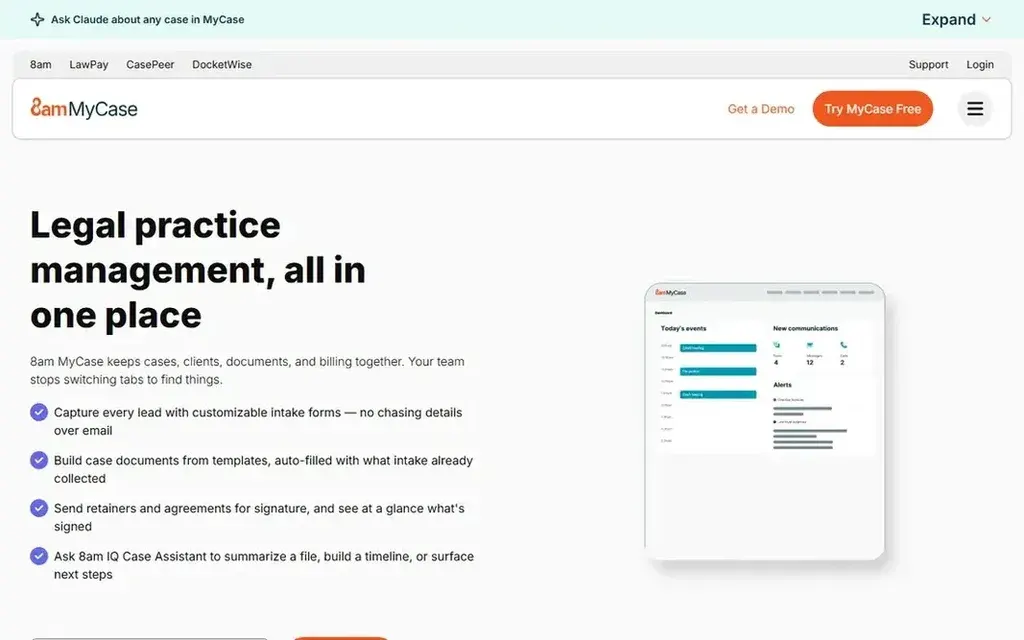
Pick MyCase if this describes you: running cases, clients, billing and payments together. MyCase is legal practice management software positioned around running a profitable firm instead of only managing cases. Its homepage flags cases, clients, billing and payments in one place, which means time tracking sits within a broader operational system.
Trade-offs to know: Time tracking is one part of a bigger suite.
Businesses seeking only a stopwatch and timesheet may find the platform broader than required. Evaluate whether the surrounding case and payment features match your workflow. If you primarily need standalone timers, a dedicated tracker may be more straightforward. Entry price for MyCase: $50 per user per month. Free plan details: Free trial.
- Billing and payments in one place
- Consolidates core firm workflows
- Full platform may exceed entry-level tracking needs

TimeSolv is aimed squarely at billable hour tracking and invoicing for law businesses. TimeSolv is time and billing software aimed squarely at law businesses. Its homepage emphasizes tracking billable hours, automating invoicing and collecting payments quicker, which makes it a natural fit for practices whose revenue relies on accurate hourly records.
What to check first: Narrower scope than full practice suites.
What TimeSolv does well: Centred on legal time and billing. TimeSolv concentrates on time and billing, so firms needing deep document automation or matter management may pair it with other tools. On top of that, businesses that want billing discipline without a full case management system should consider it. On cost, TimeSolv starts like this: $147 per month. Free options: Free trial.
- Aims to accelerate payment collection
- Automates invoicing
- Case management is not the focus
Harvest targets time tracking with reporting and online invoicing. Harvest is not built for legal practice management, so trust accounting and matter-specific workflows are outside its scope.
What to check first: General-purpose instead of legal-specific.
Businesses that require those capabilities should choose a legal-focused suite, and firms that chiefly need hours to invoices may find Harvest sufficient. Harvest pricing: $9 per seat per month. Harvest offers a free plan.
- Time tracking paired with invoicing
- Simple reporting on tracked hours
- No legal trust or matter management

For automatic time capture inside legal practice management, Smokeball is a natural candidate. Smokeball is legal practice management software that emphasizes automatic time tracking, so billable work is captured as attorneys move through documents and matters.
It suits businesses that want time capture woven into daily casework instead of tracked manually in a separate app. Check the vendor site for Smokeball pricing; none is listed in this comparison. Free options: Not stated.
Where it falls short: May be more than small businesses need.
- Document automation included
- Automatic time tracking runs alongside case work
- Built around a full suite, not tracking alone
PracticePanther
Best for: Automating firm processes including billing and time tracking
Think of PracticePanther for automating firm processes including billing and time tracking. It is designed for legal teams that want routine tasks handled by the system instead of manually. More specifically, as a full practice management product, it carries more surface area than a standalone timer.
More specifically, small practices that only have to record hours may find a dedicated tracker more direct, whereas expanding businesses may value the combined automation. As for the details, businesses looking to link time capture with billing automation in one legal-focused product should contain it in their evaluation. PracticePanther pricing: $49 per user per month. Free access: Free trial.
Watch-outs: Suite scope may exceed straightforward tracking.
- Legal-specific practice management
- Automates billing and time tracking
- Configuration needed to match workflows
Rocket Matter targets Centralizing firm operations and efficiency. Time tracking is part of that wider efficiency story, connecting effort to firm profitability.
Where it is weaker: Wide product instead of a straightforward timer.
Worth adding: check how its time entry and billing features align with your matter types before committing. The starting price for Rocket Matter: $39 per month per user billed annually. Free access: Free trial.
- Positioned as a single source of truth
- Legal-focused practice management
- Needs setup around firm workflows
How we built this list
A buyer's checklist
- Ask Smokeball for a written quote, since no starting price is shown.
- Test the free plan from Harvest against your real workload before relying on it.
- Take the trial from MyCase, TimeSolv, PracticePanther and Rocket Matter and push a live task through it before you pay.
- Before choosing MyCase, weigh its main limit: time tracking is one part of a bigger suite.
- Map your must-have features to a specific Smokeball plan before you compare prices.
- Verify that exporting from TimeSolv is possible on your plan and covers all your records.
FAQ
Do these tools publish their prices?
Not all of them. Smokeball publishes no starting price, so expect a quote request for it. The rest, MyCase included, show a starting price, though seats and billing terms still change the final cost. Each of the 6 options in this time tracking software for legal professionals guide has its own card above with the price, free plan and limits.
How are the tools for time tracking software for legal professionals ordered?
The order follows typical fit for time tracking software for legal professionals, with MyCase first and Rocket Matter last, then price clarity and free access. It is editorial judgement, not a score, so another team could rank the tools differently.
Can general-purpose trackers deal with legal billing needs?
General-purpose tools record hours and produce reports, but they usually lack legal trust accounting and matter management. Businesses with those requirements should use a legal-focused system or link a tracker to dedicated legal billing software.
Which options for time tracking software for legal professionals have a free plan?
Harvest is the only tool in this list with a free plan. Free plans usually cap users, projects or features, so check the limits on the vendor page. Several others offer a trial instead.
Which tools focus most on billing and invoicing?
TimeSolv is shaped around billable hours, automatic invoicing and payment collection for law businesses. Harvest also pairs time tracking with simplified online invoicing for professionals who bill by the hour.
What should small firms check before adopting time tracking software?
Small businesses should confirm how rapidly hours can be logged, whether entries flow into invoices, and how much setup the system needs. In daily use, matching the tool to existing workflows matters more than the length of the feature list.
Sources
- https://www.mycase.com
- https://www.timesolv.com
- https://www.getharvest.com
- https://www.smokeball.com
- https://www.practicepanther.com
- https://www.rocketmatter.com