Best Diagramming Software Brands (2026): 6 Picks Checked on Vendor Pages
Compare 6 top diagramming software brands, with prices, free plans and who each fits. Each listing flags where it falls short. Current for November 2026.

- Editor's choiceGliffy
Technical diagramming in Confluence
Starts at$2.80 per user per monthVisit gliffy.comFull review - Great alternative
 SmartDraw
Simple floor plans and layouts
Starts atSee websiteVisit smartdraw.comFull review - Also consider
 Miro
AI-powered visual collaboration
Starts at$8 per member a monthVisit miro.comFull review
Direct answer
For technical diagramming in Confluence, Gliffy is where this list starts. Listed starting prices: Gliffy from $2.80 per user per month and Miro from $8 per member a month. For a different need, SmartDraw covers simple floor plans and layouts and Miro covers AI-powered visual collaboration. Details, prices and limits for the rest of the 6 tools are below.
TL;DR:
- Gliffy takes the first slot, best suited to technical diagramming in Confluence.
- draw.io suits security-first, free diagramming.
- Starting prices begin at $2.80 per user per month with Gliffy.
- 2 of 6 tools offer a free plan: Gliffy, Miro.
- A fair warning about SmartDraw: less emphasis on AI or data integration.
Last checked November 2026. Prices and plan details were read from the vendors' own pages in November 2026; vendors change plans often, so confirm the current price on the vendor site before you buy.
Quick comparison
| Tool | Best for | Starts at | Free plan? | |
|---|---|---|---|---|
| Gliffy | Technical diagramming in Confluence | $2.80 per user per month | Yes | Visit |
| SmartDraw | Simple floor plans and layouts | See website | Free trial | Visit |
| Miro | AI-powered visual collaboration | $8 per member a month | Yes | Visit |
 Lucidchart | AI-assisted, data-driven diagramming | See website | Not stated | Visit |
 Microsoft Visio | Microsoft 365 integrated flowcharts | See website | Not stated | Visit |
 draw.io | Security-first, free diagramming | See website | Not stated | Visit |
Our 6 diagramming software brands
LinkVetted put together this guide to diagramming software brands for readers who want a clear shortlist without reading every vendor page. It compares 6 tools on starting price, free plans, who each one suits and where each one falls short.
Gliffy
Best for: Technical diagramming in Confluence
Gliffy is a good fit for technical diagramming in Confluence. Gliffy's focus on Confluence means it may not be the best choice for teams outside that ecosystem. It may also lack the broader visual workspace features of some competitors.
Pick Gliffy when Confluence integration is essential. Gliffy by Perforce offers AI-powered technical diagramming aimed at Confluence. Starting cost for Gliffy: $2.80 per user per month. Gliffy offers a free plan.
Downsides: Less suitable outside Atlassian environments.
- Backed by Perforce
- Aimed at Confluence integration
- Narrow focus on Confluence users
Think of SmartDraw for easy floor plans and layouts. Teams needing layout and facility diagrams without training will find SmartDraw well suited to those tasks.
Also, SmartDraw's strengths are in physical layouts, so teams concentrated on software or data diagrams may find it less aligned. SmartDraw shows no starting price here, so confirm the cost on the vendor site. Trial and free access: Free trial.
Limits to weigh: May be niche for non-layout diagramming.
- Capable for building and office layouts
- No training required
- Less emphasis on AI or data integration

Miro works best for AI-powered visual collaboration. Miro is an AI innovation workspace that helps teams speed product development from ideation to launch. It aligns teams and breaks tool silos in one visual product, making it right for cross-functional collaboration.
Pick Miro when collaboration and product development workflows are the primary focus. Worth adding: as a wide visual product, Miro may not match specialized diagramming tools for certain technical diagram types. The starting price for Miro: $8 per member per month. You can start on Miro without paying.
Where it is weaker: Wide product may lack deep diagramming niche features.
- AI features for product development
- Breaks down tool silos
- Can be complicated for straightforward diagram tasks
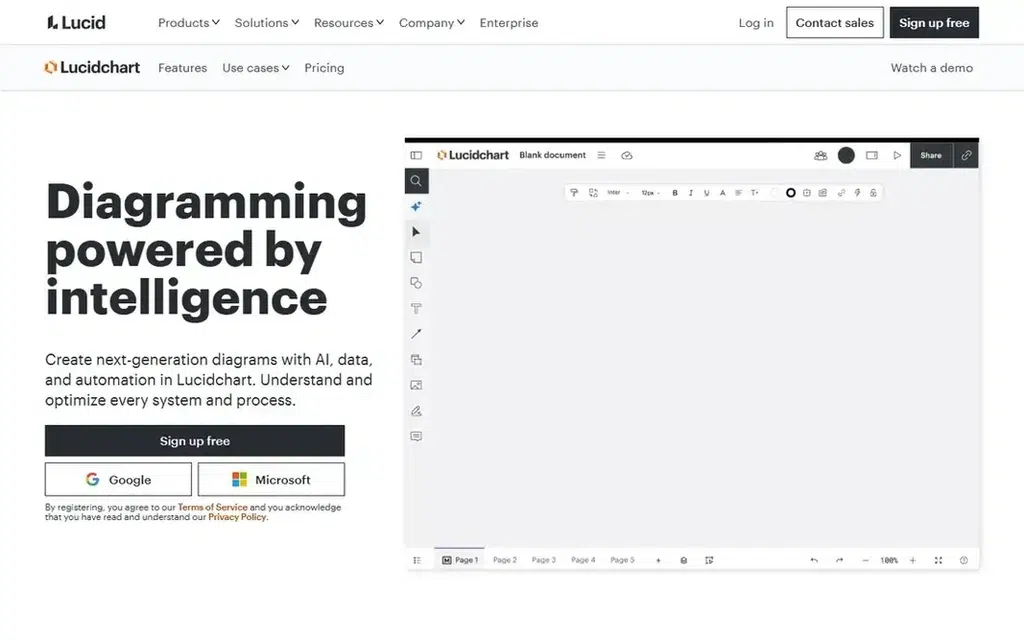
Choose Lucidchart for AI-assisted, data-driven diagramming. Smaller teams or those prioritizing minimal tools might prefer a lighter choice.
Limits to weigh: Can feel feature-heavy for straightforward charts.
Worth adding: consider Lucidchart when data integration and AI assistance are central to your diagramming needs. Teams concentrated on process improvement, system architecture, or collaborative design will find its feature set aligned with those goals. Lucidchart does not show a starting price in this comparison, so check the vendor site for current pricing. Trial and free access: Not stated.
- Data-linked diagrams
- Wide diagram type support
- Needs account setup

Microsoft Visio is designed for Microsoft 365 integrated flowcharts. Microsoft Visio is a diagramming tool for flowcharts, data visualization, and integrated workflows, positioned within Microsoft 365. In practice, Visio's advantages are most solid inside the Microsoft ecosystem; teams using other products may not realize the same value.
Where it falls short: Best value within Microsoft ecosystem.
It may also be more than needed for entry-level diagramming. Also, choose Visio when Microsoft 365 integration and workflow alignment are priorities. This comparison lists no price for Microsoft Visio; ask the vendor. Free options: Not stated.
- Deep Microsoft 365 integration
- Solid flowchart and data visualization
- Less appealing for non-Microsoft shops
For security-first, free diagramming, draw.io is a natural candidate. Users who value data control and simplicity will appreciate its focused design.
It fits security-conscious organizations and teams that require straightforward diagramming without cost barriers. This comparison lists no price for draw.io; ask the vendor. On free options: Not stated.
Where it falls short: Interface may feel entry-level to some users.
- Security-focused for teams
- Free to use
- Fewer AI or automation features
What went into this list
The comparison looks at four things: starting price, free access, how well the feature set matches diagramming software brands, and the main limit of each tool. Where a price is missing, the vendor does not list one publicly or ties it to a quote. Always confirm before budgeting. The sequence is a judgement call: typical use case first, then pricing transparency, then free access. Use the profiles to check fit.
A buyer's checklist
- Confirm the entry price on the vendor page. For SmartDraw, Lucidchart, Microsoft Visio and draw.io that means a quote rather than a fixed price.
- Check what the free option really includes: Gliffy and Miro offer a free plan, and usage caps differ.
- Take the trial from SmartDraw and push a live task through it before you pay.
- Before choosing Gliffy, weigh its main limit: narrow focus on Confluence users.
- Check the support hours and onboarding help Lucidchart offers; smaller vendors vary a lot here.
- A short pilot of Microsoft Visio with your real workflow tells you more than a feature table.
FAQ
What is the cheapest option for diagramming software brands in this list?
On published monthly entry prices, Gliffy is the lowest here at $2.80 per user per month. Entry price is only part of the cost, because seats, add-ons and billing terms can change the total. For the full picture, the cards above cover all 6 entries of this Diagramming software brands list, including price, free plan and limits.
Can I try these tools before paying?
Often, yes. Gliffy and Miro have a free plan and SmartDraw offers a free trial. Use your own data and a real task during the test, and check what the free tier or trial limits before you rely on it.
Is Gliffy the right pick for everyone comparing diagramming software brands?
No single tool suits every team. Gliffy comes first because it fits technical diagramming in Confluence, while SmartDraw suits easy floor plans and layouts and Miro suits AI-powered visual collaboration. Match the tool to your own size, budget and workflow before deciding.
Which diagramming tool is best for security-conscious teams?
The first pick on this list is Gliffy, because it suits technical diagramming in Confluence. SmartDraw is better for simple floor plans and layouts, and Miro for AI-powered visual collaboration. Check price and limits against your own needs before choosing.
Do these tools publish their prices?
Not all of them. SmartDraw, Lucidchart, Microsoft Visio and draw.io publish no starting price, so expect a quote request for those. The rest, Gliffy included, show a starting price, though seats and billing terms still change the final cost.
Sources
- https://www.gliffy.com
- https://www.smartdraw.com
- https://miro.com
- https://www.lucidchart.com
- https://www.microsoft.com/en-us/microsoft-365/visio/flowchart-software
- https://www.drawio.com