Best Diagram Software in 2026: 8 Tools Compared
The best diagram software for flowcharts, org charts and wireframes: we compared templates, collaboration, pricing and ease of use to find eight tools for 2026.

- Editor's choice
 Lucidchart
Team diagrams
Starts atFreeVisit lucidchart.comFull review - Great alternative
 Miro
Collaborative whiteboards
Starts atFreeVisit miro.comFull review - Also consider
 Diagrams.net
Free diagramming
Starts atFreeVisit diagrams.netFull review
TL;DR:
- Lucidchart and Miro suit teams that need shared diagrams, comments and real-time editing.
- Diagrams.net suits budget users who want a free, capable diagram tool without a subscription.
- Microsoft Visio suits firms that already use Microsoft 365 and need formal diagram standards.
- Whimsical and FigJam suit fast, simple diagrams and early-stage planning.
- Creately and SmartDraw suit users who want large template libraries for business and technical diagrams.
Quick comparison
| Tool | Best for | Starts at | Free plan? | |
|---|---|---|---|---|
| Lucidchart | Team diagrams | Free | Yes | Visit |
| Miro | Collaborative whiteboards | Free | Yes | Visit |
| Diagrams.net | Free diagramming | Free | Yes | Visit |
 Microsoft Visio | Formal business diagrams | See website | No | Visit |
 Whimsical | Fast simple diagrams | Free | Yes | Visit |
 Creately | Template libraries | Free | Yes | Visit |
 FigJam | Team brainstorm diagrams | Free | Yes | Visit |
 SmartDraw | Business templates | See website | No | Visit |
The best diagram software
Diagram tools range from simple flowchart makers to full whiteboard platforms. We compared templates, shape libraries, collaboration, export options and pricing to pick eight tools for students, teams and businesses.
Lucidchart is our pick for most teams. It covers flowcharts, org charts, network diagrams, UML and wireframes, with templates that speed up common jobs. Real-time editing, comments and sharing make it easy for a team to build one diagram together rather than passing files back and forth.
The free plan limits the number of documents and shapes, so heavy users will need a paid plan. The interface also has many options, which can feel busy at first. For a team that diagrams often and needs polished output, Lucidchart is a reliable standard.
- Large template library
- Real-time collaboration
- Links to docs and data
- Free plan limits documents
- Advanced features need paid plans

Miro works best when diagrams are part of a wider brainstorm. You can mix flowcharts, sticky notes, images and frames on one large canvas, which suits workshops, planning sessions and product discovery. Templates cover user flows, org charts and journey maps.
Precision is the trade. Miro is less strict about connectors and alignment than Lucidchart or Visio, so formal technical diagrams may need extra care. Free plans limit editable boards, so active teams will upgrade. For collaborative planning, Miro is hard to beat.
- Infinite canvas
- Sticky notes and diagrams together
- Strong team tools
- Less precise than dedicated diagram tools
- Free board limit
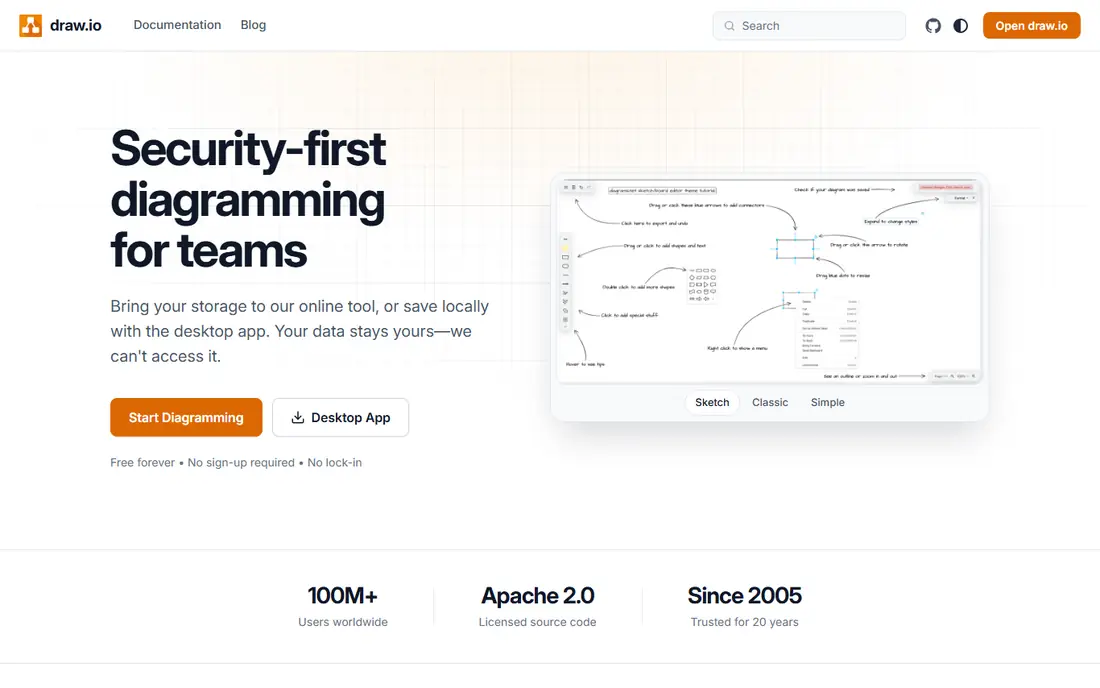
Diagrams.net, also known as draw.io, is the best free diagram tool in this list. It covers flowcharts, UML, network diagrams and org charts, with a large shape library and no required subscription. You can save files to Google Drive, OneDrive or your device, and a desktop app works offline.
The interface looks plain next to Miro or Lucidchart, and real-time collaboration is limited. That matters less for solo users or small teams that share files rather than editing live. If budget is zero and you need a capable diagram maker, start here.
- Free to use
- Works offline in desktop app
- Saves to Drive or device
- Interface is plain
- Collaboration is basic
Visio suits firms that need formal, standards-based diagrams and already use Microsoft tools. Templates cover business process, engineering, network and floor plans, with precise alignment and data-linked shapes. Links to Excel and other Microsoft apps help teams tie diagrams to real data.
Visio is mainly a Windows desktop tool, with a web version on some plans, so Mac and Chromebook users should check access first. Cost is also higher than web-first rivals. For a Microsoft shop that needs formal diagrams, Visio remains a strong and trusted choice.
- Formal templates and standards
- Microsoft 365 links
- Precise layout tools
- Windows-focused
- Cost is higher than web rivals
- Learning curve
Whimsical is built for speed. You can make a flowchart, mind map or wireframe in minutes, with a clean look and simple controls. That makes it a good fit for product teams, students and managers who want a clear diagram without learning a complex tool.
Depth is the limit. Whimsical has fewer technical templates than Lucidchart or Visio, so engineering diagrams may feel constrained. Free plans also limit the number of boards. For quick, readable diagrams, Whimsical is one of the easiest tools to pick up.
- Very fast to learn
- Clean flowcharts and wireframes
- Simple sharing
- Fewer advanced shapes
- Free plan limits boards
Creately offers a wide template library across business, software and education diagrams. You can combine flowcharts, mind maps and org charts on one canvas, which suits planning docs that mix several views. Collaboration tools cover comments, sharing and version history on paid plans.
The interface packs in many options, so new users may need time to find the right shapes. Free plans limit storage and collaboration, so active teams will upgrade. For users who start from templates often, Creately saves a lot of setup time.
- Large template set
- Multiple diagram types in one canvas
- Team tools
- Interface can feel crowded
- Free plan limits storage
FigJam is Figma's whiteboard tool, and it suits design teams that already use Figma. You can sketch flows, maps and diagrams, add sticky notes, and link directly to Figma design files. That link makes it easy to move from an early flow to a finished screen design.
FigJam is not a full replacement for Lucidchart or Visio for technical diagrams. Shape libraries and export options are simpler, and it works best inside the Figma system. For design-led teams, FigJam keeps brainstorming and design in one place.
- Easy team whiteboard
- Links to Figma designs
- Simple diagram shapes
- Not a full diagram tool
- Best inside the Figma ecosystem
SmartDraw focuses on business diagrams with a large template set for org charts, floor plans, project charts and flowcharts. Automatic formatting helps keep diagrams tidy as you add shapes, which saves time on larger documents. Both desktop and web versions are available.
There is no lasting free tier comparable to Lucidchart or Diagrams.net, so you will pay to use it beyond a trial. Some users also find the interface less modern than newer rivals. For business users who want many ready templates and tidy formatting, SmartDraw is a practical choice.
- Large business template set
- Automatic formatting
- Desktop and web versions
- No lasting free plan
- Interface feels dated to some users
How we picked these
We compared official feature pages, template libraries, pricing pages and collaboration tools for diagram software available in 2026. We favored tools with a working free or trial option, a broad shape library and clear export options. We also weighed ease of learning, since a diagram tool that takes weeks to learn rarely gets used.
What to check before you choose
Start with diagram type. A flowchart tool, a whiteboard and a formal engineering tool serve different jobs, even though they overlap. List the diagrams you make most often, then pick a tool that handles those types well rather than one that claims to do everything.
Collaboration and sharing
Check whether teammates can edit live, comment and view without a paid seat. Some tools allow free viewers, which cuts costs for large teams. Also check export formats, since PDF, PNG and SVG exports matter for docs and slides.
Templates and precision
Look at templates for your specific work, such as UML, network or org charts. A large generic library helps less than a strong set for your field. For technical work, check alignment, connector routing and data linking, which separate formal tools from simple whiteboards.
Price and platform
Compare free limits, per-user pricing and platform support. A Windows-only tool may fail for a Mac team, while a web tool works almost anywhere. Factor in how many editors you need, since viewer seats are often cheaper than editor seats.
Build one real diagram during a trial
A trial is most useful when you build a diagram you actually need, rather than copying a sample. Pick a current flowchart, org chart or system map, build it in the tool, share it with two colleagues, and export it for a document or slide. That test shows whether shapes, connectors and templates fit your work, whether sharing is simple for viewers, and whether exports look clean at presentation size. Pay attention to small frictions, such as alignment tools, text editing, connector routing and version history, since those details decide whether you enjoy using the tool daily. Also check how the tool handles a larger diagram, since a canvas that feels fast with ten shapes can slow down with two hundred. Ask collaborators whether comments and edits were easy to follow, and note any export or permission problems. If the trial diagram takes far longer than your current method, try a second tool before committing to a yearly plan.
Also save a copy of finished diagrams outside the tool, since teams change tools over time. Export key diagrams as PDF or SVG and store them with project docs, so a future move does not strand your work. That habit also helps new team members find the current version without asking for access to an old account.
FAQ
What is the best diagram software for beginners?
Whimsical and Diagrams.net are easy starting points, with Whimsical best for speed and Diagrams.net best for free depth. Lucidchart suits beginners who also want team features.
What is the best free diagram tool?
Diagrams.net is the strongest free option, with a full shape library and no subscription. Lucidchart and Miro also offer useful free plans with document limits.
Can I use diagram software for org charts?
Yes, most tools here include org chart templates and shapes. Lucidchart, SmartDraw and Creately offer the most complete org chart options.
Do diagram tools work for wireframes?
Yes, Lucidchart, Whimsical and FigJam include wireframe shapes and templates. For full product design, FigJam links well to Figma, while Lucidchart covers early flows.
Is Microsoft Visio worth the cost?
Visio suits firms that need formal diagrams and already use Microsoft 365. For casual or web-first teams, Lucidchart or Diagrams.net usually offer better value.