Best ERD Diagram Tool in 2026: 9 Tools Compared
We compared the best erd diagram tool options for database design, from free code-based sketching to team modeling, so you can pick one that fits your project.
- Editor's choice
 dbdiagram.io
Code-based ERDs
Starts atFreeVisit dbdiagram.ioFull review - Great alternative
 DrawSQL
Team collaboration
Starts atSee websiteVisit drawsql.appFull review - Also consider
 Lucidchart
Stakeholder diagrams
Starts atSee websiteVisit lucidchart.comFull review
TL;DR:
- dbdiagram.io and QuickDBD suit developers who prefer writing a schema as text and getting a diagram instantly.
- DrawSQL and SqlDBM suit teams that want visual editing, sharing, and SQL export in the browser.
- Lucidchart suits non-technical stakeholders who need a readable diagram more than generated SQL.
- MySQL Workbench and DBeaver suit people working with a live database who want to reverse engineer what already exists.
- Free plans cover most solo sketching, while team features, private diagrams, and version history usually need a paid plan.
Quick comparison
| Tool | Best for | Starts at | Free plan? | |
|---|---|---|---|---|
| dbdiagram.io | Code-based ERDs | Free | Yes | Visit |
| DrawSQL | Team collaboration | See website | Yes | Visit |
| Lucidchart | Stakeholder diagrams | See website | Yes | Visit |
 MySQL Workbench | MySQL design | Free | Yes | Visit |
 QuickDBD | Fast prototyping | See website | Yes | Visit |
 DbSchema | Cross-database modeling | See website | Free trial | Visit |
 SqlDBM | Cloud team modeling | See website | Free trial | Visit |
 ChartDB | Open source sketching | Free | Yes | Visit |
 Diagrams.net | Free general diagramming | Free | Yes | Visit |
The best ERD diagram tools
An entity-relationship diagram shows tables, columns, and how they connect, and the right tool depends on whether you start from code, from a live database, or from a blank canvas. The nine tools below cover all three starting points.
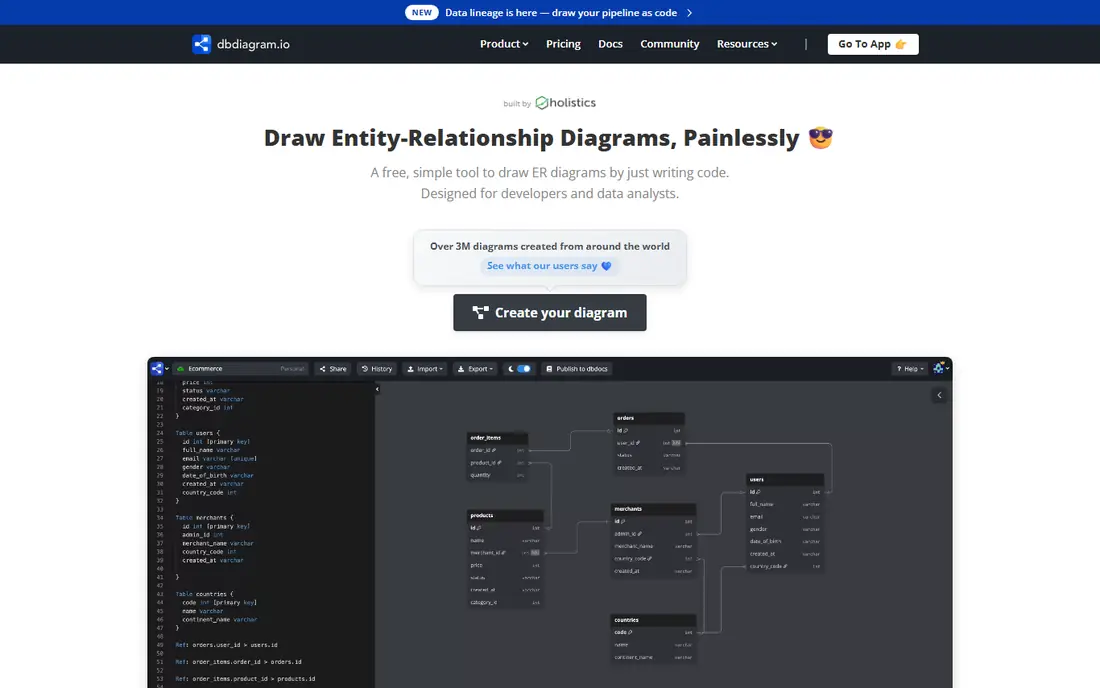
For developers who think in SQL, dbdiagram.io is often the fastest way to sketch a schema. You type tables, columns, and relationships in a simple text language, and the diagram builds itself. That makes it easy to keep a diagram in version control next to your code, and to review schema changes as text diffs rather than pictures.
The tradeoff is that non-developers may find the text-first approach less inviting than a canvas they can drag around. If your audience is product managers or clients, a visual tool may communicate better. But for a developer designing a new database, dbdiagram.io is hard to beat for speed and clarity.
- Write schemas in DBML and see the diagram update live
- SQL import and export
- Free plan includes multiple diagrams
- No drag-and-drop visual editing as the main workflow
- Collaboration features sit on paid plans
- Styling options are limited

DrawSQL is built for teams that design together in a browser. You drag tables onto a canvas, draw relationships, and invite teammates to comment and edit. Templates for common applications give new projects a head start, and you can import existing SQL to avoid retyping a schema you already have.
Solo developers may not need the collaboration features, and the free plan limits how many diagrams you can keep. For a small team that wants one shared, up-to-date picture of the database, though, DrawSQL hits a good balance between ease of use and real database features like SQL export.
- Visual canvas with real-time collaboration
- SQL import and export
- Template library for common app schemas
- Free plan limits diagrams and collaborators
- Advanced features need a paid plan
- Fewer modeling features than desktop tools
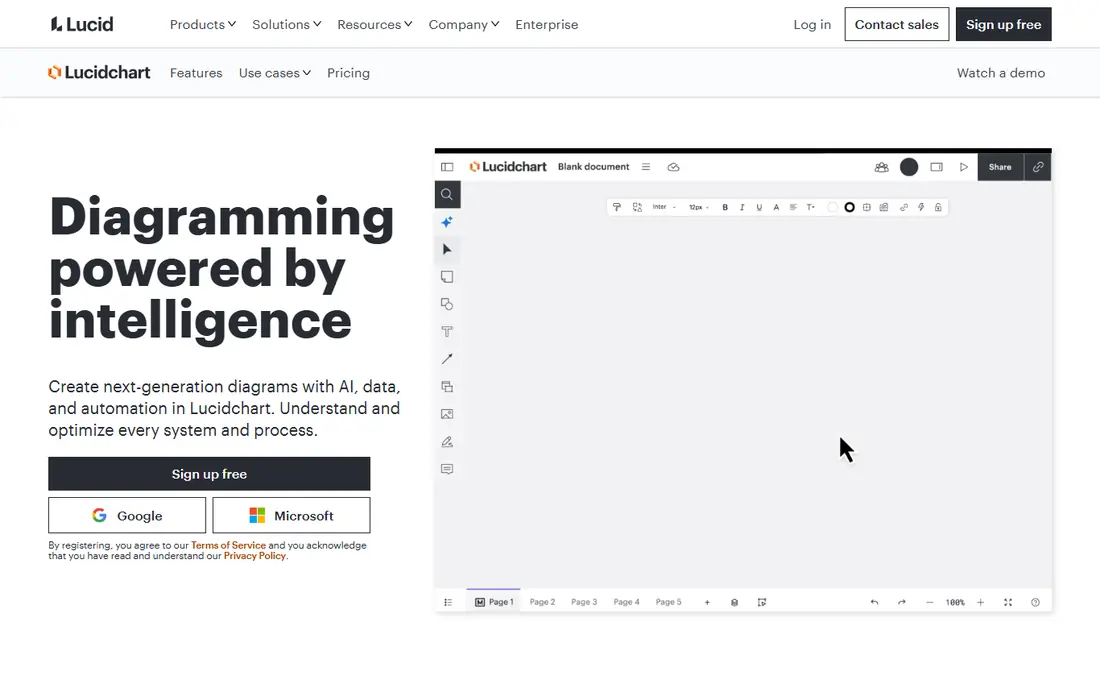
Lucidchart is a general diagramming tool that happens to do ERDs well, which is an advantage when your diagram needs to be read by people who do not write SQL. The templates and formatting controls produce clean, presentation-ready diagrams, and sharing works smoothly for review and feedback.
Database purists will notice the limits. Reverse engineering and SQL generation exist but are not as central as in DbSchema or SqlDBM, and heavy modeling work may feel slower than in a dedicated tool. Choose Lucidchart when communication matters more than code generation, and pair it with a modeling tool when you need both.
- Large shape libraries and ERD templates
- Real-time collaboration
- Integrations with Google Workspace, Slack, and Confluence
- Database import and SQL generation are less deep than dedicated modeling tools
- Free plan limits diagrams
- Paid plans add up for large teams
If your database is MySQL, MySQL Workbench is the obvious starting point, and it costs nothing. You can design tables visually, generate SQL to create them, or reverse engineer an existing database into a diagram you can study and change. The built-in SQL editor means you can test queries without switching apps.
The obvious limit is scope. Teams working with PostgreSQL, SQL Server, or several engines will want a cross-database tool instead. Workbench is also a desktop app, so sharing and collaboration take more effort than in a browser tool. For MySQL-only work, it remains a dependable, free choice.
- Free and made by the MySQL team
- Visual design plus forward and reverse engineering
- Built-in SQL editor for testing queries
- Focused on MySQL, so other databases are poorly served
- Desktop-only
- Interface feels dated next to modern web tools
QuickDBD shares dbdiagram.io's text-first idea but with an even simpler pitch. You type tables in a compact shorthand, and the diagram updates as you type. There is almost nothing to learn, which makes it ideal for a quick sketch during a planning call or for a schema you want to share in a document.
The free plan covers a single diagram, so regular users will likely pay for the pro plan. It also lacks the team features of DrawSQL or SqlDBM. When speed matters more than polish or collaboration, QuickDBD is one of the fastest options available.
- Type a schema and watch the diagram appear instantly
- SQL and PDF export
- Very low learning curve
- Free plan allows only one diagram
- Collaboration is limited
- Visual styling is basic
DbSchema is a full modeling tool for people who manage real databases across several engines. It can connect to a live database, read its structure, and keep diagrams in sync as the schema changes. Documentation export turns a diagram into browsable HTML that a team can search and share.
That power comes with complexity and cost. Beginners sketching their first schema may find it more than they need, and the desktop interface takes time to learn. For database professionals who need reverse engineering, synchronization, and documentation in one tool, DbSchema earns its price.
- Works with many relational and NoSQL databases
- Reverse engineering and schema synchronization
- HTML documentation export
- Desktop app with a learning curve
- Pricing is higher than browser sketch tools
- Interface is dense for beginners
SqlDBM brings serious modeling into the browser, which suits distributed teams that do not want desktop installs. You can design models visually, generate SQL for major engines, and reverse engineer existing databases into editable models. Team workspaces keep projects organized as more people join.
The lack of a lasting free tier means solo users should trial it carefully before paying. It is also a cloud tool, so teams with strict offline requirements will prefer a desktop option. For a team that models together and wants cloud convenience without giving up SQL generation, SqlDBM is a strong contender.
- Browser-based modeling with team workspaces
- Forward and reverse engineering
- Supports major database engines
- No permanent free plan, only a trial
- Pricing is aimed at teams
- Offline work is not an option
ChartDB is an open source option for developers who want a free, text-based ERD tool they can run and even host themselves. Like dbdiagram.io, it turns written schema definitions into diagrams, and it can export SQL and images. For a side project or a team that prefers open source software, the price is right.
Being newer means fewer templates, less polish, and a smaller community than the established tools. If you need team collaboration or vendor support, a paid tool may serve you better. But for free, straightforward schema sketching, ChartDB is well worth trying.
- Free and open source
- Text-based schema editing with live preview
- SQL and diagram export
- Newer and less polished than established tools
- Collaboration features are limited
- Documentation is thinner
Diagrams.net, formerly draw.io, is the free fallback that many teams already use for flowcharts and architecture diagrams. It includes entity-relationship shapes, and you can save diagrams wherever you like, including locally. For a quick diagram to explain an idea in a meeting, it is often all you need.
The catch is that it does not understand databases. You draw boxes and lines by hand, and nothing generates SQL or reads an existing schema. For a small diagram or a mixed document with many diagram types, that is fine. For serious database design, pair it with a modeling tool or choose one from earlier in this list.
- Completely free
- Works in the browser or desktop
- Stores files in Google Drive, OneDrive, or locally
- ERD shapes included
- Not database-aware, so no SQL generation
- Manual work for large schemas
- No reverse engineering
How we picked these
We compared official feature and pricing pages for tools that produce entity-relationship diagrams, favoring tools that are actively maintained in October 2026. We looked for SQL import or export, reverse engineering, collaboration, and a usable free tier or trial. General whiteboard tools without ERD shapes were left out, as were tools that had closed or stopped updating.
Choosing between code-first and canvas-first tools
The biggest decision is how you like to work. Code-first tools like dbdiagram.io, QuickDBD, and ChartDB keep the schema as text, which fits version control and code review. Canvas-first tools like DrawSQL and Lucidchart are easier to share with non-developers and better for brainstorming a design in a meeting.
Start from what already exists
If you already have a database, start with reverse engineering. MySQL Workbench, DbSchema, SqlDBM, and DBeaver can read a live schema and draw it for you, which beats redrawing dozens of tables by hand. If you are starting fresh, sketch in a fast tool first and move to a fuller modeling tool only when the schema grows complex.
Keep one notation and one source of truth
Pick one notation, such as crow's foot, and use it consistently so every reader knows what the lines mean. Keep the diagram in the same place your team already works, and update it when the schema changes rather than letting it drift. A diagram that no longer matches the database is worse than no diagram, because people will trust it anyway.
FAQ
What is the best erd diagram tool for beginners?
dbdiagram.io and Diagrams.net are good starting points. dbdiagram.io teaches you to think in tables and relationships with minimal fuss, while Diagrams.net lets you draw freely without learning a schema language. If you work with MySQL, MySQL Workbench is also free and teaches real database concepts.
Can ERD tools generate SQL for my database?
Many can. dbdiagram.io, DrawSQL, QuickDBD, DbSchema, and SqlDBM all export SQL to create tables, and some can reverse engineer an existing database. Diagrams.net and Lucidchart are mainly drawing tools, so they offer less SQL generation. Check export support for your specific database engine before committing.
Are free ERD tools good enough for professional work?
For sketching and small projects, yes. dbdiagram.io, ChartDB, Diagrams.net, and MySQL Workbench cover most solo design work for free. Paid plans become worth it when you need private diagrams, team collaboration, version history, or reverse engineering for a large existing database.
What is the difference between an ERD and a database schema diagram?
The terms overlap, and many people use them interchangeably. An ERD usually shows entities, attributes, and relationships at a conceptual level, while a schema diagram shows the physical tables, columns, keys, and data types. Most tools on this list can show both, depending on how much detail you add.
Should I use crow's foot notation?
Crow's foot is the most common notation in modern tools and the easiest for most readers to grasp, since the symbols show one-to-many and many-to-many relationships at a glance. Whatever notation you choose, use it consistently across all your diagrams so your team does not have to relearn the symbols each time.