5 PDF.js Alternatives Worth Switching To in 2026
PDF.js alternatives, compared. 5 tools with published prices, free plans and limits. Every profile names its biggest catch. Current for November 2026.
- Editor's choicePDFTron
Document processing and conversion
Starts at$1,500Visit pdftron.comFull review - Great alternativeApryse
Enterprise document processing technology
Starts at$1,500Visit apryse.comFull review - Also considerFoxit PDF SDK
Cross-platform PDF libraries and APIs
Starts atSee websiteVisit developers.foxit.comFull review
Direct answer
Our first pick is PDFTron, best for document processing and conversion. Listed starting prices: PDFTron from $1,500, Apryse from $1,500 and Syncfusion PDF Viewer from $959 per developer a year. Alternatives: Apryse for enterprise document processing technology, and Foxit PDF SDK for cross-platform PDF libraries and APIs. The remaining 2 options are covered below with prices and limits.
TL;DR:
- Top of the list is PDFTron, which targets document processing and conversion.
- A fair warning about Foxit PDF SDK: may need separate licenses for different systems.
- PSPDFKit is the only tool of the 5 with a free plan.
- PSPDFKit suits full PDF editing and signing.
- Expect to ask for a quote from Foxit PDF SDK and PSPDFKit; the other tools show a starting price.
Last checked November 2026. Prices and plan details were read from the vendors' own pages in November 2026; vendors change plans often, so confirm the current price on the vendor site before you buy.
Quick comparison
| Tool | Best for | Starts at | Free plan? | |
|---|---|---|---|---|
| PDFTron | Document processing and conversion | $1,500 | Free trial | Visit |
| Apryse | Enterprise document processing technology | $1,500 | Free trial | Visit |
| Foxit PDF SDK | Cross-platform PDF libraries and APIs | See website | Not stated | Visit |
| Syncfusion PDF Viewer | UI component integration | $959 per developer a year | Free trial | Visit |
| PSPDFKit | Full PDF editing and signing | See website | Yes | Visit |
The 5 tools in detail
If you are comparing PDF.js, this page covers 5 tools in one place: what each is best for, what it costs to start, whether it has a free plan, and the main limit to know about.
PDFTron
Best for: Document processing and conversion
PDFTron is a good fit for document processing and conversion. PDFTron, now part of Apryse, supplies document processing technology for developers. It permits integration of capabilities to produce, convert, view, edit, and sign PDFs and other documents within software applications.
The SDK is capable but may have a ramp-up time. Choose PDFTron when you need broad document processing beyond viewing. PDFTron starts at: $1,500. Free access: Free trial.
The main drawbacks: Documentation may reference older names.
- Produce, convert, view, edit
- Integrates into any software application
- Brand transition to Apryse may cause confusion
Apryse
Best for: Enterprise document processing technology
Pick Apryse if this describes you: enterprise document processing technology. It makes it possible for integration of document generation, conversion, viewing, editing, and signing into software applications. This tool is well suited to organizations that require a mature, enterprise-grade option for handling PDFs and other documents across systems, with a focus on scalability and reliability.
Also, for entry-level PDF viewing, consider Syncfusion PDF Viewer. The SDK's deep features might be more than small projects need. The starting price for Apryse: $1,500. On free options: Free trial.
Limits to weigh: Name change may need updating references.
- Full document processing capabilities
- Same technology as PDFTron
- Feature set may be excessive for small projects
Foxit PDF SDK
Best for: Cross-platform PDF libraries and APIs
Pick Foxit PDF SDK if this describes you: cross-platform PDF libraries and APIs. Foxit PDF SDK offers PDF libraries, SDKs, and APIs for developers to build document options across web, mobile, and desktop systems.
Where it falls short: Integration complexity varies by product.
In practice, choose Foxit for its wide system support and established PDF expertise. On top of that, for a unified cross-platform SDK, PSPDFKit might be more straightforward. Foxit PDF SDK shows no starting price here, so confirm the cost on the vendor site. As for free access: Not stated.
- Libraries for web, mobile, desktop
- Developer tools and documentation available
- May need separate licenses for different systems
Syncfusion PDF Viewer
Best for: UI component integration
Syncfusion PDF Viewer targets UI component integration. Syncfusion PDF Viewer is part of Syncfusion's enterprise-ready UI components and document SDKs. It offers PDF viewing and processing capabilities for Blazor, React, Angular, JavaScript, and.NET MAUI, along with Word and Excel document SDKs.
What to check first: Part of a bigger component suite.
This tool is well-suited for teams already using Syncfusion components or those needing a PDF viewer integrated with a broader set of UI controls. From a buyer's view, Syncfusion PDF Viewer is usually licensed as part of the bigger Syncfusion suite, which may bundle components you do not need. The starting price for Syncfusion PDF Viewer: $959 per developer per year. As for free access: Free trial.
- Support for Blazor, React, Angular, JavaScript
- Excel document SDKs
- May need licensing for the full suite
PSPDFKit
Best for: Full PDF editing and signing
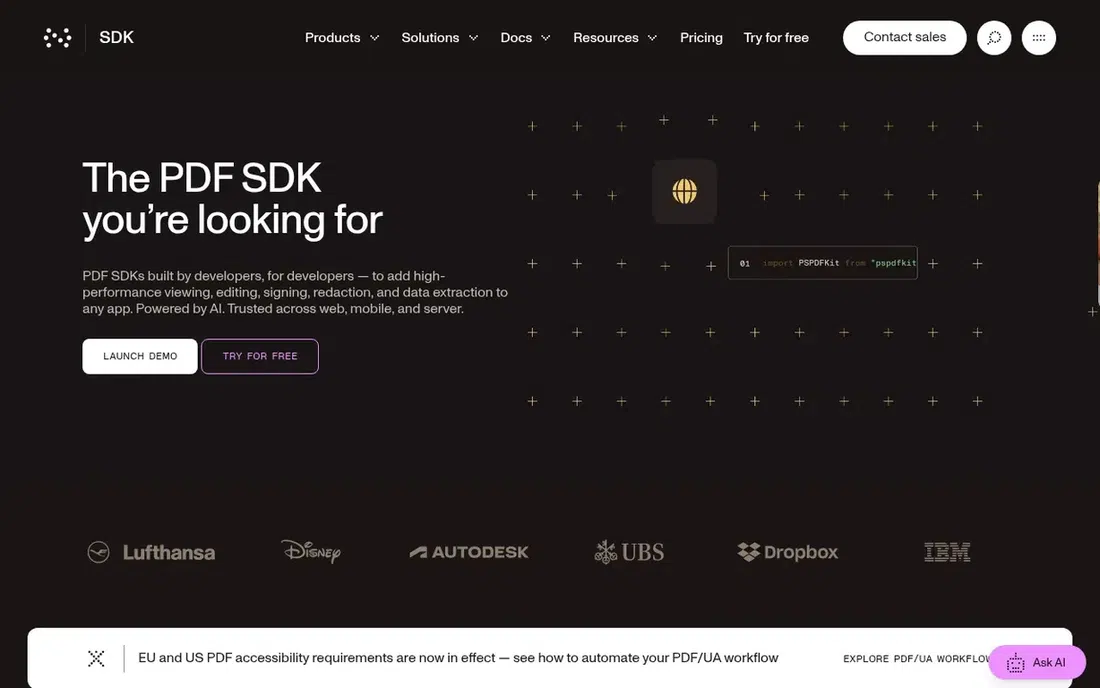
PSPDFKit was built for thorough PDF editing and signing. Its integration can need significant development resources.
For complicated document workflows, PSPDFKit is a strong candidate. No starting price is listed for PSPDFKit here; confirm pricing on the vendor site. PSPDFKit offers a free plan.
What to check first: Needs integration effort.
- Cross-platform SDKs for web, mobile, server
- Supports viewing, editing, signing
- May be overkill for straightforward viewing needs
What went into this list
The comparison looks at four things: starting price, free access, how well the feature set matches PDF.js, and the main limit of each tool. Seat minimums, billing terms and add-ons can move the real cost, so the starting prices here are a guide and not a quote. Order on the page follows fit for the typical buyer first, then price transparency and free access. Your own requirements should decide the final pick.
Before you commit
- Confirm the entry price on the vendor page. For Foxit PDF SDK and PSPDFKit that means a quote rather than a fixed price.
- Test the free plan from PSPDFKit against your real workload before relying on it.
- Take the trial from PDFTron, Apryse and Syncfusion PDF Viewer and push a live task through it before you pay.
- Read the limits listed for PDFTron first: brand transition to Apryse may cause confusion.
- Total up the real monthly cost of Syncfusion PDF Viewer, including add-ons, extra users and usage-based fees.
- Before you load data into PDFTron, check what an export looks like and who can run it.
FAQ
Which options for PDF.js have a free plan?
PSPDFKit is the only tool in this list with a free plan. Free plans usually cap users, projects or features, so check the limits on the vendor page. Several others offer a trial instead.
Do these tools publish their prices?
Not all of them. Foxit PDF SDK and PSPDFKit publish no starting price, so expect a quote request for those. The rest, PDFTron included, show a starting price, though seats and billing terms still change the final cost.
Can I use these SDKs for mobile app development?
Yes, most of these SDKs, including PSPDFKit, PDFTron, Apryse, and Foxit PDF SDK, offer mobile support for iOS and Android. Check each vendor's documentation for specific system compatibility and requirements.
How are the tools for PDF.js ordered?
The order follows typical fit for PDF.js, with PDFTron first and PSPDFKit last, then price clarity and free access. It is editorial judgement, not a score, so another team could rank the tools differently.
Can I try these tools before paying?
Often, yes. PSPDFKit has a free plan and PDFTron, Apryse and Syncfusion PDF Viewer offer a free trial. Use your own data and a real task during the test, and check what the free tier or trial limits before you rely on it.
Sources
- https://www.pdftron.com
- https://apryse.com
- https://developers.foxit.com
- https://www.syncfusion.com
- https://pspdfkit.com