Best Free PDF Signing Tools in 2026: 8 Tools Compared
Compare the best free PDF signing tools today, including DocuSign, Adobe Acrobat Sign, Dropbox Sign, PandaDoc, and signNow, with free limits and prices.

- Editor's choice
 DocuSign
Widest adoption and easy signing
Starts atFreeVisit docusign.comFull review - Great alternative
 Adobe Acrobat Sign
PDF-heavy Acrobat workflows
Starts at$14.99 per monthVisit adobe.comFull review - Also consider
 Dropbox Sign
Dropbox teams and simple signing
Starts atFreeVisit hellosign.comFull review
TL;DR:
- DocuSign is our pick for most people, because its free tier and wide adoption make it easy for recipients to sign without friction.
- PandaDoc and Zoho Sign suit small teams that want a free tier plus document templates, while Dropbox Sign suits teams already in Dropbox.
- signNow is the best budget pick for teams that send often, with Business from $8 per user per month billed annually.
- Adobe Acrobat Sign is the best pick for PDF-heavy workflows, especially for teams already using Acrobat or Microsoft tools.
Quick comparison
| Tool | Best for | Starts at | Free plan? | |
|---|---|---|---|---|
| DocuSign | Widest adoption and easy signing | Free | Yes | Visit |
| Adobe Acrobat Sign | PDF-heavy Acrobat workflows | $14.99 per month | Free trial | Visit |
| Dropbox Sign | Dropbox teams and simple signing | Free | Yes | Visit |
 PandaDoc | Templates plus signing | Free | Yes | Visit |
 signNow | Budget teams that send often | $8 per user per month | Free trial | Visit |
 Zoho Sign | Zoho users and low cost | Free | Yes | Visit |
 Signeasy | Simple mobile signing | $10 per month | Free trial | Visit |
 Foxit eSign | PDF tools plus signing | $10 per month | Free trial | Visit |
The best free PDF signing tools
A good PDF signing tool should let you sign in minutes, send to others without confusion, and keep a clear audit trail. The tools below all offer a free tier or free trial, but free limits differ a lot, so check envelopes per month before you rely on one for business use.
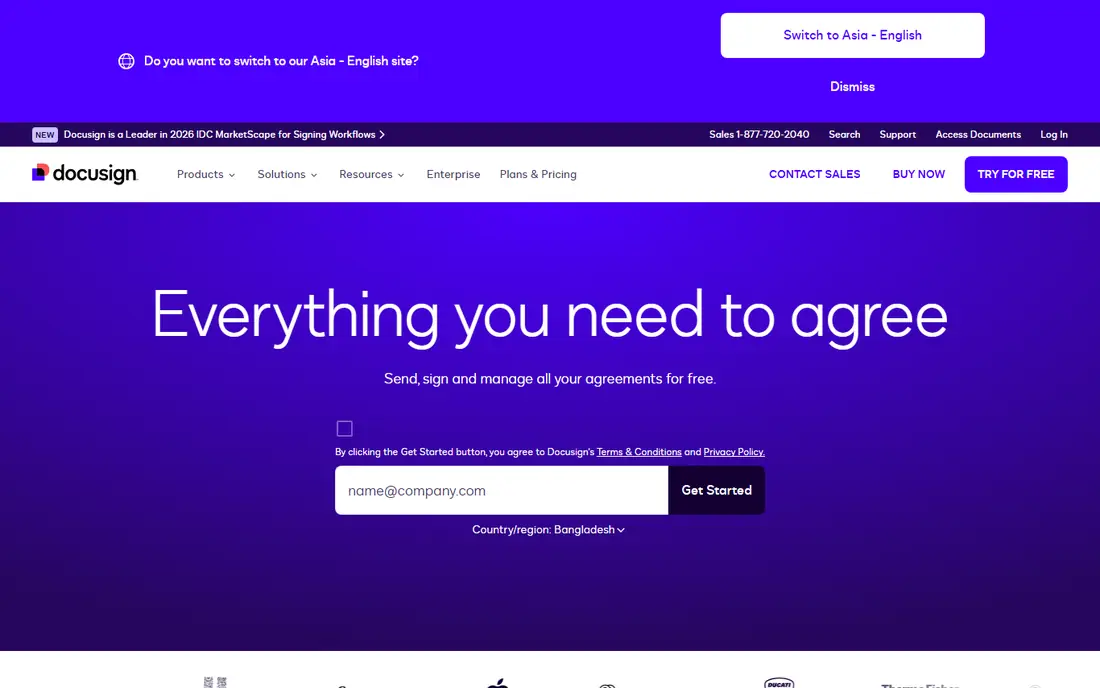
DocuSign is the safest default for PDF signing, because most recipients have seen it before and know what to do. You can sign a PDF yourself for free, send a limited number of envelopes, and track status without teaching the other side a new tool. That familiarity matters for contracts, HR forms, and client paperwork, where a confused signer can delay a deal.
The free tier is limited, with recent summaries listing three envelopes per month on free and five per month on Personal at $15 per month, or $10 per month billed annually. If you send more than a few documents a month, compare signNow or Dropbox Sign for higher limits at a similar price. For occasional signing, DocuSign free is hard to beat.
- Recipients know it and trust it
- Free tier for personal signing
- Strong templates and audit trail on paid plans
- Free plan sends only a few envelopes per month
- Personal plan at $15 per month still has a low envelope limit

Adobe Acrobat Sign is the natural pick if your team already lives in Acrobat. You can prepare, send, and track PDFs without leaving the PDF workflow, and its Microsoft integrations help teams that use Outlook, Teams, or SharePoint. Acrobat Standard is listed at $14.99 per month on an annual plan in recent summaries, with Pro higher.
Acrobat Sign is less attractive as a free tool, since sending requires a paid plan or trial rather than a permanent free tier. Choose it when PDF editing, redaction, and signing need to stay in one Adobe workflow, and choose DocuSign or PandaDoc when a free tier is the main requirement.
- Deep Acrobat and PDF integration
- Strong Microsoft integrations
- Trusted for enterprise and regulated work
- No permanent free tier for sending
- Pricing is plan-dependent
- Full Sign solutions are quote-based

Dropbox Sign, formerly HelloSign, is one of the easiest signing tools to learn. Upload a PDF, add signature and date fields, send it, and track it, with a clean interface that rarely confuses recipients. Essentials is listed at $15 per month in recent summaries, with Standard higher, and paid plans are known for generous sending limits.
Dropbox Sign suits small teams that want signing without a heavy document platform. It is less suited to teams that need proposals, quotes, and payment collection in the same document, where PandaDoc is stronger. If you already store files in Dropbox, the integration makes it a natural fit.
- Simple interface
- Unlimited sending on some paid plans
- Good Dropbox and Google Drive integration
- Essentials pricing varies by billing
- Fewer document templates than PandaDoc
- Advanced workflow features need higher tiers
PandaDoc is more than a signing tool, and that is its strength for sales and operations teams. You can build a proposal or contract from a template, add pricing tables, collect a signature, and take payment in one document. The free tier covers a few documents per month, which is enough to test it on real deals.
PandaDoc is overkill if you only need to sign a PDF a few times a year. Its value shows when you send repeat documents, such as proposals, quotes, and service agreements, and want templates, tracking, and payments together. For pure signing, DocuSign or signNow may be simpler and cheaper.
- Free tier for a few documents per month
- Strong templates for proposals and contracts
- Payments and CRM features on paid plans
- Free tier is limited to five documents per month in recent summaries
- Starter pricing jumps to $19 per seat per month
- Signing is part of a larger platform
signNow is the best budget pick for teams that send documents often. Business is listed from $8 per user per month billed annually in recent summaries, with higher tiers for premium features and enterprise needs. That price undercuts DocuSign and Adobe for a team that needs regular sending, templates, and bulk invites.
The interface is practical rather than beautiful, and some users prefer DocuSign or Dropbox Sign for polish. For a small business that sends contracts, NDAs, and forms every week, signNow delivers the core signing job at a price that is easy to justify, with a free trial to test it first.
- Low starting price
- Bulk sending and templates
- Good value for teams with many users
- Interface is more functional than polished
- Some advanced features need higher tiers
- Free trial is time-limited
Zoho Sign is the best low-cost pick for teams already using Zoho CRM, Books, or other Zoho apps. The free tier covers basic signing, while Standard is listed at $10 per user per month billed annually, with Professional and Enterprise higher. Documents flow into Zoho apps without extra integration work.
The main drawback is familiarity. Recipients outside the Zoho world may need a short note explaining how to sign, whereas DocuSign needs no introduction. If your team is already on Zoho, that trade is worth it. If not, a more widely known tool may reduce signer friction.
- Free tier available
- Low paid pricing from $10 per user per month
- Strong Zoho CRM and app integration
- Smaller adoption than DocuSign, so recipients may need guidance
- Some features need higher tiers
- Template library is smaller
Signeasy is built for people who sign on a phone or tablet and want the process to take minutes. You can import a PDF, sign with a finger or stylus, fill fields, and send it back, with a clean mobile app that works well for field teams, agents, and freelancers. Personal pricing is listed at $10 per month billed annually in recent summaries.
Signeasy is less suited to complex approval workflows or high-volume sending, where DocuSign, signNow, or PandaDoc offer more control. For an individual who signs documents on the go and wants the simplest possible tool, Signeasy is a strong, affordable pick.
- Very easy mobile signing
- Simple setup
- Good for individuals and small teams
- No permanent free sending tier
- Fewer advanced workflow features than DocuSign
- Template options are simpler
Foxit eSign suits teams that already use Foxit PDF Editor and want signing in the same vendor family. It covers sending, signing, templates, and audit trails, with Essentials listed at $10 per month billed annually in recent summaries. For a PDF-heavy team that prefers Foxit to Adobe, it keeps tools and support in one place.
Foxit eSign is not the best choice if recipient familiarity is your top priority, since DocuSign is more widely recognized. It is a good value pick for Foxit users and for teams that want a capable signing tool at a modest price, with a trial to test signer experience before committing.
- Strong PDF heritage
- ESign Essentials from $10 per month billed annually
- Good for teams using Foxit PDF tools
- Less widely adopted than DocuSign
- Free trial is time-limited
- Some enterprise features need higher plans
How we picked these
We compared official pricing pages, free tier limits, and recent vendor pricing summaries for PDF signing tools available to US users in October 2026. We favored tools with a real free tier or trial, a clear audit trail, and a signing flow that works for recipients without an account. Where free limits are low, we say so, because a free tier that covers only a few envelopes per month is not the same as a free tool for daily business use.
How to choose a free PDF signing tool
Start with how many documents you send per month. If you sign only your own PDFs, a free tier from DocuSign, PandaDoc, or Zoho Sign is enough. If you send to clients weekly, a low-cost paid plan from signNow or Foxit eSign will save time and avoid envelope limits.
Check legality and audit trails
For most US business documents, a reputable e-signature with an audit trail, signer authentication, and a tamper-evident record is sufficient, but regulated or high-value contracts may need stronger identity checks. Check the vendor page for compliance claims, and keep the completed PDF and audit certificate together in your records.
FAQ
What is the best free PDF signing tool?
DocuSign is the best free starting point for most people, because recipients know it and its free tier covers personal signing. PandaDoc and Zoho Sign are good free alternatives for small teams, while signNow is better if you send often and want a low paid plan. The best free tool depends on how many envelopes you send per month.
Can I sign a PDF for free?
Yes. DocuSign, PandaDoc, Zoho Sign, and Dropbox Sign all offer free tiers or trials for signing PDFs. Free tiers usually limit how many documents you can send per month, so check the envelope limit before you use one for regular business signing.
Is DocuSign free?
DocuSign offers a free plan for personal signing, with a limited number of envelopes per month. Paid Personal is $15 per month, or $10 per month billed annually, and raises the limit to five envelopes per month in recent summaries. Teams that send more should compare signNow or Dropbox Sign.
What is the best app for signing PDFs on mobile?
Signeasy is the simplest mobile-first pick, with an easy phone and tablet signing flow. DocuSign and Dropbox Sign also have strong mobile apps, and Adobe Acrobat Sign works well for teams already using Acrobat on mobile. Test signing a real PDF on your phone before you choose.
Are electronic signatures legally valid?
In most US cases, yes, when the signature comes from a reputable e-signature service with consent, an audit trail, and a tamper-evident record. Rules vary by document type and state, and some documents such as wills may need special handling, so check the requirements for high-value or regulated documents before you rely on e-signing alone.