Top Kling AI Alternatives in 2026: 5 Picks Ranked
Shortlisting Kling AI alternatives? 5 products compared on cost, free access and ideal buyer. Every pick gets a straight assessment. Jump to the table.
- Editor's choice
 Google Veo
Google DeepMind video generation research
Starts atSee websiteVisit deepmind.googleFull review - Great alternative
 Adobe Firefly Video
Creatives already in Adobe workflows
Starts atSee websiteVisit adobe.comFull review - Also consider
 Luma Dream Machine
Iterative agent-style creative video work
Starts atSee websiteVisit lumalabs.aiFull review
Direct answer
Google Veo is the first pick on this list for Google DeepMind video generation research. Listed starting prices: HeyGen from $29 a month and Pika from $10 a month. If your case is different, Adobe Firefly Video suits creatives already in Adobe workflows and Luma Dream Machine suits Iterative agent-style creative video work. Prices, free plans and limits for all 5 tools follow.
TL;DR:
- The list opens with Google Veo, aimed at Google DeepMind video generation research.
- 2 of 5 tools offer a free plan: HeyGen, Pika.
- Pika is the lowest-priced starter here at $10 per month.
- A fair warning about Luma Dream Machine: less model variety than aggregators.
- For several video models in one system, Pika is worth a look.
Last checked November 2026. Prices and plan details were read from the vendors' own pages in November 2026; vendors change plans often, so confirm the current price on the vendor site before you buy.
Quick comparison
| Tool | Best for | Starts at | Free plan? | |
|---|---|---|---|---|
| Google Veo | Google DeepMind video generation research | See website | Not stated | Visit |
| Adobe Firefly Video | Creatives already in Adobe workflows | See website | Not stated | Visit |
| Luma Dream Machine | Iterative agent-style creative video work | See website | Not stated | Visit |
 HeyGen | Talking-avatar and presenter videos | $29 a month | Yes | Visit |
 Pika | Several video models in one product | $10 a month | Yes | Visit |
Tool-by-tool breakdown
LinkVetted put together this guide to Kling AI for readers who want a clear shortlist without reading every vendor page. It compares 5 tools on starting price, free plans, who each one suits and where each one falls short.
Google Veo is designed for Google DeepMind video generation research. Veo is Google DeepMind's video generation technology, presented as a research-driven model for creating video from prompts. It appeals to creators and developers who want to build on Google's model family or who already use Google's AI products and want video generation within that environment.
For everyday use, Veo is a model and technology instead of a full standalone editing suite, and how you access it can rely on the Google product and region involved. If you need a self-contained creative platform with image and audio tools, Pika or Adobe Firefly Video may be a better fit. This comparison lists no price for Google Veo; ask the vendor. Free options: Not stated.
Where it is weaker: Availability varies by product and region.
- Accessible through Google products
- Positioned for high-quality video
- Less of a standalone editor
Adobe Firefly Video is aimed squarely at creatives already in Adobe workflows. For designers and editors already working in Adobe software, it is a natural way to bring generated video into an existing editing and asset workflow without adopting a separate system.
Worth adding: the experience is most cohesive for people inside Adobe's ecosystem, and available features can rely on your account and region. No starting price is listed for Adobe Firefly Video here; confirm pricing on the vendor site. Trial and free access: Not stated.
Where it is weaker: Feature access can vary by account.
- Access to models from other providers
- Audio and video generation
- Best value inside Adobe ecosystem
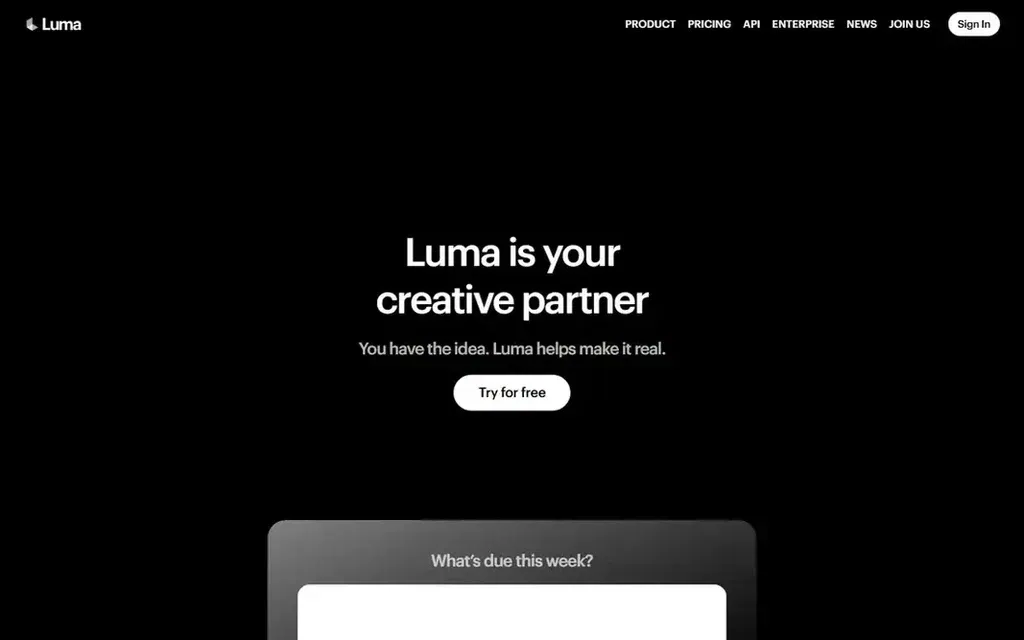
For Iterative agent-style creative video work, Luma Dream Machine is a natural candidate. Luma Dream Machine presents itself as a set of creative agents for creative professionals, built around planning, generating, iterating and refining whereas keeping full context across every stage of a project.
Where it is weaker: Feature depth varies by workflow.
Confirm current capabilities and output choices on the Luma site before building a workflow around it. Since the emphasis is on Luma's own agent workflow instead of a catalog of external models, people who want to compare plenty of engines side by side may prefer an aggregator for example Pika. No starting price is listed for Luma Dream Machine here; confirm pricing on the vendor site. As for free access: Not stated.
Upsides: Agent-oriented creative workflow.
- Produce and refine in one place
- Keeps context across stages
- Less model variety than aggregators
Pick HeyGen if this describes you: talking-avatar and presenter videos. HeyGen concentrates on AI videos built around a Personal Avatar, letting you appear on camera with your own face and voice without filming each video.
The main drawbacks: Avatar look may not suit every brand.
For everyday use, HeyGen is specialized for avatar-driven content instead of general cinematic scene generation. So it is a weak substitute if you want abstract or action-heavy footage. HeyGen pricing: $29 per month. HeyGen has a free plan.
- Personal avatar with your face and voice
- Clear focus on talking-head content
- Not a general cinematic video tool

Think of Pika for several video models in one system. Pika describes itself as a creative product for AI video, images and audio. Its homepage names multiple video models usable within the same environment, including Seedance, Kling, Veo and Wan.
Watch-outs: Model availability can change.
That makes it a practical hub for creators who want to test different engines without managing separate accounts, and who also want image and audio tools nearby. Anyone who wants a single vendor's dedicated workflow may prefer Luma Dream Machine or Google Veo instead. In practice, relying on a product that hosts external models means the exact lineup can shift over time, so check which models are currently offered. Pika pricing: $10 per month. Pika has a free plan.
- Also includes image and audio
- Multiple video models in one place
- Interface may feel busy for beginners
How we built this list
Each tool was reviewed on what its vendor publishes: price, plan limits, core features and stated drawbacks. We did not run hands-on tests. Plan names, prices and limits change often. Treat the figures here as a starting point and verify them with the vendor. Tools are placed by general fit for Kling AI, with price clarity and free access as tie-breakers. A different team can reasonably rank them differently.
Questions to settle before buying
- Confirm the entry price on the vendor page. For Google Veo, Adobe Firefly Video and Luma Dream Machine that means a quote rather than a fixed price.
- Check what the free option really includes: HeyGen and Pika offer a free plan, and usage caps differ.
- Read the limits listed for Google Veo first: availability varies by product and region.
- Look at the help docs and support options for Luma Dream Machine before you commit.
- Compare total cost, not headline price: for Adobe Firefly Video, add extra seats, add-ons and any usage-based charges.
FAQ
Is Google Veo the right pick for everyone comparing Kling AI?
No single tool suits every team. Google Veo comes first because it fits Google DeepMind video generation research, while Adobe Firefly Video suits creatives already in Adobe workflows and Luma Dream Machine suits Iterative agent-style creative video work. Match the tool to your own size, budget and workflow before deciding.
How are the tools for Kling AI ordered?
The order follows typical fit for Kling AI, with Google Veo first and Pika last, then price clarity and free access. It is editorial judgement, not a score, so another team could rank the tools differently.
Which options for Kling AI have a free plan?
HeyGen and Pika offer a free plan in this list. Free plans usually cap users, projects or features, so check the limits on the vendor page. For the full picture, the cards above cover all 5 entries of this Kling AI alternatives list, including price, free plan and limits.
Can I try these tools before paying?
Often, yes. HeyGen and Pika have a free plan. Use your own data and a real task during the test, and check what the free tier or trial limits before you rely on it. Prices, free plan details and limits for all 5 tools in this Kling AI alternatives roundup sit on the individual cards above.
Sources
- https://deepmind.google/technologies/veo
- https://www.adobe.com/products/firefly.html
- https://lumalabs.ai/dream-machine
- https://www.heygen.com
- https://pika.art