5 CodePen Alternatives Worth Switching To in 2026
Compare 5 picks for CodePen alternatives, with prices, free plans and who each fits. Fit and flaws are laid out for each entry. Narrow your shortlist.
- Editor's choice
 Replit
Building apps from a description
Starts at$18 a month, billed yearlyVisit replit.comFull review - Great alternativeGlitch
Small shared web projects
Starts atSee websiteVisit glitch.comFull review - Also considerJSFiddle
Fast HTML, CSS and JavaScript tests
Starts atSee websiteVisit jsfiddle.netFull review
Direct answer
Replit is the first pick on this list for building apps from a description. Listed starting prices: Replit from $18 a month, billed yearly. Glitch fits small shared web projects; JSFiddle fits fast HTML, CSS and JavaScript tests. The full list of 5 tools follows, with prices and free plan facts.
TL;DR:
- This list starts with Replit, which is built for building apps from a description.
- Neither Replit nor Plunker, nor any of the other 3 tools, has a permanent free plan; trials and quotes are the norm.
- Plunker fits straightforward browser-based web prototyping.
- Before buying Replit, weigh this: less control over fine details.
Last checked November 2026. Prices and plan details were read from the vendors' own pages in November 2026; vendors change plans often, so confirm the current price on the vendor site before you buy.
Quick comparison
| Tool | Best for | Starts at | Free plan? | |
|---|---|---|---|---|
| Replit | Building apps from a description | $18 a month, billed yearly | Not stated | Visit |
| Glitch | Small shared web projects | See website | Not stated | Visit |
| JSFiddle | Fast HTML, CSS and JavaScript tests | See website | Not stated | Visit |
 CodeSandbox | Full cloud development environments | See website | Not stated | Visit |
| Plunker | Straightforward browser-based web prototyping | See website | Not stated | Visit |
Tool-by-tool breakdown
LinkVetted compared 5 tools for CodePen. The goal is a practical shortlist: published prices, free plan facts, best-fit use cases and honest limits for every entry.
For building apps from a description, Replit is a natural candidate. Replit presents itself as an AI app and website builder: you describe what you want. It builds a working app or website in minutes, with no coding required.
Downsides: Different fit than a snippet playground.
That positions it differently from snippet playgrounds. Worth adding: Replit is also not targeted at fast CSS experiments. Pick it when the goal is a working app or site instead of a shared code sample. From a buyer's view, when you need precise control over every file and line, a described build can feel indirect, and developers may prefer a practical IDE. Entry price for Replit: $18 per month, billed annually. Free options: Not stated.
- Describe an app and have it built
- Aims at working leads to minutes
- Less control over fine details
Glitch
Best for: Small shared web projects
In short, Glitch is for small shared web projects. Pick it when sharing and remixing small projects matters more than project scale.
Where it is weaker: Not the first pick for heavy projects.
For teams that require a structured cloud environment or a full IDE, Glitch is a narrower fit. It is also not targeted at fast snippet tests in the JSFiddle style. No starting price is listed for Glitch here; confirm pricing on the vendor site. Free plan details: Not stated.
- Known for approachable web projects
- Community-oriented feel
- Less centred on full IDE workflows
JSFiddle
Best for: Fast HTML, CSS and JavaScript tests
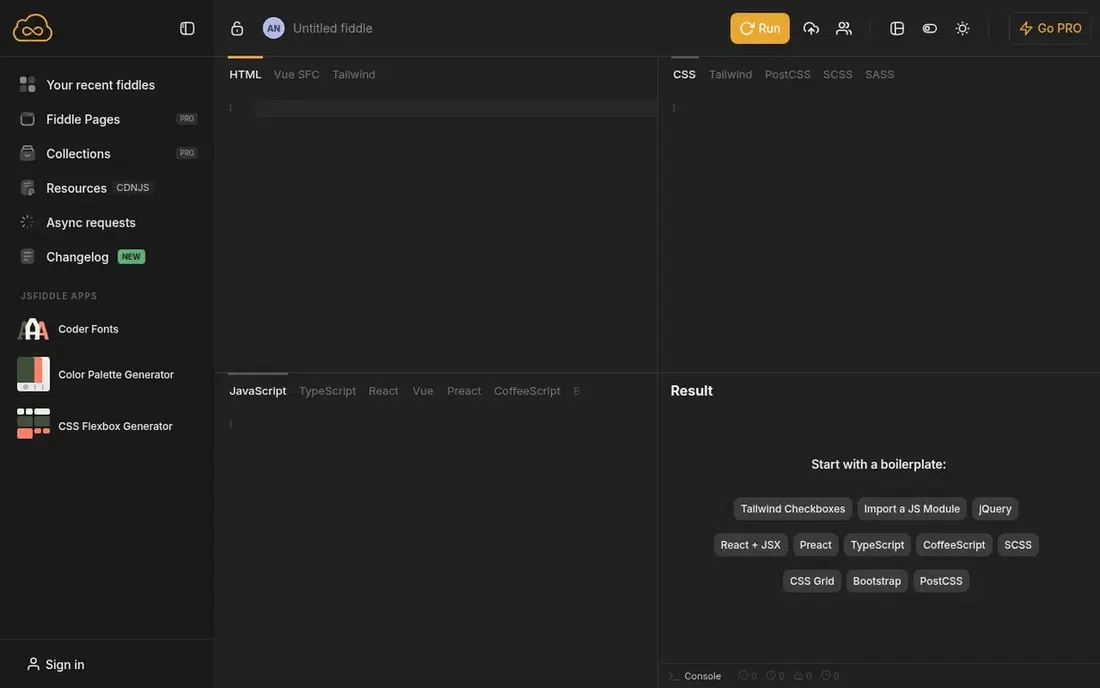
JSFiddle serves fast HTML, CSS and JavaScript tests. The same simplicity is the limit.
Choose it for fast experiments and pick a fuller environment when the project needs structure, dependencies or team access. JSFiddle shows no starting price here, so confirm the cost on the vendor site. Trial and free access: Not stated.
Honest limits: Restricted for large projects.
- Focused playground
- Well suited to sharing small examples
- Not a full cloud environment
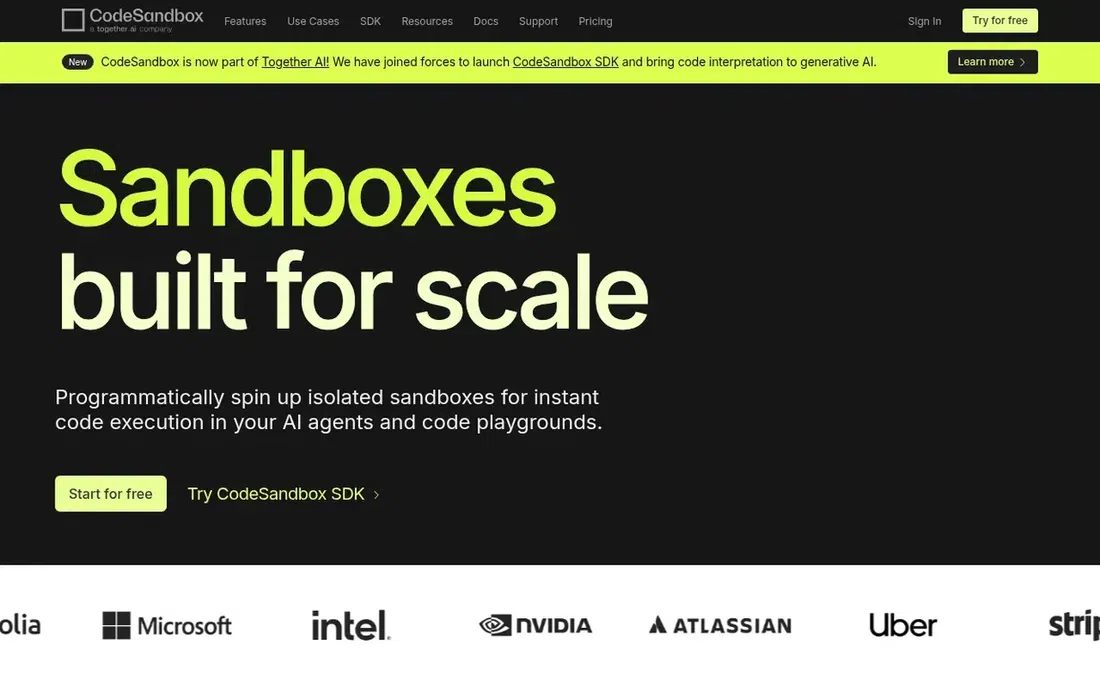
In short, CodeSandbox is for full cloud development environments. CodeSandbox describes itself as a cloud development product for coding, collaborating and shipping projects of any size from any device. That makes it a natural step up from a snippet playground: you get a fuller environment instead of a single preview pane.
Points against: More setup than fast tests need.
Beyond that, pick CodeSandbox when the work looks like a real project with dependencies and collaborators. People who only want to test a handful of lines may prefer a lighter playground. Since it aims at complete projects, it can feel like more than you need for a fast HTML or CSS experiment. This comparison lists no price for CodeSandbox; ask the vendor. Free plan details: Not stated.
- Cloud environments for projects of numerous sizes
- Works from any device
- Heavier than a snippet playground
Plunker
Best for: Straightforward browser-based web prototyping
Plunker targets simple browser-based web prototyping. Plunker describes itself as helping you build the web, and it is usually known as a browser-based playground for prototyping web code. Its documented feature set is thinner than the bigger systems here, so teams needing collaboration, dependencies or deployment should look elsewhere.
Limits to weigh: Not a full project product.
Confirm current capabilities on the vendor site before committing to it. In daily use, for a small prototype or a shared example, it can be enough. Plunker shows no starting price here, so confirm the cost on the vendor site. On free options: Not stated.
- Browser-based web building
- Light entry point
- Fewer documented features here
How we built this list
Selection started from tools commonly considered for CodePen, then narrowed to 5 that have clear pricing information or a clear quote process. Plan names, prices and limits change often. Treat the figures here as a starting point and verify them with the vendor. Position on the page reflects fit for a typical buyer first, with price clarity and free access breaking ties. Treat it as a guide, not a ruling.
Things to verify first
- Ask Glitch, JSFiddle, CodeSandbox and Plunker for a written quote, since no starting price is shown.
- Read the limits listed for Replit first: less control over fine details.
- Map your must-have features to a specific CodeSandbox plan before you compare prices.
- Before rolling out Plunker, verify the integrations your workflow depends on.
- See whether Replit offers onboarding or training, and whether it is included in the price.
FAQ
Do these tools publish their prices?
Not all of them. Glitch, JSFiddle, CodeSandbox and Plunker publish no starting price, so expect a quote request for those. The rest, Replit included, show a starting price, though seats and billing terms still change the final cost.
Can I try these tools before paying?
Not by default. None of the tools, from Replit to Plunker, lists a free plan or a free trial here, so ask each vendor for a demo before committing.
Do I need coding experience to use these alternatives?
Most of these tools assume you write code, since they are playgrounds and IDEs for web development. Replit is the exception in positioning, describing itself as able to build an app or website from a description with no coding required.
Which alternative is a good match for fast HTML, CSS and JavaScript tests?
The first pick on this list is Replit, because it suits building apps from a description. Glitch is better for small shared web projects, and JSFiddle for fast HTML, CSS and JavaScript tests. Check price and limits against your own needs before choosing.
What is the best CodePen alternative overall?
Start with Replit if you need building apps from a description. Glitch is the better match for small shared web projects, and JSFiddle for fast HTML, CSS and JavaScript tests. The best choice depends on budget, team size and workflow.
Is Replit the right pick for everyone comparing CodePen?
No single tool suits every team. Replit comes first because it fits building apps from a description, while Glitch suits small shared web projects and JSFiddle suits quick HTML, CSS and JavaScript tests. Match the tool to your own size, budget and workflow before deciding.