7 Best All-in-One Website Platforms for Small Businesses
Compare the best all-in-one website platform for sites, stores, bookings, domains and marketing, with options for portfolios, services and online selling.
- Editor's choice
 Wix
Flexible all-round business sites
Starts atFrom $17 per month billed annually for LightVisit wix.comFull review - Great alternative
 Squarespace
Design-led portfolios and service sites
Starts atFrom $16 per month billed annually for BasicVisit squarespace.comFull review - Also consider
 Shopify
Growing online stores
Starts atFrom $29 per month billed annuallyVisit shopify.comFull review
TL;DR:
- An all-in-one platform should cover hosting, domain connection, templates, SEO basics and marketing tools without extra vendors.
- Design quality, ease of editing and store depth pull in different directions, so pick the strength that matches your main goal.
- Transaction fees and plan limits matter, so check store fees, product limits and what a higher plan removes.
- Bookings, forms and memberships are not included on every plan, so check the plan that includes the tool you need.
- Moving a site later can be hard, so check export options and domain ownership before you build a large site.
Quick comparison
| Tool | Best for | Starts at | Free plan? | |
|---|---|---|---|---|
| Wix | Flexible all-round business sites | From $17 per month billed annually for Light | Yes | Visit |
| Squarespace | Design-led portfolios and service sites | From $16 per month billed annually for Basic | No | Visit |
| Shopify | Growing online stores | From $29 per month billed annually | No | Visit |
 WordPress.com | Low-cost sites and blogs | From $4 per month billed annually for Personal | Yes | Visit |
 BigCommerce | Scalable stores without transaction fees | From $39 per month | No | Visit |
 GoDaddy | Fast setup for simple business sites | See website | No | Visit |
 Webflow | Design-led sites with custom layout | See website | Yes | Visit |
The best all-in-one website platforms
We compared the options below on fit, features, price clarity and honest limits, so you can shortlist two or three and test them with real work before you commit. Start with the best-for labels in the table, then read the two or three write-ups that match your situation most closely.

Wix fits a small business that wants a flexible site plus bookings, forms, services and a store in one place. Its broad built-in tools mean a service business can add bookings, forms and marketing without adding many outside apps. The drawback is focus, because its store tools are less deep than Shopify for a large catalog, so a product-led business should compare Shopify first.
- Flexible editor
- Bookings and forms
- Marketing and store tools
- Flexibility can make design slower
- Store depth is less than Shopify
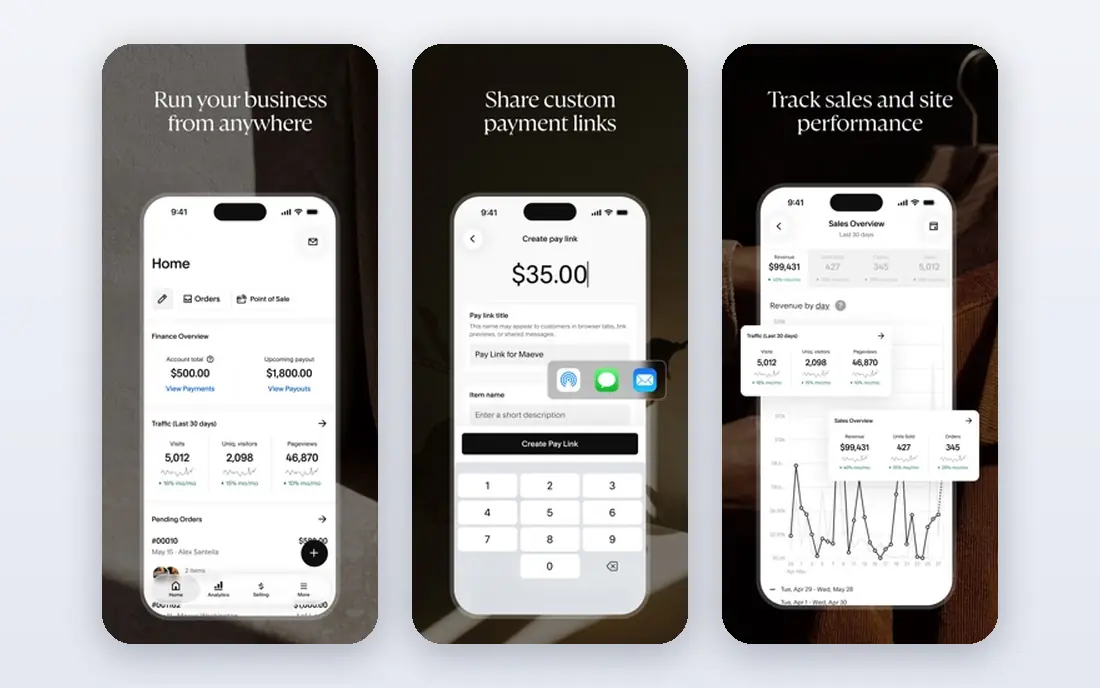
Squarespace fits a creative, portfolio or service business that wants a polished site with minimal design effort. Its templates give a professional look with less tweaking, which helps a photographer, designer or consultant launch quickly. The limit is cost structure, because the lower plan keeps a transaction fee on store sales, so a seller should price the plan that removes or lowers that fee.
- Polished templates
- Portfolio and service pages
- Built-in SEO and store tools
- No permanent free plan
- Lower plan keeps a store transaction fee

Shopify fits a business where selling products is the core goal and the catalog, checkout and channels will grow. Its store, inventory and checkout tools handle product selling at scale, with channels for online, social and in-person sales. The weakness is breadth, because a content or portfolio site may find its page tools less flexible than Wix or Squarespace, and paid apps can add to the monthly total.
- Store, inventory and checkout
- Sales channels
- Large app store
- Store focus means non-store pages are less flexible
- Apps can add monthly cost
WordPress.com fits a blogger, writer or small business that wants WordPress content tools at a low entry price. Its low Personal price and WordPress editor suit content-led sites that publish often and need categories, tags and search-friendly pages. The drawback is tiering, because store, plugin and advanced features need higher plans, so a seller should price the Commerce plan, not only Personal.
- WordPress content tools
- Themes
- Low entry price
- Store and advanced features need higher plans
- Lower plan keeps a payment fee
BigCommerce fits a growing store that wants catalog depth and multi-channel selling without a platform transaction fee. Its store tools handle larger catalogs, variants and channels, which helps a store that outgrows a simple builder. The limit is ease, because setup and design take more work than a template-led builder, so a small seller should test the editor before committing.
- Store and catalog tools
- No platform transaction fee
- Multi-channel selling
- Learning curve is steeper than Wix or Squarespace
- Design needs more setup
GoDaddy fits a small business that wants a simple site, domain and hosting from one account, with a fast setup. Its combined account keeps domain, hosting and site tools together, which simplifies setup for a first-time site owner. The weakness is design depth, because its templates and editor are less flexible than Wix or Squarespace, so a design-led business should compare those first.
- Website builder
- Domain and hosting in one account
- Marketing tools
- Design flexibility is less than Wix or Squarespace
- Store depth is modest
Webflow fits a designer or design-led business that wants precise layout control without coding a site from scratch. Its visual editor gives more layout control than template builders, which helps a brand that needs a distinct look. The drawback is learning time, because its power comes with a steeper curve, so a non-designer who wants a quick launch may prefer Wix or Squarespace.
- Visual design control
- CMS for content
- Hosting included
- Learning curve is steeper
- E-commerce needs a higher plan
How we picked these
We reviewed platforms that are still sold in October 2026, using vendor pricing pages and current builder comparisons from September and October 2026. We kept only platforms that bundle hosting, templates, domain connection and at least basic marketing or store tools, and we wrote See website where a vendor does not publish a clear starting price. We favored platforms with a clear plan path from a simple site to a store. We also weighed exit risk, because an all-in-one site can be hard to move later. That is why we note domain ownership and export limits in the buying guide, not only in the platform write-ups. We also checked whether a vendor page was current in October 2026 and whether pricing, limits and support paths were stated plainly, because vague pages often hide costs that appear after signup.
What to check before you choose
Pick your main goal first
A portfolio, a service site and a store need different strengths. Choose design for a portfolio, bookings and forms for services, and store depth for products, then compare platforms on that strength. Take notes during trials, compare the same tasks across tools, and ask support a real question to test response time and clarity before you pay.
Check fees beyond the plan price
Add transaction fees, app costs and domain renewal to the plan price. A low plan with a store fee can cost more than a higher plan once sales grow. Take notes during trials, compare the same tasks across tools, and ask support a real question to test response time and clarity before you pay.
Test editing with real content
Build a real page with your photos, services and prices during a trial. A template that looks good with demo content may feel cramped with your real content. Take notes during trials, compare the same tasks across tools, and ask support a real question to test response time and clarity before you pay.
Confirm ownership and export
Check who owns the domain, whether content can be exported, and what happens if you cancel. A clear exit path matters if you later move to another platform. Take notes during trials, compare the same tasks across tools, and ask support a real question to test response time and clarity before you pay.
FAQ
What is an all-in-one website platform?
It is a platform that bundles hosting, templates, domain connection, SEO basics and often store, booking or marketing tools in one subscription. It removes the need to buy hosting and tools separately. If you are unsure, start with the smallest plan or free tier, test it for two weeks with real work, and only upgrade when a missing feature blocks a task you do every week.
Wix, Squarespace or Shopify, which is best?
Wix suits a flexible all-round site, Squarespace suits design-led portfolios and service sites, and Shopify suits product selling at scale. Choose by your main goal, not by popularity alone. If you are unsure, start with the smallest plan or free tier, test it for two weeks with real work, and only upgrade when a missing feature blocks a task you do every week.
Can I sell on all of these platforms?
Yes, most offer store tools, but depth, fees and product limits vary by plan. Check transaction fees, product limits and checkout options on the plan you will actually use. If you are unsure, start with the smallest plan or free tier, test it for two weeks with real work, and only upgrade when a missing feature blocks a task you do every week.
Do I need to buy hosting separately?
No, all-in-one platforms include hosting in the subscription, which is part of their appeal. You may still need to buy or connect a domain, and domain renewal is often separate. If you are unsure, start with the smallest plan or free tier, test it for two weeks with real work, and only upgrade when a missing feature blocks a task you do every week.
Can I move my site later?
It depends on the platform, because content export and design portability vary. Check export options and domain ownership before you build a large site, so you are not locked in without a plan. If you are unsure, start with the smallest plan or free tier, test it for two weeks with real work, and only upgrade when a missing feature blocks a task you do every week.
Sources
https://www.wix.com https://www.squarespace.com https://www.shopify.com https://wordpress.com https://www.bigcommerce.com https://www.godaddy.com https://webflow.com https://startupowl.com/grow/best-website-builder-comparison