10 Mavenlink Alternatives for Professional Services in 2026
Compare the best mavenlink alternatives for project accounting, resource planning and client work, from simple task tools to full professional services.

- Editor's choice
 Asana
Simple cross-team work management
Starts atSee websiteVisit asana.comFull review - Great alternative
 monday.com
Visual project tracking for client work
Starts atSee websiteVisit monday.comFull review - Also consider
 Wrike
Work management with resource planning
Starts atSee websiteVisit wrike.comFull review
TL;DR:
- Project accounting is the key split, since task tools track work while PSA tools track margin, rates and invoicing.
- Resource planning matters when you allocate named people to projects, not just tasks to a team.
- Time tracking and invoicing should connect to your accounting system, or you will reconcile data by hand.
- Price the tier with the features you need, since entry plans often lack utilisation and financial reports.
Quick comparison
| Tool | Best for | Starts at | Free plan? | |
|---|---|---|---|---|
| Asana | Simple cross-team work management | See website | Yes | Visit |
| monday.com | Visual project tracking for client work | See website | Yes | Visit |
| Wrike | Work management with resource planning | See website | Yes | Visit |
 Smartsheet | Spreadsheet-style project and portfolio work | See website | No | Visit |
 ClickUp | Flexible all-in-one work platform | See website | Yes | Visit |
 Scoro | End-to-end business management for agencies | See website | No | Visit |
 Teamwork | Client project delivery for agencies | See website | Yes | Visit |
 Accelo | Automated client work and retainers | See website | No | Visit |
 Forecast | AI-assisted resource and project planning | See website | No | Visit |
 Productive | Agency profitability and operations | See website | No | Visit |
The best mavenlink alternatives for most readers
Mavenlink is now part of Kantata, and it is known for professional services automation, with project accounting and resource planning. A good alternative depends on whether you need full project accounting or just task and time tracking. We compared official feature pages, pricing pages and public reviews, and we did not claim hands-on testing we did not do.

Start here if you want a clear replacement without a long setup process. Asana is built for Simple cross-team work management. Asana organises work as tasks inside projects, with timelines, boards and automation that teams learn quickly. It suits teams that used Mavenlink mainly as a task tracker, and whose finance work already lives in an accounting system. It has no rate cards, utilisation reporting in the PSA sense, or invoicing, so it is not a full PSA replacement. Use it when task clarity matters most, and keep finance in your accounting tool rather than forcing it into Asana. That balance makes it a safe shortlist pick for most readers in this group.
- Clear projects, timelines, automation, free tier
- No project accounting or invoicing
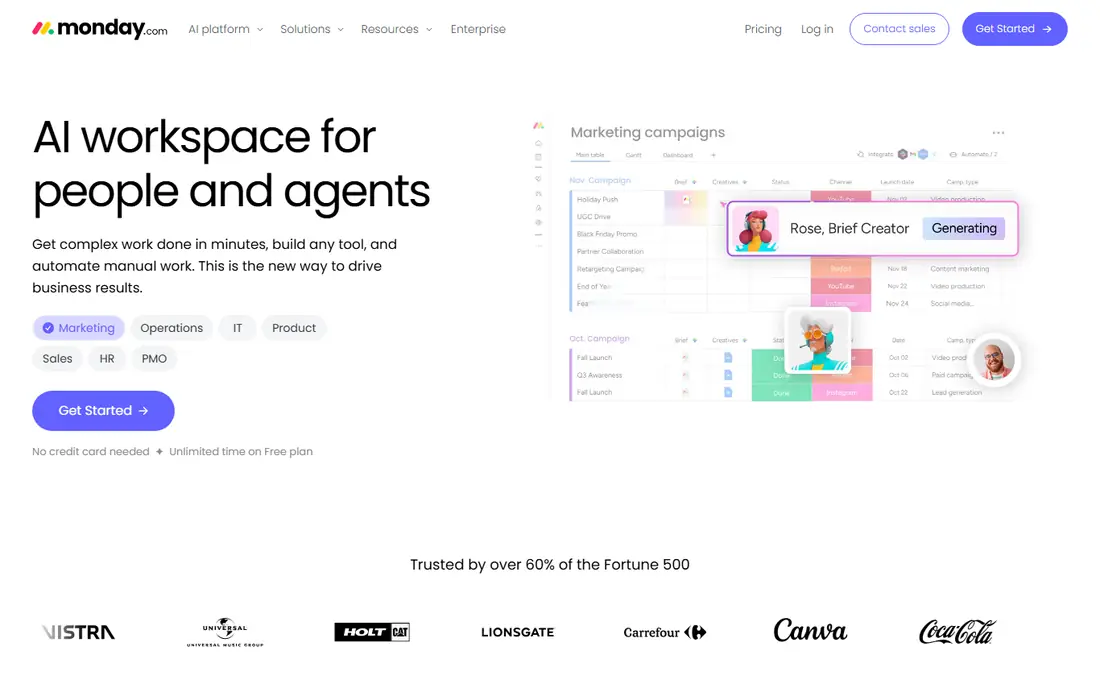
Choose this one when your main need is a lower monthly bill for the same core job. monday.com is built for Visual project tracking for client work. monday.com uses visual boards and dashboards that make project status easy to see for clients and staff. It suits teams that want a flexible tracker with automations, without the setup weight of a full PSA system. Project accounting depth is limited compared with PSA tools, so margin and rate reporting may need another system. Build one client board first, test automations and dashboards, then decide if finance needs a separate tool. For that reason, it belongs on a short trial list rather than a long research list.
- Visual boards, dashboards, automations
- Limited project accounting depth

This option suits readers who want more depth than a basic tool can offer. Wrike is built for Work management with resource planning. Wrike adds resource planning, time tracking, request forms and approvals to work management, which helps delivery teams. It suits teams that allocate hours to named people and need approval workflows for client work. Setup takes time to configure well, and full planning features sit on higher tiers. Assign one owner to setup, test resource views with real projects, and check time tracking before rollout. If that matches your daily work, the trial period will tell you quickly if it fits.
- Resource planning, time tracking, approvals
- Setup takes time, higher tiers for full planning
Pick this service when you need a tool that your whole team can use from day one. Smartsheet is built for Spreadsheet-style project and portfolio work. Smartsheet uses familiar grid, card and timeline views, with dashboards that suit portfolio and client reporting. It suits teams that like spreadsheet logic but need shared plans, approvals and resource views. It is not a full PSA system, so invoicing and detailed project margin reporting may need another tool. Use it when your team thinks in sheets and timelines, and test resource management with a real portfolio first. That trade-off is worth accepting if the main strength matches your top need.
- Grid and card views, dashboards, resource views
- Less PSA accounting than specialist tools
Consider this choice if you already use a related product and want a smoother switch. ClickUp is built for Flexible all-in-one work platform. ClickUp combines tasks, docs, time tracking, goals and dashboards in one flexible platform with a free tier. It suits small and mid-size teams that want many tools in one place without paying for a full PSA system. The flexibility can feel busy, and PSA-style reporting needs careful setup rather than working out of the box. Start with one team and one workflow, hide unused features, and add reporting only after daily use settles. On balance, it is a solid pick when that one strength matters more than the limits.
- Tasks, docs, time tracking, goals, free tier
- Can feel busy, PSA features need setup
A practical fit for small teams that need useful reports without hiring a specialist. Scoro is built for End-to-end business management for agencies. Scoro covers projects, quotes, time tracking, invoicing and reporting in one system built for agencies and consultancies. It suits firms that want project accounting and utilisation in the same place as task work. The price is higher than simple task tools, and onboarding takes longer for a full setup. Use it when margin, utilisation and invoicing are daily needs, and budget time for implementation. That mix of strengths and limits is typical in this category, so compare it on price and fit.
- Projects, quotes, time, invoicing, reporting
- Higher price, longer onboarding
This platform stands out for readers who care most about accuracy and clean reporting. Teamwork is built for Client project delivery for agencies. Teamwork is built for client delivery, with projects, milestones, time tracking and client access that agencies use daily. It suits agencies that manage many client projects and need clear milestones and time records. Financial reporting is lighter than full PSA tools, so complex margin work may need another system. Test client access and time tracking with one real client project before you move a full portfolio. If you value that strength, put it near the top of your shortlist.
- Client projects, time tracking, milestones
- Financial reporting is lighter than full PSA tools
Try this first when you want to test the core features before paying for a larger plan. Accelo is built for Automated client work and retainers. Accelo automates client work, retainers, tickets, time and invoicing, which helps service firms that bill recurring work. It suits firms with retainers and support tickets alongside projects, since those workflows connect in one system. The price and setup suit mid-size firms more than very small teams, so check the total cost for your seat count. Map retainers and ticket workflows first, since those are the features that set Accelo apart from simple task tools. That profile suits buyers who want a dependable daily tool, not a long feature list.
- Retainers, tickets, time, invoicing, automation
- Price and setup suit mid-size firms, not tiny teams
This choice makes sense for larger workloads where limits and seats start to matter. Forecast is built for AI-assisted resource and project planning. Forecast focuses on resource planning, budgets, time and forecasting, with AI-assisted scheduling for project teams. It suits teams that need to plan capacity and project finances together, without a full ERP system. The ecosystem is smaller than larger platforms, so check integrations with your accounting and HR tools. Test resource planning with your real team capacity, since that view is the main reason to choose Forecast. For many readers, that combination will be enough to make a decision after a trial.
- Resource planning, time, budgets, forecasting
- Smaller ecosystem than larger platforms
Look at this option when you want a familiar workflow with a few useful extras added. Productive is built for Agency profitability and operations. Productive combines projects, budgets, time tracking, invoicing and profitability reporting for agencies. It suits agencies that want to see project margin and team utilisation without juggling several tools. Full financial features sit on higher tiers, so price the tier that includes the reports you need. Run one completed project through the profitability view during the trial, since that report shows the real value quickly. That is why it works well as a second option if your first choice feels too costly or complex.
- Projects, budgets, time, invoicing, profitability
- Higher tiers for full financial features
How we picked these
We compared tools that offer project or task management, time tracking and client work features, and we checked pricing pages for starting plans and free tiers. We gave extra weight to resource planning, project accounting and invoicing, since those are the Mavenlink features most buyers miss. We left out simple to-do apps with no team, time or client features, since they do not replace a professional services tool.
How to choose between a task tool and a PSA tool
Ask one question first: do you need to know project margin, utilisation and billable rates in the same system? If yes, shortlist Scoro, Accelo, Productive and Forecast, and accept a higher price and longer setup. If no, a task tool such as Asana, monday.com or ClickUp will cost less and start faster. Next, check time and invoicing. A tool that tracks time but cannot invoice will still leave finance work in another system. Confirm whether invoicing, rate cards and accounting integrations are included or need an add-on.
Implementation time
PSA tools need setup for rates, roles and workflows, so plan a few weeks for rollout. Task tools can start in days, but they may need a separate finance tool later.
Team adoption
Choose the tool your delivery team will actually update daily. A powerful PSA system with stale time entries gives worse reports than a simple tool with accurate daily updates.
FAQ
What is the closest Mavenlink alternative?
Scoro and Productive are close on project accounting and agency workflows, while Kantata itself is the direct successor to Mavenlink. The best pick depends on whether you want a full PSA system or a simpler tracker.
Is Mavenlink still available as a separate product?
Mavenlink was combined into Kantata, so new buyers usually evaluate Kantata or a PSA alternative. Existing users should check their Kantata plan terms before switching.
Do I need a PSA tool or just project management?
You need a PSA tool when you track rates, utilisation, project margin and invoicing in one place. You need only project management when finance already runs in your accounting system and you mainly track tasks and deadlines.
Can I import projects and time data from Mavenlink?
Most tools allow CSV import for projects and tasks, but time entries, rates and financial history may need manual mapping. Export your data before you cancel, and test an import during the trial.
How much should a small agency budget for a PSA tool?
Budget by seats and by the tier with the financial reports you need, not by the entry price. A small agency often pays more per seat for a PSA tool than for a task tool, but it can save finance time each month.
Sources
https://asana.com/ https://monday.com/ https://www.wrike.com/ https://www.smartsheet.com/ https://clickup.com/ https://www.scoro.com/ https://www.teamwork.com/ https://www.accelo.com/ https://www.forecast.app/ https://productive.io/