Workflow Automation Software for Law Firms in 2026: The 6 Best Options Side by Side
Shortlisting the best workflow automation software for law firms? 6 products compared on cost, free access and ideal buyer. Real limits included. Easy to scan.
- Editor's choice
 MyCase
Running cases, billing, and payments together
Starts at$50 per user per monthVisit mycase.comFull review - Great alternative
 Filevine
AI-assisted legal case workflows
Starts atSee websiteVisit filevine.comFull review - Also consideriManage
Knowledge work and document intelligence
Starts atSee websiteVisit imanage.comFull review
Direct answer
MyCase is the first pick on this list for running cases, billing, and payments together. Listed starting prices: MyCase from $50 per user per month and PracticePanther from $49 per user a month. Filevine is better for AI-assisted legal case workflows, and iManage is better for knowledge work and document intelligence. The other 3 tools in the list cover narrower or pricier cases.
TL;DR:
- The list opens with MyCase, aimed at running cases, billing, and payments together.
- For the cheapest start, look at PracticePanther: $49 per user per month.
- NetDocuments suits secure document and email management.
- Neither MyCase nor NetDocuments, nor any of the other 4 tools, has a permanent free plan; trials and quotes are the norm.
- Check the limits for Filevine before you commit: best fit for case-heavy practices.
Last checked November 2026. Prices and plan details were read from the vendors' own pages in November 2026; vendors change plans often, so confirm the current price on the vendor site before you buy.
Quick comparison
| Tool | Best for | Starts at | Free plan? | |
|---|---|---|---|---|
| MyCase | Running cases, billing, and payments together | $50 per user per month | Free trial | Visit |
| Filevine | AI-assisted legal case workflows | See website | Free trial | Visit |
| iManage | Knowledge work and document intelligence | See website | Not stated | Visit |
 Smokeball | Automatic time tracking and document automation | See website | Not stated | Visit |
 PracticePanther | Automating billing and time tracking | $49 per user a month | Free trial | Visit |
 NetDocuments | Secure document and email management | See website | Not stated | Visit |
The full workflow automation software for law firms list
LinkVetted put together this guide to workflow automation software for law firms for readers who want a clear shortlist without reading every vendor page. It compares 6 tools on starting price, free plans, who each one suits and where each one falls short.
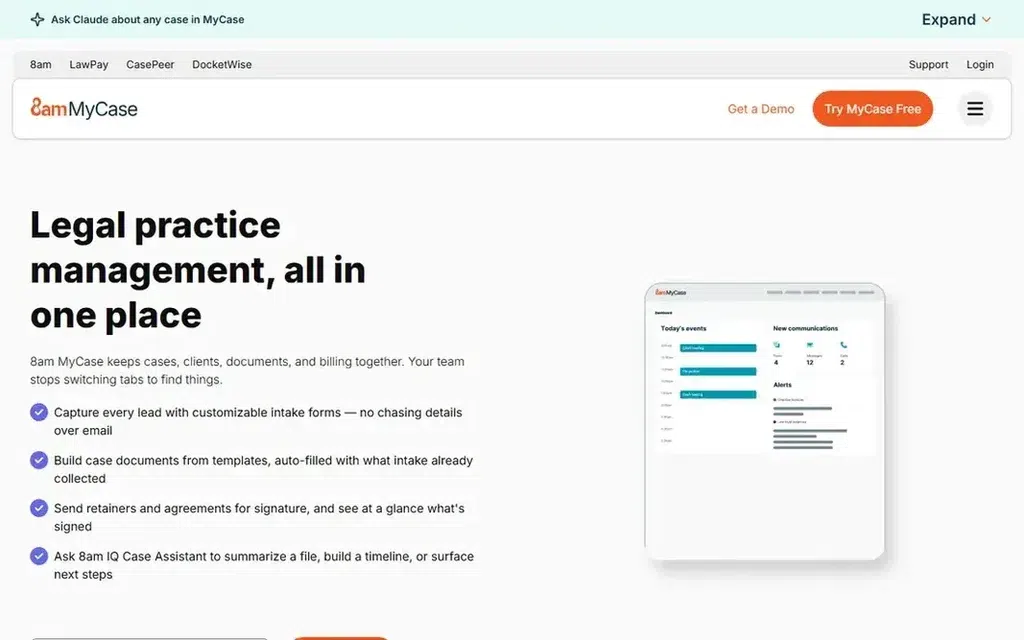
MyCase makes the most sense for running cases, billing, and payments together. Businesses with unusual practice structures may outgrow the standard model. From a buyer's view, customization depth is modest compared to platforms made for complicated, multi-stage workflows.
Upsides: Billing and payments included.
In daily use, MyCase is legal practice management software built to run a profitable firm instead of only handle cases, bringing cases, clients, billing, and payments into one place. More specifically, if your firm needs heavy process design across departments, a more customizable system is the better route. The starting price for MyCase: $50 per user per month. Trial and free access: Free trial.
Watch-outs: Restricted large-firm tooling.
- Cases and clients in one place
- Straightforward firm management
- Less deep customization

Think of Filevine for AI-assisted legal case workflows. Filevine presents itself as a legal AI product for law businesses and legal teams, with LOIS as its AI layer.
For everyday use, consider alternatives when your central need is email and document governance instead of case automation. Check the vendor site for Filevine pricing; none is listed in this comparison. Free plan details: Free trial.
Downsides: Best fit for case-heavy practices.
- Made for legal teams
- Legal AI product
- Setup requires planning
iManage
Best for: Knowledge work and document intelligence
iManage makes the most sense for knowledge work and document intelligence. iManage describes itself as an AI knowledge work system for legal and professional services that runs and activates knowledge, supporting smarter decisions whereas securely connecting people and AI. In daily use, choose it when knowledge management and document intelligence drive the automation strategy instead of matter administration.
Limits to weigh: Enterprise-oriented scope.
On top of that, the scope leans enterprise, so smaller businesses may find it more than they need and may need integration planning alongside existing systems. It is not a billing or intake tool. iManage shows no starting price here, so confirm the cost on the vendor site. Trial and free access: Not stated.
- Secure connections across people and AI
- AI-assisted knowledge activation
- Integration planning needed

Where Smokeball fits: automatic time tracking and document automation. Document and email governance is lighter than in dedicated document management products. From a buyer's view, Smokeball is legal practice management software centered on productivity through automatic time tracking, document automation, and trust and billing.
Where it falls short: Focused on smaller businesses.
Its strengths sit in practice management instead of broad enterprise workflow orchestration, so very large businesses with layered approval processes may find it narrow. Pick something else if your priority is firm-wide knowledge management across numerous offices instead of daily matter automation. Smokeball shows no starting price here, so confirm the cost on the vendor site. As for free access: Not stated.
- Trust and billing software
- Automatic time tracking
- Restricted non-legal workflow depth
PracticePanther is designed for automating billing and time tracking. PracticePanther is law practice management software that automates firm processes, billing, time tracking, and more.
Drawbacks to consider: Less suited to large businesses.
Businesses transitioning from spreadsheets and separate billing tools commonly find the consolidated view handy. Starting cost for PracticePanther: $49 per user per month. On free options: Free trial.
- Billing and time tracking
- Firm-wide task handling
- Deeper workflows need setup
NetDocuments targets secure document and email management. NetDocuments gives you document and email management for legal businesses and departments, automating filing and organization on a secure, compliant system accessible from anywhere. It is not a practice management system, so intake, timekeeping, and billing come from other tools.
The main drawbacks: Not a full practice suite.
Worth adding: businesses wanting one suite for everything may prefer a broader product. Pick NetDocuments when document and email control is the core requirement, notably with compliance obligations. Pricing for NetDocuments is not stated here, so ask the vendor for current figures. Free options: Not stated.
- Compliant system
- Access from anywhere
- Needs adoption discipline
How we chose
Each tool was reviewed on what its vendor publishes: price, plan limits, core features and stated drawbacks. We did not run hands-on tests. Treat prices as a snapshot: vendors change plans often, so check the vendor site for the figure that applies today. Tools are placed by general fit for workflow automation software for law firms, with price clarity and free access as tie-breakers. A different team can reasonably rank them differently.
Pre-purchase checklist
- Get a written quote from Filevine, iManage, Smokeball and NetDocuments; the list shows no starting price for them.
- Take the trial from MyCase, Filevine and PracticePanther and push a live task through it before you pay.
- Read the limits listed for MyCase first: less deep customization.
- Check whether MyCase bills monthly or annually, and what cancelling early costs.
- Check the support hours and onboarding help NetDocuments offers; smaller vendors vary a lot here.
FAQ
Do law businesses need separate document management and practice management tools?
NetDocuments and iManage focus on documents and knowledge, whereas Smokeball and MyCase handle cases and billing. Businesses with heavy records needs frequently run both types together.
What is the cheapest option for workflow automation software for law firms in this list?
On published monthly entry prices, PracticePanther is the lowest here at $49 per user per month. Entry price is only part of the cost, because seats, add-ons and billing terms can change the total. Prices, free plan details and limits for all 6 tools in this workflow automation software for law firms roundup sit on the individual cards above.
How does AI fit into legal workflow automation?
Filevine and iManage both present AI as part of their systems, pitched at case handling and knowledge work respectively. On top of that, AI features vary widely, so ask vendors to demonstrate the specific tasks you want automatic.
Does any tool for workflow automation software for law firms here have a free plan?
A permanent free plan is not offered by MyCase, NetDocuments or the other tools here. MyCase, Filevine, PracticePanther offer a trial. Plan a short evaluation period instead.
Can I try these tools before paying?
Often, yes. MyCase, Filevine and PracticePanther offer a free trial. Use your own data and a real task during the test, and check what the free tier or trial limits before you rely on it.
Is MyCase the right pick for everyone comparing workflow automation software for law firms?
No single tool suits every team. MyCase comes first because it fits running cases, billing, and payments together, while Filevine suits AI-assisted legal case workflows and iManage suits knowledge work and document intelligence. Match the tool to your own size, budget and workflow before deciding.
Sources
- https://www.mycase.com
- https://www.filevine.com
- https://imanage.com
- https://www.smokeball.com
- https://www.practicepanther.com
- https://www.netdocuments.com