Best WordPress Hosting with Staging Environments in 2026: 5 Tools Compared
Searching for the best WordPress hosting with staging environments? Here are 5 options with prices and free plans. Each entry gets a plain verdict. Start here.
- Editor's choice
 Pantheon
WebOps with staging workflows
Starts atSee websiteVisit pantheon.ioFull review - Great alternative
 Liquid Web
Managed hosting with reliability
Starts atSee websiteVisit liquidweb.comFull review - Also consider
 Kinsta
Performance-focused WordPress sites
Starts at$17.50 a monthVisit kinsta.comFull review
Direct answer
If you need WebOps with staging workflows, Pantheon is the first tool to look at here. Listed starting prices: Kinsta from $17.50 a month, WP Engine from $28.00 a month and Cloudways from $20 a month. Alternatives: Liquid Web for managed hosting with reliability, and Kinsta for performance-focused WordPress sites. The other 2 tools in the list cover narrower or pricier cases.
TL;DR:
- Number one here is Pantheon, a fit for WebOps with staging workflows.
- WP Engine comes with a trade-off: higher cost than budget hosts.
- Kinsta is the lowest-priced starter here at $17.50 per month.
- Cloudways suits flexible managed cloud hosting.
- A permanent free plan is missing from all 5 tools, Pantheon and Cloudways included; plan for a trial or a premium start.
Last checked November 2026. Prices and plan details were read from the vendors' own pages in November 2026; vendors change plans often, so confirm the current price on the vendor site before you buy.
Quick comparison
| Tool | Best for | Starts at | Free plan? | |
|---|---|---|---|---|
| Pantheon | WebOps with staging workflows | See website | Not stated | Visit |
| Liquid Web | Managed hosting with reliability | See website | Not stated | Visit |
| Kinsta | Performance-focused WordPress sites | $17.50 a month | Free trial | Visit |
 WP Engine | Managed WordPress with staging | $28.00 a month | Not stated | Visit |
 Cloudways | Adaptable managed cloud hosting | $20 a month | Free trial | Visit |
Our 5 WordPress hosting with staging environments
If you are comparing WordPress hosting with staging environments, this page covers 5 tools in one place: what each is best for, what it costs to start, whether it has a free plan, and the main limit to know about.
Pantheon works best for WebOps with staging workflows. Pantheon's system is more complicated than usual shared hosting and may need technical expertise. Its pricing and feature set are geared toward professional teams instead of beginners.
Also, the system fits technical teams and agencies that require solid deployment processes. Also, consider it when you need advanced staging and deployment workflows across several frameworks. Pantheon is a WebOps system for building and managing websites, including WordPress, Drupal, and Next.js. It offers development, staging, and live environments as part of its workflow. Pricing for Pantheon is not stated here, so ask the vendor for current figures. Trial and free access: Not stated.
What works well: WebOps product.
Honest limits: Steeper ramp-up time.
- Staging and development environments
- Supports WordPress and more
- Geared toward technical teams

Choose Liquid Web for managed hosting with reliability. It gives you dedicated servers, managed hosting, and compliant infrastructure.
Watch-outs: Staging may depend on plan.
Beyond that, Liquid Web is not exclusively WordPress-focused, so staging features can vary by plan. Liquid Web shows no starting price here, so confirm the cost on the vendor site. Free options: Not stated.
- Focus on uptime and security
- Scalable infrastructure
- Broader focus beyond WordPress

Kinsta is a good fit for performance-focused WordPress sites. Kinsta is a managed WordPress host aimed at speed and security, with staging environments for testing changes. It runs on cloud infrastructure and is geared toward companies and developers who require quick, dependable WordPress performance.
Strengths: WordPress-specific hosting.
Downsides: Restricted to WordPress and related stacks.
In practice, choose it when performance and WordPress-specific staging are key. The product comes with tools for site management and support. In daily use, Kinsta's pricing is on the higher end, which may not suit hobby sites or very small budgets. It centres on WordPress, so it is not ideal if you have to host other types of applications. Starting cost for Kinsta: $17.50 per month. Free plan details: Free trial.
- Enterprise-grade speed and security
- Staging environments available
- Premium pricing
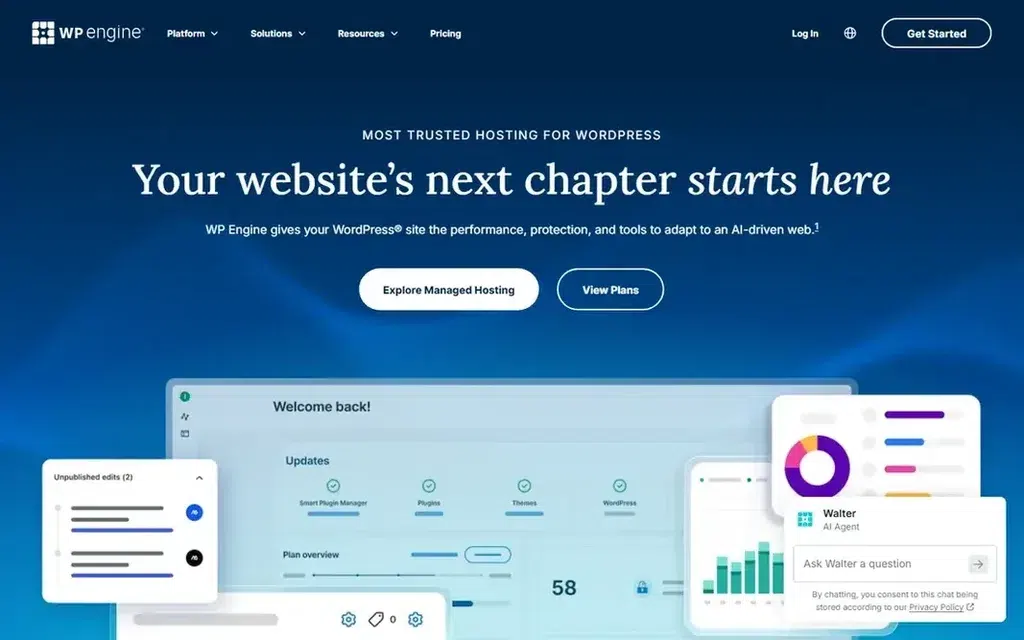
Where WP Engine fits: managed WordPress with staging. WP Engine is a managed WordPress hosting product with a capable focus on performance, security, and support. It bundles staging environments so you can test updates and changes before pushing them live.
Strengths: WordPress-focused system.
Beyond that, consider it when WordPress staging and managed support are priorities. For everyday use, WP Engine is priced above budget shared hosts and may not fit very small sites with tight budgets. It is also not the right choice if you have to host non-WordPress applications alongside your site. Starting cost for WP Engine: $28.00 per month. Free access: Not stated. Drawbacks to consider: Higher cost than budget hosts.
- 24/7 support and security features
- Staging environments included
- Less adaptable for non-WordPress sites
In short, Cloudways is for adaptable managed cloud hosting. Cloudways is a managed cloud hosting system that eases deploying sites on major cloud providers.
Points against: Staging may need configuration.
The product fits developers and firms that want cloud flexibility with managed support. The starting price for Cloudways: $20 per month. Trial and free access: Free trial.
- Managed cloud hosting
- Choice of cloud providers
- Less WordPress-specific than others
How the list was put together
LinkVetted looked at what each vendor publishes: pricing, plan limits, feature coverage for WordPress hosting with staging environments and stated drawbacks. No hands-on testing is claimed. Plan names, prices and limits change often. Treat the figures here as a starting point and verify them with the vendor. The ranking is editorial: typical fit first, then clear pricing, then free access. If your needs are unusual, read the profiles rather than relying on position.
Before you commit
- Ask Pantheon and Liquid Web for a written quote, since no starting price is shown.
- Run a trial of Kinsta and Cloudways with real work before paying for a year; your own workflow is the best test.
- Before choosing Pantheon, weigh its main limit: steeper ramp-up time.
- Make sure WP Engine lets you export your data in a format another tool can read.
- Before rolling out Liquid Web, verify the integrations your workflow depends on.
FAQ
Do all WordPress hosts offer staging?
Some hosts contain it on all plans, whereas others offer it only on higher levels or as an add-on. Always check the plan details before signing up if staging is important to you.
What is the cheapest option for WordPress hosting with staging environments in this list?
On published monthly entry prices, Kinsta is the lowest here at $17.50 per month. Entry price is only part of the cost, because seats, add-ons and billing terms can change the total. Each of the 5 options in this WordPress hosting with staging environments guide has its own card above with the price, free plan and limits.
Can I use staging with Cloudways or Pantheon?
Yes, both Cloudways and Pantheon support staging environments. Cloudways may need some configuration based on your cloud provider, whereas Pantheon bundles staging as part of its WebOps workflow.
Is Pantheon the right pick for everyone comparing WordPress hosting with staging environments?
No single tool suits every team. Pantheon comes first because it fits WebOps with staging workflows, while Liquid Web suits managed hosting with reliability and Kinsta suits performance-focused WordPress sites. Match the tool to your own size, budget and workflow before deciding.
Can I try these tools before paying?
Often, yes. Kinsta and Cloudways offer a free trial. Use your own data and a real task during the test, and check what the free tier or trial limits before you rely on it. All 5 picks in this WordPress hosting with staging environments comparison list a starting price, free plan details and the main limits on their cards above.
Which host is a good match for agencies needing staging?
Start with Pantheon if you need WebOps with staging workflows. Liquid Web is the better match for managed hosting with reliability, and Kinsta for performance-focused WordPress sites. The best choice depends on budget, team size and workflow.
Sources
- https://pantheon.io
- https://www.liquidweb.com
- https://kinsta.com
- https://wpengine.com
- https://www.cloudways.com