Top 6 WordPress Hosting Platforms for Remote Teams for 2026 (Prices and Free Plans)
Searching for the best WordPress hosting platforms for remote teams? Here are 6 options with prices and free plans. Each entry gets a plain verdict. Start here.
- Editor's choice
 Cloudways
Managed cloud hosting adaptability
Starts at$20 a monthVisit cloudways.comFull review - Great alternative
 Liquid Web
Reliability and scalable infrastructure
Starts atSee websiteVisit liquidweb.comFull review - Also consider
 WP Engine
Managed WordPress with solid support
Starts at$28.00 a monthVisit wpengine.comFull review
Direct answer
If you need managed cloud hosting adaptability, Cloudways is the first tool to look at here. Listed starting prices: Cloudways from $20 a month, WP Engine from $28.00 a month and Flywheel from $25 per month. Alternatives: Liquid Web for reliability and scalable infrastructure, and WP Engine for managed WordPress with strong support. The other 3 tools in the list cover narrower or pricier cases.
TL;DR:
- This list starts with Cloudways, which is built for managed cloud hosting adaptability.
- Before buying Flywheel, weigh this: agency focus may not fit in-house teams.
- None of the 6 tools, from Cloudways to SiteGround, has a free plan, so budget for a subscription or use a trial.
- Kinsta is the lowest-priced starter here at $17.50 per month.
Last checked November 2026. Prices and plan details were read from the vendors' own pages in November 2026; vendors change plans often, so confirm the current price on the vendor site before you buy.
Quick comparison
| Tool | Best for | Starts at | Free plan? | |
|---|---|---|---|---|
| Cloudways | Managed cloud hosting adaptability | $20 a month | Free trial | Visit |
| Liquid Web | Reliability and scalable infrastructure | See website | Not stated | Visit |
| WP Engine | Managed WordPress with solid support | $28.00 a month | Not stated | Visit |
 Flywheel | Designers and agencies managing client sites | $25 per month | Not stated | Visit |
 Kinsta | Performance-focused managed WordPress | $17.50 a month | Free trial | Visit |
 SiteGround | Budget-friendly WordPress hosting | See website | Not stated | Visit |
WordPress Hosting Platforms for Remote Teams profiles
Short on time? The summary and table above give the quick view of 6 WordPress hosting platforms for remote teams, and the profiles that follow give the detail behind each entry.
In short, Cloudways is for managed cloud hosting adaptability. Cloudways is a managed cloud hosting product that eases deploying and scaling websites on cloud infrastructure.
It suits remote teams that want more control and adaptability than a traditional managed WordPress host whereas still avoiding server administration. What you pay to start with Cloudways: $20 per month. Free options: Free trial.
The main drawbacks: Needs more technical comfort.
- Managed cloud hosting
- Scales with business needs
- Not WordPress-only
Liquid Web serves reliability and scalable infrastructure. Liquid Web supplies hosting solutions made for uptime, performance, and security, including dedicated servers, managed hosting, and compliant infrastructure.
Teams that want a WordPress-only managed experience might prefer a specialized host. As for the details, Liquid Web's infrastructure-centric approach can be more complicated and expensive than a straightforward managed WordPress plan, so small teams with entry-level sites may not need it. Pricing for Liquid Web is not stated here, so ask the vendor for current figures. Free plan details: Not stated.
Where it is weaker: Premium infrastructure positioning.
- Focus on uptime and performance
- Dedicated and managed choices
- Can be complicated for small teams
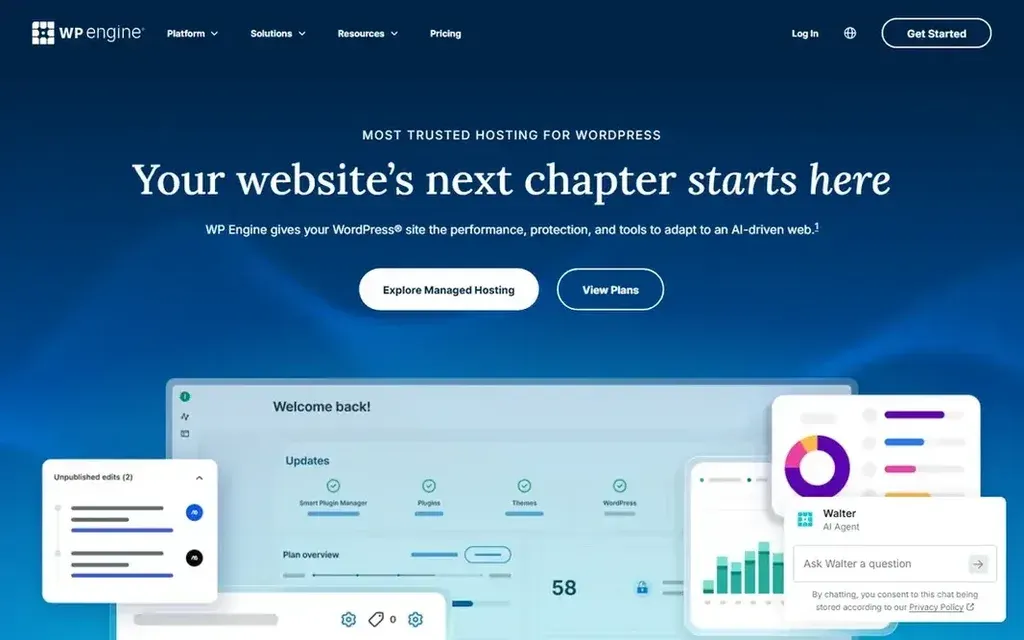
Where WP Engine fits: managed WordPress with solid support. WP Engine is a managed WordPress hosting product built around performance, security, and support.
Drawbacks to consider: Premium positioning.
From a buyer's view, the trade-off is that WP Engine sits at the higher end of managed WordPress hosting, so very small teams on tight budgets may find it more than they need. More specifically, the product comes with staging and development workflows that support collaboration across distributed teams. What you pay to start with WP Engine: $28.00 per month. As for free access: Not stated.
- Managed WordPress focus
- 24/7 support and security
- Less suited to very tight budgets
Choose Flywheel for designers and agencies managing client sites. Flywheel is managed WordPress hosting made for designers and creative agencies.
More specifically, the product emphasizes ease of managing numerous WordPress installs from one place. Flywheel's agency-oriented model may be more than an in-house marketing team needs, and teams hosting non-WordPress applications will need a different system. What you pay to start with Flywheel: $25 per month. Trial and free access: Not stated.
The main drawbacks: Less suited to non-WordPress workloads.
- Handle numerous WordPress sites
- Workflow for client projects
- Agency focus may not fit in-house teams

Kinsta serves performance-focused managed WordPress. Kinsta is a managed WordPress host that emphasizes speed, security, and support.
Smaller teams with straightforward sites might do fine on a more general shared host. Starting cost for Kinsta: $17.50 per month. Free options: Free trial.
Limits to weigh: May be more than small teams need.
- Enterprise-grade speed focus
- Security and support included
- Managed model limits deep server control

SiteGround targets budget-friendly WordPress hosting. The system is widely used by small companies and expanding sites.
On top of that, SiteGround is a web hosting company that gives you shared and managed WordPress hosting with an emphasis on speed, security, and support. As for the details, SiteGround's shared hosting environment can feel limiting for teams that require custom server configurations or heavy resource allocation. SiteGround shows no starting price here, so confirm the cost on the vendor site. Trial and free access: Not stated.
Watch-outs: Managed features vary by plan.
- Fits smaller teams and sites
- Speed and security focus
- Shared hosting can limit heavy customization
How these tools were picked
For each of the 6 tools we noted price, free plan or trial, fit for WordPress hosting platforms for remote teams and the main limit, using vendor pages and documentation. Treat prices as a snapshot: vendors change plans often, so check the vendor site for the figure that applies today. We ordered the tools by general fit, then by how clearly pricing is shown, then by free access. A buyer with unusual needs may reorder them.
What to check before you buy
- Ask Liquid Web and SiteGround for a written quote, since no starting price is shown.
- Take the trial from Cloudways and Kinsta and push a live task through it before you pay.
- Read the limits listed for Cloudways first: needs more technical comfort.
- List the apps you already depend on and check that WP Engine supports each one on the plan you would buy.
- Confirm the exact Cloudways plan that includes your must-have features.
FAQ
What is the cheapest option for WordPress hosting platforms for remote teams in this list?
On published monthly entry prices, Kinsta is the lowest here at $17.50 per month. Entry price is only part of the cost, because seats, add-ons and billing terms can change the total. Each of the 6 options in this WordPress hosting platforms for remote teams guide has its own card above with the price, free plan and limits.
What should remote teams look for in WordPress hosting?
Remote teams should prioritize managed updates, staging environments, dependable uptime, and support that handles their working hours. Collaboration features for example multi-user access and site management tools also matter when team members are spread across locations.
How do agency-focused hosts differ from general WordPress hosts?
Agency-focused hosts like Flywheel are built around managing numerous client sites, with workflows for building, scaling, and handing off projects. General WordPress hosts may focus on single-site owners or firms and offer less multi-site tooling.
Is Cloudways the right pick for everyone comparing WordPress hosting platforms for remote teams?
No single tool suits every team. Cloudways comes first because it fits managed cloud hosting flexibility, while Liquid Web suits reliability and scalable infrastructure and WP Engine suits managed WordPress with strong support. Match the tool to your own size, budget and workflow before deciding.
Do these tools publish their prices?
Not all of them. Liquid Web and SiteGround publish no starting price, so expect a quote request for those. The rest, Cloudways included, show a starting price, though seats and billing terms still change the final cost. All 6 picks in this WordPress hosting platforms for remote teams comparison list a starting price, free plan details and the main limits on their cards above.
Does any tool for WordPress hosting platforms for remote teams here have a free plan?
No tool in this list, Cloudways and SiteGround included, has a permanent free plan. Cloudways, Kinsta offer a trial. Trials and quotes are the usual route, so plan a short evaluation period.
Sources
- https://www.cloudways.com
- https://www.liquidweb.com
- https://wpengine.com
- https://getflywheel.com
- https://kinsta.com
- https://www.siteground.com