Best Windows Terminal Software (2026): 5 Picks Checked on Vendor Pages
Best windows terminal software, compared. 5 tools with published prices, free plans and limits. Every pick gets a straight assessment. Narrow your shortlist.
- Editor's choiceXshell
SSH terminal with wide protocol support
Starts atSee websiteVisit netsarang.comFull review - Great alternativePuTTY
Straightforward, widely known SSH and Telnet
Starts atSee websiteVisit putty.orgFull review - Also consider
 Termius
SSH sessions across desktop and mobile
Starts at$10 per monthVisit termius.comFull review
Direct answer
Start with Xshell if you need SSH terminal with wide protocol support. Listed starting prices: Termius from $10 per month. PuTTY is the stronger choice for simple, widely known SSH and Telnet, while Termius suits SSH sessions across desktop and mobile. The full list of 5 tools follows, with prices and free plan facts.
TL;DR:
- Xshell sits first on this list: SSH terminal with wide protocol support.
- Only Termius offers a free plan among these 5 tools.
- Termius is the lowest-priced starter here at $10 per month.
- For everyday local console work on Windows, Windows Terminal is worth a look.
- Cmder comes with a trade-off: bundle can feel heavy.
Last checked November 2026. Prices and plan details were read from the vendors' own pages in November 2026; vendors change plans often, so confirm the current price on the vendor site before you buy.
Quick comparison
| Tool | Best for | Starts at | Free plan? | |
|---|---|---|---|---|
| Xshell | SSH terminal with wide protocol support | See website | Not stated | Visit |
| PuTTY | Straightforward, widely known SSH and Telnet | See website | Not stated | Visit |
| Termius | SSH sessions across desktop and mobile | $10 per month | Yes | Visit |
| Cmder | Console package with Unix style tools | See website | Not stated | Visit |
| Windows Terminal | Everyday local console work on Windows | See website | Not stated | Visit |
The full windows terminal software list
Short on time? The summary and table above give the quick view of 5 tools for Windows terminal software, and the profiles that follow give the detail behind each entry.
Xshell
Best for: SSH terminal with wide protocol support
Pick Xshell if this describes you: SSH terminal with wide protocol support. Xshell is NetSarang's SSH terminal, presented as a SSH client with essential protocols for example SFTP, Telnet and RDP plus tools for managing sessions efficiently. The feature set is broad, which can feel like more than a casual user needs.
Points against: Licensing terms vary by use case.
In daily use, licensing terms differ based on how you use it, so check the vendor page for your situation. Also, for fast one off connections, a smaller client is commonly quicker to set up. Check the vendor site for Xshell pricing; none is listed in this comparison. Free access: Not stated.
- Session management tools
- SSH plus SFTP
- Feature set can feel large for casual users
PuTTY
Best for: Straightforward, widely known SSH and Telnet
For straightforward, widely known SSH and Telnet, PuTTY is a natural candidate. PuTTY is one of the best known free terminal clients for Windows, widely used for SSH and Telnet connections to remote systems. It is small, direct and concentrated on getting a session open without additional layers.
Honest limits: Dated interface.
In practice, the interface is plain and has changed little over time. From a buyer's view, session management is entry-level, so people juggling many hosts commonly look for a client with better organization. No starting price is listed for PuTTY here; confirm pricing on the vendor site. On free options: Not stated.
- Supports SSH and Telnet
- Long established and widely used
- Minimal session organization
Termius is aimed squarely at SSH sessions across desktop and mobile. Some advanced capabilities are reserved for premium levels. On top of that, the cross device experience relies on an account and syncing, which not everyone wants for server access.
Watch-outs: Account based sync model.
Also, Termius describes itself as a modern SSH client for Mac, Windows, Linux, iOS and Android, letting you link with one click from any device. That cross product reach is its central draw: sessions and hosts can follow you between a desktop and a phone. On cost, Termius starts like this: $10 per month. Free access exists with Termius.
- Modern interface
- One click connection workflow
- Advanced features sit behind premium levels
Cmder
Best for: Console package with Unix style tools
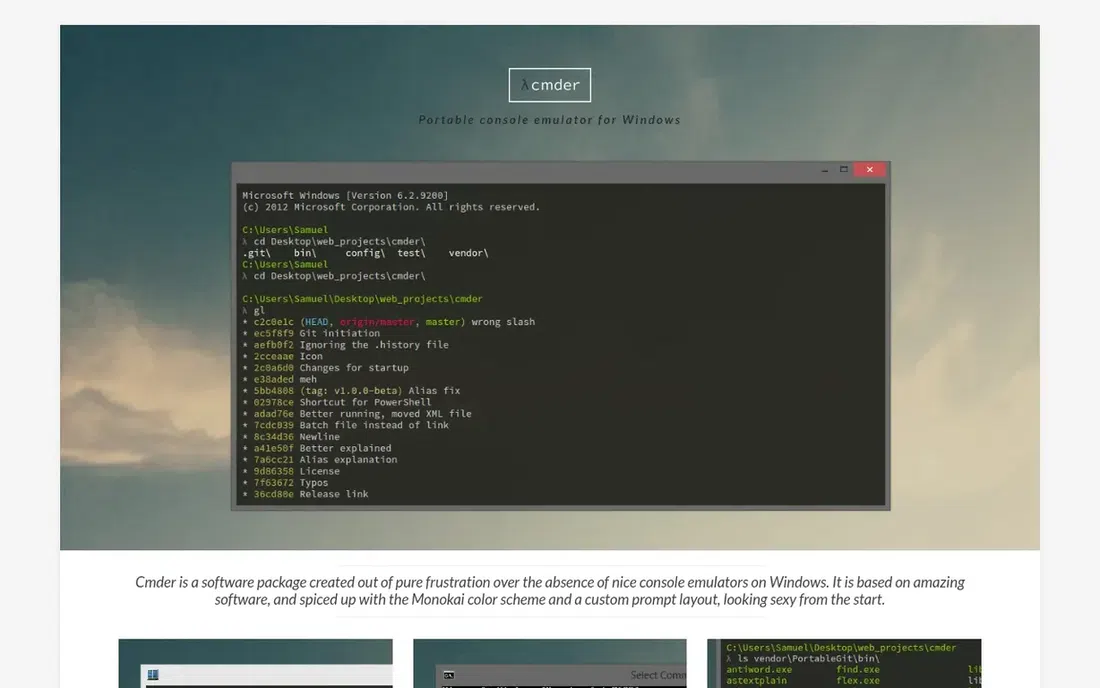
Cmder serves console package with Unix style tools. Choose a lighter choice if you only need tabs for PowerShell and Command Prompt. Cmder is described as a software package that gives you an excellent console experience even on Windows.
The main drawbacks: Updates rely on the project.
For everyday use, since it is a package, it carries more components than a plain terminal, which some users find heavier than needed. Its development pace is not tied to Microsoft, so features can lag behind the built in terminal. No starting price is listed for Cmder here; confirm pricing on the vendor site. Trial and free access: Not stated.
- Bundles a full console experience
- Bundles typical Unix style utilities
- Bundle can feel heavy
Windows Terminal
Best for: Everyday local console work on Windows
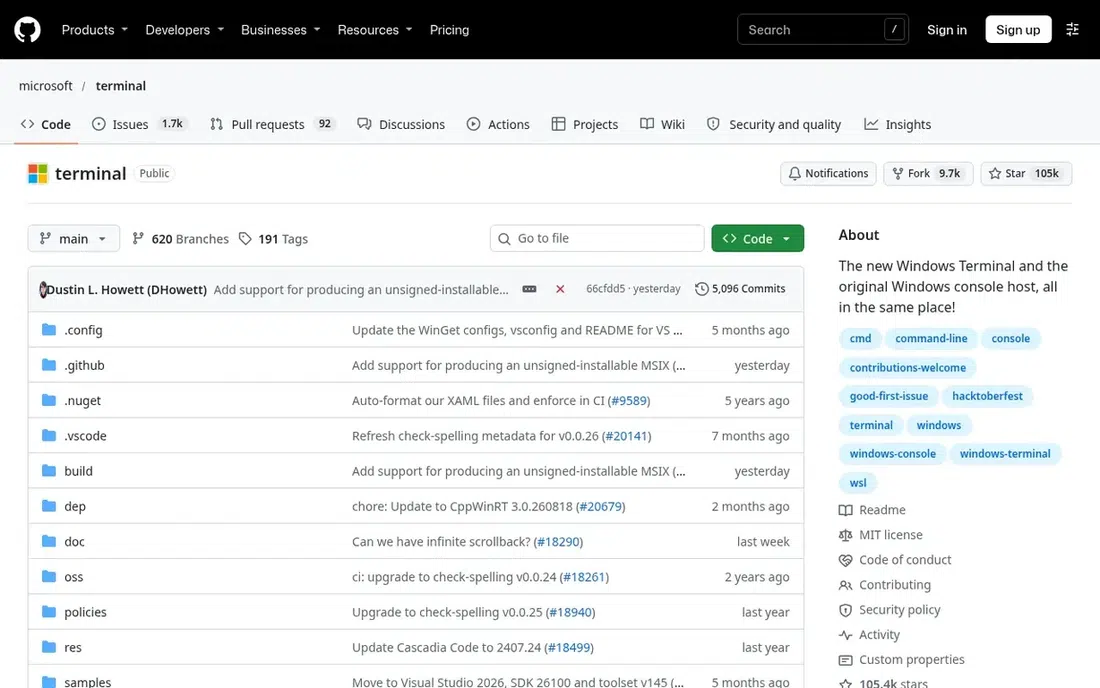
Windows Terminal is built with everyday local console work on Windows in mind. It suits most Windows users who want a clean default terminal without additional setup.
Where it is weaker: Windows focused only.
It is a sensible starting point before trying third party choices. Windows Terminal does not show a starting price in this comparison, so check the vendor site for current pricing. As for free access: Not stated.
- Built and maintained by Microsoft
- Hosts the original console host too
- Advanced customization needs config edits
How the list was put together
For each of the 5 tools we noted price, free plan or trial, fit for Windows terminal software and the main limit, using vendor pages and documentation. Where a price is missing, the vendor does not list one publicly or ties it to a quote. Always confirm before budgeting. The ranking is editorial: typical fit first, then clear pricing, then free access. If your needs are unusual, read the profiles rather than relying on position.
What to check before you buy
- Get a written quote from Xshell, PuTTY, Cmder and Windows Terminal; the list shows no starting price for them.
- Look at the free plan from Termius closely: its caps decide whether it is usable for real work.
- Read the limits listed for Xshell first: licensing terms vary by use case.
- Confirm the exact Cmder plan that includes your must-have features.
- Total up the real monthly cost of Termius, including add-ons, extra users and usage-based fees.
FAQ
Do these tools publish their prices?
Not all of them. Xshell, PuTTY, Cmder and Windows Terminal publish no starting price, so expect a quote request for those. The rest, Termius included, show a starting price, though seats and billing terms still change the final cost.
Can I try these options before paying?
Often, yes. Termius has a free plan. Use your own data and a real task during the test, and check what the free tier or trial limits before you rely on it. Prices, free plan details and limits for all 5 tools in this windows terminal software roundup sit on the individual cards above.
Which choice is a good match for SSH work?
For most readers this guide would start with Xshell, built for SSH terminal with wide protocol support. PuTTY is the alternative for straightforward, widely known SSH and Telnet, and Termius for SSH sessions across desktop and mobile. The right answer depends on budget and workflow.
Is Xshell the right pick for everyone comparing windows terminal software?
No single tool suits every team. Xshell comes first because it fits SSH terminal with broad protocol support, while PuTTY suits simple, widely known SSH and Telnet and Termius suits SSH sessions across desktop and mobile. Match the tool to your own size, budget and workflow before deciding.
What is the cheapest option for Windows terminal software in this list?
On published monthly entry prices, Termius is the lowest here at $10 per month. Entry price is only part of the cost, because seats, add-ons and billing terms can change the total. Each of the 5 options in this windows terminal software guide has its own card above with the price, free plan and limits.
Is a premium terminal worth it over a free one?
premium clients commonly add session organization, support and cross product features that heavy remote users value.
Sources
- https://www.netsarang.com/en/xshell
- https://www.putty.org
- https://termius.com
- https://cmder.app
- https://github.com/microsoft/terminal