VoIP Providers for Small Teams in 2026: The 5 Best Options Side by Side
Comparing the best VoIP providers for small teams? 5 contenders, each with entry cost, free tier and best-fit buyer. Short verdicts, no fluff. Updated for 2026.
- Editor's choice
 Nextiva
Customer experience with phone
Starts at$15 per user per monthVisit nextiva.comFull review - Great alternative
 Grasshopper
Straightforward virtual phone system
Starts at$14 a monthVisit grasshopper.comFull review - Also consider
 Aircall
CRM-integrated customer communications
Starts at$30 per license/monthVisit aircall.ioFull review
Direct answer
Nextiva is the first pick on this list for customer experience with phone. Listed starting prices: Nextiva from $15 per user per month, Grasshopper from $14 a month and Aircall from $30 per license/month. Look at Grasshopper for simple virtual phone system, and at Aircall for CRM-integrated customer communications. All 5 tools are compared below on price, free plan and limits.
TL;DR:
- Nextiva takes the first slot, best suited to customer experience with phone.
- For Teams-centric cloud calling, Microsoft Teams Phone is worth a look.
- Starting prices begin at $14 per month with Grasshopper.
- What to know about Aircall first: integration focus may be additional for entry-level calling.
Last checked November 2026. Prices and plan details were read from the vendors' own pages in November 2026; vendors change plans often, so confirm the current price on the vendor site before you buy.
Quick comparison
| Tool | Best for | Starts at | Free plan? | |
|---|---|---|---|---|
| Nextiva | Customer experience with phone | $15 per user per month | No | Visit |
| Grasshopper | Straightforward virtual phone system | $14 a month | Not stated | Visit |
| Aircall | CRM-integrated customer communications | $30 per license/month | Free trial | Visit |
| RingCentral MVP | AI-assisted business voice | $52 per month | Free trial | Visit |
 Microsoft Teams Phone | Teams-centric cloud calling | See website | Not stated | Visit |
The full VoIP providers for small teams list
LinkVetted compared 5 VoIP providers for small teams. The goal is a practical shortlist: published prices, free plan facts, best-fit use cases and honest limits for every entry.
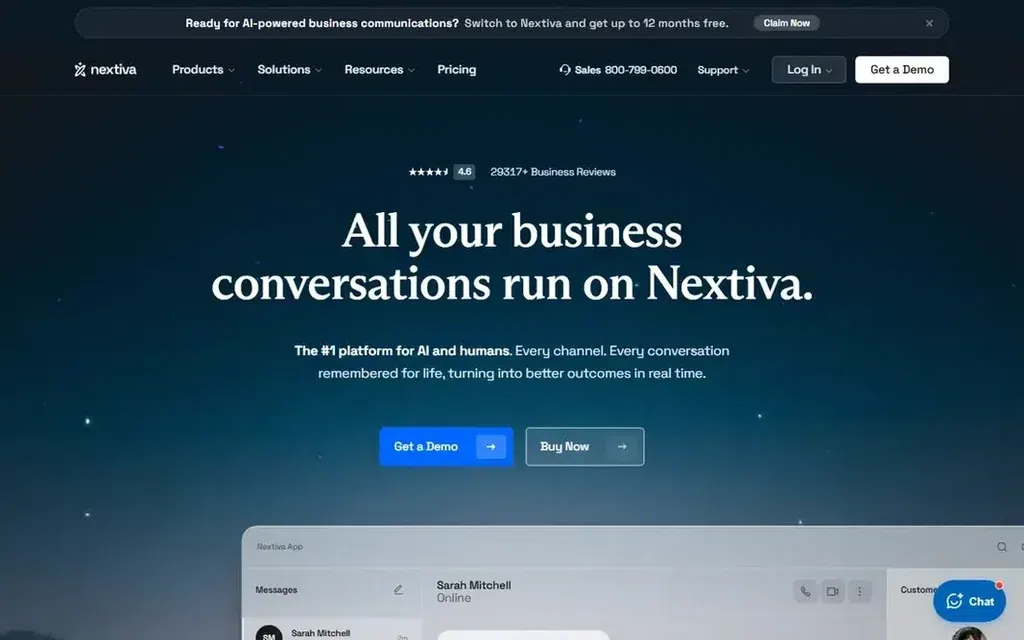
Think of Nextiva for customer experience with phone. Nextiva is described as an AI customer experience management system that brings business phone, contact center, AI receptionist, and unified CX together.
Limits to weigh: CX focus may be additional for internal-only calling.
Also, consider a more straightforward virtual phone system when customer journey tools are not part of the plan, and choose Nextiva when phone and CX should stay unified. On cost, Nextiva starts like this: $15 per user per month. No free plan comes with Nextiva.
- Bundles AI receptionist
- Centres on customer journey optimization
- Wide product can take time to configure
Grasshopper makes the most sense for straightforward virtual phone system. Grasshopper is a virtual phone system meant to help firms stay organized as call volume raises, with unlimited users and 24/7 support.
Choose it when simplicity and entry-level virtual phone features matter more than deep integrations. In practice, Grasshopper is not positioned as an AI customer experience or contact center product, so teams needing conversation intelligence or advanced agent tools should look elsewhere. What you pay to start with Grasshopper: $14 per month. On free options: Not stated.
Honest limits: Fewer advanced AI and CX features.
- Virtual phone system for small firms
- Supports unlimited users
- May not suit contact center needs
Aircall makes the most sense for CRM-integrated customer communications. Aircall is an AI-powered customer communications system that brings together channels, automates tasks, and offers insights, with integrations for CRM and helpdesk tools such as Hubspot and Salesforce.
It fits small teams that live in a CRM and want voice calling connected to customer records and support workflows. On cost, Aircall starts like this: $30 per license/month. Free options: Free trial.
Points against: Integration focus may be additional for entry-level calling.
- Automates tasks and offers insights
- Brings together channels in one platform
- AI features may need configuration
RingCentral MVP
Best for: AI-assisted business voice
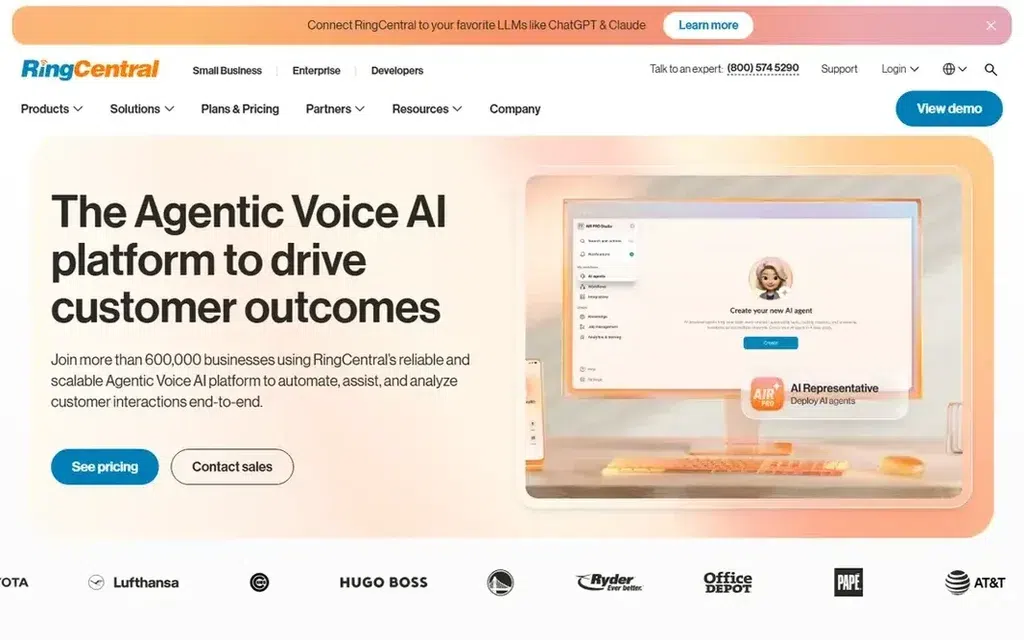
RingCentral MVP makes the most sense for AI-assisted business voice. RingCentral MVP is a business communications offering that centers on voice calling whereas adding AI tools like AI Receptionist, AI Virtual Assistant, and AI Conversation Expert.
RingCentral MVP cost at the entry level: $52 per month. Free plan details: Free trial.
The main drawbacks: AI features may need setup time.
- Contains AI Receptionist and AI Virtual Assistant
- Combines voice with AI conversation tools
- Feature depth may exceed very small teams
Microsoft Teams Phone is a good fit for Teams-centric cloud calling. Microsoft Teams Phone is a cloud-based phone system that lets users make Teams calls or dial external numbers to stay connected with their team and customers.
Honest limits: PSTN setup can need planning.
Also, Teams Phone relies on Microsoft Teams usage and may need extra configuration for external calling. As for the details, Teams not standardized on Microsoft collaboration tools may find a standalone VoIP provider more straightforward, whereas Microsoft-centric organizations can keep calling inside Teams. This comparison lists no price for Microsoft Teams Phone; ask the vendor. Free access: Not stated.
Where it shines: Supports calls to external numbers.
- Cloud phone system inside Microsoft Teams
- Suits organizations already using Teams
- Requires Teams adoption
How the list was put together
Things to verify first
- Confirm the entry price on the vendor page. For Microsoft Teams Phone that means a quote rather than a fixed price.
- Take the trial from Aircall and RingCentral MVP and push a live task through it before you pay.
- Read the limits listed for Nextiva first: CX focus may be additional for internal-only calling.
- Check whether Nextiva bills monthly or annually, and what cancelling early costs.
- Find out whether the entry plan of RingCentral MVP covers your must-haves or only a trimmed-down version.
FAQ
What should a small team look for in a VoIP provider?
Focus on steady call quality, simple number management, and features your team will actually use, for example call routing, voicemail, and integrations. Also check setup requirements and support choices before committing.
Can I try these tools before paying?
Often, yes. Aircall and RingCentral MVP offer a free trial. Use your own data and a real task during the test, and check what the free tier or trial limits before you rely on it. Each of the 5 options in this VoIP providers for small teams guide has its own card above with the price, free plan and limits.
What is the cheapest option for VoIP providers for small teams in this list?
On published monthly entry prices, Grasshopper is the lowest here at $14 per month. Entry price is only part of the cost, because seats, add-ons and billing terms can change the total. All 5 picks in this VoIP providers for small teams comparison list a starting price, free plan details and the main limits on their cards above.
Do small teams need AI features in a VoIP system?
Teams with straightforward needs may prefer a straightforward virtual phone system. Evaluate AI tools only if they solve a specific workflow problem.
How do CRM integrations affect VoIP choice for small teams?
If your team depends on a CRM or helpdesk, prioritize providers that list those integrations. As for the details, Teams without a CRM may not need this and can choose a more straightforward system.
Do these tools publish their prices?
Not all of them. Microsoft Teams Phone publishes no starting price, so expect a quote request for it. The rest, Nextiva included, show a starting price, though seats and billing terms still change the final cost.
Sources
- https://www.nextiva.com
- https://grasshopper.com
- https://aircall.io
- https://www.ringcentral.com
- https://www.microsoft.com/en-us/microsoft-teams/microsoft-teams-phone