Best Voice Recognition Software for Writers in 2026: Prices, Free Plans and 5 Picks
5 products for the best voice recognition software for writers, ranked by fit, with starting costs and free tiers. Short verdicts, no fluff. Facts only.
- Editor's choice
 Otter.ai
Transcribing interviews and meetings
Starts at$8.33 per user a monthVisit otter.aiFull review - Great alternative
 Rev
Legal and investigative transcription work
Starts at$25.49 per seat a monthVisit rev.comFull review - Also consider
 Sonix
Quick transcription in plenty of languages
Starts at$10 per hourVisit sonix.aiFull review
Direct answer
This list puts Otter.ai first for transcribing interviews and meetings. Listed starting prices: Otter.ai from $8.33 per user a month, Rev from $25.49 per seat a month and Sonix from $10 per hour. Rev is better for legal and investigative transcription work, and Sonix is better for fast transcription in numerous languages. The full list of 5 tools follows, with prices and free plan facts.
TL;DR:
- Number one here is Otter.ai, a fit for transcribing interviews and meetings.
- Starting prices begin at $8.33 per user per month with Otter.ai.
- Otter.ai stands alone as the one tool in this list with a free plan.
- For built-in dictation on Windows PCs, Windows Speech Recognition is worth a look.
Last checked November 2026. Prices and plan details were read from the vendors' own pages in November 2026; vendors change plans often, so confirm the current price on the vendor site before you buy.
Quick comparison
| Tool | Best for | Starts at | Free plan? | |
|---|---|---|---|---|
| Otter.ai | Transcribing interviews and meetings | $8.33 per user a month | Yes | Visit |
| Rev | Legal and investigative transcription work | $25.49 per seat a month | Not stated | Visit |
| Sonix | Quick transcription in plenty of languages | $10 per hour | Free trial | Visit |
| Dragon Anywhere | Mobile dictation for writers on the go | See website | Not stated | Visit |
| Windows Speech Recognition | Built-in dictation on Windows PCs | See website | Not stated | Visit |
Tool-by-tool breakdown
Choosing voice recognition software for writers usually comes down to price, fit and limits. This LinkVetted guide sets 5 tools side by side on those three points, with the facts kept short and checkable.
Otter.ai targets transcribing interviews and meetings. Otter.ai is an AI meeting agent that gives you live transcription, live chat, automatic summaries, insights and action items. For everyday use, Otter is built around meetings and conversations instead of dictating your own prose, so it is not a replacement for a dedicated dictation tool.
Trade-offs to know: Accuracy relies on audio quality.
Also, for writers, its value lies in turning interviews, research calls and recorded conversations into searchable text that can feed articles and reports. Writers who want to speak their drafts should pair it with Dragon Anywhere or use operating system dictation, and those needing file-based transcription can consider Sonix or Rev. Otter.ai cost at the entry level: $8.33 per user per month. Free access exists with Otter.ai.
- Automated summaries
- Action items and insights
- Pitched at meetings instead of drafting
For legal and investigative transcription work, Rev is a natural candidate. Rev describes itself as an investigative intelligence and legal transcription product, turning digital evidence into verified, citable findings for cases.
Where Rev stands out: Focus on verified.
What to check first: Specialized instead of general writing.
It suits researchers and legal writers who require a defensible transcript record. The starting price for Rev: $25.49 per seat per month. Free plan details: Not stated.
- Turns digital evidence into text
- Citable findings
- Not targeted at everyday drafting
Sonix is a good fit for fast transcription in numerous languages. Sonix is AI transcription software that converts audio and video into text, with speaker detection, AI summaries and support for plenty of languages. On top of that, writers who want to speak their drafts should look at Dragon Anywhere or operating system dictation, whereas legal and investigative users may prefer Rev.
Drawbacks to consider: Transcription focus instead of live dictation.
In daily use, Sonix processes recordings instead of acting as a live dictation tool for composing at the keyboard. So it complements instead of replaces a dictation app. Writers who record interviews, workshops or voice memos can use it to produce a text base for articles, books and reports. Sonix pricing: $10 per hour. As for free access: Free trial.
- AI summaries available
- Transcribes audio and video
- Results need review for specialist terms
Dragon Anywhere
Best for: Mobile dictation for writers on the go
Pick Dragon Anywhere if this describes you: mobile dictation for writers on the go. Dragon Anywhere is Nuance's mobile dictation app for iOS and Android, made for capturing text by voice when you are away from a computer.
Since it is a mobile app, Dragon Anywhere is not the natural choice if you primarily write at a desktop keyboard and want deep control over a word processor. Dragon Anywhere shows no starting price here, so confirm the cost on the vendor site. Free options: Not stated.
Watch-outs: Mobile focused instead of desktop.
- Dictate on iOS and Android
- Fits drafting away from a desk
- Needs a stable connection for best results
Windows Speech Recognition
Best for: Built-in dictation on Windows PCs
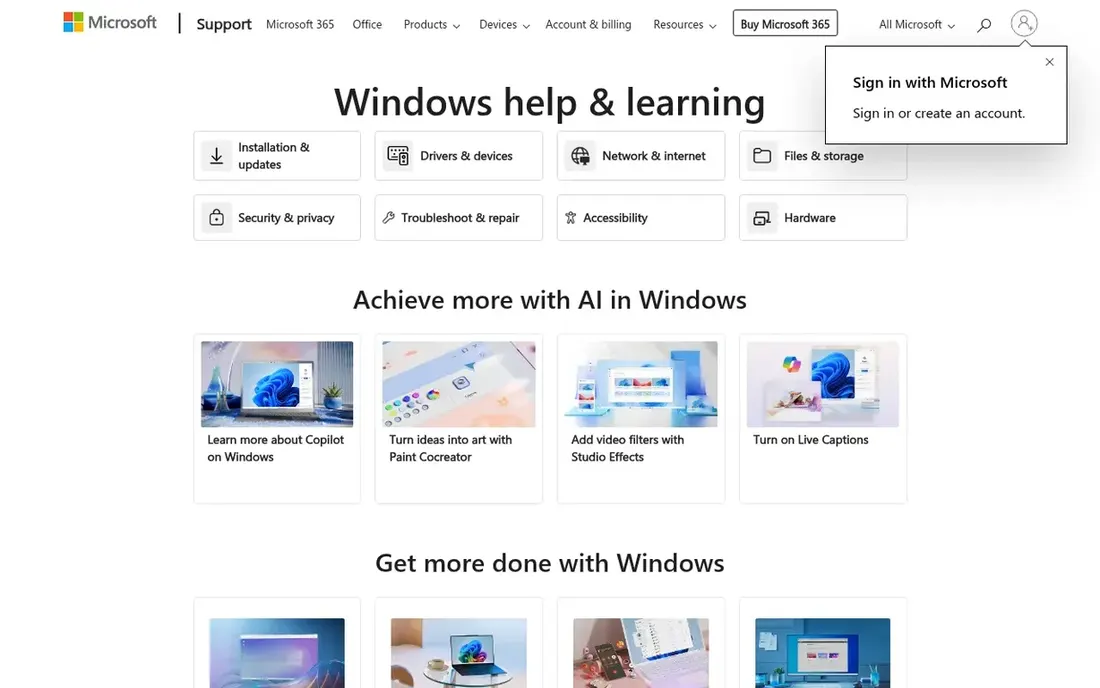
Choose Windows Speech Recognition for built-in dictation on Windows PCs. It manages dictation into numerous applications and can also be used for entry-level voice commands.
Limits to weigh: Setup and training take time.
Its accuracy and interface are more entry-level than dedicated dictation products, and it may need patience during setup and correction. Windows Speech Recognition shows no starting price here, so confirm the cost on the vendor site. Free plan details: Not stated.
- No separate app to install
- Included with Windows
- Interface feels dated compared to newer tools
How the list was put together
Selection started from tools commonly considered for voice recognition software for writers, then narrowed to 5 that have clear pricing information or a clear quote process. Plan names, prices and limits change often. Treat the figures here as a starting point and verify them with the vendor. Tools are placed by general fit for voice recognition software for writers, with price clarity and free access as tie-breakers. A different team can reasonably rank them differently.
What to confirm before you sign up
- Get a written quote from Dragon Anywhere and Windows Speech Recognition; the list shows no starting price for them.
- Test the free plan from Otter.ai against your real workload before relying on it.
- Run a trial of Sonix with real work before paying for a year; your own workflow is the best test.
- Read the limits listed for Otter.ai first: pitched at meetings instead of drafting.
- Let daily users try Dragon Anywhere on real work; their feedback beats any feature checklist.
- Compare total cost, not headline price: for Otter.ai, add extra seats, add-ons and any usage-based charges.
FAQ
Which voice recognition tool is a good match for drafting on a phone?
Otter.ai comes first here and is built for transcribing interviews and meetings. Buyers with other needs may prefer Rev (for legal and investigative transcription work) or Sonix (for quick transcription in numerous languages). Compare costs and limits first.
How are the tools for voice recognition software for writers ordered?
Otter.ai sits first and Windows Speech Recognition last because the order follows typical fit for voice recognition software for writers, then price clarity and free access. It is a judgement call, so read each profile for fit and limits.
Can I try these tools before paying?
Often, yes. Otter.ai has a free plan and Sonix offers a free trial. Use your own data and a real task during the test, and check what the free tier or trial limits before you rely on it.
What is the cheapest option for voice recognition software for writers in this list?
On published monthly entry prices, Otter.ai is the lowest here at $8.33 per user per month. Entry price is only part of the cost, because seats, add-ons and billing terms can change the total. Prices, free plan details and limits for all 5 tools in this voice recognition software for writers roundup sit on the individual cards above.
Do these tools publish their prices?
Not all of them. Dragon Anywhere and Windows Speech Recognition publish no starting price, so expect a quote request for those. The rest, Otter.ai included, show a starting price, though seats and billing terms still change the final cost.
Sources
- https://otter.ai
- https://www.rev.com
- https://sonix.ai
- https://www.nuance.com/dragon/dragon-anywhere.html
- https://support.microsoft.com/en-us/windows