Best Voice to Text App in 2026: 8 Apps Compared
Looking for the best voice to text app? We compared 8 speech to text apps for meetings, dictation, notes and transcripts in 2026. Find your best fit today.
- Editor's choice
 Otter.ai
Meeting transcription
Starts at$8.33 per monthVisit otter.aiFull review - Great alternative
 Wispr Flow
Dictation anywhere
Starts at$12 per monthVisit wisprflow.aiFull review - Also consider
 Rev
Human-accurate transcripts
Starts atSee websiteVisit rev.comFull review
TL;DR:
- Otter.ai is the best meeting transcription app for most teams, while Wispr Flow is the best pure dictation tool for writing anywhere.
- Rev is the best choice when accuracy matters most and you are willing to pay for human-checked transcripts.
- Google Docs Voice Typing and Apple Dictation are free and built in, so they are the best starting point for casual dictation.
- Free plans differ a lot in minutes and export limits, so check those limits before you rely on a free tier for work.
Quick comparison
| Tool | Best for | Starts at | Free plan? | |
|---|---|---|---|---|
| Otter.ai | Meeting transcription | $8.33 per month | Yes | Visit |
| Wispr Flow | Dictation anywhere | $12 per month | Yes | Visit |
| Rev | Human-accurate transcripts | See website | Yes | Visit |
 Notta | Multilingual meeting notes | $8.17 per month | Yes | Visit |
 Dragon Professional | Long-form Windows dictation | See website | No | Visit |
 Google Docs Voice Typing | Free browser dictation | Free | Yes | Visit |
 Apple Dictation | Free Apple dictation | Free | Yes | Visit |
 Descript | Editing audio from text | $16 per month | Yes | Visit |
The best voice to text apps
We compared official feature pages, pricing pages and public reviews for speech to text apps that are still active in 2026, covering meetings, dictation and file transcription rather than a single use case.
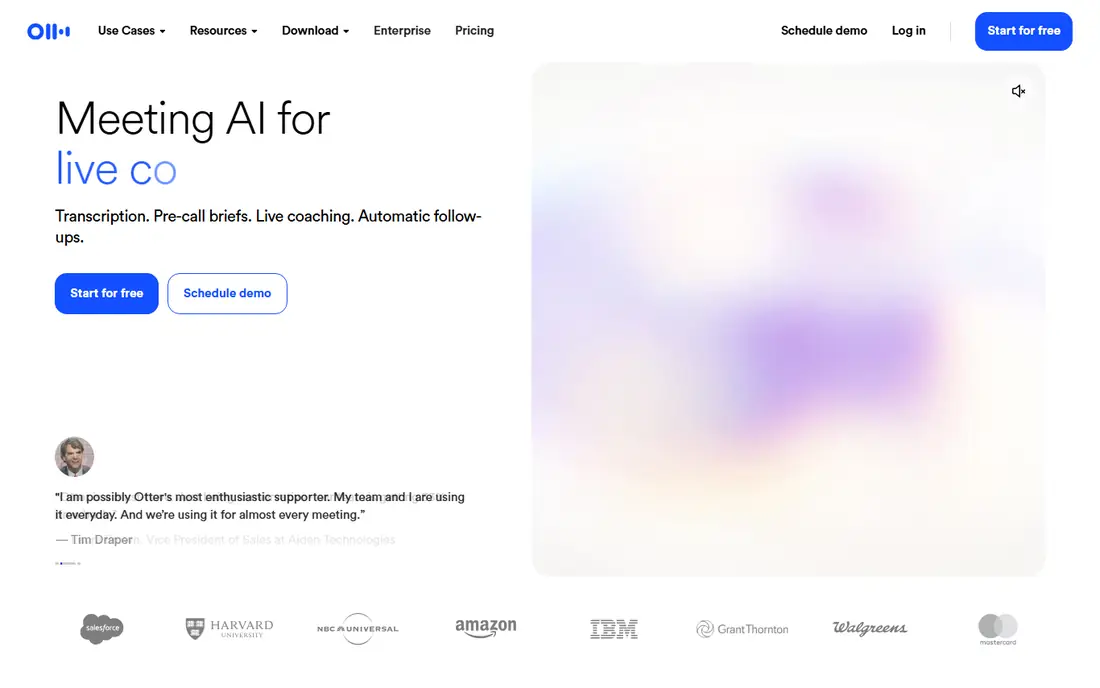
Otter.ai records live meetings, transcribes speech in real time, labels speakers and produces a summary with action items when the meeting ends. That full workflow is why it leads this list for teams: the transcript is not just text, it becomes a searchable record you can query later. Integrations push summaries into tools such as Slack, Notion and Salesforce. The free plan is genuinely useful, with 300 minutes a month, but conversations cap at 30 minutes and imported files are limited to three for life. If you work from recordings rather than live calls, Rev or Notta may fit better. For live meetings, Otter is the default pick.
- Live transcription for Zoom, Meet and Teams
- Summaries and action items
- Searchable transcript history
- Free plan caps conversations at 30 minutes
- Only three imported files for life on the free plan
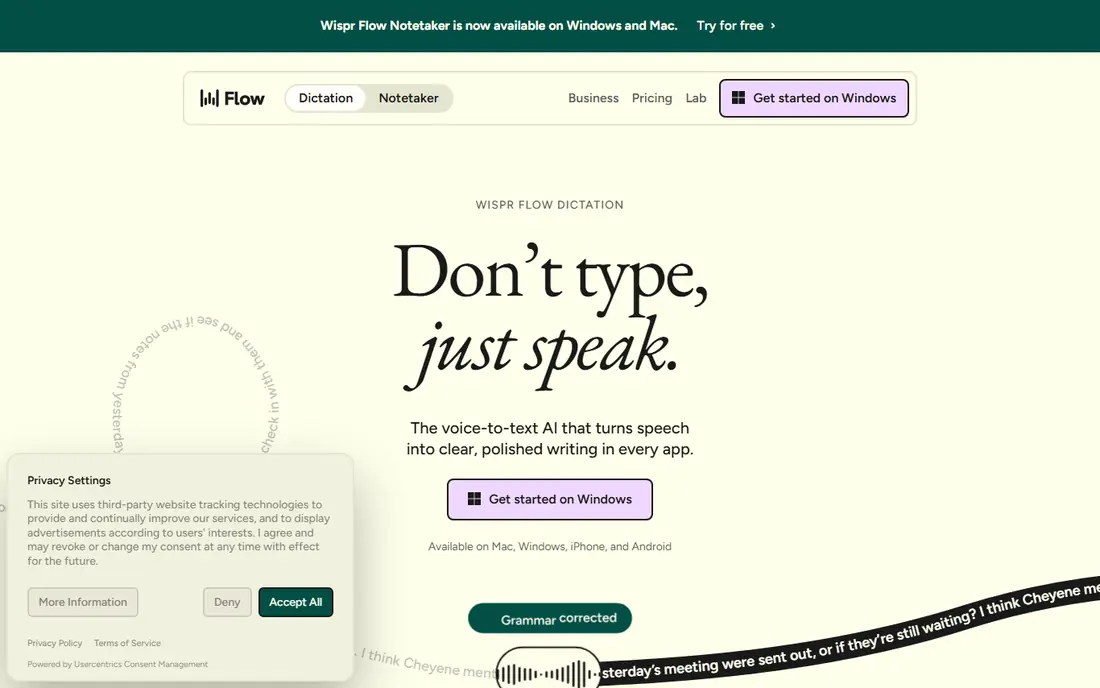
Wispr Flow is the modern answer to dictation: hold a hotkey, speak naturally with pauses and restarts, and it pastes cleaned-up text into whatever app is open. It adjusts tone for different contexts, so a Slack message reads differently from a formal email, and there is no plugin to configure per app. That simplicity is its main appeal. The free plan caps words per week, so heavy users need Pro. Transcription happens in the cloud, which matters if you dictate sensitive material, so read the security page first. For writers, founders and anyone who thinks faster than they type, Wispr Flow is the best dictation tool here.
- Dictates into any app with AI cleanup
- Removes filler words
- Works on Mac, Windows, iOS and Android
- Cloud-based transcription, so audio leaves your device
- Free plan caps weekly words
Rev offers two paths: fast AI transcription for everyday files and human transcription when accuracy matters most, such as legal, medical or broadcast work. You can upload audio or video, get a transcript with speaker labels and timestamps, and order captions for video. Its AI plan includes a free monthly allowance, which is enough to test quality. Human transcripts cost more and take longer than AI, but for a court recording, a research interview or a published video, that accuracy is worth it. Rev is the pick when a mistake in the transcript would cost more than the transcript itself.
- Human transcription option for top accuracy
- AI transcription for speed
- Captions and subtitles
- Human transcription costs more per minute
- AI plan is pricier than some rivals
Notta covers live meetings, uploaded files and web recordings, with support for a wide range of languages that makes it useful for international teams. Paid plans raise recording limits to hours, add summaries and allow exports in several formats. The interface is clean, and scheduling a bot to join meetings works well. The free plan is the catch: 120 minutes a month sounds generous, but each recording caps at 3 minutes and exports are blocked, so it serves as a demo rather than a work tool. Paid Notta is competitive with Otter on price and stronger on language coverage, so multilingual teams should compare the two directly.
- Supports many languages
- Live meeting transcription
- Summaries and bilingual transcripts in some plans
- Free plan caps recordings at 3 minutes
- Transcripts cannot be exported on the free plan
Dragon Professional, from Nuance, remains the classic choice for professionals who dictate long documents on Windows, such as lawyers, doctors and writers. It learns your voice and vocabulary, supports custom commands to control applications, and works without sending every word to the cloud. Accuracy for continuous dictation is still a benchmark for rivals. The downsides are platform and price. Dragon is Windows-focused, costs more upfront than a monthly app, and needs time to train and customize. For a Mac user or a casual dictator, Wispr Flow or Apple Dictation is simpler. For a Windows professional who dictates daily, Dragon is still hard to beat.
- Strong accuracy for long dictation
- Custom vocabulary and commands
- Works offline on Windows
- Windows-focused
- Higher upfront cost
- Setup and training take time
Google Docs Voice Typing is the easiest free way to try speech to text. Open a document in Chrome, turn on voice typing, and speak: your words appear as text, with voice commands for punctuation and formatting. It supports many languages and works well for drafting emails, essays and notes. It is not a meeting tool: there are no speaker labels, summaries or file transcripts, and accuracy falls with background noise or heavy accents. But for a student or a casual user who wants free dictation without a new app, it is the obvious starting point.
- Free and built into Google Docs
- Supports many languages
- No install needed in Chrome
- Requires Chrome and an internet connection
- No meeting transcription or speaker labels
Apple Dictation is built into every iPhone, iPad and Mac, so you can dictate into messages, notes, emails and documents without installing anything. Turn it on in settings, tap the microphone, and speak. For short messages, notes and quick replies, it is fast and free. It lacks the cleanup, formatting and meeting features of Wispr Flow and Otter, and accuracy drops in noisy rooms. Still, as a built-in tool that costs nothing and works everywhere on Apple devices, it covers most casual dictation needs. Try it before you pay for a dictation app.
- Built into iPhone, iPad and Mac
- Works in any app
- No extra cost
- Accuracy varies with noise and accents
- Fewer editing and formatting controls than dedicated apps
Descript turns transcription into an editing tool: transcribe a podcast or video, then delete a sentence in the transcript and Descript removes that audio. That workflow saves podcasters and video creators hours compared with traditional audio editing. Transcription covers 25 languages, and paid plans add studio sound, filler-word removal and publishing tools. If you only need a plain transcript, Descript is more tool than you need, and Otter or Rev will be simpler. But if your transcript is the starting point for an edited recording, Descript is the best pick on this list.
- Edit audio and video by editing the transcript
- Good transcription in 25 languages
- Studio-quality tools
- Overkill if you only need plain transcripts
- Mac and Windows only, no phone app
How we picked these
We compared official feature pages, pricing pages and public reviews for speech to text apps that are still active in 2026. We included meeting tools, dictation tools, file transcription and one audio editor, so readers can match the tool to the job rather than forcing one app to do everything. We favored apps with a free plan or trial and clear pricing, and we left out apps that had shut down or that only worked inside a single meeting platform.
How to get accurate transcripts
Speak clearly, keep the microphone close, and reduce background noise, since even the best AI struggles with crosstalk and echo. For meetings, ask speakers to identify themselves at the start and avoid talking over each other. For dictation, speak punctuation aloud at first until you learn the app's commands. Always proofread before you share a transcript, especially for names, numbers and technical terms. AI tools handle common words well and proper nouns poorly, so a quick pass to fix names and figures prevents embarrassing errors. If accuracy is critical, use Rev human transcription or budget time for a careful edit.
FAQ
What is the best speech to text app?
Otter.ai is the best speech to text app for meetings, Wispr Flow is best for dictation into any app, and Rev is best when human-level accuracy matters. The right pick depends on whether you transcribe meetings, dictate writing or work from recordings.
What is the best free speech to text app?
Google Docs Voice Typing and Apple Dictation are the best free options, since they are built in and cost nothing. Otter.ai also offers a useful free plan with 300 minutes a month for live meetings.
What is the best app for speech to text on a phone?
Apple Dictation on iPhone and Google voice typing on Android are the best built-in phone options, while Otter.ai and Wispr Flow offer stronger meeting and dictation features in their mobile apps.
What is the best talk to text app for writers?
Wispr Flow is the best talk to text app for writers who dictate into any app, with AI cleanup that removes filler words. Dragon Professional is the best choice for Windows writers who dictate long documents daily.
Do speech to text apps work offline?
Most AI apps need an internet connection, since transcription happens in the cloud. Dragon Professional and Apple Dictation offer offline options in some settings, so check the app's documentation if offline use matters to you.