6 Best Virtual Classroom Software for Corporate Workshops for 2026, Vetted and Compared
Best virtual classroom software for corporate workshops in 2026: 6 tools with starting prices, free plans and limits. Verdicts stay brief and factual.
- Editor's choice
 Microsoft Teams
Teams already using Microsoft 365
Starts atPricing on requestVisit microsoft.comFull review - Great alternative
 ClickMeeting
Browser-based webinars and lead capture
Starts atPricing on requestVisit clickmeeting.comFull review - Also consider
 GoTo Meeting
Straightforward web conferencing
Starts atPricing on requestVisit goto.comFull review
Direct answer
For Teams already using Microsoft 365, Microsoft Teams is where this list starts. Alternatives: ClickMeeting for browser-based webinars and lead capture, and GoTo Meeting for straightforward web conferencing. Free plan facts and limits for all 6 tools follow. None of these vendors publish plan prices, so pricing is on request for every option.
TL;DR:
- Top of the list is Microsoft Teams, which targets Teams already using Microsoft 365.
- The main caution on ClickMeeting: webinar framing instead of classroom pedagogy.
- A free plan is available from 2 of the 6 tools: ClickMeeting, Cisco Webex.
- Every tool from Microsoft Teams to BigBlueButton works by quote, with no list price shown.
Last checked November 2026. Pricing on request: vendors did not publish plan prices when this guide was last checked (November 2026), so ask each vendor for a written quote.
Quick comparison
| Tool | Best for | Starts at | Free plan? | |
|---|---|---|---|---|
| Microsoft Teams | Teams already using Microsoft 365 | Pricing on request | Not stated | Visit |
| ClickMeeting | Browser-based webinars and lead capture | Pricing on request | Yes | Visit |
| GoTo Meeting | Straightforward web conferencing | Pricing on request | Not stated | Visit |
 Zoom Workplace | All-in-one workshop delivery | Pricing on request | Not stated | Visit |
 Cisco Webex | AI-assisted collaboration at scale | Pricing on request | Yes | Visit |
 BigBlueButton | Open source virtual classrooms | Pricing on request | Not stated | Visit |
Virtual Classroom Software for Corporate Workshops profiles
Choosing virtual classroom software for corporate workshops usually comes down to price, fit and limits. This LinkVetted guide sets 6 tools side by side on those three points, with the facts kept short and checkable.
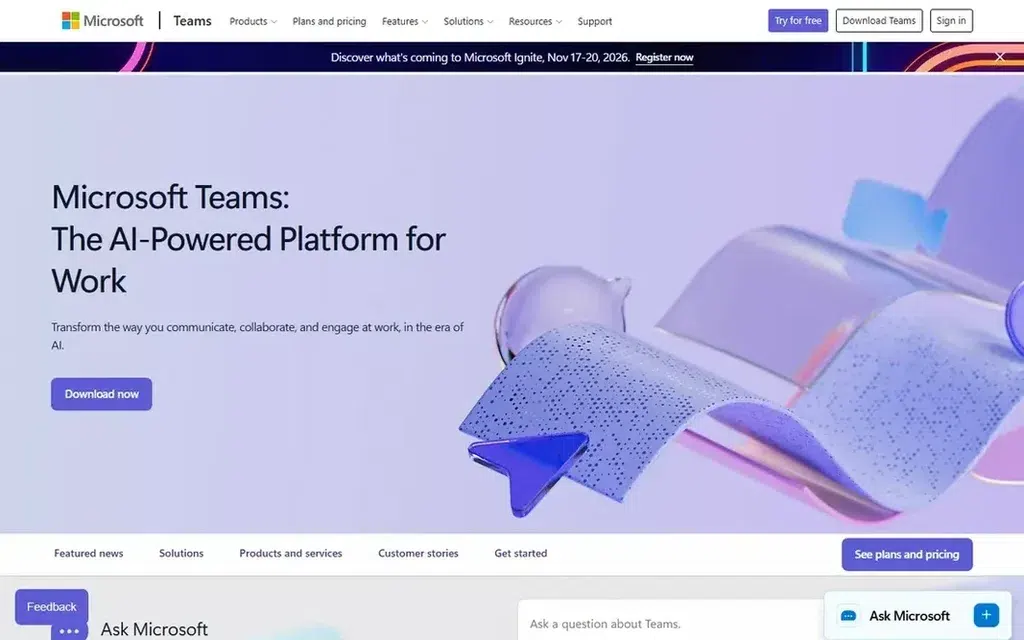
Microsoft Teams is a good fit for Teams already using Microsoft 365. Microsoft Teams describes itself as a place where tools and files are always available, built to help people link naturally and bring ideas to life.
From a buyer's view, Teams is a general collaboration hub, so classroom-specific features like structured breakout pedagogy are not its focus. In a corporate workshop context, that means attendees can join the meeting, open shared files and continue discussion in channels afterward. Microsoft Teams shows no starting price here, so confirm the cost on the vendor site. Free plan details: Not stated.
Where it falls short: General collaboration tool instead of a classroom product.
- Files and meetings in one place
- Chat
- Workshop flow relies on how channels are organized
ClickMeeting is aimed squarely at browser-based webinars and lead capture. ClickMeeting describes a webinar product for running live, automatic and on-demand webinars and capturing leads after the event ends, all in the browser without installation. From a buyer's view, organizations focused purely on internal learning may find a dedicated classroom tool or a general meeting suite a cleaner match.
Beyond that, for corporate workshops with an external audience, for example partner enablement or customer education, that combination of delivery and follow-up is handy. In daily use, the lead-capture orientation is pitched at marketing-style webinars, which may be more than internal training needs. Check the vendor site for ClickMeeting pricing; none is listed in this comparison. A free plan is available with ClickMeeting.
Drawbacks to consider: Lead capture focus may not suit internal training.
- Automatic and on-demand webinars
- Runs in the browser with no install
- Webinar framing instead of classroom pedagogy
GoTo Meeting makes the most sense for straightforward web conferencing. GoTo Meeting focuses squarely on web conferencing, describing a quality meeting experience with the virtual meeting system features companies need.
From a buyer's view, for corporate workshops, that makes it a candidate when the priority is dependable live sessions instead of a sprawling collaboration ecosystem. More specifically, the narrower scope means chat, file storage and event management may live elsewhere. Check the vendor site for GoTo Meeting pricing; none is listed in this comparison. As for free access: Not stated.
What to check first: Narrower scope than full collaboration suites.
- Clear focus on web conferencing
- Positioned around business meeting needs
- Workshop extras may need separate tools

Zoom Workplace makes the most sense for all-in-one workshop delivery. The tradeoff is that a general collaboration suite is not purpose-built for classroom pedagogy, so facilitators must design structure themselves.
Honest limits: Feature breadth can feel complicated to configure.
In daily use, organizations needing deep learning-specific controls or self-hosted open source deployment should look at the education-focused choices instead. Check the vendor site for Zoom Workplace pricing; none is listed in this comparison. Trial and free access: Not stated.
- Whiteboard and events in one system
- Meetings, chat
- Workshop structure relies on how hosts set it up

Cisco Webex is a good fit for AI-assisted collaboration at scale. Cisco Webex positions itself around AI-powered collaboration, customer experience, devices and platform options.
For corporate workshops, the appeal is an enterprise collaboration stack that spans meetings and hardware endpoints, which fits organizations that want consistent room and remote experiences. No starting price is listed for Cisco Webex here; confirm pricing on the vendor site. Free access exists with Cisco Webex.
The main drawbacks: Wide portfolio can complicate selection.
- Devices and system options in one portfolio
- AI-powered collaboration positioning
- Workshop-specific workflow needs planning
BigBlueButton is designed for open source virtual classrooms. Businesses without that capacity, or those wanting chat and files unified with meetings, should consider Zoom Workplace or Microsoft Teams.
Check the vendor site for BigBlueButton pricing; none is listed in this comparison. On free options: Not stated.
Honest limits: Needs technical ownership to operate.
- Open source virtual classroom software
- Developed specifically for virtual learning
- Education focus instead of corporate meeting suite
How we chose
Pricing pages, product documentation and feature lists were the main sources, and every entry carries at least one honest drawback. Figures are shown as the vendors publish them. Billing terms, seat minimums and add-ons can change the real cost. Tools are placed by general fit for virtual classroom software for corporate workshops, with price clarity and free access as tie-breakers. A different team can reasonably rank them differently.
Questions to settle before buying
- Ask each vendor, from Microsoft Teams to BigBlueButton, for a written quote; none of them publishes a starting price.
- Look at free plan limits closely: ClickMeeting and Cisco Webex have one, and the caps decide whether it is usable for real work.
- Read the limits listed for Microsoft Teams first: workshop flow relies on how channels are organized.
- Confirm minimum seats and billing terms with Zoom Workplace before you commit to an annual plan.
- Check the support hours and onboarding help BigBlueButton offers; smaller vendors vary a lot here.
FAQ
Can I try these tools before paying?
Often, yes. ClickMeeting and Cisco Webex have a free plan. Use your own data and a real task during the test, and check what the free tier or trial limits before you rely on it.
How are the tools for virtual classroom software for corporate workshops ordered?
Microsoft Teams sits first and BigBlueButton last because the order follows typical fit for virtual classroom software for corporate workshops, then price clarity and free access. It is a judgement call, so read each profile for fit and limits.
Do these tools publish their prices?
No. None of the tools, from Microsoft Teams to BigBlueButton, shows a fixed starting price here, so budget time for quotes.
Is Microsoft Teams the right pick for everyone comparing virtual classroom software for corporate workshops?
No single tool suits every team. Microsoft Teams comes first because it fits Teams already using Microsoft 365, while ClickMeeting suits browser-based webinars and lead capture and GoTo Meeting suits straightforward web conferencing. Match the tool to your own size, budget and workflow before deciding.
Is open source virtual classroom software a realistic choice for businesses?
BigBlueButton is open source classroom software aimed at virtual learning, which appeals to teams wanting control over the system. It generally needs technical ownership to operate, so weigh that against hosted collaboration suites before choosing.
Which virtual classroom software is best for corporate workshops?
Start with Microsoft Teams if you need Teams already using Microsoft 365. ClickMeeting is the better match for browser-based webinars and lead capture, and GoTo Meeting for straightforward web conferencing. The best choice depends on budget, team size and workflow.
Sources
- https://www.microsoft.com/en-us/microsoft-teams/group-chat-software
- https://clickmeeting.com
- https://www.goto.com/meeting
- https://www.zoom.com
- https://www.webex.com
- https://bigbluebutton.org