Best Virtual Classroom and Webinar Software (2026): 6 Picks Checked on Vendor Pages
Best virtual classroom and webinar software in 2026: 6 tools with starting prices, free plans and limits. Verdicts stay brief and factual. Details below.
- Editor's choice
 BigBlueButton
Open-source virtual classrooms
Starts atPricing on requestVisit bigbluebutton.orgFull review - Great alternative
 Microsoft Teams
Integrated collaboration in Microsoft 365
Starts atPricing on requestVisit microsoft.comFull review - Also consider
 Zoom
All-in-one meetings and webinars
Starts atPricing on requestVisit zoom.usFull review
Direct answer
BigBlueButton leads the list, best for open-source virtual classrooms. Look at Microsoft Teams for integrated collaboration in Microsoft 365, and at Zoom for all-in-one meetings and webinars. Details and limits for the rest of the 6 tools are below. None of these vendors publish plan prices, so pricing is on request for every option.
TL;DR:
- BigBlueButton sits first on this list: open-source virtual classrooms.
- Only Cisco Webex offers a free plan among these 6 tools.
- For dedicated webinar and virtual events, GoTo Webinar is worth a look.
- Every tool from BigBlueButton to GoTo Webinar works by quote, with no list price shown.
- Blackboard Collaborate comes with a trade-off: restricted standalone webinar features.
Last checked November 2026. Pricing on request: vendors did not publish plan prices when this guide was last checked (November 2026), so ask each vendor for a written quote.
Quick comparison
| Tool | Best for | Starts at | Free plan? | |
|---|---|---|---|---|
| BigBlueButton | Open-source virtual classrooms | Pricing on request | Not stated | Visit |
| Microsoft Teams | Integrated collaboration in Microsoft 365 | Pricing on request | Not stated | Visit |
| Zoom | All-in-one meetings and webinars | Pricing on request | Not stated | Visit |
| Blackboard Collaborate | Embedded virtual classrooms in LMS | Pricing on request | Not stated | Visit |
 Cisco Webex | AI-powered enterprise collaboration | Pricing on request | Yes | Visit |
 GoTo Webinar | Dedicated webinar and virtual events | Pricing on request | Free trial | Visit |
Virtual Classroom and Webinar Software profiles
Short on time? The summary and table above give the quick view of 6 tools for virtual classroom and webinar software, and the profiles that follow give the detail behind each entry.
BigBlueButton works best for open-source virtual classrooms. If you need a turnkey webinar option for large public events, a commercial system might be simpler.
BigBlueButton needs technical expertise to set up and maintain, notably for self-hosted deployments. BigBlueButton shows no starting price here, so confirm the cost on the vendor site. Trial and free access: Not stated.
What to check first: Needs technical setup.
- Supports live collaboration
- Open source and configurable
- Restricted webinar marketing features
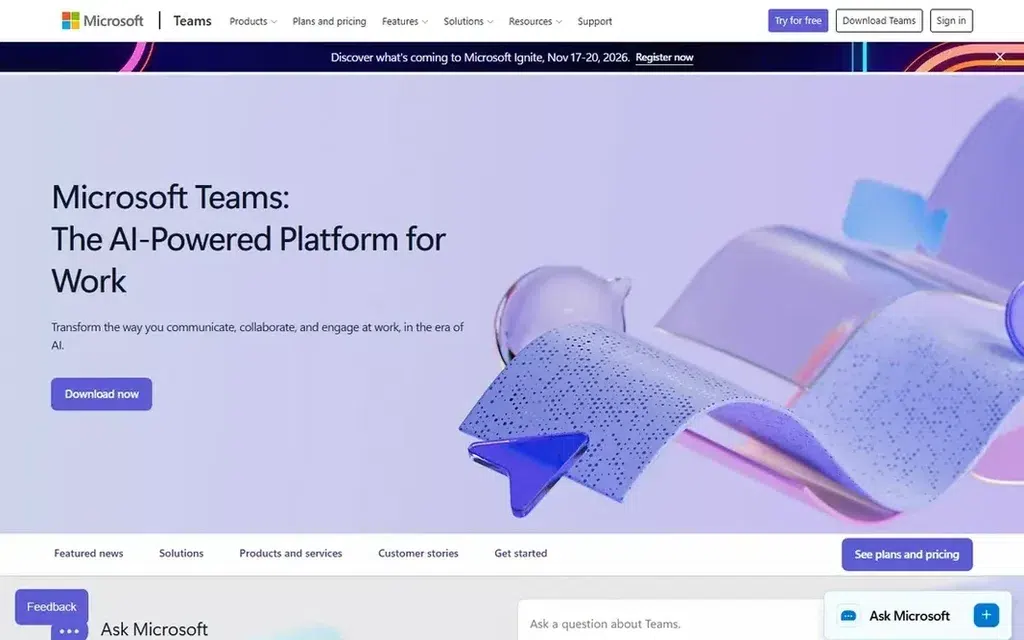
Microsoft Teams was built for integrated collaboration in Microsoft 365. Microsoft Teams is a collaboration hub that brings together chat, video meetings, calling, and file storage in one place. It is meant to help teams link naturally, stay organized, and bring ideas to life.
Drawbacks to consider: Can be resource-intensive.
Consider Teams if you are embedded in the Microsoft ecosystem and need a unified collaboration tool instead of a specialized webinar option. More specifically, Whereas Teams manages meetings well, its webinar-specific features may not be as advanced as dedicated webinar products, particularly for large-scale events with complicated registration and reporting needs. On top of that, for virtual classrooms and webinars, Teams provides solid meeting capabilities and integrates deeply with Microsoft 365, making it well suited to organizations already using Microsoft tools for productivity and communication. Microsoft Teams shows no starting price here, so confirm the cost on the vendor site. Free options: Not stated.
- Merges chat, meetings
- Made for natural connection and organization
- Webinar features less advanced than dedicated tools
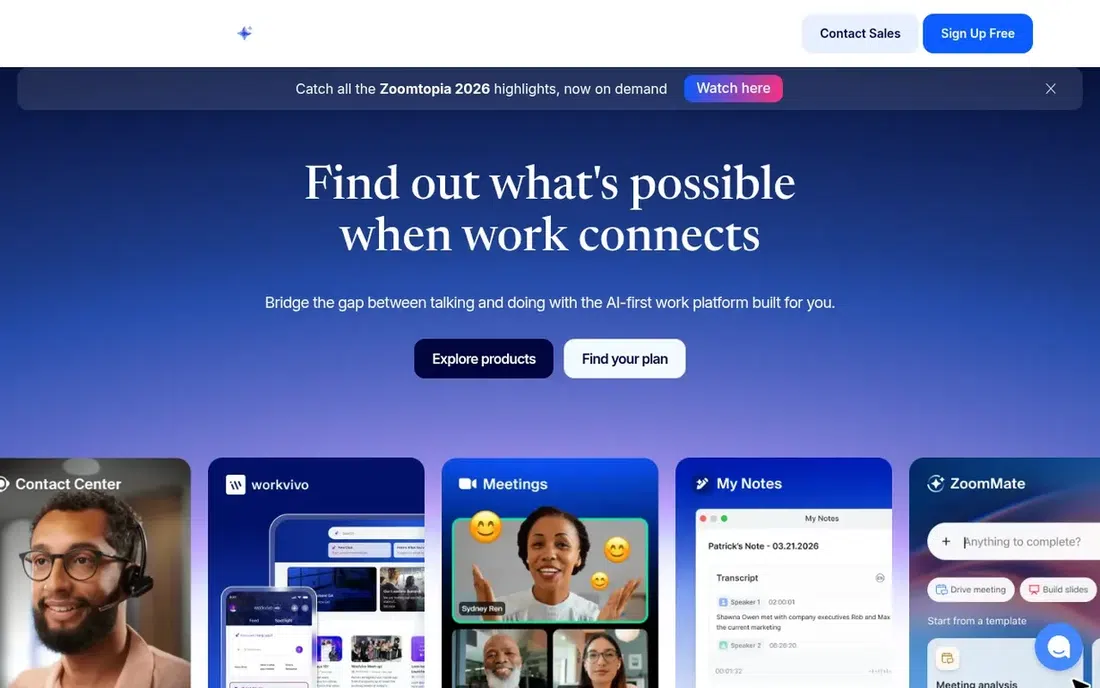
Zoom serves all-in-one meetings and webinars. Zoom is a thorough product that brings together video meetings, chat, VoIP phone, webinars, whiteboard, contact center, and events. It is meant to modernize workflows and support both virtual classrooms and large webinars.
Limits to weigh: Advanced webinar features may need extras.
This makes it a strong fit for educators and companies that want a single tool for communication and collaboration, from small classes to large presentations. As for the details, for very large events or specialized training, dedicated webinar systems might offer more granular controls. Check the vendor site for Zoom pricing; none is listed in this comparison. As for free access: Not stated.
- Merges meetings, chat, webinars
- Dependable and widely adopted
- Can feel complicated for straightforward classes
Blackboard Collaborate
Best for: Embedded virtual classrooms in LMS
Blackboard Collaborate works best for embedded virtual classrooms in LMS. Blackboard Collaborate (now Class Collaborate) is a virtual classroom tool meant to enhance instructor and learner experiences by embedding straight into courses. It is part of the Anthology teaching and learning suite and works smoothly with Blackboard Learn and other learning management systems.
Blackboard Collaborate is less suited for standalone webinars or events outside of an academic context, as its features are tightly integrated with course delivery. It may not offer the same level of marketing or registration tools as dedicated webinar systems. As for the details, consider it if you are embedded in the Blackboard ecosystem and want a virtual classroom that feels like a natural extension of your courses. Pricing for Blackboard Collaborate is not stated here, so ask the vendor for current figures. Free plan details: Not stated.
Where it is weaker: Restricted standalone webinar features.
- Smooth LMS integration
- Built for instructor and learner experience
- Tied to Blackboard/Anthology ecosystem

Cisco Webex was built for AI-powered enterprise collaboration. Cisco Webex is an AI-powered collaboration product that comes with customer experience and device options.
Webex's deep feature set can be complicated for smaller organizations or individual instructors. No starting price is listed for Cisco Webex here; confirm pricing on the vendor site. You can start on Cisco Webex without paying.
Where it falls short: Needs setup for full feature use.
- Solid customer experience tools
- AI-powered collaboration features
- May be overwhelming for small teams
GoTo Webinar makes the most sense for dedicated webinar and virtual events. GoTo Webinar is less centred on virtual classroom management, lacking some features like gradebook or assignment integration that educators might need. It is not well suited to continuing courses or interactive teaching that needs breakout rooms and student tracking.
Where it falls short: Restricted classroom management features.
On top of that, pick GoTo Webinar when your primary goal is hosting professional webinars and virtual events instead of delivering a full online course. More specifically, GoTo Webinar is a dedicated webinar product built to engage audiences through virtual conferences and events. It gives you a mix of features tailored for webinars, for example registration, reporting, and audience interaction tools. No starting price is listed for GoTo Webinar here; confirm pricing on the vendor site. Free options: Free trial.
- Purpose-built for webinars
- Supports virtual conferences
- Less right for continuing courses
Our selection method
For each of the 6 tools we noted price, free plan or trial, fit for virtual classroom and webinar software and the main limit, using vendor pages and documentation. Treat prices as a snapshot: vendors change plans often, so check the vendor site for the figure that applies today. Order on the page follows fit for the typical buyer first, then price transparency and free access. Your own requirements should decide the final pick.
What to check before you buy
- Confirm the entry price with every vendor: no tool from BigBlueButton to GoTo Webinar shows a fixed starting price.
- Look at the free plan from Cisco Webex closely: its caps decide whether it is usable for real work.
- Run a trial of GoTo Webinar with real work before paying for a year; your own workflow is the best test.
- Read the limits listed for BigBlueButton first: requires technical setup.
- Ask Zoom whether prices are locked for the first term and what happens at renewal.
- Read the plan comparison for Microsoft Teams carefully; key features often start on a higher tier.
FAQ
Do these tools publish their prices?
No. None of the tools, from BigBlueButton to GoTo Webinar, shows a fixed starting price here, so budget time for quotes.
Is BigBlueButton the right pick for everyone comparing virtual classroom and webinar software?
No single tool suits every team. BigBlueButton comes first because it fits open-source virtual classrooms, while Microsoft Teams suits integrated collaboration in Microsoft 365 and Zoom suits all-in-one meetings and webinars. Match the tool to your own size, budget and workflow before deciding.
Which options for virtual classroom and webinar software have a free plan?
Cisco Webex is the only tool in this list with a free plan. Free plans usually cap users, projects or features, so check the limits on the vendor page. One other tool offers a trial instead. Prices, free plan details and limits for all 6 tools in this virtual classroom and webinar software roundup sit on the individual cards above.
Can I use open-source software for virtual classrooms?
Yes, BigBlueButton is an open-source virtual classroom system built for education. That said, it needs technical expertise to set up and maintain compared with commercial options.
Can I try these options before paying?
Often, yes. Cisco Webex has a free plan and GoTo Webinar offers a free trial. Use your own data and a real task during the test, and check what the free tier or trial limits before you rely on it.
What is the difference between virtual classroom and webinar software?
Virtual classroom software centres on interactive teaching with features like breakout rooms, assignments, and gradebooks, whereas webinar software is built for one-to-many presentations with registration and audience engagement tools. Some systems, like Zoom, blend both capabilities. Choose based on whether your primary need is continuing education or large-scale events.
Sources
- https://bigbluebutton.org
- https://www.microsoft.com/en-us/microsoft-teams/group-chat-software
- https://zoom.us
- https://www.anthology.com/products/teaching-and-learning/blackboard-collaborate
- https://www.webex.com
- https://www.goto.com/webinar