The 5 Best Platforms for Virtual Workshops and Webinars in 2026, Ranked
Best platforms for virtual workshops and webinars in 2026: 5 contenders with entry costs and free tiers. Prices and drawbacks included. Quick to scan.
- Editor's choice
 ClickMeeting
Browser-based webinars with lead capture
Starts atSee websiteVisit clickmeeting.comFull review - Great alternative
 Livestorm
Marketing teams needing CRM-ready insights
Starts at€2.50 per attendeeVisit livestorm.coFull review - Also consider
 Zoom Webinars
All-in-one meetings, webinars, and events
Starts atSee websiteVisit zoom.usFull review
Direct answer
For browser-based webinars with lead capture, ClickMeeting is where this list starts. Listed starting prices: Livestorm from €2.50 per attendee. Livestorm is better for marketing teams needing CRM-ready insights, and Zoom Webinars is better for all-in-one meetings, webinars, and events. The full list of 5 tools follows, with prices and free plan facts.
TL;DR:
- The list opens with ClickMeeting, aimed at browser-based webinars with lead capture.
- A free plan is available from 2 of the 5 tools: ClickMeeting, Cisco Webex Webinars.
- Cisco Webex Webinars suits AI-powered collaboration and large branded events.
- Before buying GoTo Webinar, weigh this: narrower than full collaboration suites.
- No starting price is published for ClickMeeting, Zoom Webinars, GoTo Webinar and Cisco Webex Webinars; expect a quote.
Last checked November 2026. Prices and plan details were read from the vendors' own pages in November 2026; vendors change plans often, so confirm the current price on the vendor site before you buy.
Quick comparison
| Tool | Best for | Starts at | Free plan? | |
|---|---|---|---|---|
| ClickMeeting | Browser-based webinars with lead capture | See website | Yes | Visit |
| Livestorm | Marketing teams needing CRM-ready insights | €2.50 per attendee | Not stated | Visit |
| Zoom Webinars | All-in-one meetings, webinars, and events | See website | Not stated | Visit |
 GoTo Webinar | Audience engagement in virtual conferences | See website | Free trial | Visit |
| Cisco Webex Webinars | AI-powered collaboration and large branded events | See website | Yes | Visit |
Platforms for Virtual Workshops and Webinars compared in detail
LinkVetted compared 5 platforms for virtual workshops and webinars. The goal is a practical shortlist: published prices, free plan facts, best-fit use cases and honest limits for every entry.
Pick ClickMeeting if this describes you: browser-based webinars with lead capture. Teams needing deep enterprise integration or device ecosystems may prefer broader products. Worth adding: ClickMeeting is a webinar system for running live, automatic, and on-demand sessions, with a focus on capturing leads beyond the live event.
Where it falls short: Less suited to large enterprise collaboration.
It works in the browser without installation, which lowers friction for presenters and attendees. For everyday use, consider ClickMeeting when browser-based access and repeatable lead capture are the primary requirements. As a webinar-focused product, it does not include the full collaboration needs of bigger organizations. Pricing for ClickMeeting is not stated here, so ask the vendor for current figures. ClickMeeting has a free plan.
What users get: Designed to capture leads after events.
- Supports live, automatic
- On-demand webinars
- Feature depth varies by webinar type
Livestorm is built with marketing teams needing CRM-ready insights in mind. Livestorm is described as an all-in-one webinar system for marketing teams, handling branded events, engagement insights, and CRM synchronization to demonstrate return on investment. More specifically, AI features are highlighted as part of the system.
Drawbacks to consider: Best value for teams with regular event programs.
Beyond that, choose Livestorm when branded events and CRM-connected engagement data are central to your webinar program. From a buyer's view, since Livestorm is built around marketing webinars, it is not a replacement for general meeting and collaboration suites. On cost, Livestorm starts like this: €2.50 per attendee. Free options: Not stated.
- Engagement insights sync to CRM
- All-in-one webinar workflow for marketing
- Marketing-focused rather than general collaboration
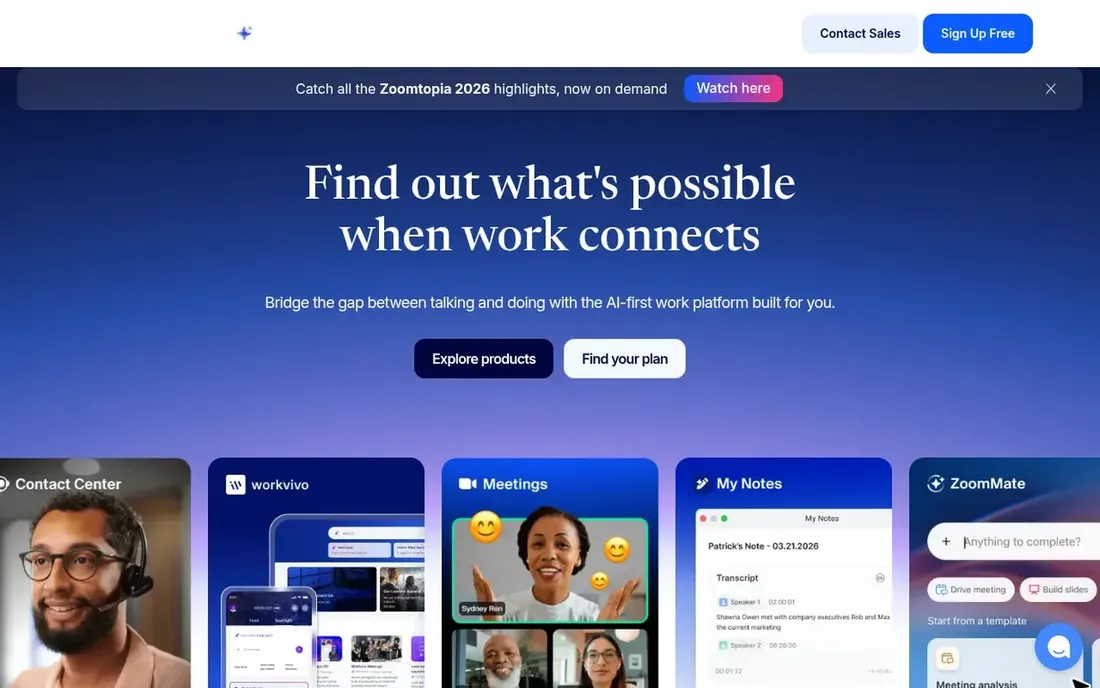
Zoom Webinars was built for all-in-one meetings, webinars, and events. Zoom Webinars is part of a broader platform that includes video meetings, chat, phone, whiteboard, contact center, and events.
In daily use, the product spans plenty of products, so webinar-specific controls and event workflows rely on the edition you choose. Check the vendor site for Zoom Webinars pricing; none is listed in this comparison. On free options: Not stated.
Honest limits: Large events need careful setup.
- Familiar interface for most audiences
- Merges meetings, chat, webinars, events
- Feature depth varies by webinar type
GoTo Webinar was built for audience engagement in virtual conferences. Teams that run recurring webinars and want a dedicated tool instead of a general meeting suite can use it as their primary delivery system.
Downsides: Integration depth varies.
On top of that, choose GoTo Webinar when dedicated webinar delivery and audience engagement are the central priorities. In practice, as a webinar-focused product, it does not replace a full collaboration suite for everyday meetings and chat. No starting price is listed for GoTo Webinar here; confirm pricing on the vendor site. On free options: Free trial.
- Centred on webinar and virtual conference delivery
- Made for audience engagement
- Narrower than full collaboration suites
Cisco Webex Webinars
Best for: AI-powered collaboration and large branded events

Cisco Webex Webinars is designed for AI-powered collaboration and large branded events. Smaller teams without existing Cisco deployments may find the ecosystem broader than needed. Consider a webinar-first system when speed of setup and marketing workflows matter more than enterprise integration.
In daily use, organizations already standardized on Cisco infrastructure can extend the same environment to webinars and virtual workshops. Since Webex spans plenty of product areas, webinar configuration can involve more administrative overhead than a focused tool. This comparison lists no price for Cisco Webex Webinars; ask the vendor. Cisco Webex Webinars includes a free tier.
Honest limits: Wide system can feel complicated.
- Suited to global brand requirements
- AI-powered collaboration features
- Webinar setup may need admin support
Our selection method
The comparison looks at four things: starting price, free access, how well the feature set matches platforms for virtual workshops and webinars, and the main limit of each tool. Where a price is missing, the vendor does not list one publicly or ties it to a quote. Always confirm before budgeting. The sequence is a judgement call: typical use case first, then pricing transparency, then free access. Use the profiles to check fit.
Questions to settle before buying
- Ask ClickMeeting, Zoom Webinars, GoTo Webinar and Cisco Webex Webinars for a written quote, since no starting price is shown.
- Check what the free option really includes: ClickMeeting and Cisco Webex Webinars offer a free plan, and usage caps differ.
- Run a trial of GoTo Webinar with real work before paying for a year; your own workflow is the best test.
- Read the limits listed for ClickMeeting first: feature depth varies by webinar type.
- Ask Livestorm whether prices are locked for the first term and what happens at renewal.
- Look at which plan of ClickMeeting unlocks the features you need; entry tiers are often cut down.
FAQ
Can I run automatic or on-demand webinars?
Others focus primarily on live delivery. Confirm the formats you need on the vendor site, since availability can differ between products and editions.
Is ClickMeeting the right pick for everyone comparing platforms for virtual workshops and webinars?
No single tool suits every team. ClickMeeting comes first because it fits browser-based webinars with lead capture, while Livestorm suits marketing teams needing CRM-ready insights and Zoom Webinars suits all-in-one meetings, webinars, and events. Match the tool to your own size, budget and workflow before deciding.
Do these tools publish their prices?
Not all of them. ClickMeeting, Zoom Webinars, GoTo Webinar and Cisco Webex Webinars publish no starting price, so expect a quote request for those. The rest, Livestorm included, show a starting price, though seats and billing terms still change the final cost.
Which options for platforms for virtual workshops and webinars have a free plan?
On this list, ClickMeeting and Cisco Webex Webinars include a free plan. Caps on seats, usage or features are common, so test the free plan against your real workload. One other tool offers a trial instead.
Which system is best for internal workshops compared with public webinars?
ClickMeeting comes first here and is built for browser-based webinars with lead capture. Buyers with other needs may prefer Livestorm (for marketing teams needing CRM-ready insights) or Zoom Webinars (for all-in-one meetings, webinars, and events). Compare costs and limits first.
How are the tools for platforms for virtual workshops and webinars ordered?
The order follows typical fit for platforms for virtual workshops and webinars, with ClickMeeting first and Cisco Webex Webinars last, then price clarity and free access. It is editorial judgement, not a score, so another team could rank the tools differently.
Sources
- https://clickmeeting.com
- https://livestorm.co
- https://zoom.us
- https://www.goto.com/webinar
- https://www.webex.com