Best Video CMS Software for Remote Teams in 2026: Prices, Free Plans and 5 Picks
Best video CMS software for remote teams: 5 contenders ranked by fit, with entry costs and free tiers. Plain-spoken summaries throughout. Skim the table first.
- Editor's choice
 Vidyard
Virtual sales and marketing video
Starts atSee websiteVisit vidyard.comFull review - Great alternative
 SproutVideo
Business video marketing and privacy
Starts at$12 a month billed annuallyVisit sproutvideo.comFull review - Also consider
 Dacast
Scheduled live streaming and hosting
Starts at$29 a monthVisit dacast.comFull review
Direct answer
Vidyard comes first here, mainly for virtual sales and marketing video. Listed starting prices: SproutVideo from $12 a month billed annually and Dacast from $29 a month. Alternatives: SproutVideo for business video marketing and privacy, and Dacast for scheduled live streaming and hosting. All 5 tools are compared below on price, free plan and limits.
TL;DR:
- Vidyard takes the first slot, best suited to virtual sales and marketing video.
- 2 of 5 tools offer a free plan: Vidyard, Vimeo.
- For scalable secure enterprise streaming, Brightcove is worth a look.
- For the cheapest start, look at SproutVideo: $12 per month billed annually.
- Dacast comes with a trade-off: less centred on internal learning.
Last checked November 2026. Prices and plan details were read from the vendors' own pages in November 2026; vendors change plans often, so confirm the current price on the vendor site before you buy.
Quick comparison
| Tool | Best for | Starts at | Free plan? | |
|---|---|---|---|---|
| Vidyard | Virtual sales and marketing video | See website | Yes | Visit |
| SproutVideo | Business video marketing and privacy | $12 a month billed annually | Free trial | Visit |
| Dacast | Scheduled live streaming and hosting | $29 a month | Free trial | Visit |
 Vimeo | Familiar video hosting and discovery | See website | Yes | Visit |
 Brightcove | Scalable secure enterprise streaming | See website | Not stated | Visit |
The 5 tools in detail
Choosing video CMS software for remote teams usually comes down to price, fit and limits. This LinkVetted guide sets 5 tools side by side on those three points, with the facts kept short and checkable.
Vidyard is designed for virtual sales and marketing video. Vidyard describes itself as video tools for virtual sales and marketing teams, positioned to help increase leads, accelerate pipeline and support customer engagement.
Watch-outs: Narrower than general video CMS.
Vidyard shows no starting price here, so confirm the cost on the vendor site. You can start on Vidyard without paying.
- Centred on sales and marketing teams
- Supports lead and pipeline goals
- Not geared toward lecture capture
SproutVideo is aimed squarely at business video marketing and privacy. Remote teams that publish customer-facing video and want to understand how content performs can use it as a hosted home for both on-demand and live video without building custom infrastructure. For everyday use, SproutVideo presents itself as video hosting and live streaming for business, emphasizing video marketing, analytics and privacy tools.
What users get: Privacy controls for hosted content.
Drawbacks to consider: Smaller ecosystem than major products. As for the details, teams whose primary need is training libraries or personalized sales video should weigh more specialized alternatives. For everyday use, the product leans toward marketing and privacy-conscious hosting instead of internal learning or sales outreach workflows. SproutVideo starts at: $12 per month billed annually. Free options: Free trial.
- Supports live streaming
- Video marketing and analytics tools
- Less known for learning workflows
Think of Dacast for scheduled live streaming and hosting. Dacast is a professional live streaming and video hosting system targeted at organizations that broadcast on a schedule.
Where it is weaker: Less concentrated on internal learning.
Its live-first orientation means teams that primarily need on-demand internal libraries or sales video may find it a partial fit. Dacast pricing: $29 per month. As for free access: Free trial.
- Made for scheduled broadcasts
- Positioned as steady and transparent
- Live-first orientation
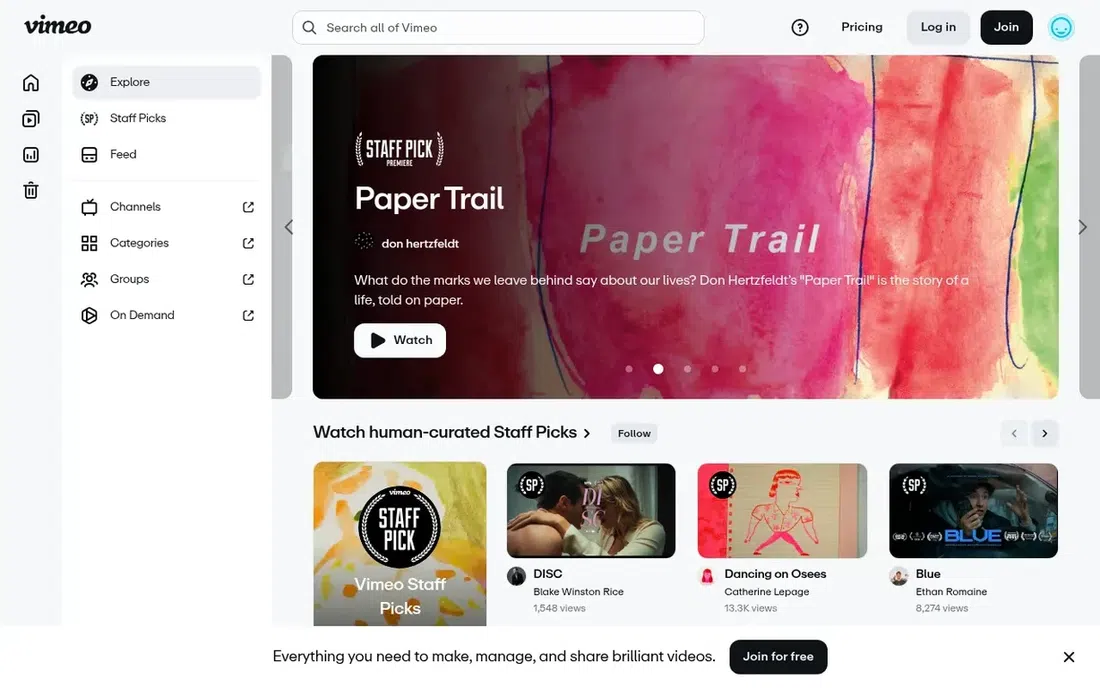
Vimeo is a good fit for familiar video hosting and discovery. Vimeo is a well-known video product whose homepage flags free online videos, films, shorts and documentaries streaming in HD. It tends to fit teams that want approachable video hosting and a public-facing presence instead of a heavily customized enterprise streaming stack.
Teams with strict privacy, compliance or internal training requirements should compare it against platforms designed for organizational video before deciding. In daily use, since Vimeo serves both creators and companies, its consumer-facing emphasis may not match teams that require deep administrative control or specialized learning workflows. No starting price is listed for Vimeo here; confirm pricing on the vendor site. Free access exists with Vimeo.
Limits to weigh: Enterprise controls vary by offering.
- Recognizable video platform
- Straightforward sharing for distributed teams
- Wide consumer focus
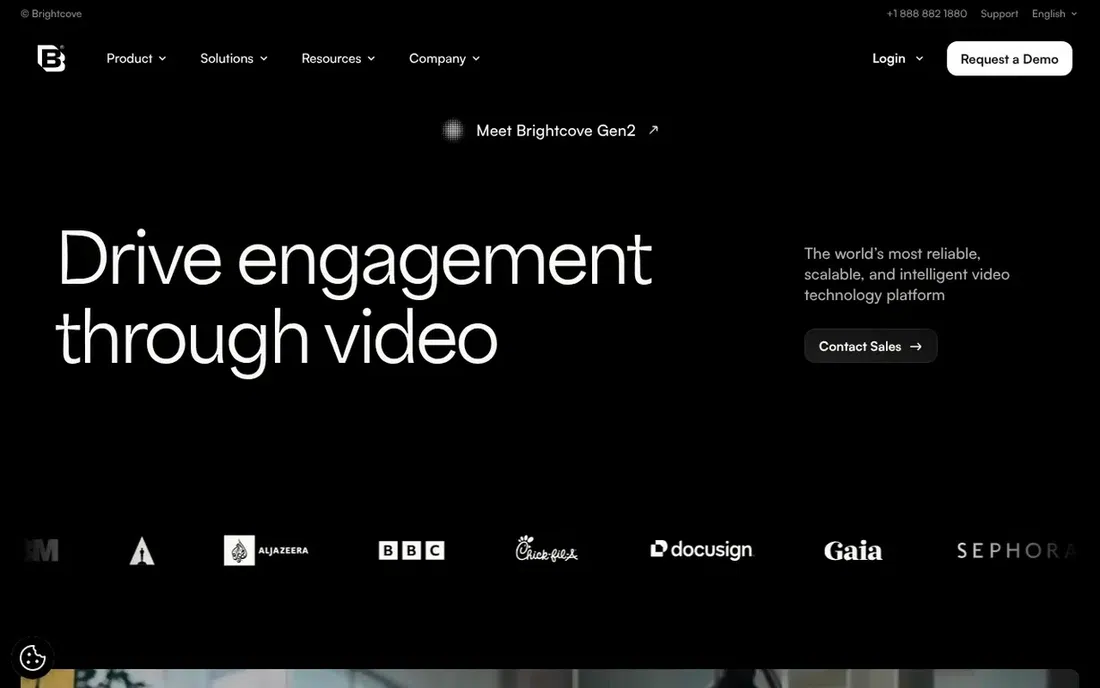
Brightcove is designed for scalable secure enterprise streaming. The enterprise focus means setup and administration can be more involved than light tools, and smaller teams may find the scope broader than they need.
No starting price is listed for Brightcove here; confirm pricing on the vendor site. Free access: Not stated.
What to check first: May exceed needs of small teams.
- Supports hosting
- Positioned for reliability
- Enterprise orientation can feel heavy
How these tools were picked
LinkVetted looked at what each vendor publishes: pricing, plan limits, feature coverage for video CMS software for remote teams and stated drawbacks. No hands-on testing is claimed. Where a vendor does not publish a price, the entry says quote. Where a price depends on seats or billing term, the entry says so. The ranking is editorial: typical fit first, then clear pricing, then free access. If your needs are unusual, read the profiles rather than relying on position.
A buyer's checklist
- Ask Vidyard, Vimeo and Brightcove for a written quote, since no starting price is shown.
- Check what the free option really includes: Vidyard and Vimeo offer a free plan, and usage caps differ.
- Take the trial from SproutVideo and Dacast and push a live task through it before you pay.
- Read the limits listed for Vidyard first: narrower than general video CMS.
- Check how data leaves Vimeo: formats, limits and whether exports are available on every plan.
- Total up the real monthly cost of Vidyard, including add-ons, extra users and usage-based fees.
FAQ
Can I try these tools before paying?
Often, yes. Vidyard and Vimeo have a free plan and SproutVideo and Dacast offer a free trial. Use your own data and a real task during the test, and check what the free tier or trial limits before you rely on it.
Which options for video CMS software for remote teams have a free plan?
On this list, Vidyard and Vimeo include a free plan. Caps on seats, usage or features are common, so test the free plan against your real workload. Several others offer a trial instead.
Is Vimeo or Brightcove better for a distributed team?
Vimeo is simpler to adopt for general hosting and sharing, whereas Brightcove targets secure, scalable streaming for bigger organizations. The right choice relies on audience size, compliance needs and how much administration your team can support.
What should remote teams look for in a video CMS?
Prioritize access controls, searchable video libraries and steady sharing across time zones. More specifically, if your team records training or runs webinars, confirm that hosting, live streaming and analytics are covered before you commit.
Is Vidyard the right pick for everyone comparing video CMS software for remote teams?
No single tool suits every team. Vidyard comes first because it fits virtual sales and marketing video, while SproutVideo suits business video marketing and privacy and Dacast suits scheduled live streaming and hosting. Match the tool to your own size, budget and workflow before deciding.
Do these tools publish their prices?
Not all of them. Vidyard, Vimeo and Brightcove publish no starting price, so expect a quote request for those. The rest, SproutVideo included, show a starting price, though seats and billing terms still change the final cost.
Sources
- https://www.vidyard.com
- https://sproutvideo.com
- https://www.dacast.com
- https://vimeo.com
- https://www.brightcove.com