Best Video Hosting Platforms for Online Courses in 2026: 8 Tools Compared
We compare the best video hosting platforms for online courses, from Vimeo and Wistia to Panopto, on playback, privacy, captions, analytics and price.

- Editor's choice
 Vimeo
Clean course player and privacy
Starts at$12 per monthVisit vimeo.comFull review - Great alternative
 Wistia
Marketing and engagement analytics
Starts at$79 per monthVisit wistia.comFull review - Also consider
 YouTube
Free hosting and discovery
Starts atFreeVisit youtube.comFull review
TL;DR:
- Vimeo and Wistia are the best all round hosts for course creators, with clean players, privacy controls and analytics.
- YouTube suits free and discovery focused courses, but it offers less control over branding, ads and student access.
- Panopto and Kaltura suit schools and large training teams that need search, captions and learning system links.
- Check storage, bandwidth, privacy and caption support before you buy, since those limits decide the real cost of a course library.
Quick comparison
| Tool | Best for | Starts at | Free plan? | |
|---|---|---|---|---|
| Vimeo | Clean course player and privacy | $12 per month | Yes | Visit |
| Wistia | Marketing and engagement analytics | $79 per month | Yes | Visit |
| YouTube | Free hosting and discovery | Free | Yes | Visit |
 Brightcove | Large scale enterprise video | See website | No | Visit |
 Kaltura | Education and enterprise video | See website | Free trial | Visit |
 Panopto | Lecture capture and search | See website | Free trial | Visit |
 Dacast | Live and on demand course video | See website | Free trial | Visit |
 Uscreen | Selling courses with video hosting | See website | Free trial | Visit |
The best video hosting platforms for online courses
A course video host must do more than play a file. It must protect paid content, play well on mobile, support captions, track student progress and embed cleanly in a course platform. The hosts below cover creators, schools and course businesses.

Vimeo is our pick for most course creators who want a professional player without ads. Its Starter plan was listed at $12 per month billed annually in recent comparisons, with Standard at $25 per month billed annually for more storage and team seats. Privacy controls let you limit playback to your course site or require a password, which helps for paid courses.
The limits matter as a library grows. Self serve plans share a monthly bandwidth allowance, and full DRM protection sits on enterprise plans, so large paid course businesses should check those terms carefully. For small to mid sized courses, Vimeo offers a strong mix of player quality, privacy and price.
- Clean ad free player
- Password and domain privacy controls
- Good analytics and team tools on paid plans
- Bandwidth limits on self serve plans
- DRM is limited to enterprise plans
- Plan names and prices change often
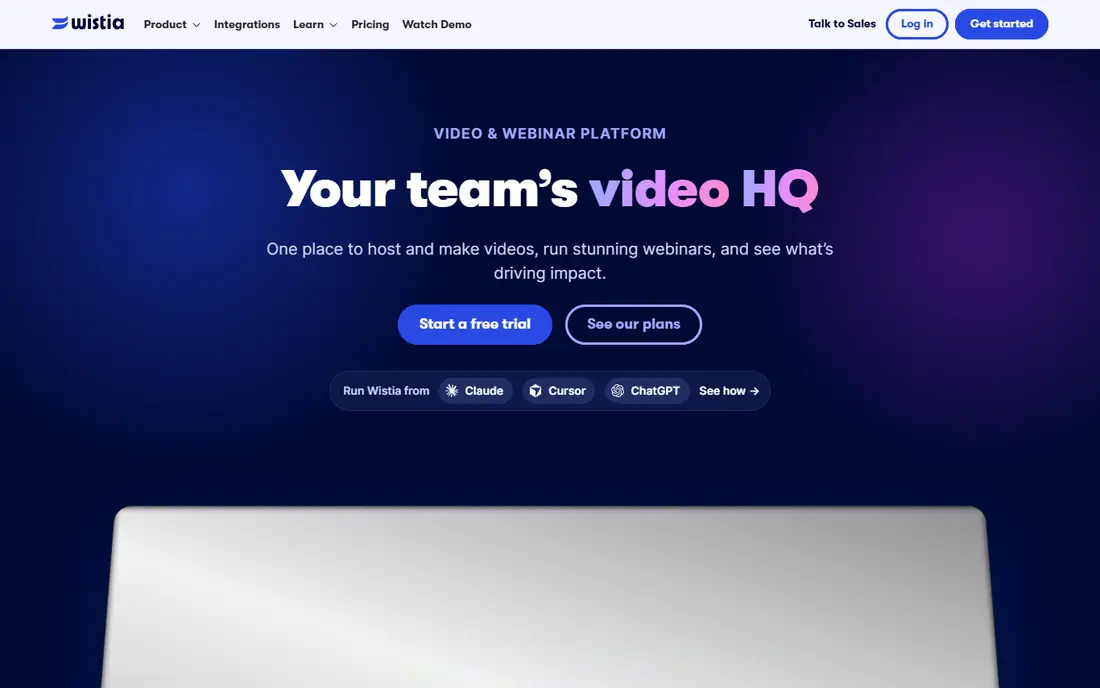
Wistia suits course creators who treat video as a marketing and engagement tool, not just a file host. Its analytics show where students drop off, which sections get replayed and how individual viewers engage, which helps improve lessons. Calls to action and lead capture inside the player also help creators who sell courses from a website.
Cost is the main barrier. The free tier is limited, and Business was listed at $79 per month billed annually in recent comparisons, with $99 billed monthly. Add ons for webinars and automation raise the total further. Wistia is worth it when analytics and conversion matter, but Vimeo may be better value for simple hosting.
- Strong engagement analytics and heatmaps
- Branded player with calls to action
- Lead capture tools
- Jump from free to Business is steep
- Business was listed at $79 per month billed annually
- Add ons raise cost

YouTube is the obvious choice for free courses and for creators who want discovery. Hosting is free, playback is reliable, and students already know how to use it. Unlisted or private settings can limit access for small groups, and playlists help organise a course series without extra cost.
The trade off is control. Ads, suggested videos and YouTube branding can distract students, and YouTube does not gate paid courses by itself. Creators who sell courses usually embed YouTube only for free previews, and use Vimeo, Wistia or a course platform host for paid lessons. For free education, though, YouTube is hard to beat.
- Free unlimited style hosting
- Huge discovery audience
- Reliable playback on almost every device
- Ads and suggested videos distract students
- Less control over branding and access
- No built in paid course gating
Brightcove serves large media, education and enterprise customers with high volume video. Its platform handles live events, large on demand libraries and integrations with learning and marketing systems. Reliability and analytics are strong, and support is geared to large deployments.
Small course creators will likely find Brightcove more complex and costly than needed. Pricing is quoted, and setup involves planning around integrations and workflows. For universities, large training providers and media heavy course businesses, Brightcove offers scale that smaller hosts cannot match.
- Enterprise scale and reliability
- Strong live and on demand tools
- Detailed analytics and integrations
- Enterprise pricing and setup
- More than most small creators need
Kaltura is widely used in education and enterprise training, with features such as video quizzes, interactive paths, captions and searchable transcripts. It integrates with learning management systems, which helps schools deliver video inside courses they already run. That education focus sets Kaltura apart from general marketing hosts.
Complexity is the catch. Kaltura offers many modules, and choosing the right setup takes planning. Pricing is quoted for many deployments, so small creators should compare it with Vimeo or Wistia first. For schools and large training teams, Kaltura is one of the most complete course video platforms.
- Strong education features
- Captions, search and interactive video
- Learning system integrations
- Setup can be complex
- Pricing is quoted for many deployments
Panopto started in lecture capture, and it remains strong for recorded classes, training sessions and internal learning. Its search can find spoken words inside a video, captions support accessibility, and integrations link video to courses and internal portals. Teachers can record a screen, slides and camera together without complex editing.
Panopto is less of a public marketing host than Vimeo or Wistia. It suits schools, universities and companies with internal training libraries, where search and accessibility matter more than lead capture. Check pricing and learning system compatibility for your institution before you pilot it with a full course set.
- Lecture capture and screen recording
- Searchable video with captions
- Learning system links
- Education focused pricing
- Less suited to public marketing video
Dacast combines live streaming and on demand hosting, which suits course creators who run live classes as well as recorded lessons. Its paywall, subscription and rental options help creators sell access without a separate course platform, and the white label player keeps branding clean. That mix is useful for cohort courses with live sessions.
The interface feels more technical than Vimeo or Wistia, and pricing tiers vary by bandwidth and storage, so compare plans against your expected student numbers. For creators who need live plus recorded video in one host, Dacast is a practical and flexible choice.
- Live streaming plus on demand hosting
- Paywall and monetisation options
- White label player
- Interface is more technical than Vimeo
- Pricing tiers need careful comparison
Uscreen is not just a video host. It lets creators build a branded course website, sell memberships and subscriptions, offer mobile apps and host video in one system. That all in one model suits creators who want to sell courses without stitching together a host, a course platform and a payment tool.
If you only need hosting inside an existing course platform, Uscreen may be more than you need, and its monthly cost will be higher than Vimeo alone. For creators building a course business from scratch, Uscreen can save integration time and give students a single branded place to watch, pay and learn.
- Combines hosting with course sales, apps and memberships
- Branded website and apps
- Payment handling
- More than a simple host
- Monthly cost higher than Vimeo for hosting alone
How we picked these
We compared official product pages, pricing pages, player features, privacy controls and learning integrations. We looked for hosts that are live in 2026, that support course style embedding and privacy, and that cover creators, schools and course businesses. We left out hosts that only offer social video or short clips, since course video needs longer playback, captions and access control.
How to choose a host for your course
Start with how students will access lessons. A paid course needs domain or password privacy at minimum, and a large paid library may need stronger protection. A free course can use YouTube, while a branded paid course usually needs Vimeo, Wistia or a course platform host. Check mobile playback, caption support and download controls, since students watch on phones and need accessible lessons.
Estimate storage and viewing before you buy
Add up your total video hours, file sizes and expected student views. Storage limits, bandwidth allowances and per user costs can turn a low headline price into a high monthly bill. Ask each host what happens when you exceed a limit, whether overage is charged, and whether you can upgrade without moving your whole library.
Test the student experience
Upload a sample lesson, embed it in your course page, and watch it on a phone, a laptop and a slow connection. Check captions, playback speed, chapter navigation and what happens after the video ends. A host that looks good in a demo but distracts students with ads or suggested videos will hurt completion rates.
FAQ
What is the best video hosting software for online courses?
Vimeo and Wistia are the best all round choices for most course creators. Vimeo offers a clean player and privacy at a lower starting price, while Wistia offers stronger engagement analytics and lead tools at a higher price.
What are the best video hosting platforms for online courses on a budget?
YouTube is free and suits free courses, while Vimeo Starter was listed at $12 per month billed annually in recent comparisons. Compare storage, bandwidth and privacy limits before you choose on price alone.
Can I use YouTube for a paid course?
You can use unlisted or private YouTube videos for small paid groups, but YouTube does not gate paid access by itself and it shows ads and suggested videos. Most paid course creators use Vimeo, Wistia or a course platform host for paid lessons, and YouTube only for free previews.
Do course video hosts support captions?
Most hosts in this list support captions, either by upload or by automatic generation, with Panopto and Kaltura offering strong search and accessibility features. Check caption accuracy, editing tools and language support for your audience before you commit.
How do I protect paid course videos from sharing?
Use domain restricted playback, password protection or signed links, and avoid public links for paid lessons. Full DRM offers stronger protection but usually sits on enterprise plans, so weigh cost against the risk of sharing for your course price and audience.