Best Version Control Hosting Software for Remote Teams for 2026: Our 6 Vetted Picks
Best version control hosting software for remote teams in 2026: 6 contenders with entry costs and free tiers. Concise write-ups of every option. No filler.

- Editor's choicePerforce Helix Core
High-performance version control at scale
Starts atSee websiteVisit perforce.comFull review - Great alternative
 GitLab
All-in-one lifecycle orchestration
Starts at$29 per user per monthVisit about.gitlab.comFull review - Also considerGitea
Light self-hosted collaboration
Starts at$9.5 per user a monthVisit gitea.comFull review
Direct answer
Perforce Helix Core comes first here, mainly for high-performance version control at scale. Listed starting prices: GitLab from $29 per user per month, Gitea from $9.5 per user a month and GitHub from $4 per user per month. For a different need, GitLab covers all-in-one lifecycle orchestration and Gitea covers light self-hosted collaboration. The remaining 3 options are covered below with prices and limits.
TL;DR:
- Number one here is Perforce Helix Core, a fit for high-performance version control at scale.
- GitHub has the lowest monthly starting price in this list: $4 per user per month.
- One limit worth knowing about Google Cloud Source Repositories: narrower collaboration scope than full systems.
- GitHub fits wide ecosystem and open source collaboration.
- Free plans exist at 2 of 6 tools (GitLab, GitHub).
Last checked November 2026. Prices and plan details were read from the vendors' own pages in November 2026; vendors change plans often, so confirm the current price on the vendor site before you buy.
Quick comparison
| Tool | Best for | Starts at | Free plan? | |
|---|---|---|---|---|
| Perforce Helix Core | High-performance version control at scale | See website | Not stated | Visit |
| GitLab | All-in-one lifecycle orchestration | $29 per user per month | Yes | Visit |
| Gitea | Light self-hosted collaboration | $9.5 per user a month | Free trial | Visit |
| Google Cloud Source Repositories | Private Git repos on Google Cloud | See website | Not stated | Visit |
 Bitbucket | Teams inside the Atlassian ecosystem | See website | Not stated | Visit |
 GitHub | Wide ecosystem and open source collaboration | $4 per user per month | Yes | Visit |
Tool-by-tool breakdown
LinkVetted compared 6 version control hosting software for remote teams. The goal is a practical shortlist: published prices, free plan facts, best-fit use cases and honest limits for every entry.
Perforce Helix Core
Best for: High-performance version control at scale
For high-performance version control at scale, Perforce Helix Core is a natural candidate. It manages large files and assets well, which matters for remote teams working with binaries, game assets or design files alongside code.
Points against: Different workflow from Git-centric platforms.
From a buyer's view, administration needs planning. Check the vendor site for Perforce Helix Core pricing; none is listed in this comparison. Free access: Not stated.
- Secure and scalable architecture
- Suited to teams of any size
- Needs deliberate setup and administration

GitLab makes the most sense for all-in-one lifecycle orchestration. Teams that only need repository hosting may find it heavier than necessary.
Honest limits: Feature depth can lengthen onboarding.
From a buyer's view, GitLab positions itself as an intelligent orchestration system handling the software lifecycle with context and governance. GitLab cost at the entry level: $29 per user per month. GitLab includes a free tier.
- Built-in CI/CD and governance controls
- Planning through deployment in one product
- Self-managed operation needs dedicated effort
Gitea
Best for: Light self-hosted collaboration
Pick Gitea if this describes you: light self-hosted collaboration. Self-hosting shifts responsibility for upgrades, backups and availability onto your team, which can be a burden without operations support.
Limits to weigh: Smaller ecosystem than major systems.
Choose Gitea when data control and a light footprint matter more than managed convenience. What you pay to start with Gitea: $9.5 per user per month. As for free access: Free trial.
- Self-hosted all-in-one service
- CI/CD built in
- You operate and maintain the server
Google Cloud Source Repositories
Best for: Private Git repos on Google Cloud
In short, Google Cloud Source Repositories is for private Git repos on Google Cloud. Cloud Source Repositories gives you completely managed private Git repositories with integrations for continuous integration, delivery and deployment. Remote teams building on Google Cloud can keep source close to their deployment targets and link repositories to their pipeline tooling.
Compared to broader systems, it centres on repositories instead of bundling deep planning or review suites. Pick it when your infrastructure already runs on Google Cloud and private managed repos are the priority. This comparison lists no price for Google Cloud Source Repositories; ask the vendor. Free access: Not stated.
Trade-offs to know: Most handy inside Google Cloud environments.
- Completely managed private Git repositories
- Plugs into CI/CD and deployment tooling
- Narrower collaboration scope than full systems
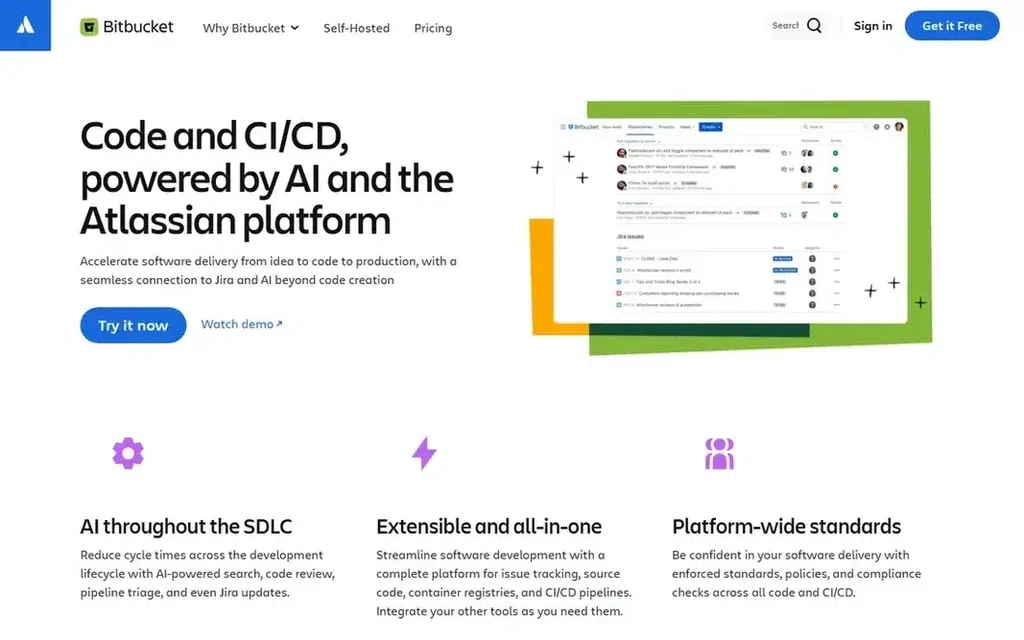
For teams inside the Atlassian ecosystem, Bitbucket is a natural candidate. Bitbucket is a Git hosting service from Atlassian that centers on repositories, pull request review and pipelines for continuous integration. Teams outside the Atlassian ecosystem may not gain much from the integration story and could prefer a product with broader standalone tooling.
The main drawbacks: Best value primarily for Atlassian users.
On top of that, pick Bitbucket when your planning tools already live in that ecosystem and you want code hosted alongside them. Worth adding: remote teams already using Atlassian planning and documentation tools get a natural connection between tickets and code changes. Bitbucket does not show a starting price in this comparison, so check the vendor site for current pricing. Trial and free access: Not stated.
- Built-in pipelines for CI/CD
- Links with Atlassian planning tools
- Fewer standalone extras than bigger systems

Think of GitHub for wide ecosystem and open source collaboration. GitHub is a widely adopted developer product built around Git hosting, pull requests and collaborative code review.
Its marketplace and integrations link to CI/CD, project tracking and security tooling, which helps distributed teams standardize on one hub. Organizations with strict data residency or completely self-managed requirements may prefer another choice. GitHub cost at the entry level: $4 per user per month. Free access exists with GitHub.
Downsides: Advanced features can overwhelm small teams.
- Large integration ecosystem
- AI-assisted developer tooling
- Some capabilities rely on add-on services
Selection criteria
We compared the tools on published pricing, free plan or trial availability, feature coverage for version control hosting software for remote teams, and the limits each vendor documents. Seat minimums, billing terms and add-ons can move the real cost, so the starting prices here are a guide and not a quote. Position on the page reflects fit for a typical buyer first, with price clarity and free access breaking ties. Treat it as a guide, not a ruling.
What to confirm before you sign up
- Ask Perforce Helix Core, Google Cloud Source Repositories and Bitbucket for a written quote, since no starting price is shown.
- Read the fine print on the free plans from GitLab and GitHub; seat, project and feature caps differ.
- Use real work to test the free trial from Gitea, rather than a demo project.
- Before choosing Perforce Helix Core, weigh its main limit: different workflow from Git-centric products.
- Ask Bitbucket whether prices are locked for the first term and what happens at renewal.
- Involve the people who will use GitLab daily; a short pilot beats a long feature checklist.
FAQ
What is the cheapest option for version control hosting software for remote teams in this list?
On published monthly entry prices, GitHub is the lowest here at $4 per user per month. Entry price is only part of the cost, because seats, add-ons and billing terms can change the total. For the full picture, the cards above cover all 6 entries of this version control hosting software for remote teams list, including price, free plan and limits.
How are the version control hosting software for remote teams ordered?
The order follows typical fit for version control hosting software for remote teams, with Perforce Helix Core first and GitHub last, then price clarity and free access. It is editorial judgement, not a score, so another team could rank the tools differently.
Is Perforce Helix Core the right pick for everyone comparing version control hosting software for remote teams?
No single tool suits every team. Perforce Helix Core comes first because it fits high-performance version control at scale, while GitLab suits all-in-one lifecycle orchestration and Gitea suits lightweight self-hosted collaboration. Match the tool to your own size, budget and workflow before deciding.
Can remote teams self-host their version control?
Yes. Self-hosting means your team takes care of upgrades, backups and availability. Managed products cut that operational load.
Which version control hosting software for remote teams have a free plan?
GitLab and GitHub offer a free plan in this list. Free plans usually cap users, projects or features, so check the limits on the vendor page. One other tool offers a trial instead. Prices, free plan details and limits for all 6 tools in this version control hosting software for remote teams roundup sit on the individual cards above.
Sources
- https://www.perforce.com/products/helix-core
- https://about.gitlab.com
- https://gitea.com
- https://cloud.google.com/source-repositories
- https://bitbucket.org
- https://github.com