Best Vendor-Neutral Archives Software in 2026: Prices, Free Plans and 5 Picks
Best Vendor-Neutral archives software, compared. 5 tools with published prices, free plans and limits. Each profile ends with a plain caveat. Details below.
- Editor's choice
 M-Files
Contextual document management
Starts at€65 per seat a monthVisit m-files.comFull review - Great alternative
 Laserfiche
Document management and process automation
Starts at$42 per user per monthVisit laserfiche.comFull review - Also considerOpenText Content Manager
Enterprise information governance
Starts atSee websiteVisit opentext.comFull review
Direct answer
If you need contextual document management, M-Files is the first tool to look at here. Listed starting prices: M-Files from €65 per seat a month, Laserfiche from $42 per user per month and Preservica from $310 a month. Alternatives: Laserfiche for document management and process automation, and OpenText Content Manager for enterprise information governance. The remaining 2 options are covered below with prices and limits.
TL;DR:
- Top of the list is M-Files, which targets contextual document management.
- Only Preservica offers a free plan among these 5 tools.
- Laserfiche has the lowest monthly starting price in this list: $42 per user per month.
- A fair warning about Laserfiche: preservation features may be restricted.
- Preservica fits dedicated digital preservation and access.
Last checked November 2026. Prices and plan details were read from the vendors' own pages in November 2026; vendors change plans often, so confirm the current price on the vendor site before you buy.
Quick comparison
| Tool | Best for | Starts at | Free plan? | |
|---|---|---|---|---|
| M-Files | Contextual document management | €65 per seat a month | Not stated | Visit |
| Laserfiche | Document management and process automation | $42 per user per month | Not stated | Visit |
| OpenText Content Manager | Enterprise information governance | See website | Not stated | Visit |
 Microsoft SharePoint | Collaborative content management | See website | Not stated | Visit |
| Preservica | Dedicated digital preservation and access | $310 a month | Yes | Visit |
Tool-by-tool breakdown
LinkVetted compared 5 tools for Vendor-Neutral archives software. The goal is a practical shortlist: published prices, free plan facts, best-fit use cases and honest limits for every entry.
M-Files is aimed squarely at contextual document management. It supplies secure document management with a focus on contextual organization, making it a good match for organizations that require to run large volumes of documents efficiently.
In daily use, for general document management with AI capabilities, M-Files is a viable choice. Starting cost for M-Files: €65 per seat per month. Free access: Not stated.
Honest limits: Not specialized for digital preservation.
- Organizes documents in context
- AI-powered workflows and risk reduction
- May need configuration for archival use
Laserfiche makes the most sense for document management and process automation. Laserfiche provides AI-powered document management and process automation, including workflows, electronic forms, and analytics. For everyday use, Laserfiche is well-suited for companies and government agencies that require to handle active documents and automate workflows.
Points against: Preservation features may be restricted.
But it is not primarily a digital preservation system. In daily use, for active document management and automation, Laserfiche is a solid choice. Also, Laserfiche may not offer the full range of preservation functions required for long-term archival retention, like format migration and integrity checks. Entry price for Laserfiche: $42 per user per month. Free plan details: Not stated.
- Workflow and electronic forms capabilities
- AI-powered document management
- Focus is on active document management
OpenText Content Manager
Best for: Enterprise information governance
Think of OpenText Content Manager for enterprise information governance. OpenText Content Manager is part of OpenText's secure information management offerings, meant to help organizations run and link data across the enterprise. It transforms data into trusted, AI-ready information, making it a good match for large organizations with complicated governance and compliance needs.
From a buyer's view, smaller organizations or those without dedicated IT staff might find it challenging to implement. The system supports records management and content archiving within a broader enterprise information strategy. Pricing for OpenText Content Manager is not stated here, so ask the vendor for current figures. Trial and free access: Not stated.
Watch-outs: Could be overkill for small archives.
- Wide information management across the enterprise
- Focus on secure and connected data
- May need significant IT resources
Microsoft SharePoint was built for collaborative content management. Microsoft SharePoint is a collaborative content management product that helps produce, share, and govern trusted knowledge. It powers collaboration, communication, automation, and AI experiences across Microsoft 365.
Honest limits: May need add-ons for long-term archiving.
Organizations with long-term preservation requirements might have to pair it with specialized software. For general collaboration and active records, SharePoint can be a practical choice. Check the vendor site for Microsoft SharePoint pricing; none is listed in this comparison. On free options: Not stated.
- Integrated with Microsoft 365
- Supports collaboration and governance
- Not a dedicated preservation system
Preservica
Best for: Dedicated digital preservation and access
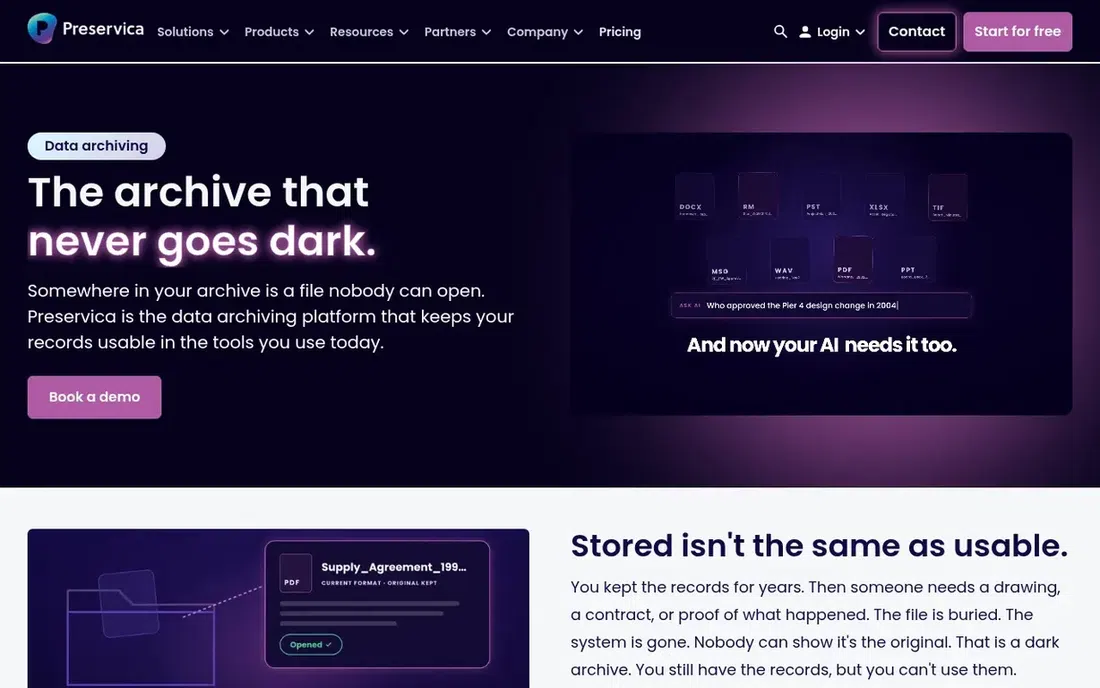
In short, Preservica is for dedicated digital preservation and access. It fits organizations that require a dedicated system for long-term digital preservation, notably those with compliance or historical recordkeeping requirements.
Consider alternatives if your primary need is active records management instead of long-term preservation. The starting price for Preservica: $310 per month. Preservica offers a free plan.
Trade-offs to know: Restricted information on integration with general business systems.
- Focus on keeping records readable and findable
- Emphasis on provable integrity of archived data
- May need specialized preservation knowledge
Selection criteria
What to confirm before you sign up
- Get a written quote from OpenText Content Manager and Microsoft SharePoint; the list shows no starting price for them.
- Look at the free plan from Preservica closely: its caps decide whether it is usable for real work.
- Read the limits listed for M-Files first: not specialized for digital preservation.
- Ask Microsoft SharePoint whether prices are locked for the first term and what happens at renewal.
- Verify that exporting from M-Files is possible on your plan and covers all your records.
FAQ
Which tool is a good match for digital preservation?
The first pick on this list is M-Files, because it suits contextual document management. Laserfiche is better for document management and process automation, and OpenText Content Manager for enterprise information governance. Check price and limits against your own needs before choosing.
Is M-Files the right pick for everyone comparing Vendor-Neutral archives software?
No single tool suits every team. M-Files comes first because it fits contextual document management, while Laserfiche suits document management and process automation and OpenText Content Manager suits enterprise information governance. Match the tool to your own size, budget and workflow before deciding.
Which options for Vendor-Neutral archives software have a free plan?
Preservica is the only tool in this list with a free plan. Free plans usually cap users, projects or features, so check the limits on the vendor page.
What does vendor-neutral mean for archives software?
Vendor-neutral archives software avoids locking you into a single provider's ecosystem, allowing data export and interoperability with other systems. This is important for long-term preservation, as it cuts the risk of data loss if you change vendors.
How are the tools for Vendor-Neutral archives software ordered?
M-Files sits first and Preservica last because the order follows typical fit for Vendor-Neutral archives software, then price clarity and free access. It is a judgement call, so read each profile for fit and limits.
Do these tools publish their prices?
Not all of them. OpenText Content Manager and Microsoft SharePoint publish no starting price, so expect a quote request for those. The rest, M-Files included, show a starting price, though seats and billing terms still change the final cost.
Sources
- https://www.m-files.com
- https://www.laserfiche.com
- https://www.opentext.com
- https://www.microsoft.com/en-us/microsoft-365/sharepoint/collaboration
- https://preservica.com