Top 6 Transcription Software for Lecturers for 2026 (Prices and Free Plans)
6 products for the best transcription software for lecturers, ranked by fit, with starting costs and free tiers. Pros and cons for every tool. Choose faster.
- Editor's choice
 Descript
Editing lectures like text
Starts at$16 per person per monthVisit descript.comFull review - Great alternative
 Sonix
Multilingual research interviews
Starts at$10 per hourVisit sonix.aiFull review - Also consider
 Otter.ai
Live lecture transcription and summaries
Starts at$8.33 per user a monthVisit otter.aiFull review
Direct answer
Our first pick is Descript, best for editing lectures like text. Listed starting prices: Descript from $16 per person per month, Sonix from $10 per hour and Otter.ai from $8.33 per user a month. For a different need, Sonix covers multilingual research interviews and Otter.ai covers live lecture transcription and summaries. Details, prices and limits for the rest of the 6 tools are below.
TL;DR:
- Descript takes the first slot, best suited to editing lectures like text.
- For the cheapest start, look at Otter.ai: $8.33 per user per month.
- Free plans exist at 4 of 6 tools (Descript, Otter.ai, Happy Scribe, Fireflies.ai).
- Before buying Otter.ai, weigh this: may need stable internet for live use.
Last checked November 2026. Prices and plan details were read from the vendors' own pages in November 2026; vendors change plans often, so confirm the current price on the vendor site before you buy.
Quick comparison
| Tool | Best for | Starts at | Free plan? | |
|---|---|---|---|---|
| Descript | Editing lectures like text | $16 per person per month | Yes | Visit |
| Sonix | Multilingual research interviews | $10 per hour | Free trial | Visit |
| Otter.ai | Live lecture transcription and summaries | $8.33 per user a month | Yes | Visit |
 Trint | Collaborative media production | See website | Not stated | Visit |
 Happy Scribe | Multilingual transcription with privacy | $17 per month | Yes | Visit |
 Fireflies.ai | Meeting transcription across systems | $10 per seat a month, billed yearly | Yes | Visit |
The full transcription software for lecturers list
This LinkVetted guide covers 6 transcription software for lecturers. Each profile lists a starting price, free plan details, strengths and drawbacks, so you can drop poor fits quickly.
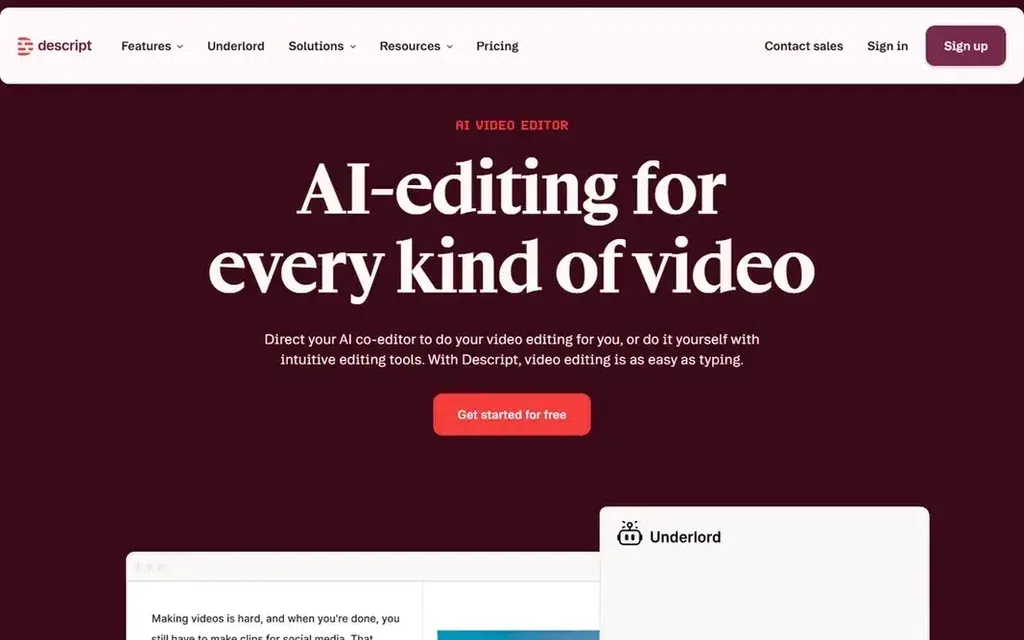
Choose Descript for editing lectures like text. Descript is an AI video and audio editor that makes editing as simple as editing text.
As for the details, Descript is centered on post-production editing rather than live lecture transcription. Worth adding: lecturers who record lectures or produce flipped classroom content can benefit from editing the transcript to automatically edit the media, simplifying production. Descript pricing: $16 per person per month. Descript offers a free plan.
Honest limits: May have a ramp-up time for advanced features.
- Text-based audio and video editing
- Publish in one
- Centred on editing instead of live capture
Sonix is designed for multilingual research interviews. Sonix is AI transcription software that transcribes audio and video to text in minutes with high accuracy.
The main drawbacks: May need editing for specialized terms.
From a buyer's view, choose Sonix for efficient transcription of recorded audio and video with speaker labels and summaries. From a buyer's view, Sonix is primarily a transcription service and may not offer the live capture or editing capabilities of some other tools. Sonix cost at the entry level: $10 per hour. Free plan details: Free trial.
- Quick transcription
- AI summaries and speaker detection
- Concentrated on transcription instead of live use
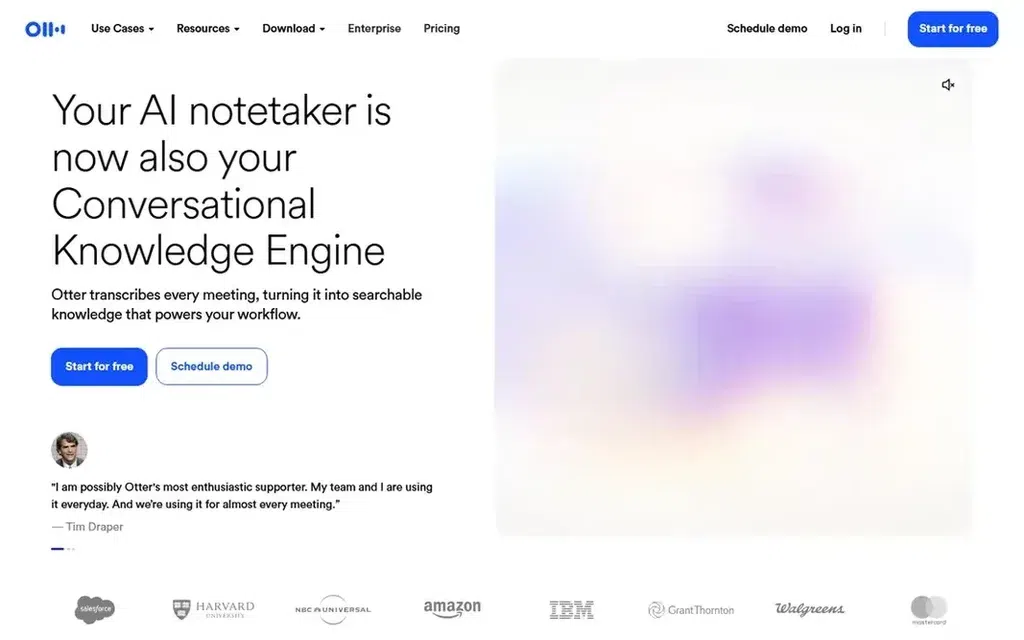
Otter.ai makes the most sense for live lecture transcription and summaries. Otter.ai is an AI meeting agent that offers live transcription, live chat, automatic summaries, insights, and action items.
Otter.ai concentrates on meeting and lecture capture instead of deep media editing. The live chat feature can support interaction during remote sessions. Otter.ai pricing: $8.33 per user per month. Otter.ai offers a free plan.
Downsides: May need stable internet for live use.
- Automatic summaries and action items
- Live transcription during lectures
- Restricted advanced editing features
Choose Trint for collaborative media production. Trint is an AI transcription and media production workflow tool that helps fast-track your first draft. It lets you to transcribe, translate, and collaborate in numerous languages.
Also, choose Trint when collaboration and multilingual transcription are priorities for your media projects. More specifically, if you primarily need live lecture notes, a more straightforward tool like Otter.ai could suffice. For everyday use, Trint is designed with media production workflows in mind, which may bundle features beyond what a lecturer needs for entry-level transcription. This comparison lists no price for Trint; ask the vendor. Free options: Not stated.
Drawbacks to consider: Focus on media workflows.
- Supports plenty of languages
- Transcribe, translate, collaborate
- May be more than needed for straightforward transcription
Happy Scribe is built with multilingual transcription with privacy in mind. Happy Scribe provides AI transcription and notetaking in plenty of languages, turning meetings into notes and decisions you can act on. If you have to edit recordings like text, consider Descript.
Drawbacks to consider: Centred on transcription and notetaking.
In practice, Happy Scribe is primarily a transcription and notetaking tool, so it may not offer advanced media editing or live interaction features. Lecturers who require transcription in several languages or who prioritize data protection may find it a solid fit for recording lectures and meetings. What you pay to start with Happy Scribe: $17 per month. A free plan is available with Happy Scribe.
- SOC 2 and GDPR compliance
- AI notetaker for meetings
- May have restricted live features
Fireflies.ai is designed for meeting transcription across systems. Fireflies.ai is an AI teammate that transcribes, summarizes, and examines meetings in real time. It uses generative AI to bring ChatGPT to meetings and creates transcripts and smart summaries for products like Zoom, Google Meet, Microsoft Teams, and Webex.
Where it is weaker: May need integration setup.
Reasons to shortlist it: Works with major meeting systems.
Fireflies.ai is tailored for meetings and may not be optimized for lecture capture or academic research transcription. From a buyer's view, pick Fireflies.ai for integrating transcription and summaries into your existing meeting workflows. In daily use, lecturers who hold virtual office hours or collaborative sessions can use it to capture notes automatically. If your central need is transcribing lectures for students, Otter.ai or Sonix might be more direct. Price to start with Fireflies.ai: $10 per seat per month, billed annually. A free plan is available with Fireflies.ai.
- Creates transcripts and smart summaries
- Live AI notes
- Concentrated on meetings instead of lectures
How we built this list
LinkVetted looked at what each vendor publishes: pricing, plan limits, feature coverage for transcription software for lecturers and stated drawbacks. No hands-on testing is claimed. Plan names, prices and limits change often. Treat the figures here as a starting point and verify them with the vendor. Position on the page reflects fit for a typical buyer first, with price clarity and free access breaking ties. Treat it as a guide, not a ruling.
What to confirm before you sign up
- Get a written quote from Trint; the list shows no starting price for them.
- Look at free plan limits closely: Descript, Otter.ai, Happy Scribe and Fireflies.ai have one, and the caps decide whether it is usable for real work.
- Use real work to test the free trial from Sonix, rather than a demo project.
- Before choosing Descript, weigh its main limit: may have a learning curve for advanced features.
- Check the integration list for Fireflies.ai against the tools you run today, and note which ones need a higher plan.
- Add up seats, add-ons and usage charges for Trint before comparing it with cheaper entries.
FAQ
Can I edit transcripts to build study materials?
Yes, plenty of tools allow transcript editing. Descript is especially capable for editing media via text, whereas others like Sonix and Trint offer collaborative editing. This can help you repurpose lecture content into study guides.
Which options for transcription software for lecturers have a free plan?
On this list, Descript, Otter.ai, Happy Scribe and Fireflies.ai include a free plan. Caps on seats, usage or features are common, so test the free plan against your real workload. One other tool offers a trial instead.
Is Descript the right pick for everyone comparing transcription software for lecturers?
No single tool suits every team. Descript comes first because it fits editing lectures like text, while Sonix suits multilingual research interviews and Otter.ai suits live lecture transcription and summaries. Match the tool to your own size, budget and workflow before deciding.
Can transcription software deal with specialized academic terminology?
Most tools allow you to add custom vocabularies or correct transcripts after transcription. Accuracy for specialized terms may vary, so test with a sample recording. Some tools offer higher accuracy for clear audio.
Is live transcription dependable for in-person lectures?
Live transcription quality relies on audio clarity and internet connectivity. Tools like Otter.ai are made for live capture, but may require a decent microphone.
What is the cheapest option for transcription software for lecturers in this list?
On published monthly entry prices, Otter.ai is the lowest here at $8.33 per user per month. Entry price is only part of the cost, because seats, add-ons and billing terms can change the total. Prices, free plan details and limits for all 6 tools in this transcription software for Lecturers roundup sit on the individual cards above.
Sources
- https://www.descript.com
- https://sonix.ai
- https://otter.ai
- https://trint.com
- https://www.happyscribe.com
- https://fireflies.ai