Best Free Video Transcription Tool in 2026: 8 Tools Compared
Compare the best free video transcription tool options, from Otter and Descript to VEED and Kapwing, with free limits, exports, and accuracy notes here.

- Editor's choice
 Otter.ai
Meetings, free minutes
Starts atFreeVisit otter.aiFull review - Great alternative
 Descript
Transcript-based editing
Starts atFreeVisit descript.comFull review - Also consider
 VEED
Captions on video
Starts atFreeVisit veed.ioFull review
TL;DR:
- Otter offers the most generous free transcription minutes at 300 per month, but it caps conversations at 30 minutes and lifetime file imports at three.
- Descript is best when the transcript is a starting point for editing, while VEED and Kapwing are best when you need captions on the video itself.
- Notta's free plan is limited by a three-minute recording cap, so it suits short samples rather than full meetings or long videos.
- Free plans differ on exports: check whether SRT, TXT, and DOCX exports are included, because some formats sit behind paid plans.
Quick comparison
| Tool | Best for | Starts at | Free plan? | |
|---|---|---|---|---|
| Otter.ai | Meetings, free minutes | Free | Yes | Visit |
| Descript | Transcript-based editing | Free | Yes | Visit |
| VEED | Captions on video | Free | Yes | Visit |
 Kapwing | Quick captioning, editing | Free | Yes | Visit |
 Notta | Short samples, many languages | Free | Yes | Visit |
 TurboScribe | File uploads, free daily files | Free | Yes | Visit |
 Riverside | Studio recordings, transcripts | See website | Free trial | Visit |
 Happy Scribe | Uploads, many languages | See website | Free trial | Visit |
The best free video transcription tool
Free video transcription tools turn spoken words in a video or meeting into text, captions, or subtitles. The free plans below differ sharply on minutes, file limits, export formats, and watermarks, so the best tool depends on whether you need a meeting transcript, a captioned video, or an editable script.
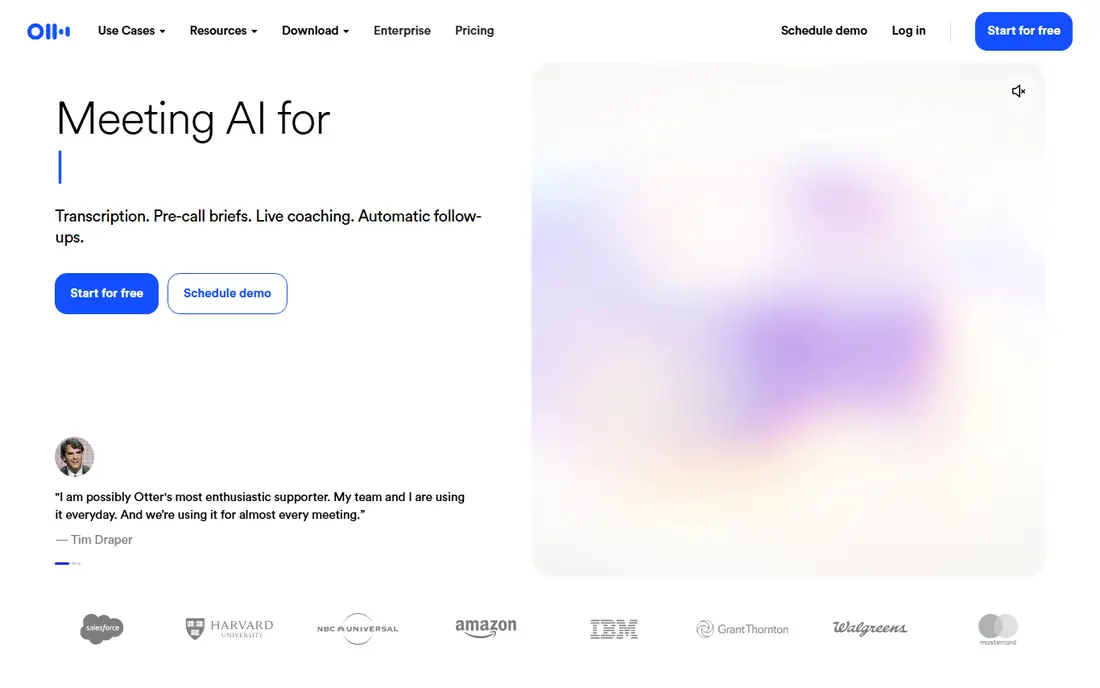
Otter.ai is the strongest free option for live meetings, because its Basic plan offers 300 transcription minutes per month, with live transcription and speaker identification for Zoom, Google Meet, and Microsoft Teams. You can search transcripts, highlight key moments, and share notes with a team, which makes it useful for interviews, classes, and client calls that happen live rather than from uploaded files.
The limits matter for video work. Conversations cap at 30 minutes, file imports cap at three for the life of a free account, and SRT and DOCX exports sit behind Pro, which starts at $8.33 per user per month billed annually. If you work mainly from recorded video files, Otter's free plan will run out fast. For live meetings and short calls, it remains the best free starting point.
- 300 free minutes per month
- Live transcription for Zoom, Meet, and Teams
- Speaker identification
- 30-minute cap per conversation
- Only three file imports for the life of a free account
- SRT export needs Pro

Descript turns transcription into an editing tool: you edit the transcript, and Descript edits the video or audio to match, which makes cutting filler words, mistakes, and pauses far faster than timeline editing. Its free plan processes 60 media minutes per month, including imports and recordings, and it transcribes in 25 languages. For a creator who wants to turn a rough recording into a clean video, that workflow is a major time saver.
The free trade-offs are export quality and platform: free video renders at 720p with a watermark, and watermark-free output starts on paid plans from $16 per month billed annually. Descript runs on Mac and Windows only, with no phone app. If you need a polished, watermark-free video, you will need to pay, but for drafting and editing, the free plan is genuinely useful.
- Edit video by editing text
- 60 free media minutes per month
- Transcription in many languages
- Free video exports are 720p with a watermark
- Desktop only, no phone app

VEED is a browser-based video editor built around subtitles and captions. You upload a video, generate auto subtitles, style them for social platforms, and export a captioned video without installing software. That makes it a good fit for creators, marketers, and teachers who need captions quickly and want control over how they look on screen.
VEED's free plan is limited: unlimited subtitles and watermark-free exports start on paid plans from $10 per month, so free exports may carry a watermark or limits. Check the current free export terms before relying on VEED for client work. For short social videos where captions matter more than a full transcript file, VEED is a friendly and fast choice.
- Easy auto subtitles and caption styling
- Browser based
- Good for social video
- Unlimited subtitles and no watermark need a paid plan
- Paid plans start at $10 per month
Kapwing is a browser editor that combines auto subtitles with trimming, resizing, and other editing tools, which suits creators who need a quick captioned clip for social media. Its collaboration features help small teams review and share drafts, and because it runs in a browser, it works on Chromebooks and shared machines without installs.
Kapwing's free plan is the most limited in this list for longer work: free exports run to about one minute with a watermark, so a full meeting or long video needs a paid plan. That makes Kapwing best for short clips, tests, and social cuts rather than full transcripts. For a one-minute captioned clip, it is fast and easy, but for longer videos, start with Otter, Descript, or TurboScribe.
- Browser based
- Auto subtitles plus editing tools
- Easy sharing and collaboration
- Free exports are limited to about one minute with a watermark
- Paid plans needed for longer videos
Notta offers 120 free transcription minutes per month and supports 58 transcription languages, which is broader than Otter, plus bilingual transcription for meetings in two languages. That language breadth helps teams that work across languages or need to transcribe short voice notes, interviews, and calls in languages beyond English.
The free plan's three-minute cap per recording is the deciding limit: almost no meeting, interview, or client call fits inside three minutes, so Notta free suits samples and short notes rather than real work. Transcript export is also limited on the free plan. Paid Pro starts at $8.17 per month billed annually and lifts those caps. For a short multilingual sample, Notta is useful, but for full videos, choose a tool with longer free recordings.
- 120 free minutes per month
- Supports many languages
- Bilingual transcription options
- Three-minute cap per recording on free plan
- Transcript export is limited on free plan
TurboScribe is the best free option for uploaded files, because its free plan allows three files per day, each up to 30 minutes, which is far more generous for video files than Otter's three lifetime imports. You upload a video or audio file, TurboScribe transcribes it, and you can export the text for editing, captions, or notes. Paid plans from $10 per month add priority processing and higher limits.
Free files run at lower priority, so processing can be slower at busy times, and your recording is uploaded to TurboScribe servers, which matters if the video contains sensitive or private content. Check its privacy terms before uploading confidential material. For a folder of short to medium videos that need transcripts, TurboScribe is a strong free pick.
- Three free files per day, up to 30 minutes each
- Good for uploaded video and audio
- Paid plans from $10 per month
- Free files run at lower priority
- Uploads go to TurboScribe servers
Riverside is a studio recording platform that records each speaker on a separate track and generates transcripts from the recording, which suits podcasts, interviews, and remote video sessions. Separate tracks make editing easier, because you can fix one speaker without affecting another, and the transcripts help with show notes, clips, and captions. Its recording quality is a step above a basic meeting recorder.
Riverside does not offer a permanent free plan, only a trial, so it is not a long-term free transcription tool. It belongs in this list because many creators use its trial and then pay for regular recording, but a user who needs ongoing free transcription should start with Otter, Descript, or TurboScribe. For studio-quality interviews where transcripts are a bonus, Riverside is excellent.
- High-quality separate audio and video tracks
- Automatic transcripts
- Good for podcasts and interviews
- No permanent free plan, only a trial
- Paid plans needed for regular use
Happy Scribe offers automatic transcription and subtitling for uploaded video and audio in many languages, plus a human transcription service for higher accuracy. Its subtitle editor helps creators time captions, translate them, and export in common formats, which suits documentary, education, and corporate video work. Language coverage and subtitle tools are its main strengths.
Happy Scribe's free offer is a short trial, about 10 minutes for uploads, rather than a recurring free plan, so it is not a long-term free tool. Paid plans start at a higher price than Otter or TurboScribe for regular use. For a one-off upload or a multilingual subtitle project where accuracy matters, the trial is useful, but for ongoing free work, choose a tool with a real free tier.
- Upload transcription in many languages
- Subtitle and caption tools
- Human transcription option
- Free offer is a short trial, not a full free plan
- Paid plans start higher than some rivals
How we picked these
We compared official pricing pages and public documentation for transcription tools, focusing on free minutes, recording caps, file import limits, export formats, watermarks, and language support. We favored tools that are actively offered in 2026 and that cover different jobs: live meetings, file uploads, captioning, and editing. Where a tool offers only a trial rather than a free plan, we say so clearly, so readers do not mistake a trial for ongoing free use.
How to get accurate transcripts for free
Record clean audio first, because no free tool fixes muffled speech, background noise, or overlapping speakers. Use a close microphone, record in a quiet room, and ask speakers to avoid talking over each other. After transcription, proofread names, numbers, and technical terms, since automatic tools still make errors on those, and check speaker labels before sharing. For captions, review timing and line breaks, because a correct transcript with bad timing still reads poorly on video. Accuracy claims from vendors should be treated as marketing, not a promise for your recording.
FAQ
What is the best free video transcription tool?
Otter is best for free live meeting minutes, TurboScribe is best for free uploaded files, Descript is best for transcript-based editing, and VEED is best for captions on social video. The best choice depends on whether your video is live, uploaded, or edited.
Is there a truly free video transcription tool with no limits?
No, every tool in this list limits free minutes, file size, exports, or video length, and some offer only a trial. TurboScribe and Otter offer the most usable free tiers, but both have caps that matter for long videos.
Can free tools transcribe video in other languages?
Yes, Descript transcribes 25 languages, Notta supports 58, and Happy Scribe covers many languages, while Otter covers a smaller set including English, Spanish, French, German, Japanese, and Chinese. Check your exact language before choosing, and test a short sample first.
What export formats should I check?
Check TXT for plain text, SRT for subtitles, VTT for web captions, and DOCX for edited documents. Otter reserves SRT and DOCX for paid plans, so if you need subtitles, VEED, Kapwing, or Happy Scribe may fit better even with other limits.
Are free transcription tools private?
Uploads go to vendor servers for processing, and free plans may have different retention terms from paid plans. Avoid uploading sensitive, medical, legal, or confidential recordings to a free tool without reading its privacy policy, and use a paid plan with clear retention controls for sensitive work.