Top 5 STEM Curriculum Software for High Schools for 2026 (Prices and Free Plans)
Best STEM curriculum software for high schools in 2026: 5 tools with starting prices, free plans and limits. Short verdicts, no fluff. Compare quickly.

- Editor's choiceVernier Graphical Analysis
Probeware and data analysis in science
Starts atSee websiteVisit vernier.comFull review - Great alternativeWolfram Mathematica
Symbolic math and computational exploration
Starts atSee websiteVisit wolfram.comFull review - Also consider
 GeoGebra
Free dynamic math tools for classrooms
Starts atSee websiteVisit geogebra.orgFull review
Direct answer
If you need Probeware and data analysis in science, Vernier Graphical Analysis is the first tool to look at here. Listed starting prices: Labster from $5,000 a year. For a different need, Wolfram Mathematica covers symbolic math and computational exploration and GeoGebra covers free dynamic math tools for classrooms. Details, prices and limits for the rest of the 5 tools are below.
TL;DR:
- Number one here is Vernier Graphical Analysis, a fit for Probeware and data analysis in science.
- For advanced math and engineering computations, MATLAB is worth a look.
- Vernier Graphical Analysis, Wolfram Mathematica, GeoGebra and MATLAB: pricing is by quote only, so plan time for a sales conversation.
- Vernier Graphical Analysis, MATLAB and the 3 others all need a premium plan or a trial, since no free plan is listed.
Last checked November 2026. Prices and plan details were read from the vendors' own pages in November 2026; vendors change plans often, so confirm the current price on the vendor site before you buy.
Quick comparison
| Tool | Best for | Starts at | Free plan? | |
|---|---|---|---|---|
| Vernier Graphical Analysis | Probeware and data analysis in science | See website | Not stated | Visit |
| Wolfram Mathematica | Symbolic math and computational exploration | See website | Not stated | Visit |
| GeoGebra | Free dynamic math tools for classrooms | See website | Not stated | Visit |
| Labster | Virtual lab simulations for STEM courses | $5,000 a year | Free trial | Visit |
 MATLAB | Advanced math and engineering computations | See website | Free trial | Visit |
The 5 tools in detail
If you are comparing STEM curriculum software for high schools, this page covers 5 tools in one place: what each is best for, what it costs to start, whether it has a free plan, and the main limit to know about.
Vernier Graphical Analysis
Best for: Probeware and data analysis in science
Vernier Graphical Analysis targets Probeware and data analysis in science. Vernier Graphical Analysis is part of Vernier's science probeware and experiment software ecosystem, offering teachers with tools to encourage curiosity in all students.
Points against: Requires hardware.
It lets live data collection and analysis from Vernier sensors, making it a strong match for high school science labs that emphasize practical experiments and data-driven learning. No starting price is listed for Vernier Graphical Analysis here; confirm pricing on the vendor site. Free access: Not stated.
- Live data collection
- Links up with probeware
- Centred on data analysis
Wolfram Mathematica
Best for: Symbolic math and computational exploration
Wolfram Mathematica targets symbolic math and computational exploration. Wolfram Mathematica, created by Wolfram Research, is a capable computational tool used for symbolic math, data analysis, and visualization. As for the details, in high schools, it can support advanced math and science courses, enabling students to explore complicated concepts and perform sophisticated calculations.
Trade-offs to know: Costly for classrooms.
It is well suited to schools with capable computational math programs. It is best reserved for advanced students. Wolfram Mathematica shows no starting price here, so confirm the cost on the vendor site. Trial and free access: Not stated.
- Rich visualization
- Advanced symbolic computation
- Complicated interface
GeoGebra is aimed squarely at free dynamic math tools for classrooms. GeoGebra supplies free digital tools for class activities, graphing, geometry, and collaborative whiteboard use. Its accessibility and simplicity make it a widely used choice for teachers seeking no-cost math software.
For everyday use, GeoGebra is focused primarily on mathematics and supplies limited coverage for other STEM subjects like biology or chemistry. It also lacks a structured curriculum, so it performs best as a supplemental tool. This comparison lists no price for GeoGebra; ask the vendor. Trial and free access: Not stated.
Drawbacks to consider: No formal curriculum.
- Free and open-source
- Collaborative whiteboard
- Restricted science coverage
Labster
Best for: Virtual lab simulations for STEM courses
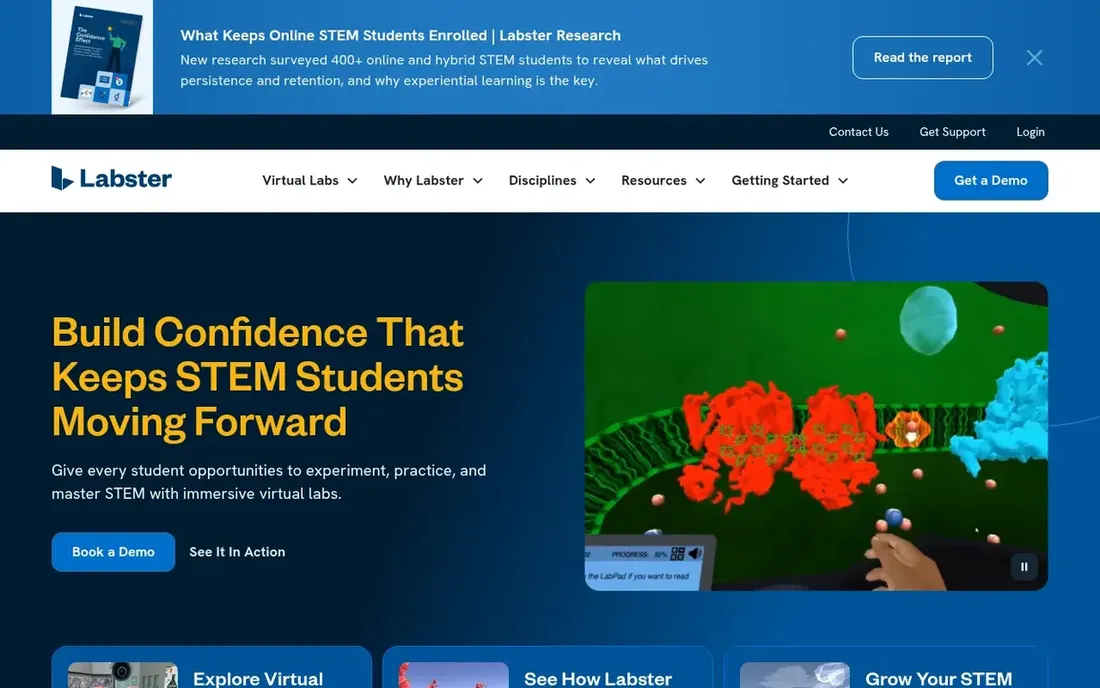
Pick Labster if this describes you: virtual lab simulations for STEM courses. Labster supplies virtual lab simulations built to replace passive learning with interactive, practical experiences. Also, higher education STEM programs use it to boost retention and scale online courses.
Labster is primarily marketed toward higher education, so high schools may have to adapt content to their curriculum. It needs a demo request to access, which may slow down evaluation. Labster starts at: $5,000 per year. Free plan details: Free trial.
Watch-outs: Needs demo request.
- Boosts retention
- Practical virtual labs
- May need solid internet
MATLAB serves advanced math and engineering computations. High schools may use it for advanced math and engineering courses to introduce students to computational thinking and data analysis. It is well-suited for schools with specialized STEM pathways.
Honest limits: Steep ramp-up time.
For a free alternative centred on math, consider GeoGebra. As for the details, MATLAB has a steep ramp-up time and needs a commercial license, which may be challenging for some high school budgets. It is also more complicated than needed for entry-level courses. Check the vendor site for MATLAB pricing; none is listed in this comparison. Free plan details: Free trial.
- Broad toolboxes
- Industry-standard
- Commercial license needed
How we chose
The comparison looks at four things: starting price, free access, how well the feature set matches STEM curriculum software for high schools, and the main limit of each tool. Plan names, prices and limits change often. Treat the figures here as a starting point and verify them with the vendor. Position on the page reflects fit for a typical buyer first, with price clarity and free access breaking ties. Treat it as a guide, not a ruling.
Before you commit
- Get a written quote from Vernier Graphical Analysis, Wolfram Mathematica, GeoGebra and MATLAB; the list shows no starting price for them.
- Run a trial of Labster and MATLAB with real work before paying for a year; your own workflow is the best test.
- Before choosing Vernier Graphical Analysis, weigh its main limit: needs hardware.
- Ask Wolfram Mathematica how an export works before you move any records in; an easy exit lowers the risk.
- Check whether Vernier Graphical Analysis bills monthly or annually, and what cancelling early costs.
FAQ
Which tool is a good match for math and engineering in high school?
Start with Vernier Graphical Analysis if you need Probeware and data analysis in science. Wolfram Mathematica is the better match for symbolic math and computational exploration, and GeoGebra for free dynamic math tools for classrooms. The best choice depends on budget, team size and workflow.
How are the tools for STEM curriculum software for high schools ordered?
Vernier Graphical Analysis sits first and MATLAB last because the order follows typical fit for STEM curriculum software for high schools, then price clarity and free access. It is a judgement call, so read each profile for fit and limits.
Can I try these tools before paying?
Often, yes. Labster and MATLAB offer a free trial. Use your own data and a real task during the test, and check what the free tier or trial limits before you rely on it.
Can Labster replace physical labs in high school?
Labster supplies virtual lab simulations that can supplement or replace some physical labs, notably when equipment is restricted. Even so, it is designed primarily for higher education, so high schools should review content alignment carefully.
Is Vernier Graphical Analysis the right pick for everyone comparing STEM curriculum software for high schools?
No single tool suits every team. Vernier Graphical Analysis comes first because it fits Probeware and data analysis in science, while Wolfram Mathematica suits symbolic math and computational exploration and GeoGebra suits free dynamic math tools for classrooms. Match the tool to your own size, budget and workflow before deciding.
Do these tools publish their prices?
Not all of them. Vernier Graphical Analysis, Wolfram Mathematica, GeoGebra and MATLAB publish no starting price, so expect a quote request for those. The rest, Labster included, show a starting price, though seats and billing terms still change the final cost.
Sources
- https://www.vernier.com
- https://www.wolfram.com
- https://www.geogebra.org
- https://www.labster.com
- https://www.mathworks.com